
1. Producto terminadoview
The Roku 40" Select Series 1080p Full HD Smart RokuTV offers a seamless entertainment experience with its integrated Roku platform. Enjoy bright, full HD picture quality and clear audio. The customizable home screen provides quick access to streaming apps, inputs, and free live TV. This model features a bezel-less design and comes with a voice remote for easy navigation.
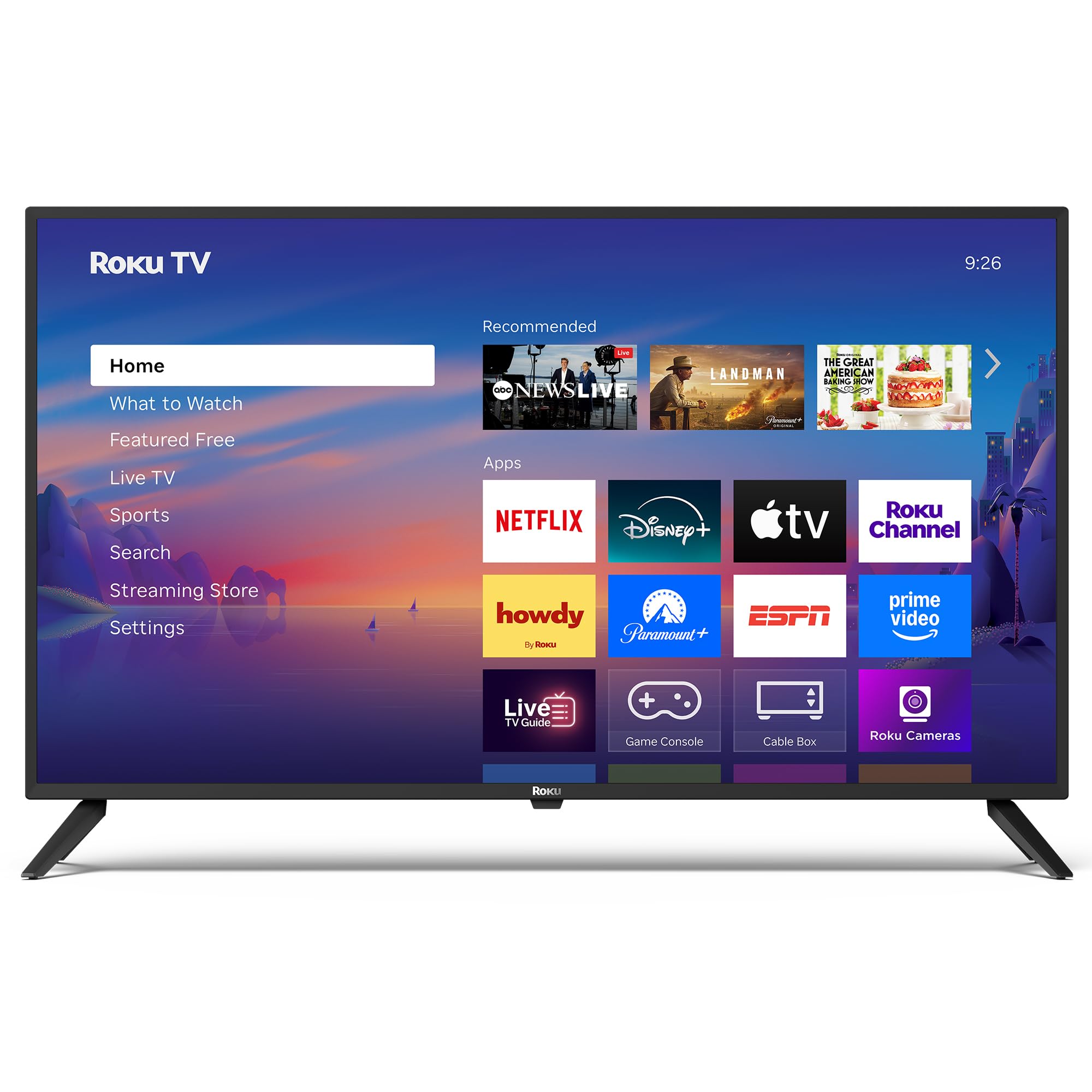
Imagen: Frente view of the Roku 40" Select Series Full HD Smart TV.
2. ¿Qué hay en la caja?
- Roku 40” Select Series Full HD Smart TV
- Roku voice remote with batteries
- Soportes de TV (2)
- Stand screws (4)
- Manual de usuario (este documento)

Image: Diagram illustrating the components included in the Roku TV package.
3. Guía de configuración
3.1 Fijación de los soportes del televisor
- Coloque con cuidado el televisor con la pantalla hacia abajo sobre una superficie suave y limpia para evitar rayones.
- Alinee cada soporte del televisor con los orificios para tornillos correspondientes en la parte inferior del televisor.
- Insert the provided screws into the holes and tighten them securely with a screwdriver.
- Ensure both stands are firmly attached before proceeding.
3.2 Conexión de la alimentación y configuración inicial
- Connect the power cord to the TV and then to a standard electrical outlet (100-240 VAC, 50-60 Hz).
- Insert the AAA batteries into the Roku voice remote.
- Presione el botón de encendido del control remoto para encender el televisor.
- Siga las instrucciones en pantalla para seleccionar su idioma, conectarse a su red Wi-Fi y activar su cuenta Roku.
- The TV will guide you through adding your preferred streaming apps and setting up any connected devices.

Imagen: Primer plano view of the TV's side panel, showing various input ports like HDMI, USB, and antenna connection.
4. Operación de su Roku TV
4.1 Navegación en la pantalla de inicio
The Roku home screen provides a centralized hub for all your entertainment. Easily access streaming apps, connected devices (like game consoles or cable boxes), and free live TV channels. The interface is designed for quick and intuitive navigation using your Roku voice remote.

Image: The Roku TV home screen, showing a grid of streaming applications and input selections.
4.2 Uso del control remoto por voz
The included voice remote simplifies your TV experience. Use voice commands to search for movies, shows, or songs across thousands of streaming apps. Dedicated shortcut buttons provide instant access to popular services like Netflix, Disney+, and Apple TV. Volume controls are conveniently located on the side of the remote.

Image: Close-up of the Roku voice remote, highlighting the voice command button and dedicated app shortcuts.
4.3 Configuración de imagen y sonido
The Roku TV delivers a bright, full HD picture with exceptional clarity. It features direct LED backlighting for better brightness and uniformity. Enhanced audio output is provided by built-in speakers. You can adjust picture modes, screen brightness, and other advanced settings through the TV's menu to optimize your viewExperiencia de aprendizaje.
4.4 Integración de casas inteligentes
The Roku TV is compatible with various smart home ecosystems, including Apple AirPlay 2, Apple Home, Alexa, and Google Home. This allows for integrated control and seamless interaction with your existing smart devices.

Image: Icons representing compatibility with various smart home platforms.
5. Mantenimiento
To ensure the longevity and optimal performance of your Roku TV, follow these maintenance guidelines:
- Limpieza de la pantalla: Use a soft, lint-free cloth specifically designed for electronics. Gently wipe the screen to remove dust and smudges. Avoid harsh chemicals or abrasive materials.
- Limpieza del exterior: Wipe the TV's exterior with a soft, dry cloth. Do not use liquid cleaners directly on the TV.
- Ventilación: Asegúrese de que las aberturas de ventilación del televisor no estén bloqueadas para evitar el sobrecalentamiento. Mantenga suficiente espacio alrededor del televisor para que circule el aire.
- Administración de energía: Desenchufe el televisor del tomacorriente durante tormentas eléctricas o cuando lo vaya a dejar desatendido durante períodos prolongados.
6. Solución de problemas
If you encounter issues with your Roku TV, try the following basic troubleshooting steps:
- Sin energía: Ensure the power cord is securely plugged into both the TV and the electrical outlet. Check if the outlet is functioning by plugging in another device.
- Sin imagen/sonido: Verify that the correct input source is selected on the TV. Check all cable connections (HDMI, AV, etc.) for looseness.
- El control remoto no responde: Replace the batteries in the remote. Ensure there are no obstructions between the remote and the TV. Re-pair the remote if necessary (refer to the on-screen instructions during initial setup or the Roku support site).
- Problemas de conexión de red: Restart your Wi-Fi router and modem. Go to the TV's network settings to reconnect to your Wi-Fi network.
- La aplicación se bloquea o se congela: Restart the specific app. If the issue persists, restart the TV by unplugging it from the power outlet for 30 seconds and then plugging it back in.
Para obtener una solución de problemas más detallada o problemas persistentes, visite el soporte oficial de Roku. websitio.
7. Especificaciones
| Característica | Detalle |
|---|---|
| Tamaño de pantalla | 40 pulgadas |
| Marca | Roku |
| Número de modelo | 40R2A5R |
| Tecnología de visualización | CONDUJO |
| Resolución | 1080p Full HD |
| Frecuencia de actualización | 60 Hz |
| Sistema operativo | Sistema operativo Roku |
| Características especiales | Bezel-Less Design, Voice Remote |
| Tecnología de conectividad | HDMI, USB, Wi-Fi |
| Puertos HDMI totales | 3 |
| Total USB 3.0 Ports | 1 |
| Modo de salida de audio | Mejorado |
| Método de control | App Control, Remote Control, Voice Control |
| Screen Mirroring Technology | AirPlay 2, Miracast |
| Dimensiones del producto (Pr. x An. x Al.) | 8.7" de profundidad x 35.5" de ancho x 22.6" de alto |
| Item Weight Without Stand | 11.2 libras |
| Estándar de montaje VESA | 200 x 100 mm |
8. Garantía y soporte
8.1 Garantía limitada
Roku warrants the hardware of this device against defects in materials and workmanship under normal use for a period of one (1) year from the date of purchase ("Warranty Period"), provided it is used in accordance with the provided documentation. If a hardware defect is determined during the Warranty Period, Roku's sole obligation and your exclusive remedy will be to either repair or replace the unit with a new or rebuilt device, at Roku's option.
Important information about warranty returns and replacements is available on the Roku support site.
8.2 Devoluciones de productos
You may return a device for any reason, subject to the terms of the applicable return policy:
- Within thirty (30) days from the date of purchase from Roku.
- Within the applicable return period if purchased from an authorized reseller or distributor.
Additional details regarding product returns can be found on the Roku support site.