
HERRAMIENTAS ELECTRÓNICAS EBTOOLS1756ogbieh-12
User Manual for EBTOOLS YEEMI K21+ 4G Flip Phone
Modelo: EBTOOLS1756ogbieh-12
Introducción
This manual provides comprehensive instructions for the operation, maintenance, and troubleshooting of your EBTOOLS YEEMI K21+ 4G Flip Phone. Designed with seniors in mind, this phone features large buttons, dual screens, and essential functions like SOS and GPS for enhanced safety and ease of use. Please read this manual carefully to ensure proper use and to maximize the phone's capabilities.
1. Configuración
1.1 Contenido del paquete
Antes de comenzar, verifique que todos los artículos estén presentes en el paquete:
- EBTOOLS YEEMI K21+ Teléfono plegable 4G
- Batería
- Cable USB
- Manual de usuario (este documento)

Image: The phone, battery, and USB cable included in the package.
1.2 Inserción de la tarjeta SIM y la batería
- Abra la tapa trasera: Levante con cuidado la tapa trasera del teléfono.
- Insertar tarjeta(s) SIM: Locate the SIM card slot(s). This phone supports dual SIM. Carefully insert your 4G compatible SIM card(s) into the designated slot(s) with the gold contacts facing down.
- Insertar batería: Alinee los contactos de la batería con los contactos del teléfono y presione suavemente la batería en su lugar.
- Cerrar contraportada: Vuelva a colocar la cubierta posterior, asegurándose de que encaje firmemente en su lugar.

Image: The phone in its open position, ready for SIM card and battery insertion.
1.3 Carga de la batería
Antes del primer uso, cargue completamente la batería del teléfono.
- Conecte el extremo pequeño del cable USB al puerto de carga del teléfono.
- Conecte el otro extremo del cable USB a un adaptador de corriente USB compatible (no incluido) o al puerto USB de una computadora.
- El indicador de carga en la pantalla mostrará el estado de carga.
2. Instrucciones de funcionamiento
2.1 Encendido y apagado
- Para encender: Mantenga presionado el botón de Encendido/Finalizar llamada (botón rojo) hasta que la pantalla se ilumine.
- Para apagar: Press and hold the Power/End Call button until the power off options appear, then select "Power Off".
2.2 Realizar y recibir llamadas
- Haciendo una llamada:
- Enter the phone number using the large keypad buttons.
- Press the Call button (green button) to dial.
- Recibir una llamada:
- When the phone rings, open the flip to answer, or press the Call button.
- Para finalizar una llamada, presione el botón de Encendido/Finalizar llamada.

Image: The phone showcasing its dual display feature, with the internal screen open and the external screen visible when closed.
2.3 Dual Screens and Large Font
The phone features a 2.6-inch high-definition main screen and a 1.77-inch external color high-definition screen. The external screen displays important information like time, date, and incoming call notifications without needing to open the phone. Large fonts and icons are used throughout the interface for improved readability.

Imagen: Un primer plano view of the phone's external screen, highlighting its dual SIM dual standby capability.
2.4 SOS and GPS Functionality
For emergencies, the phone is equipped with an SOS button and GPS positioning.
- Configuración de contactos SOS: Navigate to the SOS settings in the phone's menu to add emergency contact numbers.
- Activando SOS: In an emergency, press and hold the dedicated SOS button (usually located on the back or side of the phone). The phone will automatically call and send an emergency message with your GPS location to the pre-set SOS contacts.
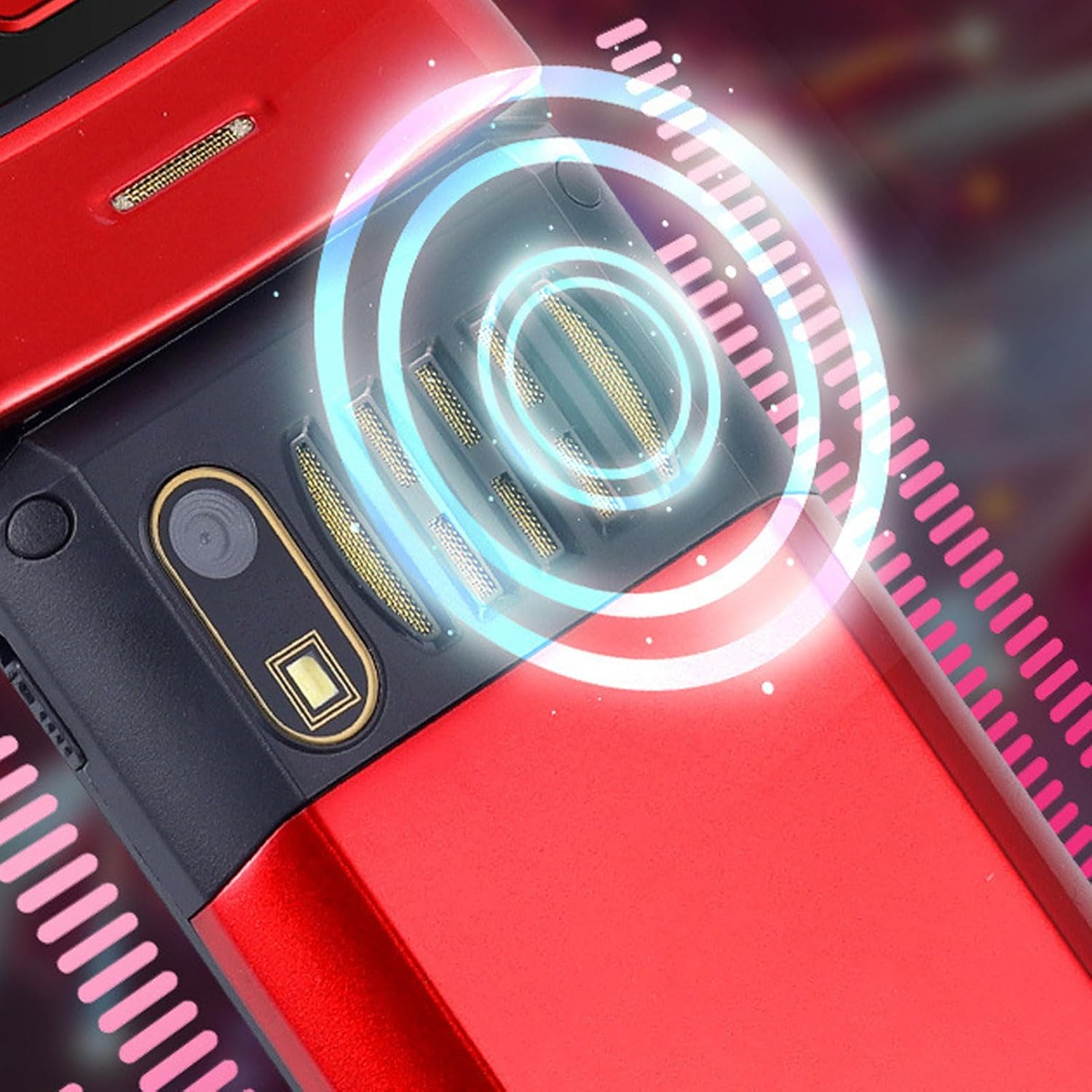
Image: The back of the phone, highlighting the speaker area, which contributes to clear sound for emergency calls.
2.5 Botones de acceso rápido y acceso directo
The phone supports 9 speed dial buttons for quick dialing of family numbers and 3 dedicated shortcut buttons for frequently used functions.
- Configuración de marcación rápida: Refer to the phone's menu for instructions on assigning contacts to speed dial numbers (typically 2-9).
- Using Shortcut Buttons: The dedicated shortcut buttons provide quick access to features like Camera, Messaging, or FM Radio.
3. Mantenimiento
3.1 Cuidado de la batería
- Evite exponer la batería a temperaturas extremas.
- No perfore, desmonte ni cortocircuite la batería.
- Si no va a utilizar el teléfono durante un período prolongado, cargue la batería hasta aproximadamente el 50 % antes de guardarlo.
3.2 Limpieza del teléfono
- Utilice un paño suave que no suelte pelusa para limpiar la pantalla y el cuerpo del teléfono.
- No utilice productos químicos agresivos, aerosoles de limpieza ni materiales abrasivos.
- Mantenga el puerto de carga y las rejillas de los altavoces libres de polvo y residuos.
4. Solución de problemas
Si tiene problemas con su teléfono, consulte los siguientes problemas y soluciones comunes:
| Problema | Posible causa | Solución |
|---|---|---|
| El teléfono no se enciende. | La batería está agotada o no está insertada correctamente. | Cargue la batería. Asegúrese de que esté correctamente insertada. |
| No puedo realizar ni recibir llamadas. | No hay tarjeta SIM, la tarjeta SIM no está insertada correctamente o no hay señal de red. | Asegúrese de que la tarjeta SIM esté correctamente insertada. Compruebe la intensidad de la señal de la red. Contacte con su proveedor de servicios. |
| Mala calidad de llamada. | Weak network signal, or speaker/microphone obstruction. | Move to an area with better signal. Clean speaker and microphone openings. |
| La función SOS no funciona. | SOS contacts not set up, or no network signal. | Verify SOS contacts are correctly configured in settings. Ensure phone has network signal. |
5. Especificaciones
Key technical specifications for the EBTOOLS YEEMI K21+ 4G Flip Phone:
- Modelo: EBTOOLS1756ogbieh-12
- Conectividad: 4G (supports 2G, 3G, and 4G network bands including GSM and CDMA)
- Pantalla principal: 2.6-inch High Definition
- Pantalla externa: 1.77-inch Color High Definition
- Capacidad de la batería: 4800mAh (Long Standby Time)
- Características: Large Buttons, Dual Screens, SOS with GPS Positioning, 9 Speed Dial Buttons, 3 Dedicated Shortcut Buttons, Clear Sound Speaker
- Dimensiones: Aproximadamente 5.51 x 3.15 x 2.76 pulgadas (Dimensiones del paquete)
- País natal: Porcelana
6. Garantía y soporte
Your EBTOOLS YEEMI K21+ 4G Flip Phone comes with a standard manufacturer's warranty. Please refer to the warranty card included in your package for specific terms and conditions. For technical support, troubleshooting assistance beyond this manual, or warranty claims, please contact the seller or manufacturer directly.
Fabricante: EBTHERRAMIENTAS
Para obtener más ayuda, puede visitar el Tienda EBTOOLS en Amazon.
Ask a question about this manual
Ask about setup, troubleshooting, compatibility, parts, safety, or missing instructions. Manuals+ will review the question and use this page’s manual context to help answer it.