
1. Introducción y másview
This manual provides instructions for the Manhattan Spanish Layout Wireless Keyboard and Optical Mouse Combo, Model 180955. This combo is designed to enhance your productivity and comfort with its reliable wireless connectivity and ergonomic features.
Enjoy comfortable and easy typing with the standard ergonomic keyboard design. The adjustable tilt mechanism provides comfortable typing positions, and the keyboard boasts a lifespan of 10,000,000 keystrokes. The optical mouse offers adjustable DPI settings (800/1200/1600) for precise control.
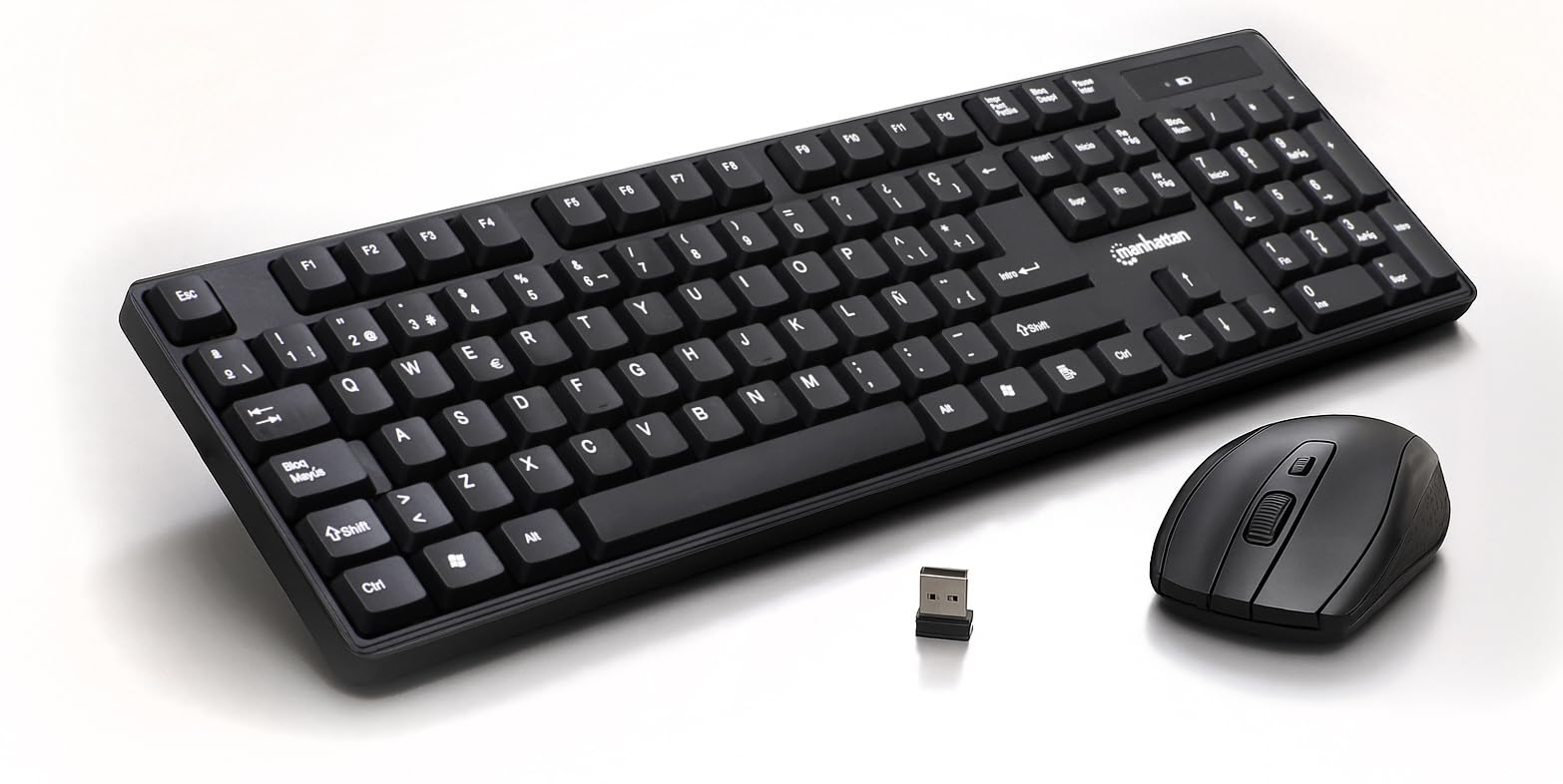
Figure 1: Manhattan Spanish Layout Wireless Keyboard and Mouse Combo
2. Contenido del paquete
Verifique que todos los artículos estén presentes en su paquete:
- Manhattan Spanish Layout Wireless Keyboard
- Ratón óptico inalámbrico Manhattan
- USB 2.4 GHz Receiver
- 2 pilas AAA (para el teclado)
- 1 pila AA (para ratón)
3. Instrucciones de configuración
- Instale las baterías:
- For the keyboard: Open the battery compartment on the underside of the keyboard and insert 2 AAA batteries, ensuring correct polarity.
- For the mouse: Open the battery compartment on the underside of the mouse and insert 1 AA battery, ensuring correct polarity.
- Conecte el receptor USB: Locate an available USB port on your computer (laptop or desktop). Insert the 2.4 GHz USB receiver into the port.
- Dispositivos de encendido:
- For the keyboard: Locate the ON/OFF switch, usually on the top right edge or underside, and slide it to the 'ON' position.
- Para el mouse: ubique el interruptor de ENCENDIDO/APAGADO en la parte inferior del mouse y deslícelo a la posición 'ENCENDIDO'.
- Conexión automática: El teclado y el ratón deberían conectarse automáticamente a tu ordenador. Normalmente no se requieren controladores adicionales para la mayoría de los sistemas operativos.

Figure 2: Easy Setup with Batteries and USB Receiver
4. Instrucciones de funcionamiento
4.1 Funcionamiento del teclado
- Escritura estándar: Use the full-size Spanish layout keyboard for all your typing needs.
- Teclado numérico: The dedicated numeric keypad on the right allows for efficient data entry.
- Teclas multimedia: Utilize the function keys (F1-F12) for quick access to multimedia controls (e.g., volume, play/pause) and other shortcuts.
- Inclinación ajustable: Flip out the integrated foldable supports on the underside of the keyboard to adjust the typing angle for maximum comfort.

Figure 3: Full-Size 104-Key Spanish Layout Keyboard

Figure 4: Keyboard LED Indicators and Numeric Keypad

Figure 5: Adjustable Tilt Legs for Ergonomic Typing
4.2 Funcionamiento del ratón
- Uso estándar: The optical mouse features standard left, right, and scroll wheel buttons.
- Ajuste de PPP: Use the DPI button (often located near the scroll wheel) to cycle through 800, 1200, and 1600 DPI settings to adjust cursor sensitivity.

Figure 6: Wireless Optical Mouse with Adjustable DPI
5. Características
- Conectividad inalámbrica: 2.4 GHz RF wireless technology with a range of up to 25 feet.
- Diseño en español: Full-size keyboard with a dedicated numeric keypad and Spanish character set.
- Diseño ergonómico: Comfortable typing experience with adjustable tilt legs.
- Gestión automática de energía: Conserves battery life by entering sleep mode when idle.
- Construcción duradera: Keyboard designed for a lifespan of 10,000,000 keystrokes.
- Adjustable Mouse Sensitivity: Optical mouse with 800/1200/1600 DPI settings.
- Amplia compatibilidad: Works with most computer operating systems including Windows XP/Vista/7/8.1/10 and Mac OS.
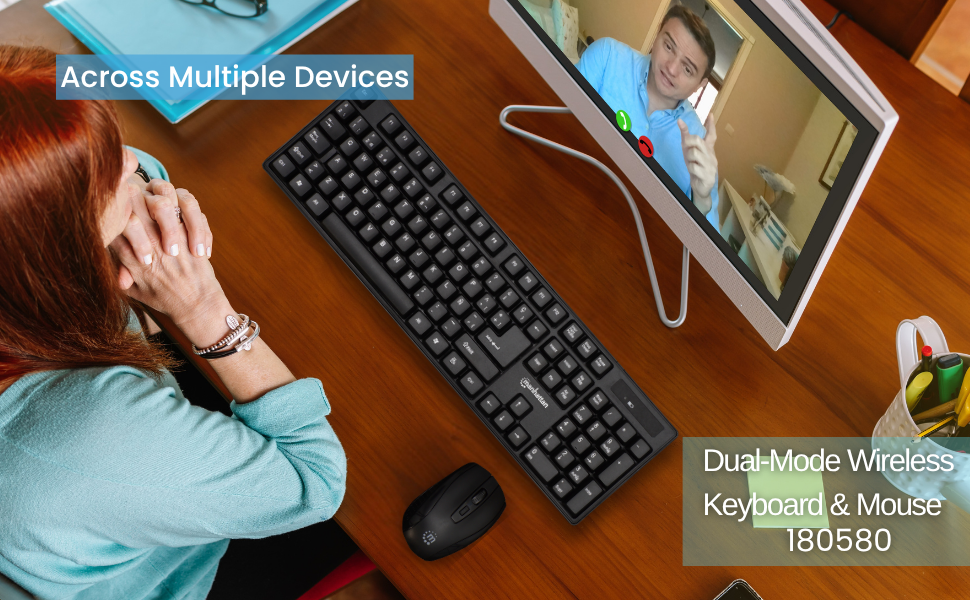
Figure 7: Maximum Compatibility with various Operating Systems
6. Mantenimiento
- Limpieza: Utilice un paño suave y seco para limpiar las superficies del teclado y el ratón. Para una limpieza más profunda, utilice un paño ligeramente seco.amp Se puede utilizar un paño, asegurándose de que no entre líquido en el dispositivo.
- Reemplazo de batería: Replace batteries when performance degrades. Refer to Section 3.1 for battery installation.
- Almacenamiento: When not in use for extended periods, turn off both the keyboard and mouse to conserve battery life. Store in a cool, dry place.
7. Solución de problemas
- Sin conexión/No responde:
- Asegúrese de que el receptor USB esté conectado de forma segura a un puerto USB que funcione en su computadora.
- Compruebe que tanto el teclado como el ratón estén encendidos.
- Replace the batteries in both devices with fresh ones.
- Acerque el teclado y el mouse al receptor USB para descartar problemas de alcance.
- Intente conectar el receptor USB a un puerto USB diferente en su computadora.
- Lagging/Delayed Response:
- Reducir la distancia entre los dispositivos y el receptor USB.
- Evite utilizar los dispositivos cerca de fuentes de interferencia electromagnética fuertes (por ejemplo, otros dispositivos inalámbricos, objetos metálicos grandes).
- El cursor del ratón salta/se mueve de forma errática:
- Asegúrese de utilizar el ratón sobre una superficie limpia y no reflectante.
- Adjust the DPI setting of the mouse to a lower sensitivity if needed.
8. Especificaciones
- Dimensiones del producto: 17.32 x 5.12 x 0.87 pulgadas
- Peso del artículo: 1.25 libras
- Fabricante: MANHATTAN
- Tecnología de conectividad: RF (2.4 GHz)
- Diseño del teclado: Español
- Keyboard Lifespan: 10,000,000 de pulsaciones de teclas
- DPI del ratón: Adjustable 800/1200/1600
- Baterías: 2 AAA (teclado), 1 AA (ratón)
- Color: Negro
- Material: Plástico
- Dispositivos compatibles: computadora portátil, computadora
- Sistema operativo compatible: Windows XP/Vista/7/8.1/10, MacOS
9. Garantía y soporte
This Manhattan product comes with a 3 año de garantía when purchased from the manufacturer or an authorized dealer. For technical support, troubleshooting assistance, or warranty claims, please contact your authorized dealer or visit the official MANHATTAN webSitio para recursos de soporte.
10. Producto terminadoview Video
Mira este producto oficial aquíview video for a visual guide to the features and functionality of the Manhattan Wireless Keyboard and Mouse Combo.
Vídeo 1: Producto terminadoviewEste vídeo ofrece una visión generalview of a wireless keyboard and mouse combo, demonstrating its features and ease of use.