
1. Introducción
This manual provides detailed instructions for the installation, operation, and maintenance of your JOYING JY-UZS08N4 10.1 Inch Android Car Stereo. Please read this manual thoroughly before using the product to ensure proper function and to prevent damage.
2. Información de seguridad
- Always ensure the vehicle is parked safely before operating the device's advanced features.
- No intente desmontar ni modificar la unidad. Esto podría causar daños y anular la garantía.
- Si no está seguro acerca del cableado o las conexiones eléctricas, consulte a un profesional para la instalación.
- Mantenga la unidad alejada del agua y la humedad excesiva.
3. Contenido del paquete
Verifique que todos los artículos estén presentes en el paquete:
- JOYING JY-UZS08N4 Head Unit
- Arnés de poder
- Antena 4G (x2)
- Cable USB (x2)
- Micrófono externo
- Antena GPS
- Kit de instalacion
- Manual de usuario
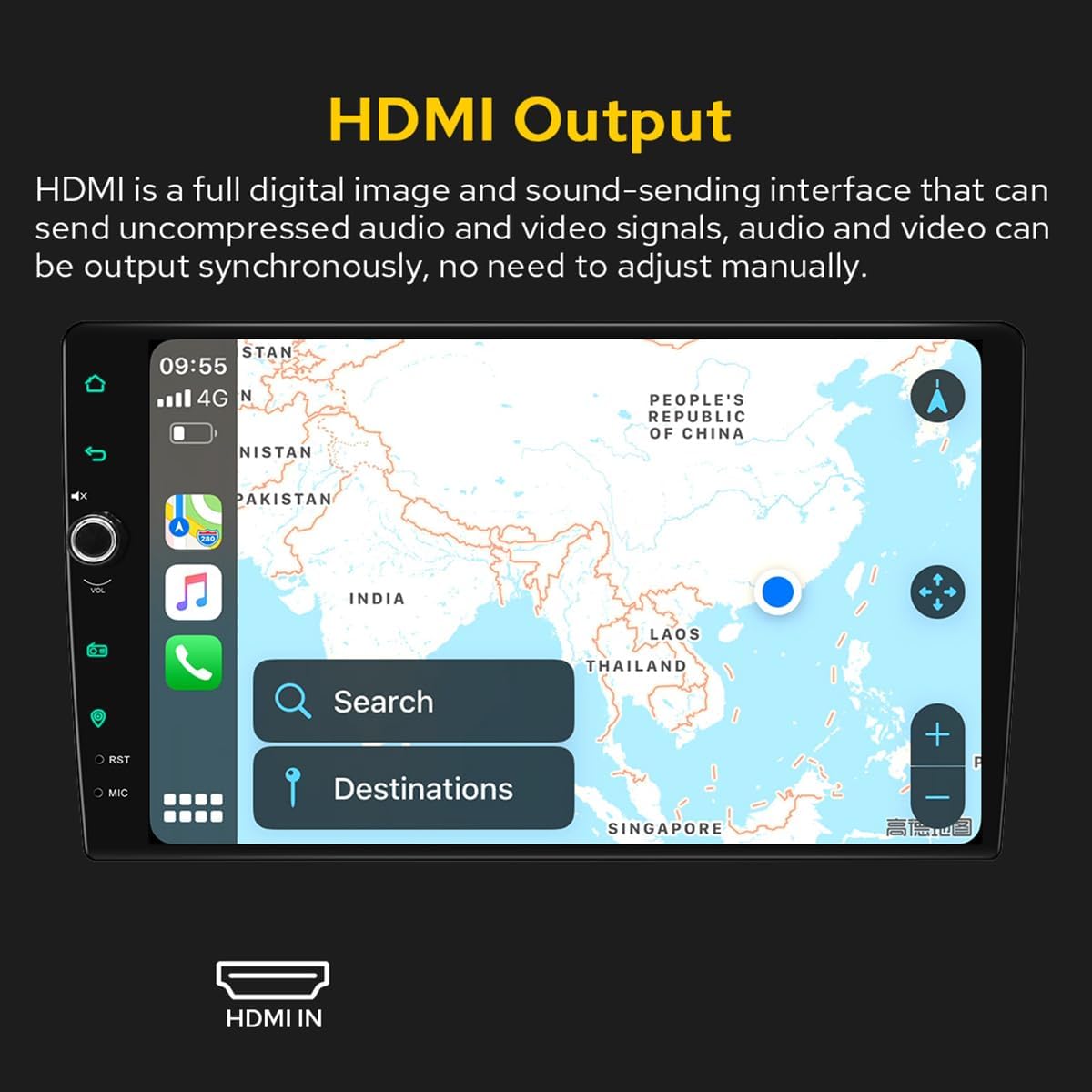
Figure 3.1: Included accessories and components in the JOYING JY-UZS08N4 package.
4. Configuración e instalación
4.1 Notas previas a la instalación
- Installation may require an additional installation frame kit, special ISO harness, amplifier adapter, or CANbus decoder depending on your vehicle's specific requirements.
- This unit does not support factory car GPS antenna, backup rear camera, Bluetooth, USB, or microphone. Only JOYING accessories are supported.
- DAB+ digital radio adapter, DVR, OBDII scanner, reverse camera, TPMS, and steering wheel controller are not included and must be ordered separately.
4.2 Diagrama de cableado
Consulte el siguiente diagrama para ver las conexiones de cableado correctas. Asegúrese de que todas las conexiones estén seguras antes de encender la unidad.

Figure 4.1: Rear panel connections and wiring diagram for the head unit.
4.3 SIM Card Installation (for 4G Module)
The unit features a built-in 4G module for internet access. To install a SIM card:
- Locate the 4G SIM card slot, typically connected via a cable.
- Insert a Micro-SIM (3FF) card into the slot as shown in the diagram.
- Ensure the SIM card is correctly oriented and fully inserted.
Note: The 4G module supports internet access only and cannot be used for phone calls or SMS messages. Supported bands include FDD-LTE: B2/B4/B5/B7/B12/B13/B14/B17/B25/B26/B38/B66/B71 and TDD-LTE: B41.

Figure 4.2: 4G SIM card installation process.
4.4 Removable Screen Adjustment
The screen can be moved up and down to suit your installation requirements. Each movement is 0.7cm. Based on the middle position, the screen can be moved up 2.5cm and down 2.5cm.

Figure 4.3: Removable screen adjustment options.
5. Instrucciones de funcionamiento
5.1 Arranque inicial
The first boot-up may take approximately 30-40 seconds. Subsequent boot-ups, once the car key is inserted, will enter the user interface in about 2 seconds.
5.2 Interfaz de usuario Terminadaview
The unit features a deep-optimized user interface customized for car driving habits. Key controls and display elements include:
- HOGAR: Vuelve a la pantalla principal.
- Atrás: Navega a la pantalla anterior.
- Silenciar: Silencia la salida de audio.
- VOL + / VOL-: Ajusta el volumen.
- Radio: Accesses the AM/FM radio function.
- Navegación: Inicia la aplicación de navegación.
- PRIMERA: Botón de reinicio (normalmente un pequeño orificio).
- micrófono: Entrada de micrófono.
- Ajustes: Accede a la configuración del sistema.
- Split-screen function: Allows two applications to run side-by-side.
Figure 5.1: Main User Interface and controls.
5.3 Car-Smartphone Connectivity (Carplay & Android Auto)
Connect your mobile phone to the car radio via USB cable or Bluetooth to utilize Wireless Carplay and Android Auto. This allows you to share phone applications on the larger screen, access navigation, make phone calls, and listen to music. The unit has built-in Android Auto and Carplay modules, requiring no extra device or dongle.

Figura 5.2: Carplay inalámbrico y Android Auto en funcionamiento.
5.4 Navegación GPS
The unit features precise GPS engines and includes a GPS antenna for accurate positioning and faster real-time navigation. Offline maps are supported: if you are in an area where downloading Google offline map data is available, you can save it to the car stereo for offline use. You can also synchronize mobile phone map data via Carplay/Android Auto.
5.5 Funciones de audio (DSP y ecualizador)
The built-in Digital Sound Processor (DSP) offers a 48-band EQ and 20 preset sound effects. You can independently adjust the subwoofer output and fine-tune ultra-bass, bass, mid-bass, mid-sound, mid-treble, treble, and super-treble. DTS5.1 panoramic surround sound effects and sound field correction system are included for an immersive audio experience.

Figura 5.3: Interfaz de configuración de DSP y ecualizador.

Figure 5.4: DTS Scenes and advanced EQ settings.
5.6 salidas HDMI
The unit provides an HDMI output, a full digital image and sound-sending interface that can transmit uncompressed audio and video signals synchronously without manual adjustment. This allows for projection to rear screens for passengers.

Figure 5.5: HDMI Output functionality.
The HDMI output supports projection screen display for passengers (e.g., on headrest monitors) while the driver uses the main screen for navigation. The on-screen display provides a 1080P clear picture with zero delays. Due to chassis design, a straight-head HDMI cable is not supported; an L-shaped or angled HDMI adapter is required (HDMI cable not included).

Figure 5.6: HDMI output for external displays.
5.7 Modo día y noche
The unit supports Day and Night modes. Daytime mode provides sufficient brightness for clear visibility even in direct sunlight, while Night mode reduces brightness to prevent glare and eye strain during nighttime driving.

Figure 5.7: Day and Night Mode display comparison.
5.8 Colorful Lights Setting
You can customize the button illumination color to match your vehicle's dashboard lighting.
Figura 5.8: Configuración del color de la luz del botón.
5.9 AR Camera (Optional)
If an AR camera is connected, you can freely switch between front and rear camera views during driving to observe the surrounding environment. For optimal compatibility and stable images, it is recommended to purchase JOYING's AR camera.

Figure 5.9: AR Camera display and functionality.
6. Mantenimiento
- Limpie la pantalla regularmente con un paño suave y seco. Evite los limpiadores abrasivos.
- Asegure una ventilación adecuada alrededor de la unidad para evitar el sobrecalentamiento.
- Revise periódicamente todas las conexiones del cableado para detectar posibles holgura o daños.
- Keep the unit's software updated for optimal performance and security. Refer to the manufacturer's webSitio para obtener instrucciones de actualización.
7. Solución de problemas
7.1 Problemas comunes y soluciones
- La unidad no se enciende: Check power connections and vehicle's fuse box. Ensure the unit is properly installed.
- Sin sonido: Verifique las conexiones de los altavoces, el volumen y la configuración del ecualizador. Compruebe si la función de silencio está activada.
- La pantalla táctil no responde: Perform a system reset using the RST button (often a small pinhole requiring a thin object to press).
- Problemas con la señal GPS: Asegúrese de que la antena GPS esté conectada correctamente y tenga una vista clara. view del cielo.
- Carplay/Android Auto no se conecta: Ensure your phone's Bluetooth and Wi-Fi are enabled. Try reconnecting the USB cable or re-pairing via Bluetooth.
7.2 Restablecimiento de fábrica
If experiencing persistent issues, a factory reset may resolve them. Be aware that a factory reset will erase all user data and settings. Consult the on-screen settings menu for the factory reset option.
8. Especificaciones
| Característica | Especificación |
|---|---|
| Marca | ALEGRIA |
| Número de modelo | JY-UZS08N4 |
| Tamaño de pantalla | 10.1 pulgadas |
| Resolución de pantalla | 1280x800P |
| Tipo de controlador | Androide |
| Tecnología de conectividad | Bluetooth, Ethernet, HDMI, USB, Wi-Fi, 4G |
| Características especiales | Ecualizador, pantalla táctil |
| Potencia de salida | 45 vatios |
| Número de canales | 4 |
| Modo de salida de audio | Estéreo |
| Tipo de salida de audio | Óptico |
| Codificación de vídeo | RM |
| Puertos HDMI totales | 1 |

Figura 8.1: Dimensiones del producto.

Figure 8.2: Core hardware parameters.

Figure 8.3: Multimedia and network parameters.
9. Garantía y soporte
For warranty information and technical support, please refer to the official JOYING webSitio web o contacte directamente con el servicio de atención al cliente. Conserve su recibo de compra como comprobante para reclamaciones de garantía.