
1. Introducción
The NOYAFA NF-918S is a versatile network cable tester designed for comprehensive network and fiber optic cable diagnostics. It integrates multiple functions including network cable scanning, continuity testing, optical power measurement, visual fault location, PoE testing, and non-contact voltage detection. This device is suitable for engineering wiring, network maintenance, and equipment troubleshooting.
2. Contenido del paquete
Verifique que todos los artículos que se enumeran a continuación estén presentes en su paquete:
- NF-918S Transmitter (Main Unit)
- NF-918S Receiver
- RJ11 Alligator Clip Wire
- RJ11 Telephone Line
- Cable de red RJ45
- Auriculares
- Cable de carga
- Kit de herramientas
- Manual de instrucciones / Certificado

Figura 2.1: Components included with the NOYAFA NF-918S Network Cable Tester. This image displays all the components included in the NF-918S package, such as the transmitter, receiver, packaging box, instructions, tool kit, RJ11 alligator clip wire, RJ11 telephone line, RJ45 network cable, headphones, and charging cable.
3. Producto terminadoview
The NF-918S consists of a main unit (transmitter) and a receiver. The main unit features an LCD display for clear readings and various function buttons. The receiver is equipped with a rotary switch for mode selection and an NCV sensor.

Figura 3.1: NOYAFA NF-918S Network Cable Tester and Receiver. This image displays the NOYAFA NF-918S main unit (transmitter) and the receiver, highlighting their design and the various functions available, such as cable scan, continuity test, optical power meter, visual fault locator, NCV, and LED light.
4. Características principales
- Anti-interference Network Cable Tester: Utilizes advanced digital, analog, and PoE modes for high sensitivity and reduced noise interference, enabling accurate cable location in complex environments.
- Prueba de PoE: Automatically identifies 8-core middle span, end span, and power types. Detects both standard and non-standard PoE equipment.
- Medidor de potencia óptica (OPM): Supports seven standard wavelengths (850/1300/1310/1490/1550/1625nm). Allows unit switching between dBm, dB, mW, uW, nW, and includes a REF switch for reference power settings. Measurement range: -70 to +10 dBm.
- Localizador visual de fallas (VFL): Features a 10mW 10KM VFL for easy identification of fiber breakpoints, poor connections, bends, or cracks. Essential for fiber tracing, routing, and continuity checking.
- Prueba de longitud del cable: Measures cable length up to 200m for RJ45 network cables, telephone lines, and BNC coaxial cables.
- Pruebas multifuncionales: Includes port flash, cable scan, length measurement, PoE test, OPM, VFL, NCV function, and an integrated LED light for convenience.
5. Configuración
5.1 Instalación de la batería
The NF-918S requires 1 Lithium Metal battery (included). Ensure the battery is correctly installed according to the polarity markings inside the battery compartment. Charge the device fully before first use.
5.2 Encendido / Apagado
To power on the main unit, press and hold the power button. To power off, press and hold the power button again. The receiver is typically activated by selecting a function using its rotary switch.
6. Instrucciones de funcionamiento
6.1 Cable Scan (Digital/Analog/PoE Mode)
This function helps locate target cables among bundles. Connect the network cable to the RJ45 port on the main unit. Select the desired scan mode (Digital, Analog, or PoE) on the main unit. Use the receiver to trace the cable. The receiver will emit an audible tone, which intensifies as it approaches the target cable.
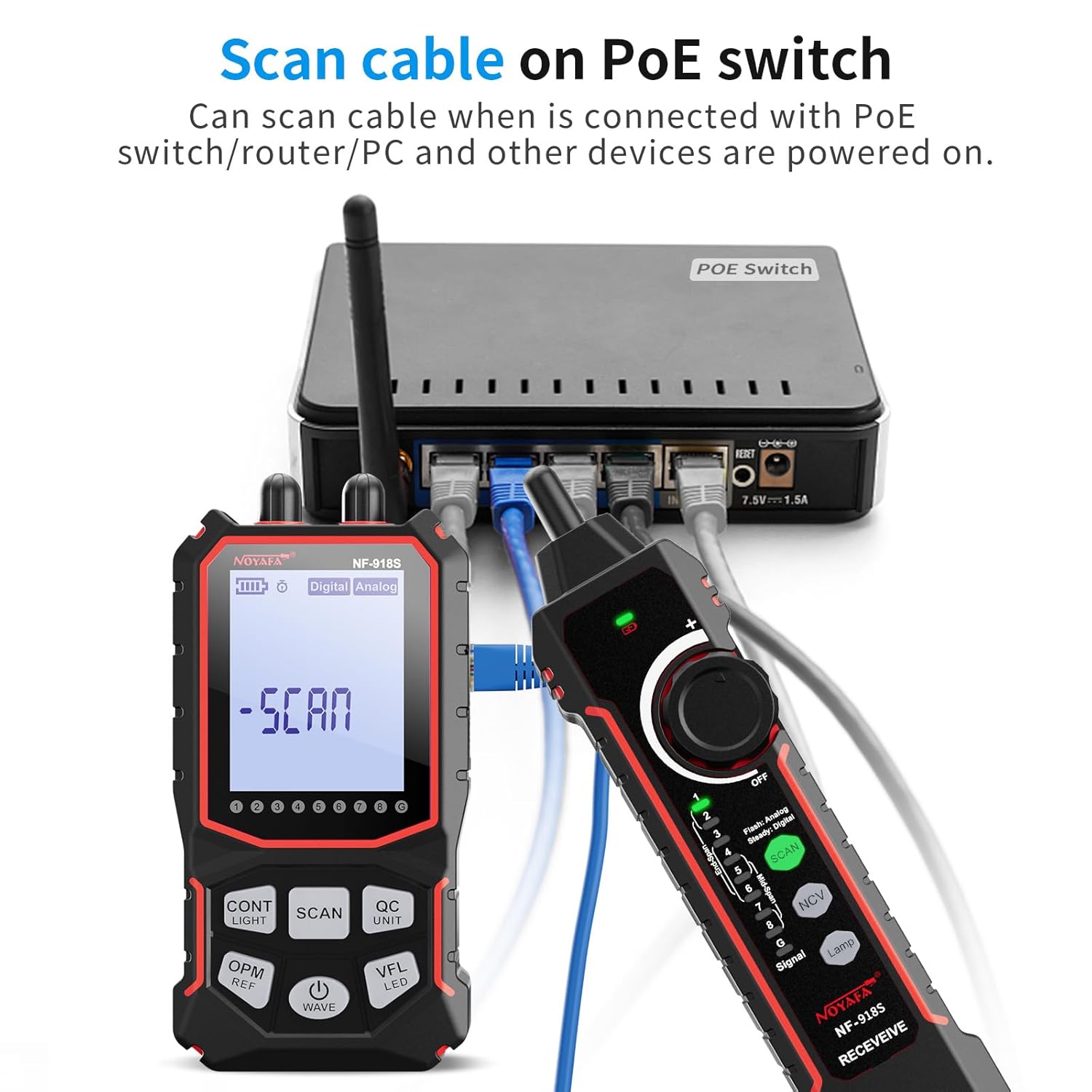
Figura 6.1: Scanning a cable on a PoE switch. The image depicts the NF-918S receiver being used to scan a cable connected to a PoE switch, demonstrating its ability to trace cables even when connected to powered devices.
6.2 Prueba de continuidad del cable
To check for open circuits, short circuits, cross-overs, or other wiring faults in network cables:
- Connect one end of the network cable to the 'CONT' port on the main unit.
- Connect the other end of the cable to the 'RECEIVE' port on the receiver.
- Select the continuity test mode on the main unit. The display will show the wiring status (e.g., open, short, cross). A green LED (G LED) indicates an STP cable.

Figura 6.2: Cable Continuity Test. This image illustrates the NF-918S main unit and receiver connected to an RJ45 network cable, performing a continuity test. The display shows "LINE" indicating a successful connection test.
6.3 Medidor de potencia óptica (OPM)
To measure optical power in fiber optic cables:
- Connect the fiber optic cable to the OPM port on the main unit.
- Select the OPM function on the main unit.
- Use the 'WAVE' button to cycle through the available wavelengths (850nm, 1300nm, 1310nm, 1490nm, 1550nm, 1625nm) to match your fiber.
- Use the 'UNIT' button to switch between dBm, dB, mW, uW, nW.
- The 'REF' button allows setting a reference power level for relative measurements.
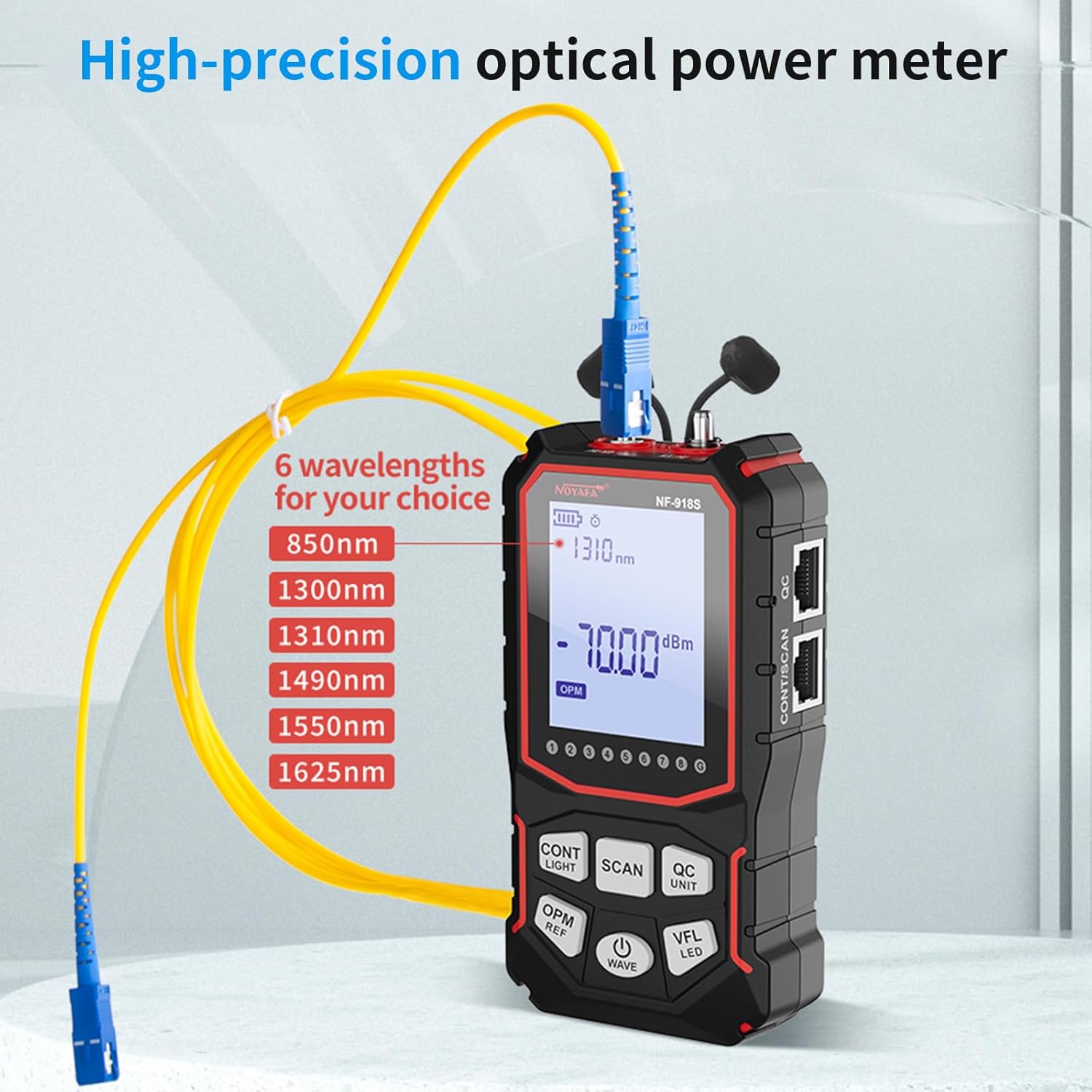
Figura 6.3: Optical Power Meter in use. The image shows the NF-918S main unit connected to a fiber optic cable, demonstrating its high-precision optical power meter function with selectable wavelengths.
6.4 Localizador visual de fallas (VFL)
To visually identify faults in fiber optic cables:
- Conecte el cable de fibra óptica al puerto VFL en la unidad principal.
- Activate the VFL function. A strong red laser light will be emitted into the fiber.
- Observe the fiber along its path. Breaks, bends, or poor connections will cause the red light to escape or scatter, making the fault visible.
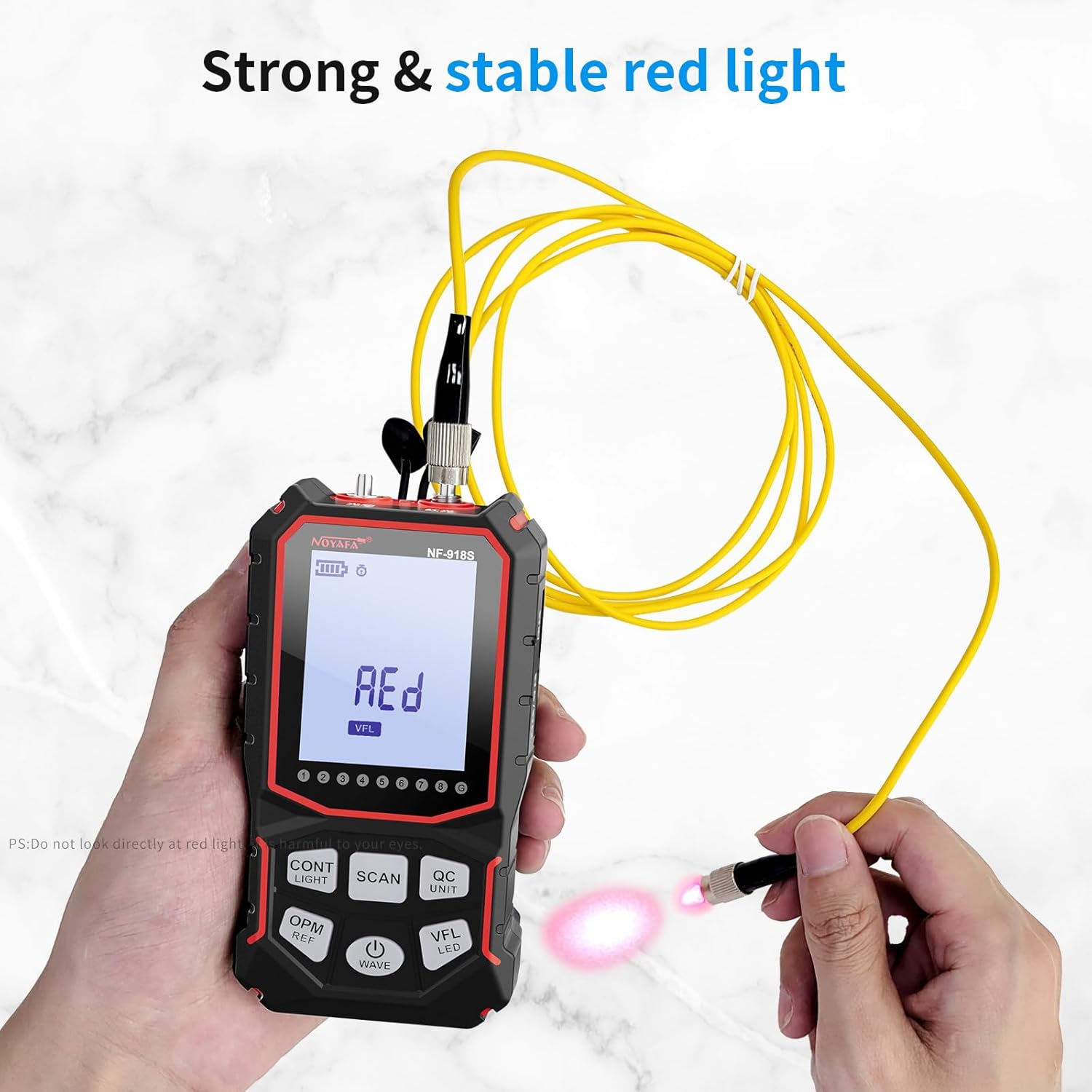
Figura 6.4: Visual Fault Locator. This image shows the NF-918S main unit with its Visual Fault Locator (VFL) function active, emitting a strong red light into a fiber optic cable to help identify breaks or bends.
6.5 Prueba PoE
To test Power over Ethernet (PoE) functionality:
- Connect the network cable from the PoE source (e.g., PoE switch) to the main unit's RJ45 port.
- Select the PoE test mode. The device will automatically identify the power supply type (middle span/end span) and whether the equipment is standard or non-standard PoE.
6.6 Medición de la longitud del cable
To measure the length of various cables:
- Connect the cable to be measured to the appropriate port on the main unit (e.g., RJ45 for network cables).
- Select the length measurement function. The device will display the cable length up to 200m. This function supports network cables, telephone lines, and BNC cables.

Figura 6.5: Testing various cable types. A collage of four images showing the NF-918S testing different cable types: UTP/STP network cables, telephone cables, electric cables/wires, and BNC coaxial cables, demonstrating its versatility.
6.7 vol. sin contactotagDetección de e (NCV)
The receiver unit includes an NCV function for detecting live AC voltage without direct contact. Rotate the receiver's dial to the NCV position. Bring the NCV sensor close to an electrical source (e.g., power outlet, live wire). The receiver will indicate the presence of voltagy mediante alertas visuales y/o audibles.

Figura 6.6: NCV Vol sin contactotage Detector. The image shows the NF-918S receiver being used to detect non-contact voltage near an electrical outlet, indicating its NCV safety feature.
6.8 Puerto Flash
The port flash function helps identify the corresponding port on a switch or router. Connect the main unit to a network port. Activate the port flash function. The corresponding port's LED on the switch/router will flash, making it easy to locate.
Luz LED de 6.9 pulgadas
The integrated LED light on the main unit provides illumination in dark working environments. Activate it as needed for better visibility.
7. Mantenimiento
- Limpieza: Utilice un paño suave y seco para limpiar el dispositivo. No utilice limpiadores abrasivos ni disolventes.
- Almacenamiento: Guarde el dispositivo en un lugar fresco y seco, alejado de la luz solar directa y de temperaturas extremas.
- Cuidado de la batería: If the device will not be used for an extended period, remove the battery to prevent leakage. Recharge the battery periodically to maintain its health.
- Protección: Avoid dropping the device or subjecting it to strong impacts. Keep the ports free from dust and debris.
8. Solución de problemas
- El dispositivo no enciende: Check battery level. Ensure the battery is correctly installed and charged.
- Lecturas inexactas: Ensure cables are properly connected and undamaged. Verify that the correct test mode is selected for the task. Clean ports if necessary.
- No hay señal durante el escaneo del cable: Ensure the main unit is transmitting and the receiver is in the correct scan mode. Check for excessive interference in the environment.
- VFL light not visible: Ensure the VFL function is activated and the fiber optic cable is properly connected. Check for severe damage to the fiber.
9. Especificaciones
| Característica | Especificación |
|---|---|
| Número de modelo | NF-918S |
| Marca | NOYAFA |
| Fuente de poder | Funciona con pilas (1 batería de metal de litio incluida) |
| Peso del artículo | 499 g (1.1 libras) |
| Dimensiones del producto (LxAnxAl) | 11.94 x 6.86 x 1.78 cm (4.7 x 2.7 x 0.7 pulgadas) |
| Tipo de medida | Optical Power Meter, Cable Length, Continuity, PoE |
| Optical Power Meter Wavelengths | 850/1300/1310/1490/1550/1625nm |
| Optical Power Meter Range | -70 a +10 dBm |
| Visual Fault Locator Output | 10mW, 10KM range |
| Rango de medición de longitud de cable | Hasta 200m |
| Tipos de cables admitidos | RJ45 Network, Telephone, BNC Coaxial |
| Certificación externa | CE |
10. Información de seguridad
- Do not look directly into the Visual Fault Locator (VFL) laser output. It can cause eye damage.
- No intente desmontar ni modificar el dispositivo. Encargue cualquier reparación a personal cualificado.
- Mantenga el dispositivo alejado del agua y otros líquidos.
- Utilice únicamente el cable de carga y los accesorios proporcionados.
- Exercise caution when using the NCV function near live electrical circuits.
11. Garantía y soporte
For warranty information and technical support, please refer to the documentation provided with your purchase or contact NOYAFA customer service. Keep your purchase receipt as proof of purchase.