
MUNBYN ILT01
MUNBYN ILT01 8-inch Rugged Tablet Scanner User Manual
Model: ILT01
1. Introducción
This manual provides essential information for the proper setup, operation, and maintenance of your MUNBYN ILT01 8-inch Rugged Tablet Scanner. Please read this guide thoroughly before using the device to ensure optimal performance and longevity.
The MUNBYN ILT01 is an 8-inch rugged tablet designed for industrial and warehouse environments. It features an Android 13 operating system, a MediaTek MT6769V processor, 4GB RAM, and 64GB internal storage. Equipped with a Honeywell N6703 barcode scanner, it supports 1D, 2D, and QR code scanning. The device offers robust connectivity with 4G LTE and WiFi 5, and is built to withstand challenging conditions with an IP66 protection rating.
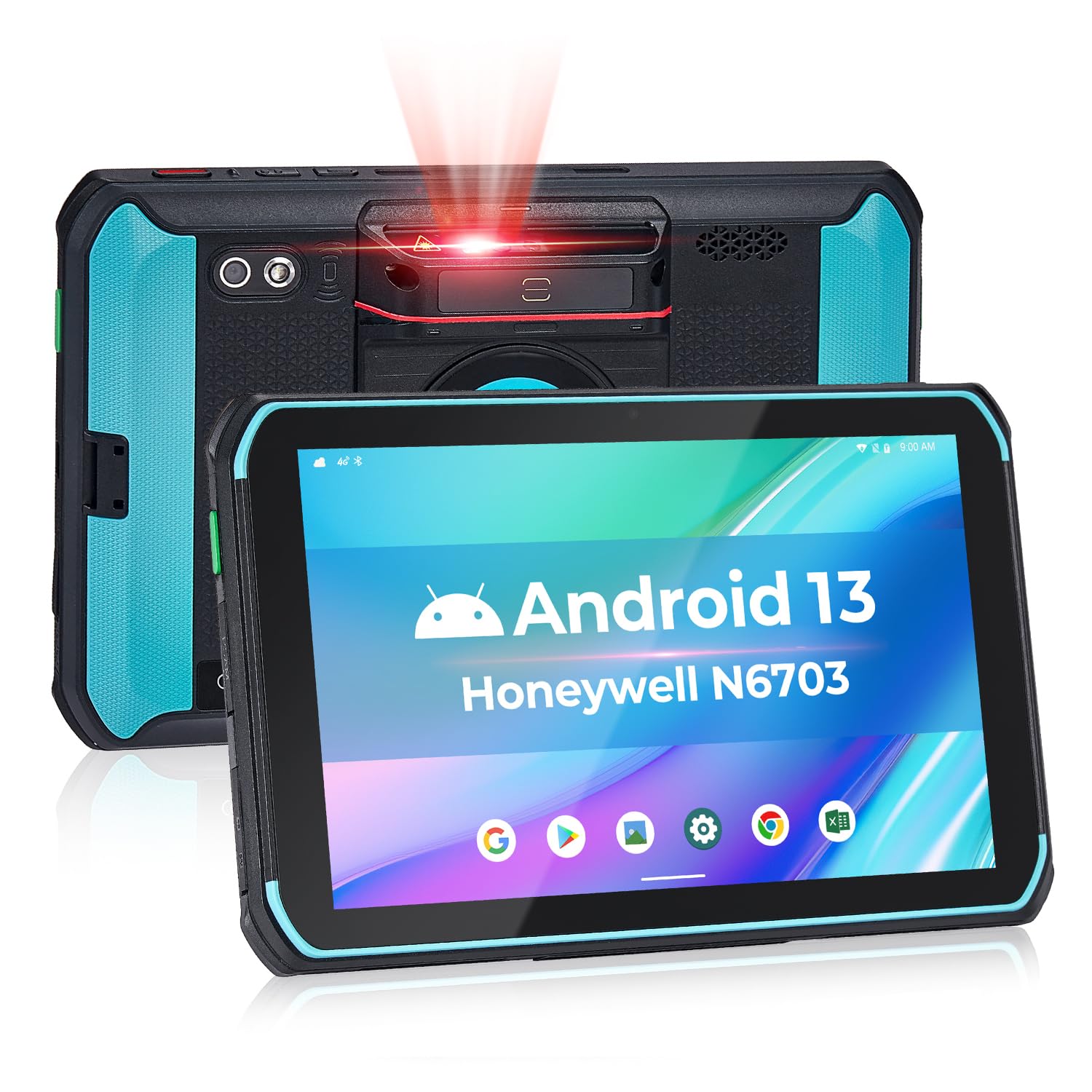
Imagen: Frente view of the MUNBYN ILT01 Rugged Tablet Scanner, showcasing its display and robust design.

Image: Diagram illustrating the tablet's core specifications: Android 13 OS, 4GB RAM, 64GB storage, and MediaTek MT6769V processor.
2. Configuración
2.1 Desembalaje e inspección inicial
Upon receiving your MUNBYN ILT01, carefully open the packaging and inspect the contents. Ensure all items listed below are present and undamaged:
- MUNBYN ILT01 Rugged Tablet Scanner
- Adaptador de corriente
- Cable de datos (USB-C)
- Película protectora
- Manual de instrucciones

Image: The MUNBYN ILT01 tablet and its included accessories: power adapter, data cable, protective film, and instruction manual.
2.2 Carga del dispositivo
Before first use, fully charge the tablet using the provided power adapter and data cable. Connect the USB-C cable to the tablet's charging port and the adapter to a power outlet. The charging indicator will illuminate.

Image: The MUNBYN ILT01 tablet connected to its charger, illustrating the charging process.
2.3 Installing SIM Card and MicroSD Card (Optional)
The tablet supports a SIM card for 4G LTE connectivity and a MicroSD card for expandable storage. Locate the SIM/MicroSD card slot on the side of the device. Carefully open the protective cover, insert the cards as indicated, and close the cover securely to maintain the IP66 rating.
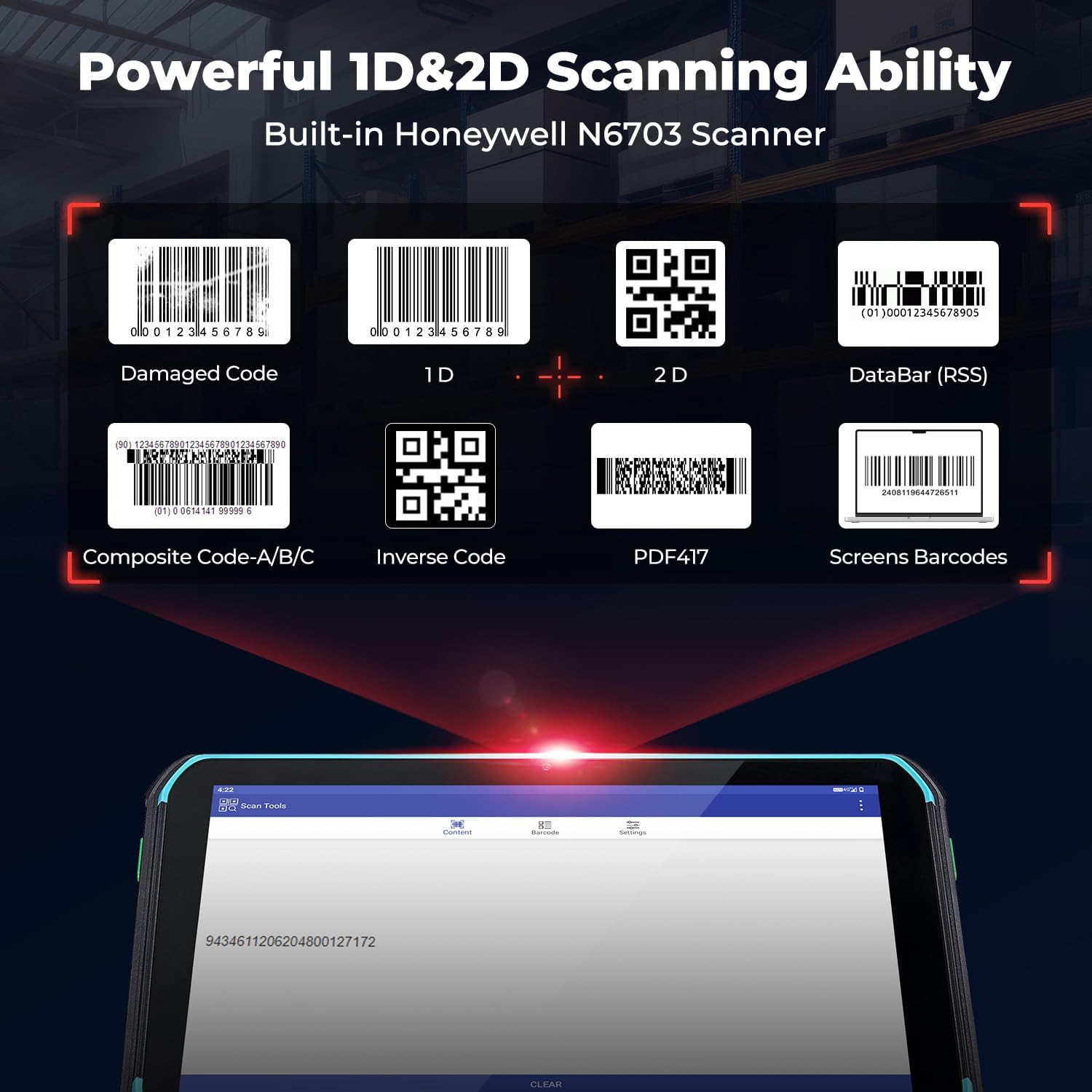
Imagen: Un detalle view of the side of the MUNBYN ILT01 tablet, highlighting the DC power port, PSAM slot, Type-C port, TF (MicroSD) card slot, and SIM card slot.
2.4 Aplicación de la película protectora
A protective film is included to safeguard the screen. Clean the screen thoroughly before application. Align the film carefully and smooth out any air bubbles. Refer to the video below for a visual guide.

Image: The MUNBYN ILT01 tablet with a clear screen protector being positioned for application.
Video: A demonstration on how to easily apply the screen protection film to the MUNBYN ILT01 Rugged Tablet.
3. Instrucciones de funcionamiento
3.1 Encendido y apagado
To power on the tablet, press and hold the power button located on the side until the screen illuminates. To power off, press and hold the power button, then select 'Power off' from the options.
3.2 Basic Android 13 Navigation
The tablet runs on Android 13. Navigate using touch gestures: swipe to unlock, tap to open apps, swipe down from the top for notifications and quick settings, and use the on-screen navigation buttons (Back, Home, Recent Apps).
3.3 Escaneo de códigos de barras
The ILT01 is equipped with a Honeywell N6703 scan head for efficient barcode scanning. To scan:
- Open the scanning application on the tablet.
- Point the integrated scanner at the barcode.
- Press the dedicated scan button (usually a side button) to activate the scanner.
- Ensure the red laser line covers the entire barcode for accurate reading.
The scanner supports 1D (e.g., UPC/EAN, Code128, Code39), 2D (e.g., PDF417, MicroPDF417, QR Code), and DataBar (RSS) barcodes. It can scan damaged or screen-displayed barcodes effectively.

Image: The MUNBYN ILT01 tablet demonstrating its ability to scan various barcode types, including damaged, 1D, 2D, DataBar (RSS), Composite Code, Inverse Code, PDF417, and screen barcodes.

Image: A user operating the MUNBYN ILT01 tablet to scan a barcode in a warehouse environment.
3.4 Connectivity (4G LTE & WiFi 5)
The tablet supports both 4G LTE cellular data and WiFi 5 (2.4GHz + 5GHz dual-band) for network connectivity. Insert a compatible SIM card for cellular data. To connect to WiFi, go to Ajustes > Red e internet > Wifi, luego seleccione su red e ingrese la contraseña.

Image: Visual representation of the tablet's connectivity options, including SIM card support for 4G LTE, WiFi 5 (2.4GHz+5GHz Dual-Band), and Bluetooth 5.0.
3.5 Gestión de la batería
The ILT01 features a 9000mAh battery, providing approximately 10 hours of continuous use. To maximize battery life, adjust screen brightness, close unused applications, and disable unnecessary connectivity features (e.g., Bluetooth, GPS) when not in use.
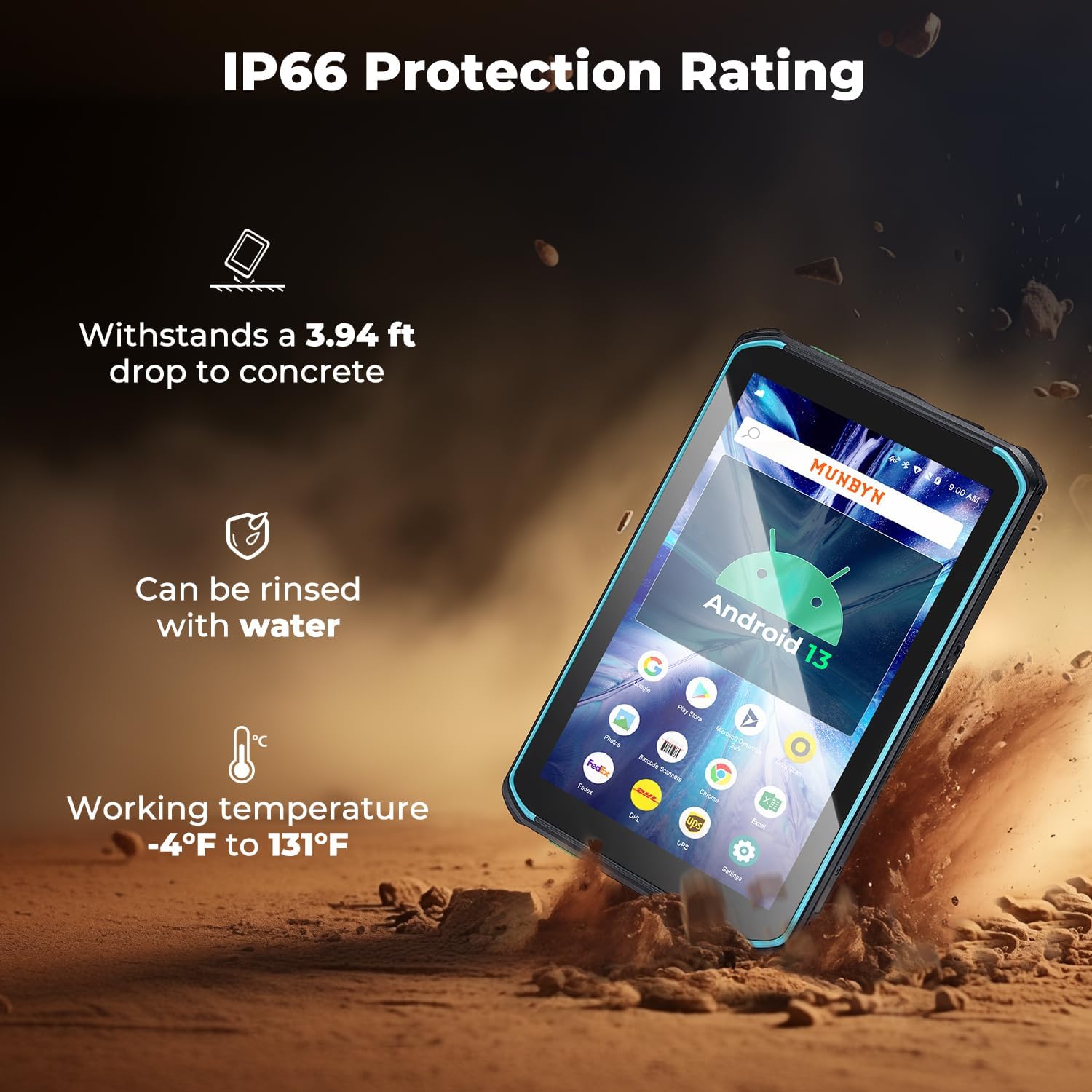
Image: An illustration highlighting the MUNBYN ILT01's 9000mAh battery capacity, providing up to 10 hours of operation.
4. Mantenimiento
4.1 Limpieza
To clean the tablet, use a soft, damp cloth. Avoid harsh chemicals or abrasive materials. For the screen, use a microfiber cloth specifically designed for electronics. Ensure all port covers are securely closed before cleaning with water to maintain the IP66 rating.
4.2 Robustez y protección
The ILT01 is designed with IP66 protection, making it resistant to dust and water splashes. It can also withstand drops from up to 1.2 meters (3.94 feet) onto concrete. While rugged, avoid intentional abuse or exposing the device to extreme conditions beyond its specifications.
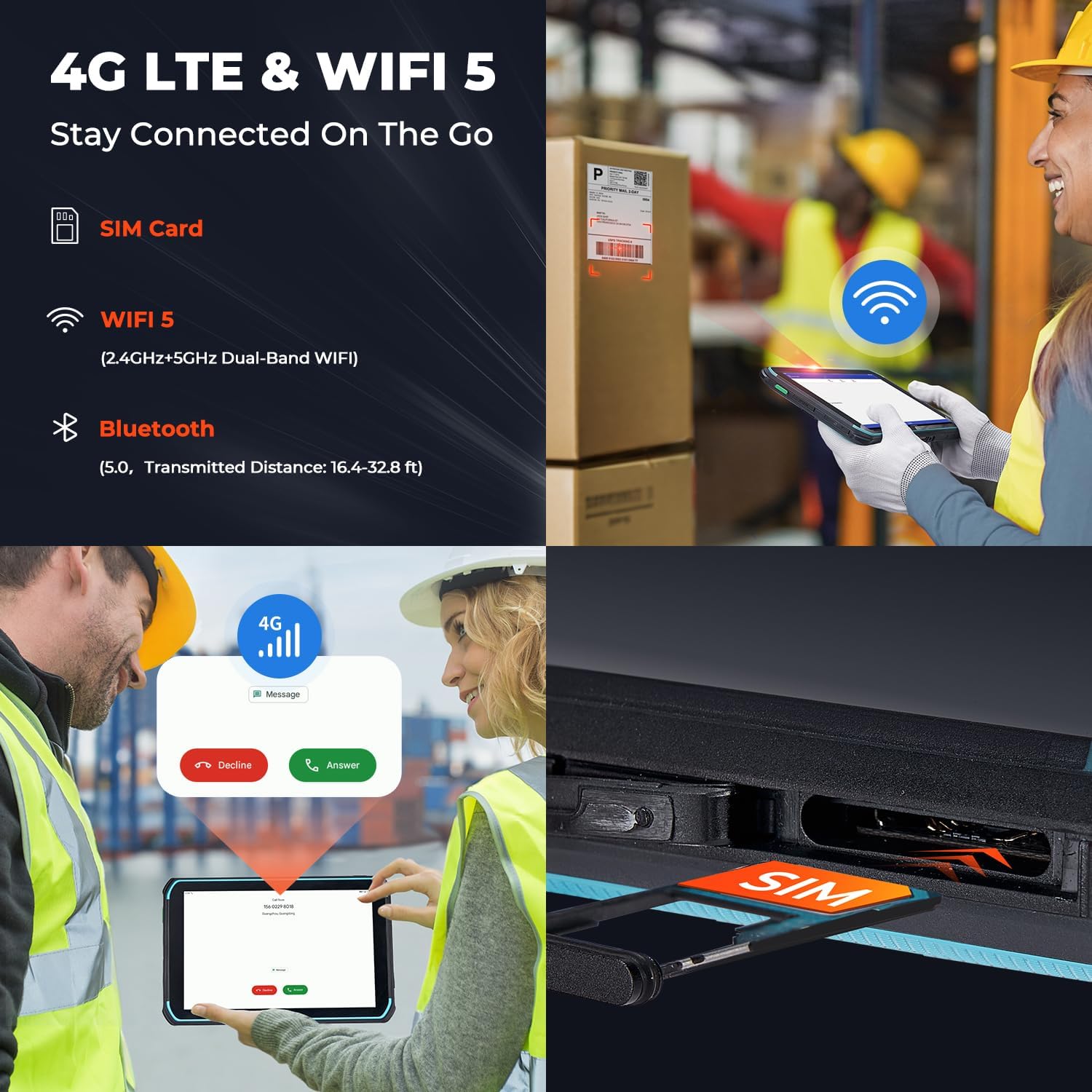
Image: The MUNBYN ILT01 tablet in a rugged environment, illustrating its IP66 protection rating, ability to withstand a 3.94 ft drop, and suitability for working temperatures from -4°F to 131°F.
5. Solución de problemas
If you encounter issues with your MUNBYN ILT01, refer to the following common troubleshooting steps:
- El dispositivo no enciende: Asegúrese de que la batería esté cargada. Conecte la tableta al cargador y vuelva a intentarlo.
- La pantalla no responde: Realice un reinicio forzado manteniendo presionado el botón de encendido durante aproximadamente 10 a 15 segundos.
- El escáner de código de barras no funciona: Check if the scanning application is open and the scanner is enabled. Ensure the barcode is clean and properly illuminated.
- Sin conectividad de red: Verify that the SIM card is correctly inserted and activated (for 4G LTE). For Wi-Fi, ensure you are within range of a known network and have entered the correct password.
- Rendimiento lento: Close unnecessary applications running in the background. Clear cache for frequently used apps.
For persistent issues, please contact MUNBYN customer support.
6. Especificaciones
| Característica | Especificación |
|---|---|
| Marca | MUNBYN |
| Nombre del modelo | ILT01 |
| Sistema operativo | Androide 13 |
| Procesador | MediaTek MT6769V (ARM Cortex-A72, 2 GHz) |
| Memoria (RAM) | 4 GB |
| Almacenamiento (ROM) | 64 GB |
| Almacenamiento expandible | MicroSD (hasta 64 GB) |
| Tamaño de pantalla | 8 pulgadas |
| Resolución de pantalla | 1280 x 800 Pixels (LCD) |
| Escáner de código de barras | Honeywell N6703 (1D/2D/QR) |
| Capacidad de la batería | 9000 mAh (approx. 10 hours average life) |
| Conectividad | 4G LTE, Wi-Fi 5 (802.11ac), Bluetooth |
| Clasificación de protección | IP66 |
| Resistencia a caídas | 1.2 metros (3.94 pies) |
| Dimensiones (largo x ancho x profundidad) | 9.88" x 6.89" x 2.24" |
| Cámaras | Trasera 13 MP, Delantera 5 MP |
7. Garantía y soporte
7.1 Información de garantía
The MUNBYN ILT01 comes with a Garantía de 24 meses. This warranty covers manufacturing defects and non-human-induced damage. For specific terms and conditions, please refer to the warranty card included in your product packaging or contact MUNBYN customer service.
7.2 Soporte técnico
MUNBYN provides Soporte técnico de por vida for the ILT01 tablet. If you require assistance with setup, operation, or troubleshooting, please contact our support team. Support options may include remote setup assistance and access to how-to videos.
Vídeo: Un overview of the MUNBYN ILT01 tablet, highlighting its features and potential to enhance business operations.
Documentos relacionadosILT01


Ask a question about this manual
Ask about setup, troubleshooting, compatibility, parts, safety, or missing instructions. Manuals+ will review the question and use this page’s manual context to help answer it.