
1. Introducción
This manual provides essential information for the safe and efficient use of your GOBOULT Y1 Wireless Ear Buds. Please read it thoroughly before using the product and retain it for future reference.
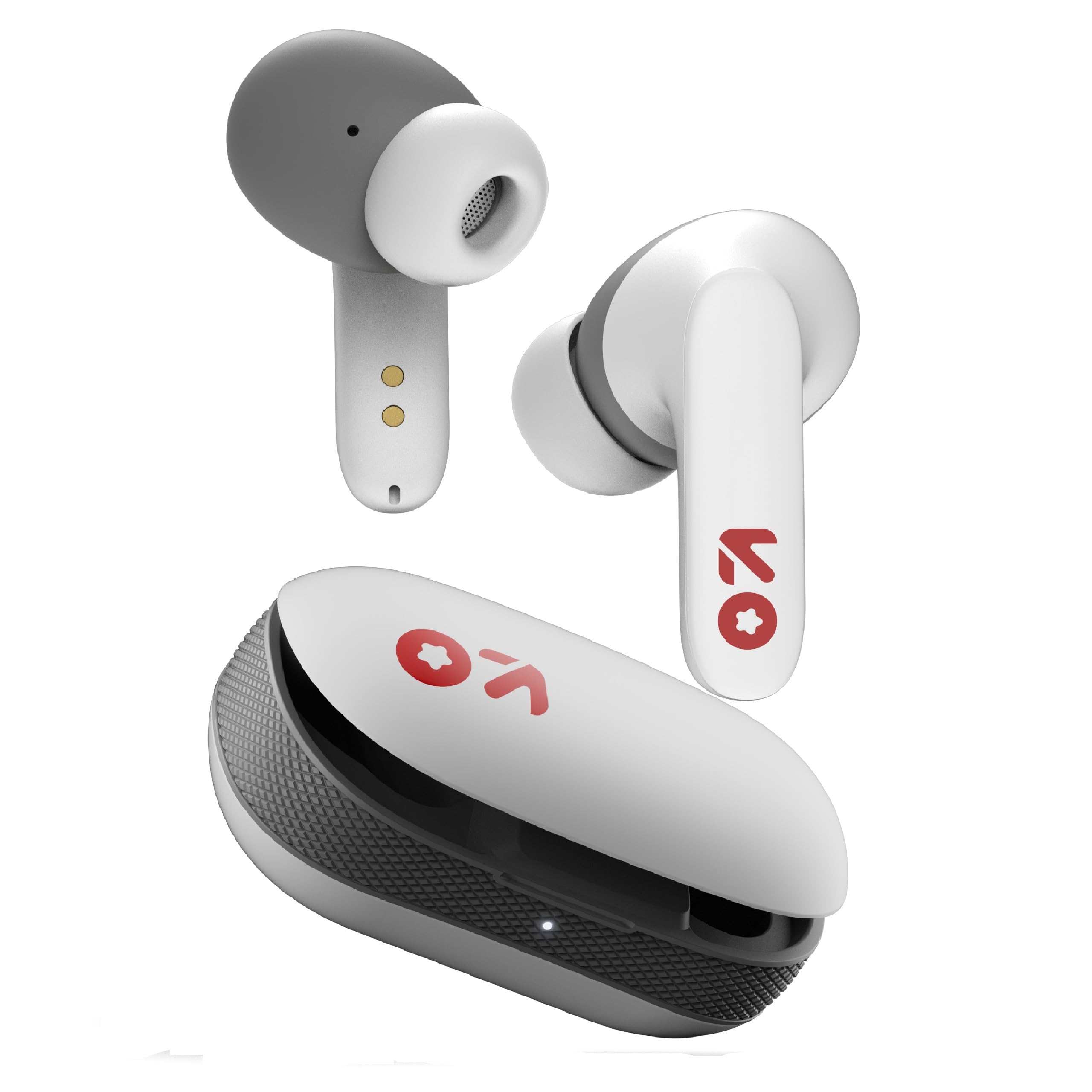
Image: GOBOULT Y1 Wireless Ear Buds and their charging case. The earbuds are white with grey tips and red GOBOULT logos, resting beside the matching white charging case.
2. ¿Qué hay en la caja?
Verifique que todos los artículos estén presentes en el embalaje:
- Y1 Earphones (Left and Right)
- Y1 Charging Case
- Cable de carga USB-C
- Puntas de oído adicionales (varios tamaños)
- Manual de usuario (este documento)
3. Configuración
3.1 Carga inicial
Before first use, fully charge the ear buds and the charging case.
- Place the ear buds into the charging case. Ensure they are correctly seated.
- Connect the provided USB Type-C cable to the charging port on the case and to a compatible USB power source (e.g., wall adapter, computer USB port).
- The indicator light on the charging case will show charging status. A full charge typically takes approximately 90 minutes.
- A 10-minute charge provides approximately 100 minutes of playtime.

Image: GOBOULT Y1 Ear Buds and their charging case, illustrating the Type-C fast charging port and cable connection. Text indicates "10 mins = 100 mins playtime".
3.2 Emparejamiento Bluetooth
The GOBOULT Y1 Ear Buds feature Blink & Pair™ Bluetooth 5.3 for fast and stable connection.
- Asegúrese de que los auriculares estén cargados.
- Open the lid of the charging case. The ear buds will automatically enter pairing mode, indicated by flashing LED lights.
- En su dispositivo (teléfono inteligente, tableta, computadora portátil), habilite Bluetooth.
- Buscar "GOBOULT Y1" in the list of available Bluetooth devices.
- Select "GOBOULT Y1" to connect. Once connected, a voice prompt will confirm successful pairing, and the LED lights on the ear buds will stop flashing.
- For subsequent use, the ear buds will automatically connect to the last paired device when removed from the case.

Image: GOBOULT Y1 Ear Buds and case with a smartphone displaying music, highlighting Bluetooth v5.3, Blink & Pair, Stable Connection, and Power efficient features.
4. Instrucciones de funcionamiento
4.1 Controles táctiles
The GOBOULT Y1 Ear Buds feature intuitive touch controls on each ear bud. The specific functions are as follows:

Image: A detailed diagram showing the touch control functions for the GOBOULT Y1 Ear Buds. It illustrates single taps, double taps, triple taps, and long presses for various actions like music playback, call management, and voice assistant activation.
- Single Tap (Left/Right Bud): Reproducir/Pausar música, Responder llamada
- Double Tap (Left Bud): Canción anterior
- Double Tap (Right Bud): Próxima canción
- Triple Tap (Left Bud): Bajar volumen
- Triple Tap (Right Bud): Subir volumen
- Long Press (Left/Right Bud): Activate Voice Assistant (Google Assistant/Siri), Reject Call, End Call
- Four Taps (Left/Right Bud): Activate Combat Mode (Low Latency Gaming)
4.2 Asistente de voz
Activate your device's voice assistant (Google Assistant or Siri) by long-pressing either ear bud.
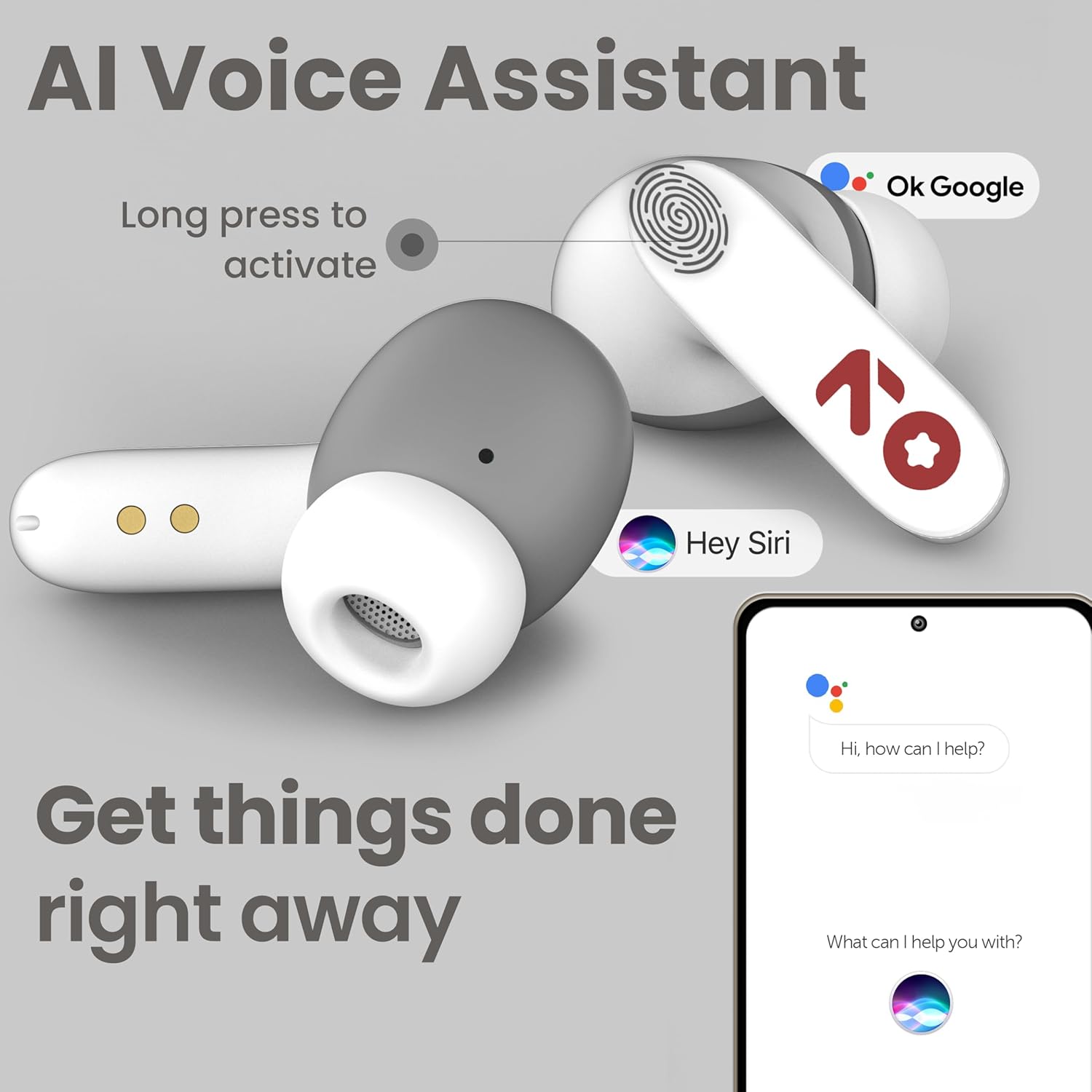
Image: GOBOULT Y1 Ear Buds with an illustration of a long press gesture activating a voice assistant like Google Assistant or Siri on a smartphone.
4.3 Calling with Zen ENC Mic
The GOBOULT Y1 Ear Buds are equipped with a Zen ENC (Environmental Noise Cancellation) microphone for clear call quality.
- Responder llamada: Single tap either ear bud.
- Rechazar llamada: Long press either ear bud.
- Finalizar llamada: Long press either ear bud during a call.

Image: A diagram illustrating how Environmental Noise Cancellation (ENC) works, showing a user's voice being filtered from environmental noise for clear communication. A detailed view of an earbud highlights the ENC microphone.
4.4 Modo de juego de baja latencia
Activate Combat Mode for a low-latency gaming experience, ensuring audio sync with minimal delay.
- Activar el modo de juego: Four taps on either ear bud.
- Desactivar el modo de juego: Four taps on either ear bud again.
5. Mantenimiento
5.1 Limpieza
Para mantener un rendimiento y una higiene óptimos:
- Gently wipe the ear buds and charging case with a soft, dry, lint-free cloth.
- No utilice limpiadores abrasivos, disolventes ni aerosoles.
- Retire las puntas de los oídos y límpielas por separado con agua y jabón suave si es necesario, asegurándose de que estén completamente secas antes de volver a colocarlas.
- Clean the charging contacts on both the ear buds and the case periodically with a dry cotton swab.
5.2 Resistencia al agua (IPX5)
The GOBOULT Y1 Ear Buds are IPX5 water-resistant, meaning they are protected against low-pressure water jets from any direction. This makes them suitable for workouts and light rain.

Image: GOBOULT Y1 Ear Buds shown with water droplets, indicating IPX5 water resistance. Icons for sweatproof, rainproof, and splashproof are also displayed.
Importante:
- Do not submerge the ear buds in water.
- El estuche de carga no es resistente al agua.
- Avoid exposing the ear buds to saltwater, chlorinated water, or other chemicals.
- If the ear buds get wet, dry them thoroughly before placing them back in the charging case.
6. Solución de problemas
| Problema | Posible solución |
|---|---|
| Los auriculares no se emparejan |
|
| Sin sonido o volumen bajo |
|
| Ear buds not charging |
|
| Problemas de calidad de las llamadas |
|
7. Especificaciones
| Característica | Detalle |
|---|---|
| Marca | GOBOULT |
| Nombre del modelo | Y1 (also referred to as Airbass) |
| Versión de Bluetooth | 5.3 |
| Alcance de Bluetooth | Hasta 10 metros (33 pies) |
| Colocación de orejas | En el oído |
| Tipo de controlador de audio | Controlador dinámico (controladores de graves de 10 mm) |
| Impedancia | 32 ohmios |
| Respuesta de frecuencia | 20 Hz |
| Sensibilidad | 117 dB |
| Control de ruido | Cancelación de ruido ambiental (ENC) |
| Duración de la batería (total) | Hasta 51 horas (con estuche de carga) |
| Tiempo de carga de la batería | Aprox. 90 minutos |
| Puerto de carga | USB tipo C |
| Resistencia al agua | IPX5 (Ear Buds only) |
| Método de control | Toque, Voz |
| Dispositivos compatibles | Android, Cellphones, Desktops, Laptops, Tablets |
| Material | Plástico |
| Weight (Carrying Case) | 65 gramos |
| País natal | India |
8. Garantía y soporte
8.1 Garantía del fabricante
The GOBOULT Y1 Wireless Ear Buds come with a Garantía del fabricante por 1 año A partir de la fecha de compra. Esta garantía cubre defectos de fabricación. Conserve su comprobante de compra para reclamaciones de garantía.
For warranty service or support, please contact the manufacturer or authorized service center.
Información de contacto de 8.2
Fabricante: Exotic Mile Private Limited
DIRECCIÓN: B-67 Wazirpur Industrial Area, New Delhi 110052, India
Importador: Exotic Mile Pvt. Ltd.
For further assistance, please refer to the contact details provided on the product packaging or the official GOBOULT websitio.