
1. Producto terminadoview
The Porodo Universal Wireless Remote & Mouse is a compact and versatile input device designed to combine the functionalities of a keyboard and a mouse. It offers convenient control for various devices, including Smart TVs, PCs, laptops, Android projectors, and more. This device features a full QWERTY keyboard, a multi-touch touchpad, and dedicated media control keys, all operating via 2.4GHz wireless technology or Bluetooth.
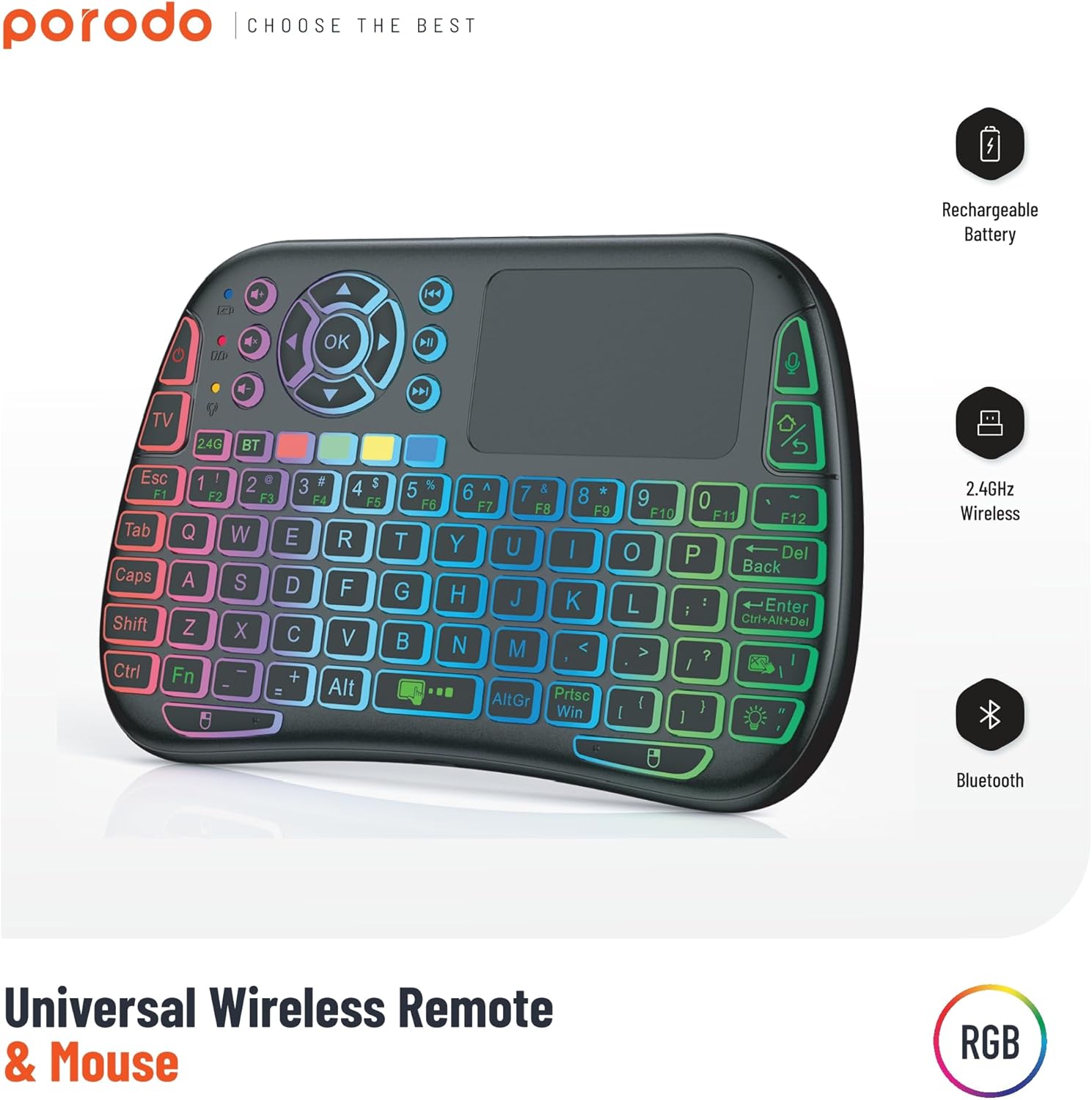
Image 1: The Porodo Universal Wireless Remote & Mouse, highlighting its RGB backlighting, rechargeable battery, 2.4GHz wireless, and Bluetooth connectivity.

Imagen 2: Anverso y reverso views of the remote and mouse, illustrating its compatibility with various devices such as All-in-one PCs, Computers, Android Projectors, Smart TVs, HTPCs, PADs (OTG), Phones (OTG), and TV Boxes.
2. Guía de configuración
2.1 Contenido del paquete
- Porodo Universal Wireless Remote & Mouse
- USB Receiver (typically stored in the battery compartment)
- Cable de carga
- Manual de usuario
2.2 Carga del dispositivo
Before first use, ensure the device is fully charged. Connect the provided charging cable to the charging port on the remote and to a standard USB power source (e.g., computer USB port, USB wall adapter). The charging indicator light will illuminate during charging and turn off when fully charged.
2.3 Connecting the USB Receiver (2.4GHz Wireless Mode)
- Locate the USB receiver, usually found in the battery compartment of the remote.
- Insert the USB receiver into an available USB port on your target device (e.g., Smart TV, PC, Android box).
- Turn on the Porodo Remote & Mouse using the power switch. The device should automatically connect to the receiver.
- The device is plug-and-play; no additional drivers are typically required.
2.4 Connecting via Bluetooth (if applicable)
If your device supports Bluetooth connectivity, you can pair it directly without the USB receiver. Refer to your device's Bluetooth pairing instructions. On the Porodo Remote & Mouse, activate Bluetooth pairing mode (refer to specific key combinations in the operating section if available).

Image 3: The remote and mouse highlighting its dual connectivity options: 2.4 GHz wireless and Bluetooth.
3. Instrucciones de funcionamiento
3.1 Funcionalidad del teclado
- Mecanografía: Utilice el diseño QWERTY para ingresar texto.
- Teclas de función (F1-F12): These keys often have secondary functions (e.g., media control, volume) accessible by pressing the 'Fn' key simultaneously.
- Iluminar desde el fondo: Some models feature RGB backlighting. Press the dedicated backlight key (often indicated by a light bulb icon) to cycle through colors or turn it on/off.
3.2 Funcionalidad del panel táctil
- Toque con un solo dedo: Funciona como un clic izquierdo.
- Toque con dos dedos: Funciona como un clic derecho.
- Two-Finger Drag: For scrolling up/down or left/right.
- Arrastre con un solo dedo: Moves the cursor on the screen.
- Dedicated Left/Right Click Buttons: Located below the touchpad for traditional mouse clicks.
3.3 Media Control Keys
Dedicated buttons for volume up/down, mute, play/pause, next/previous track are typically located above the touchpad or integrated into the function keys.
3.4 Voice Control (if applicable)
Some models may include a microphone for voice input. Press the dedicated microphone button to activate voice commands or search functions on compatible devices.
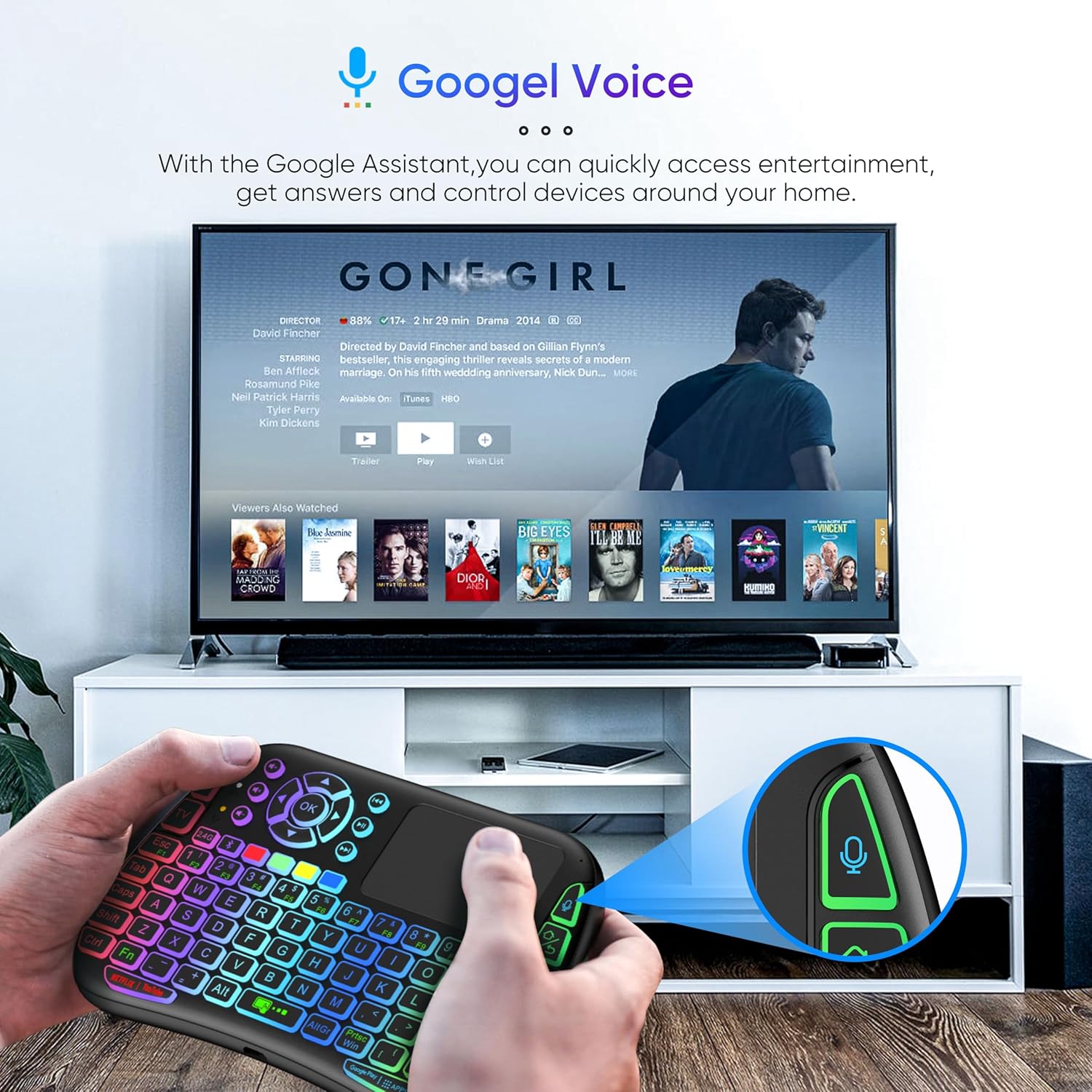
Image 4: The remote and mouse in use, demonstrating its Google Voice integration for controlling entertainment and accessing information on a connected TV.
3.5 Operational Range
The device offers an extended operational range of up to 10 meters (approximately 33 feet), allowing flexible control from a comfortable distance.
Vídeo 1: Un vídeo de demostración del producto muestraasing the features and ease of use of a similar wireless keyboard with touchpad. This video illustrates comfortable wireless control, long battery life, and plug-and-play connectivity.
4. Mantenimiento
4.1 Limpieza
Para limpiar el dispositivo, utilice un paño suave y seco. Para la suciedad incrustada, utilice un paño ligeramente seco.ampen the cloth with water or a mild cleaning solution. Avoid using harsh chemicals, abrasives, or solvents, as these can damage the surface.
4.2 Cuidado de la batería
- Recharge the device when the battery indicator is low to ensure continuous operation.
- Evite descargar completamente la batería con frecuencia para prolongar su vida útil.
- Si va a almacenar el dispositivo durante un período prolongado, cárguelo al 50 % aproximadamente y guárdelo en un lugar fresco y seco.
4.3 Almacenamiento
Store the device in a dry environment, away from extreme temperatures, direct sunlight, and high humidity. Keep it away from liquids and dust.
5. Solución de problemas
5.1 El dispositivo no responde
- Comprobar la batería: Asegúrese de que el dispositivo esté cargado. Conéctelo a una fuente de alimentación y vuelva a intentarlo.
- Interruptor de alimentación: Verify that the power switch on the device is in the 'ON' position.
- Receptor USB: For 2.4GHz mode, ensure the USB receiver is securely plugged into the target device's USB port. Try a different USB port.
- Reemparejamiento: If using Bluetooth, try re-pairing the device with your host system.
- Interferencia: Move the device closer to the receiver/host device and away from other wireless devices that might cause interference.
5.2 Touchpad or Keys Unresponsive
- Superficie limpia: Ensure the touchpad surface and keys are clean and free from debris.
- Reanudar: Apague el dispositivo y vuelva a encenderlo.
- Dispositivo anfitrión: Restart the host device (PC, Smart TV, etc.).
5.3 Duración corta de la batería
- Carga completa: Asegúrese de que el dispositivo esté completamente cargado antes de usarlo.
- Uso de luz de fondo: If your model has a backlight, frequent or continuous use will consume more battery. Turn it off when not needed.
- Suspensión automática: The device is designed to enter sleep mode after a period of inactivity to save power. Waking it up should be quick.
6. Especificaciones
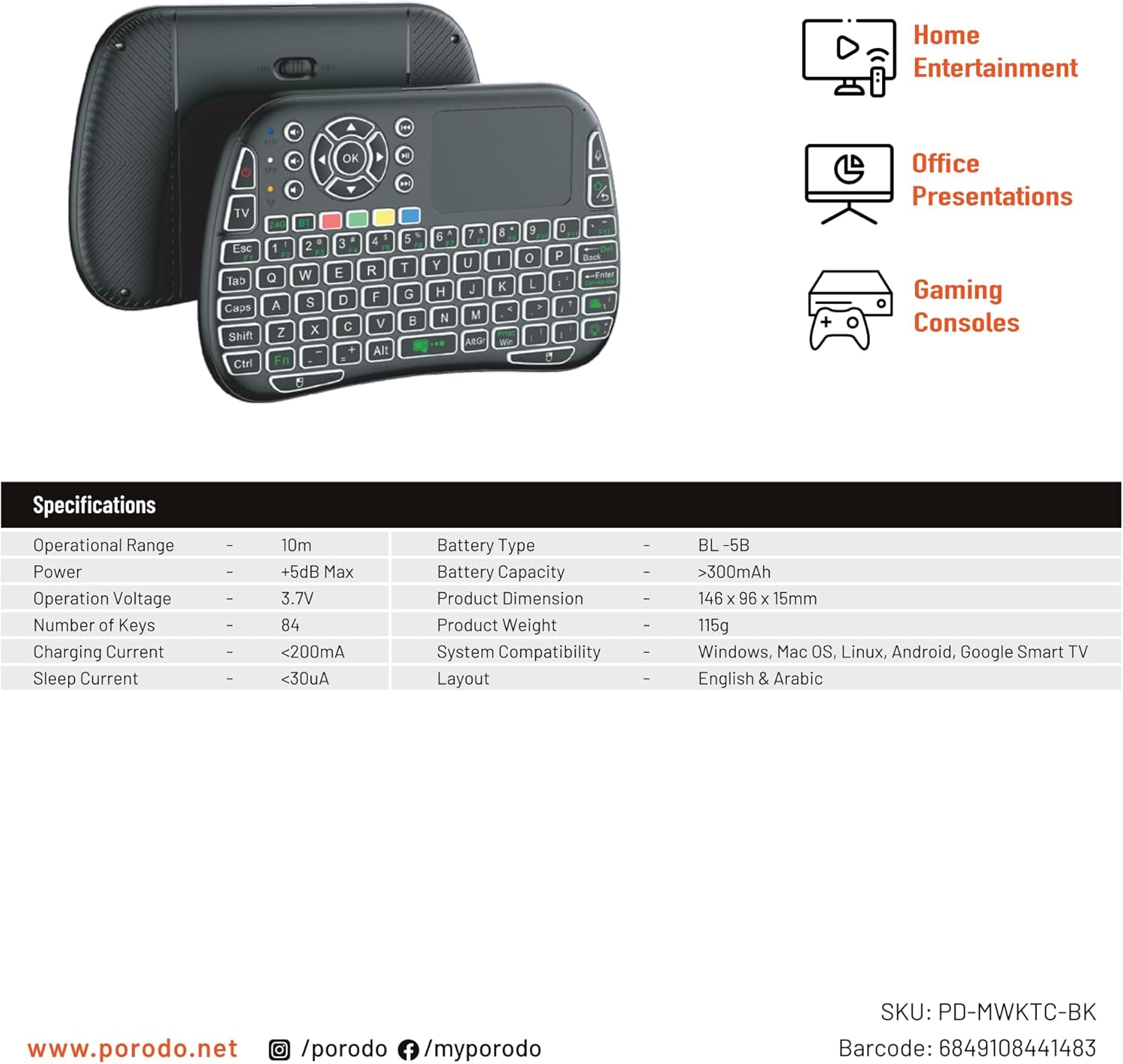
Image 5: The remote and mouse, illustrating its use for home entertainment, office presentations, and gaming consoles, alongside a table of detailed product specifications.
| Característica | Detalle |
|---|---|
| Fabricante | Porodo |
| Número de modelo | PD-MWKTC-BK (68491084488) |
| Dimensiones del producto | 14.6 x 9.6 x 1.5 cm |
| Peso del artículo | 115 gramos |
| Color | Negro |
| Tecnología de conectividad | Radio Frequency (2.4GHz) / Bluetooth |
| Característica especial | Programmable Buttons, Touchpad, Backlight |
| Dispositivos compatibles | Laptop, PC, Smart TV, Android Box, Projector |
| Descripción del teclado | Internal (Integrated) |
| Tecnología de detección de movimiento | Óptico |
| Fuente de poder | Funciona con pilas (recargables) |
| Capacidad de la batería | > 300mAh |
| Alcance operativo | 10 m |
| Compatibilidad del sistema | Windows, Mac OS, Linux, Android, Google Smart TV |
| Disposición | Inglés y árabe |
7. Garantía y soporte
For warranty information, technical support, or further assistance, please refer to the official Porodo webSitio web o contacte directamente con el servicio de atención al cliente. Conserve su recibo de compra como comprobante para cualquier reclamación de garantía.