
1. Introducción
The LEAUDIO XDUOO XD05 Plus 2 is a high-performance portable Digital-to-Analog Converter (DAC) and headphone amplifier designed to deliver exceptional audio quality. It features advanced decoding capabilities, powerful output, and versatile connectivity options for various audio sources and headphones.
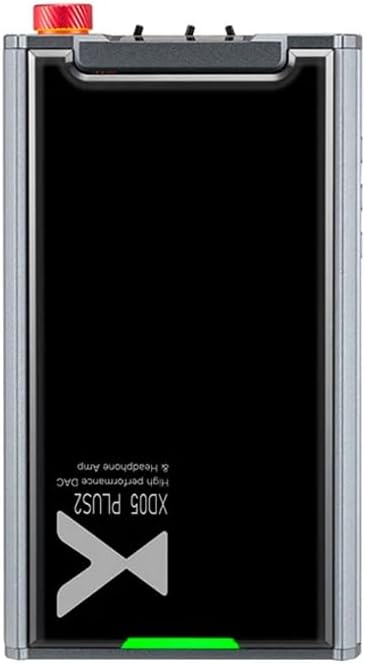
Figura 1: Arriba view of the XDUOO XD05 Plus 2, highlighting its compact design and model branding.
2. Contenido del paquete
Por favor revise el paquete para ver los siguientes artículos:
- XDUOO XD05 Plus 2 Portable DAC Headphone Ampmás vivaz
- Cable USB
- Manual de usuario (este documento)
3. Disposición del dispositivo
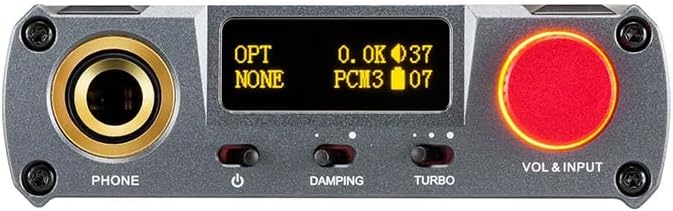
Figure 2: Front panel controls including the headphone output, OLED display, Damping switch, Turbo switch, and Volume/Input knob.

Figure 3: Rear panel connections featuring AUX In/Out, USB In, UAC 1.0/2.0 switch, Charge port, and Digital In (Optical/Coaxial).
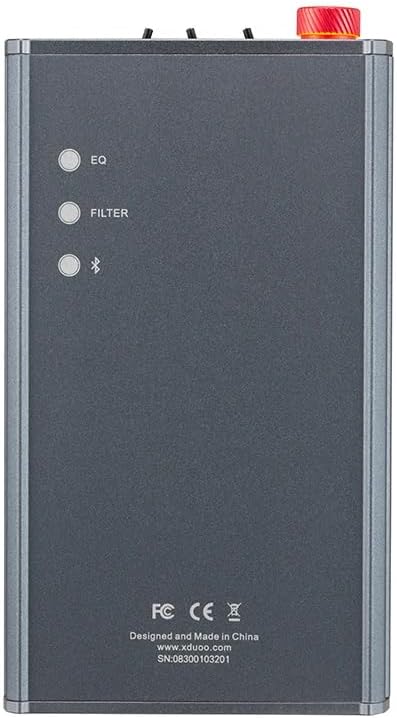
Figure 4: Side panel buttons for EQ, Filter, and Bluetooth functions.
4. Configuración y conexiones
4.1 Carga del dispositivo
Connect the provided USB cable to the 'CHARGE' port on the rear panel (Figure 3) and plug the other end into a USB power adapter (not included) or a computer's USB port. The charging time is approximately 3 hours for fast charging and 5 hours for slow charging.
4.2 Conexión a fuentes de audio
The XD05 Plus 2 offers multiple input options:
- Entrada USB: Connect to computers (Windows/Linux/Mac OSX), smartphones (iOS/Android), or other USB audio sources using the 'USB IN' port (Figure 3). Ensure the UAC switch is set to the appropriate mode (UAC 1.0 or UAC 2.0) for your device.
- Digital Input (Optical/Coaxial): Connect to desktop CDs, Hi-Fi players, or digital turntables via the 'DIGITAL IN' port (Figure 3).
- Entrada Bluetooth: For wireless audio streaming, refer to Section 5.4 for Bluetooth pairing instructions.
- Entrada/salida AUX: Use the 'AUX IN/OUT' port (Figure 3) for analog input or output connections.
4.3 Conexión de auriculares
Plug your headphones into the 'PHONE' output jack on the front panel (Figure 2).
5. Instrucciones de funcionamiento
5.1 Encendido/apagado y selección de entrada
Press and hold the power button (located near the 'PHONE' jack, Figure 2) to turn the device on or off. Rotate the 'VOL & INPUT' knob (Figure 2) to adjust the volume. Press the 'VOL & INPUT' knob to cycle through available input sources (USB, Optical, Coaxial, Bluetooth, AUX).
5.2 Control de volumen
The device features a 99-level digital volume adjustment, ensuring balanced left and right channels at any volume setting. Rotate the 'VOL & INPUT' knob to precisely set your desired listening level.
5.3 Sound Adjustments (EQ, Filter, Damping, Turbo)
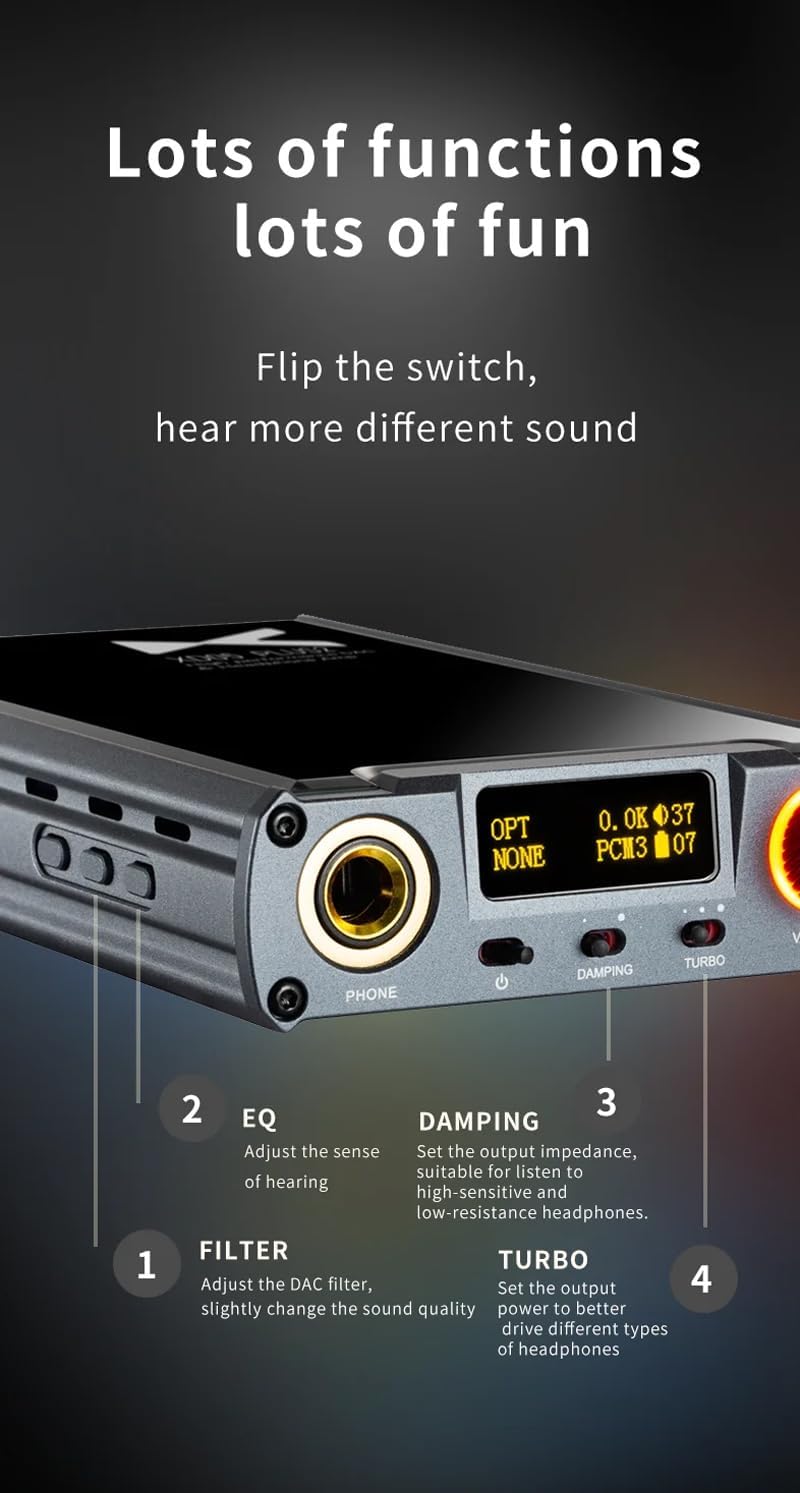
Figura 5: detallada view of sound adjustment controls and their functions.
- EQ (ecualizador): Press the 'EQ' button (Figure 4) to adjust the sense of hearing and tailor the sound to your preference.
- Filtrar: Press the 'FILTER' button (Figure 4) to slightly change the sound quality by adjusting the DAC filter settings.
- Dampen: Use the 'DAMPING' switch (Figure 2) to set the output impedance, suitable for high-sensitivity and low-resistance headphones.
- Turbo: Use the 'TURBO' switch (Figure 2) to set the output power, allowing the device to better drive different types of headphones.
5.4 Emparejamiento Bluetooth
To pair your device via Bluetooth 5.1:
- Ensure the XD05 Plus 2 is powered on and Bluetooth input is selected.
- Press the 'Bluetooth' button (Figure 4) to enter pairing mode. The Bluetooth indicator on the OLED screen will flash.
- On your source device (e.g., smartphone, tablet), search for available Bluetooth devices and select "XDUOO XD05 Plus 2".
- Once connected, the Bluetooth indicator will stop flashing.
Supported Bluetooth formats include AAC, SBC, aptX, aptX LL, aptX HD, and LDAC.
5.5 Reemplazo de la AmpChip más vivo
El amplifier chip is user-replaceable, allowing for customization of your audio experience. Refer to the manufacturer's guidelines or a qualified technician for instructions on safely replacing the op-amp papas fritas.
6. Especificaciones
| Característica | Especificación |
|---|---|
| Batería | 3.8 V/5000 mAh |
| Pantalla | OLED de 0.91 pulgadas |
| Sistema operativo compatible | Windows/Linux/Mac OSX/iOS/Android |
| Respuesta de frecuencia (USB/SPDIF) | 20Hz~20kHz (±0.5dB) |
| Respuesta frecuente (AMP) | 10Hz~80kHz (±0.5dB) |
| USB-SampTasa de ling (PCM) | 16-32 bits/44.1-384 kHz |
| USB-SampTasa de ling (DSD) | DOP/NATIVE DSD64-256 |
| USB-Sampling Rate (MQA) | OFS rendering layer decoding |
| OPT/COA SampTasa de ling (PCM) | 16-24 bits/44.1-192 kHz |
| OPT/COA SampTasa de ling (DSD) | DSD64 (DOP) |
| Formatos de Bluetooth | AAC/SBC/aptX/aptX LL/aptX HD/LDAC |
| Ganar | +0 dB/3 dB/6 dB |
| Potencia de salida de auriculares | 1200 mW (carga de 32 Ω) |
| Auriculares THD+N | 0.0015 % a 1 kHz |
| Relación señal/ruido de los auriculares | 121 dB |
| Diafonía de auriculares | >76dB |
| AUX OUT Output Level | 2.0Vrms |
| SALIDA AUXILIAR THD+N | 0.0009 % a 1 kHz |
| Señal/ruido de salida auxiliar | 122 dB |
| Diafonía de salida auxiliar | ≥109dB |
| Battery Life (USB IN) | ≥9 horas |
| Battery Life (SPDIF IN) | ≥15 horas |
| Battery Life (BT IN) | ≥18 horas |
| Charging Time (Fast) | ≤3 horas |
| Tiempo de carga (lento) | ≤5 horas |
| Tamaño | 13.0 x 7.5 x 2.2 cm |
| Peso | 0.29 kilogramos |
7. Mantenimiento
To ensure the longevity and optimal performance of your XDUOO XD05 Plus 2, follow these maintenance guidelines:
- Mantenga el dispositivo limpio con un paño suave y seco. Evite el uso de productos químicos agresivos o materiales abrasivos.
- Proteja el dispositivo de temperaturas extremas, luz solar directa y humedad.
- Evite dejar caer o someter el dispositivo a impactos fuertes.
- Cuando no utilice el dispositivo durante períodos prolongados, guárdelo en un lugar fresco y seco.
8. Solución de problemas
If you encounter issues with your XDUOO XD05 Plus 2, please refer to the following common troubleshooting steps:
- Sin sonido:
- Compruebe si el dispositivo está encendido.
- Asegúrese de que los auriculares estén conectados correctamente.
- Verifique que esté seleccionada la fuente de entrada correcta.
- Ajuste el nivel del volumen.
- Check the audio source device for proper playback and volume settings.
- Mala calidad de sonido:
- Asegúrese de que todos los cables estén conectados de forma segura.
- Try a different audio cable or source.
- Check EQ and Filter settings; reset them to default if necessary.
- Ensure the UAC switch is set correctly for your USB connection.
- Problemas de conexión Bluetooth:
- Asegúrese de que el dispositivo esté en modo de emparejamiento Bluetooth.
- Mueva el dispositivo de origen más cerca del ampmás duradero.
- Clear previous Bluetooth pairings on both devices and try pairing again.
- El dispositivo no se carga:
- Verify the USB cable is connected to the 'CHARGE' port.
- Pruebe con un cable USB o adaptador de corriente diferente.
- Asegúrese de que la fuente de alimentación funcione.
9. Vídeo oficial del producto
Vídeo 1: Un finalview of the LEAUDIO XDUOO XD05 Plus 2 DAC Amp, mostrarasing its features and design. This video provides a visual guide to the product's capabilities and physical aspects.
10. Garantía y soporte
For warranty information and technical support, please refer to the documentation included with your product or contact LEAUDIO customer service directly. You may also visit the official LEAUDIO webSitio para obtener los recursos de soporte más actualizados.