
symcode 1D Laser Pink
Manual del usuario del escáner de código de barras 1D USB Symcode
Model: 1D Laser Pink
1. Introducción
This user manual provides detailed instructions for the Symcode USB 1D Barcode Scanner. Please read this manual carefully before using the product to ensure proper operation and to maximize its lifespan. This device is designed for efficient and accurate scanning of 1D barcodes in various environments such as warehouses, libraries, supermarkets, and POS systems.
2. Contenido del paquete
- 1 x Symcode CCD Barcode Scanner
- 1 x cable USB
- 1 x Manual de usuario (este documento)
3. Producto terminadoview
The Symcode 1D Barcode Scanner is a handheld, wired device featuring CCD image scanning technology. Its ergonomic and lightweight design ensures comfortable use for extended periods.
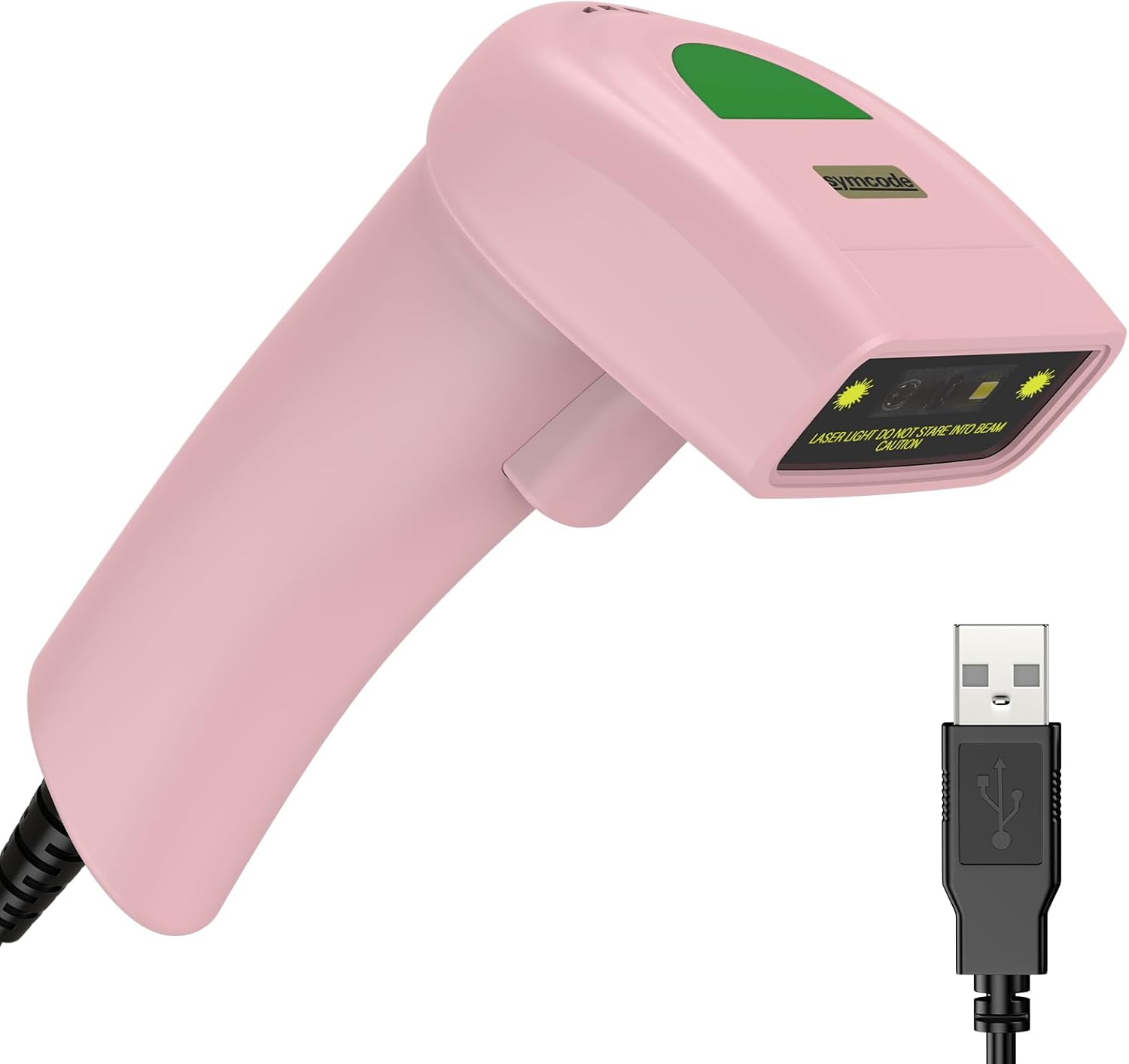
Figure 3.1: Symcode USB 1D Barcode Scanner (Pink) with its USB cable.

Figure 3.2: The scanner's compact dimensions (1.97in/5cm width, 2.76in/7cm depth, 5.5in/14cm height) are shown in comparison to a mobile phone, highlighting its portability. The scanner weighs only 181g (excluding the wire).

Figure 3.3: The scanner's light and streamlined design (left) offers comfort and ease of use, contrasting with a heavier, bulkier design (right) that can be more laborious.
4. Configuración
4.1 Conexión del escáner
The Symcode 1D Barcode Scanner is a plug-and-play device, requiring no driver installation for most operating systems.
- Localice un puerto USB disponible en su computadora (de escritorio o portátil).
- Insert the USB connector of the scanner's cable into the USB port.
- The scanner will emit a beep, indicating successful connection and readiness for use.

Figure 4.1: The USB cable serves as both a power source and a data transmission cable, enabling simple plug-and-play functionality.
5. Instrucciones de funcionamiento
5.1 Escaneo básico
To scan a barcode, aim the scanner's laser beam at the center of the barcode and press the trigger button. A successful scan will be indicated by a beep and a light confirmation.

Figure 5.1: The scanner is capable of reading 1D barcodes from both printed labels and digital screens.
5.2 Modos de escaneo
El escáner admite tres modos de escaneo principales:
- Modo de disparo clave: Press the trigger button to initiate each scan.
- Modo de inducción automática: El escáner detecta automáticamente un código de barras dentro de su campo de view y lo escanea sin necesidad de presionar un disparador.
- Modo continuo: The scanner continuously emits its laser, scanning any barcode that passes through its beam.
5.3 Opciones de personalización
5.3.1 Adding Prefix and Suffix
The scanner allows for customization of scanned data by adding prefixes or suffixes. This feature is useful for data organization and integration with various software systems. Refer to the programming barcodes in the included user manual for specific instructions on how to configure these options.

Figura 5.2: Examples demonstrating how prefixes (e.g., RL123456789), suffixes (e.g., 123456789RL), or middle insertions (e.g., 12345RL6789) can be added to scanned barcode data.
5.3.2 Control de sonido
The scanner's sound (beep) can be turned on or off according to user preference. This is typically done by scanning specific configuration barcodes found in the full user manual.

Figure 5.3: Visual representation of turning the scanner's sound on or off using dedicated configuration barcodes.
6. Códigos de barras compatibles
The Symcode 1D Barcode Scanner is equipped with advanced CCD sensor technology, enabling it to accurately read a wide range of 1D barcodes, including those that are smudged, damaged, fuzzy, or reflective. It supports 180 configurable options for prefix, suffix, and termination strings.
Supported 1D Barcode Symbologies include:
- EAN-8/13
- UPC-A/E
- Code 39/93/128
- EAN-128
- Codabar
- Industrial 2 de 5
- Intercalar 2 de 5
- Matriz 2 de 5
- MSI
- RSS variants
- chino 2 de 5

Figure 6.1: The scanner's super decoding ability is demonstrated with examples of various 1D barcodes, including standard ones like Código 128 y Código postal A, as well as challenging ones like Frauded Barcode, Profiled Código de barras, Folded Barcode, y Color Barcode.
7. Mantenimiento
Un mantenimiento adecuado garantiza la longevidad y el rendimiento óptimo de su escáner de código de barras.
- Limpieza: Utilice un paño suave y seco para limpiar el exterior del escáner. Para la ventana de escaneo, utilice un paño sin pelusa ligeramente seco.ampLimpie con un limpiador no abrasivo. Evite productos químicos agresivos o materiales abrasivos.
- Almacenamiento: Guarde el escáner en un lugar fresco y seco, alejado de la luz solar directa y de temperaturas extremas.
- Manejo: While the scanner is designed to be durable (withstands drops from 2m), avoid unnecessary drops or impacts to prevent damage to internal components.
8. Solución de problemas
| Problema | Posible causa | Solución |
|---|---|---|
| El escáner no se enciende. | Cable USB no conectado correctamente o puerto USB defectuoso. | Asegúrese de que el cable USB esté bien conectado tanto al escáner como a la computadora. Pruebe con otro puerto USB. |
| El escáner no lee códigos de barras. | Barcode is damaged, poorly printed, or not a supported symbology. Scanner is not in the correct scanning mode. | Ensure the barcode is clear and undamaged. Verify the barcode symbology is supported. Check the scanning mode (Key Trigger, Auto-Induction, Continuous) and adjust if necessary. |
| Los datos escaneados son incorrectos o incompletos. | Incorrect prefix/suffix settings or data formatting issues. | Refer to the customization section (5.3) and the full user manual for programming barcodes to reset or adjust prefix/suffix settings. |
| No sound from scanner. | El sonido está apagado. | Scan the "Turn on Sound" configuration barcode (refer to section 5.3.2 and the full user manual). |
9. Especificaciones
| Característica | Detalle |
|---|---|
| Dimensiones | 165 x 63 x 87 mm (6.5 x 2.48 x 3.43 pulgadas) |
| Peso | 156 g (5.9 onzas) |
| Fuente de luz | 650nm~670nm Visible Laser |
| Velocidad de escaneo | 100 escaneos/seg |
| Precisión de lectura | 0.1 mm (4 milésimas de pulgada) |
| Contraste de impresión | 30 % mín. |
| Profundidad de campo | 0~600 mm (0.33 mm, piezas 90%) |
| Alcance de escaneo | 10 mm ~ 250 mm |
| Distancia de lectura | 2.5~600 mm (100 % UPC/EAN) |
| Tasa de error de bits | 1 / 5 millones |
| Actual | 85 mA (en funcionamiento), 36 mA (almacenamiento) |
| Interfaz | USB |
| Temperatura de funcionamiento | 0℃~45℃ (32°F~113°F) |
| Temperatura de almacenamiento | -20 ℃ ~ 60 ℃ (-4 ° F ~ 140 ° F) |
| Humedad | 5%~95% sin condensación |
| Material | ABS + PC |
| Dispositivos compatibles | Computadora de escritorio, computadora portátil |
| Fuente de poder | Eléctrico con cable |
10. Garantía y soporte
Symcode products are manufactured to high quality standards. For warranty information and technical support, please refer to the contact details provided with your purchase or visit the official Symcode webSitio. Conserve su recibo de compra como comprobante para reclamaciones de garantía.
For further assistance, please contact Symcode customer service.