
MONODEAL DV68
Manual del usuario de los auriculares de conducción ósea Monodeal DV68
Modelo: DV68
Introducción
Thank you for choosing Monodeal DV68 Bone Conduction Headphones. These open-ear headphones are designed to provide high-quality audio while keeping you aware of your surroundings, making them ideal for sports and daily activities. Featuring Bluetooth 5.3 connectivity and IP67 waterproofing, they offer a comfortable and durable listening experience.
Producto terminadoview

Figura 1: Monodeal DV68 Bone Conduction Headphones. This image shows the overall design of the headphones, highlighting their sleek, lightweight structure and the bone conduction transducers.
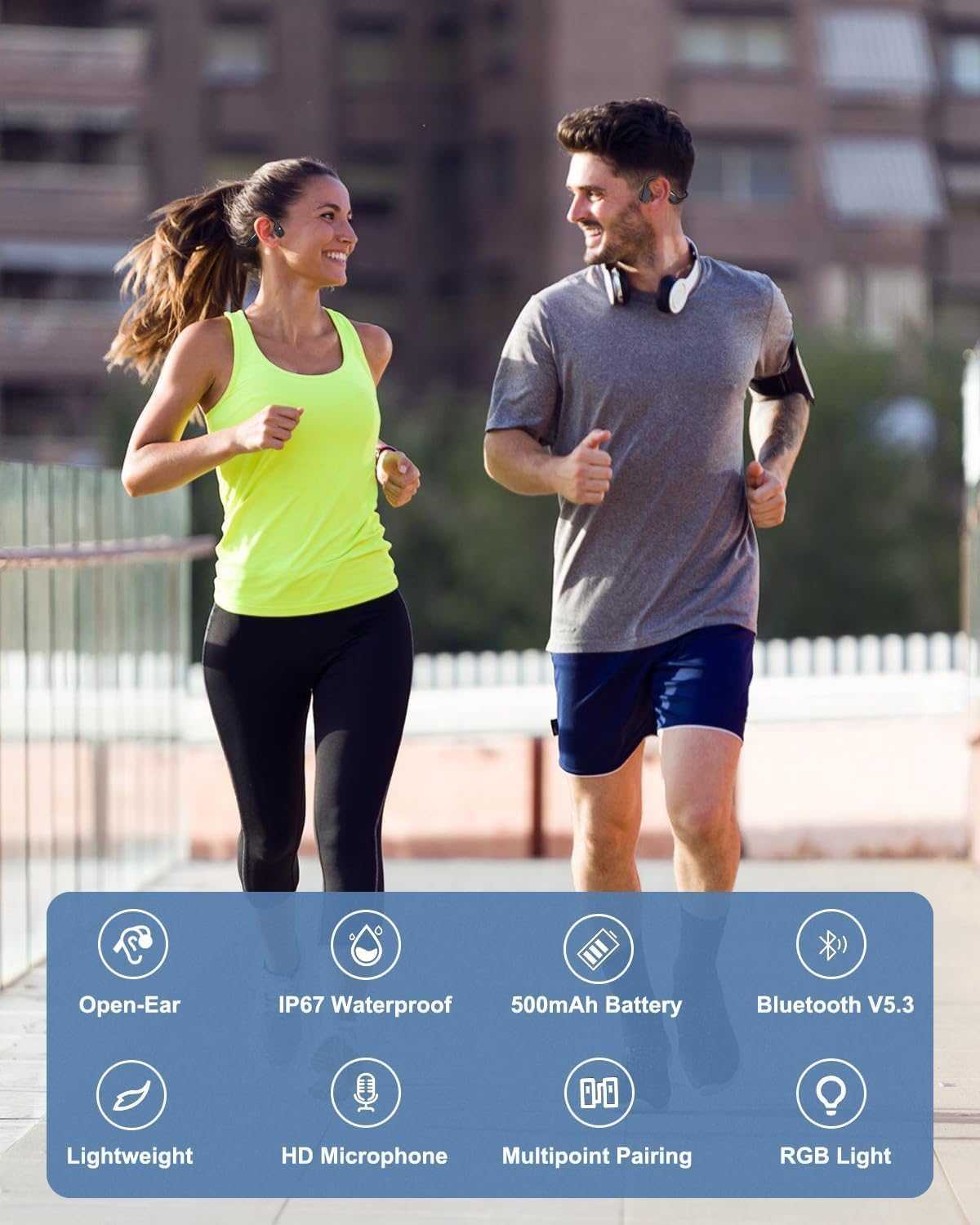
Figura 2: Key Features of Monodeal DV68 Headphones. This image illustrates the main features including Open-Ear design, IP67 Waterproof rating, 500mAh Battery, Bluetooth V5.3, Lightweight build, HD Microphone, Multipoint Pairing, and RGB Light.
Características principales:
- Tecnología de conducción ósea: Delivers high-quality sound through your cheekbones, ensuring clear audio while keeping your ears open to ambient sounds.
- Bluetooth 5.3: Provides a faster and more stable wireless connection.
- Batería de larga duración: Equipped with a 500mAh battery, offering up to 15 hours of continuous music playback or call time.
- Diseño de oído abierto: Ensures comfort and awareness of surroundings, promoting safety during outdoor activities.
- Ligero y flexible: Weighing only 34 grams with a memory titanium frame for durability and a secure fit.
- Resistente al agua IP67: Resistant to sweat, rain, and splashes, suitable for various sports and weather conditions.
- Micrófono incorporado: Para llamadas claras con manos libres.
- Luz LED inteligente: Enhances safety during night sports.
Contenido del paquete
Por favor revise el paquete para ver los siguientes artículos:
- Monodeal DV68 Bone Conduction Headphones
- Cable de carga
- Manual de usuario (este documento)
Configuración
1. Carga de los auriculares
Before first use, fully charge your headphones. The DV68 features fast charging capabilities.
- Conecte el cable de carga provisto al puerto de carga de los auriculares.
- Conecte el otro extremo del cable a un adaptador de corriente USB (no incluido) o al puerto USB de una computadora.
- El indicador LED de los auriculares mostrará el estado de carga. Normalmente, tarda unas 2 horas en cargarse por completo.
- A 10-minute charge can provide up to 2 hours of playtime.

Figura 3: Battery Life and Charging. This image illustrates the 20-hour playtime and the fast charging capability, where 10 minutes of charging provides 2 hours of playtime.
2. Emparejamiento con un dispositivo Bluetooth
The Monodeal DV68 headphones use Bluetooth 5.3 for wireless connection.
- Asegúrese de que los auriculares estén apagados.
- Mantenga presionado el botón de encendido hasta que el indicador LED parpadee en rojo y azul, lo que indica el modo de emparejamiento.
- En su dispositivo (teléfono inteligente, tableta, computadora), habilite Bluetooth y busque los dispositivos disponibles.
- Select "Monodeal DV68" from the list of found devices.
- Once connected, the LED indicator will turn solid blue or stop flashing.
- The headphones support multipoint pairing, allowing connection to two devices simultaneously. Refer to your device's Bluetooth settings for managing multiple connections.
Instrucciones de funcionamiento
Encendido/apagado
- Encendido: Mantenga presionado el botón de encendido durante 3 segundos.
- Apagado: Mantenga presionado el botón de encendido durante 5 segundos.
Reproducción de música
- Reproducir/Pausa: Presione el botón multifunción una vez.
- Pista siguiente: Presione dos veces el botón multifunción.
- Pista anterior: Presione tres veces el botón multifunción.
- Sube el volumen: Presione el botón Volumen +.
- Bajar volumen: Presione el botón de volumen -.
Gestión de llamadas
- Responder/Finalizar llamada: Presione el botón multifunción una vez.
- Rechazar llamada: Mantenga pulsado el botón multifunción durante 2 segundos.
- Asistente de voz: Press the multi-function button twice (when not on a call).
Luz LED inteligente
The integrated Smart LED Light enhances visibility during night activities.
- Activate/Deactivate LED: Refer to the specific button combination in the quick start guide (usually a dedicated button or a long press of a volume button).
- The LED light can display different colors (blue, green, red) for various indications or safety.

Figura 4: Smart LED Light. This image shows a runner at night, highlighting the smart LED light feature for enhanced safety and visibility.
Mantenimiento
Proper maintenance ensures the longevity and optimal performance of your Monodeal DV68 headphones.
- Limpieza: After sweating during exercise, wipe the headphones with a damp Paño para eliminar el sudor y la suciedad. No utilice productos químicos agresivos ni limpiadores abrasivos.
- Almacenamiento: Guarde los auriculares en un lugar fresco y seco cuando no los use. Evite las temperaturas extremas.
- Resistencia al agua: While IP67 rated for sweat, rain, and splashes, avoid submerging the headphones in water for extended periods. Ensure the charging port is dry before charging.
- Cargando: Utilice únicamente el cable de carga incluido. No sobrecargue la batería.

Figura 5: IP67 Waterproof Feature. This image shows a person exercising, emphasizing the headphones' resistance to sweat and rain, making them suitable for active use.
Solución de problemas
| Problema | Posible causa | Solución |
|---|---|---|
| Los auriculares no se encienden. | Batería baja. | Cargue completamente los auriculares. |
| No se puede emparejar con el dispositivo. | Los auriculares no están en modo de emparejamiento; Bluetooth desactivado en el dispositivo; el dispositivo está demasiado lejos. | Asegúrate de que los auriculares estén en modo de emparejamiento (LED rojo/azul parpadeante). Activa el Bluetooth en tu dispositivo. Acerca el dispositivo a los auriculares. |
| No hay sonido o volumen bajo. | Volumen demasiado bajo; no conectado; problema con la fuente de audio. | Increase volume on headphones and device. Reconnect Bluetooth. Check audio source. |
| Distorsión de sonido. | Interference; device too far; audio file calidad. | Move away from sources of interference. Move device closer. Try a different audio file. |
Presupuesto
| Característica | Detalle |
|---|---|
| Nombre del modelo | DV68 Bone Conduction Headset |
| Marca | MONODEAL |
| Tecnología de conectividad | Inalámbrico (Bluetooth 5.3) |
| Factor de forma | Oído abierto |
| Clasificación de impermeabilidad | IP67 |
| Capacidad de la batería | 500 mAh |
| Recreo | Hasta 15 horas (continuas) |
| Tiempo de carga | Aprox. 2 horas (carga completa) |
| Peso | 34 gramos |
| Material | Metal (Memory Titanium Frame) |
| Características especiales | Fast Charging, Built-in Microphone, Smart LED Light, Multipoint Pairing |
Garantía y soporte
Monodeal offers a 2 año de garantía for the DV68 Bone Conduction Headphones, ensuring peace of mind with your purchase.
For any product inquiries, technical support, or warranty claims, please contact the Monodeal service team. Contact information can typically be found on the product packaging or the official Monodeal websitio.
Consejo: After sweating during exercise, wipe the headphones with a damp cloth and put them back in the box. This keeps your headphones clean and like new, helping to maintain their condition for the warranty period and beyond.
Ask a question about this manual
Ask about setup, troubleshooting, compatibility, parts, safety, or missing instructions. Manuals+ will review the question and use this page’s manual context to help answer it.