
1. Introducción
The PNI PMR R70 PRO is a portable PMR446 radio designed for reliable communication. This device operates on the 446 MHz frequency band, offering 16 channels and 99 PC programmable channels. It features 50 CTCSS tones and 166 DCS tones for enhanced privacy and interference reduction. With an IP67 rating, the radio is protected against dust and water immersion, making it suitable for various environments. No license is required for operation in most European Union countries.
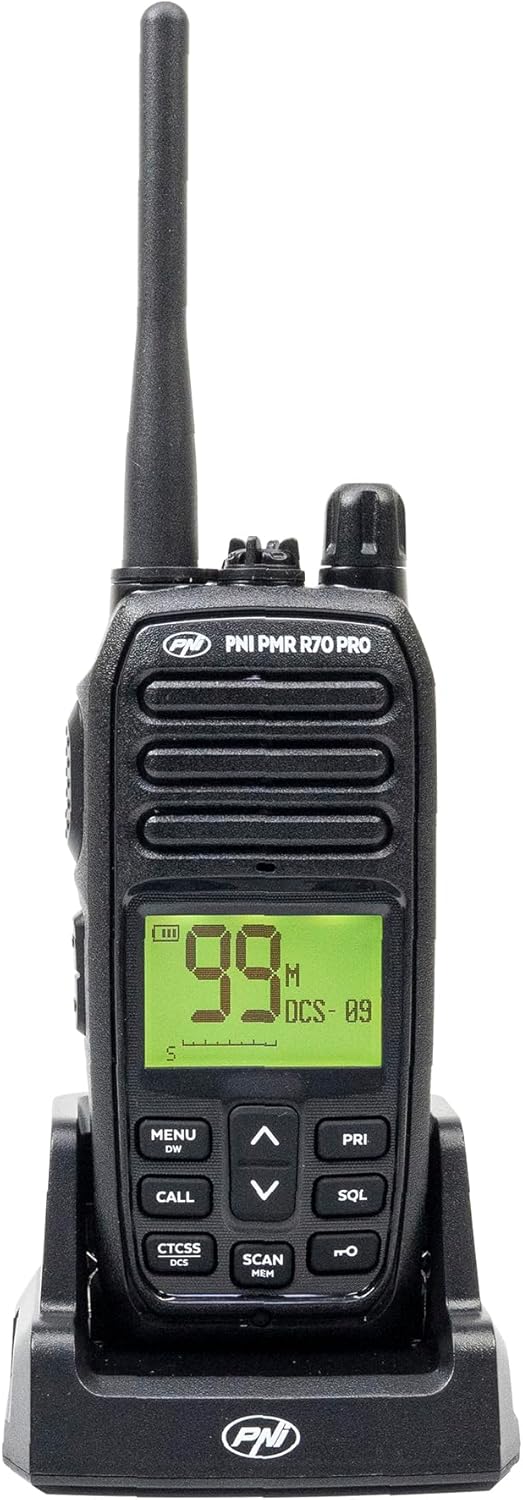
Imagen 1.1: Frente view of the PNI PMR R70 PRO portable radio, showing the display and control buttons.
2. Contenido del paquete
Verifique que todos los artículos enumerados a continuación estén incluidos en su paquete:
- PNI PMR R70 PRO Radio Unit
- Antena
- Batería de 1800 mAh
- Cargador de escritorio
- Clip para cinturón
- Guía del usuario
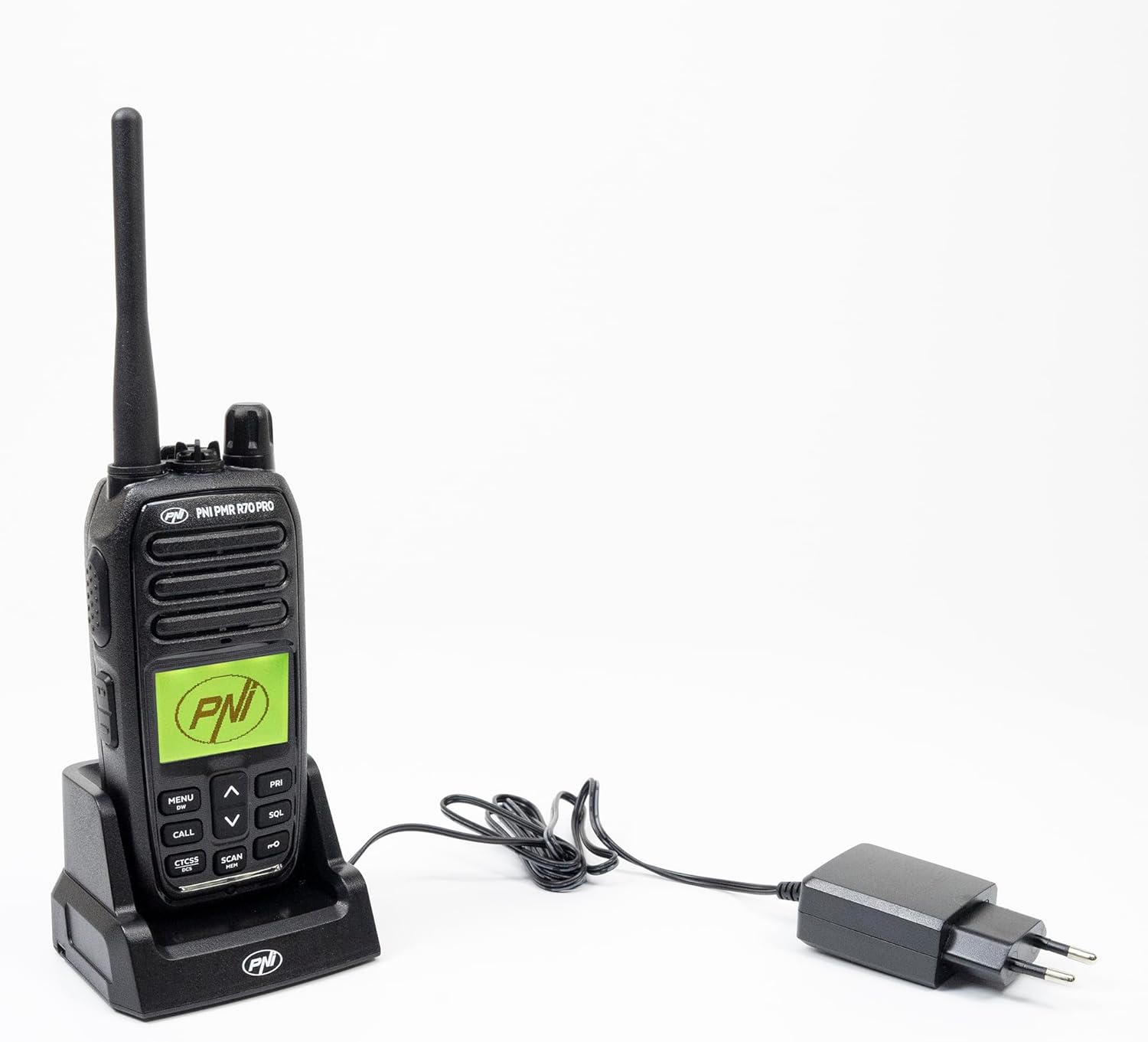
Image 2.1: All components included in the PNI PMR R70 PRO package: radio, antenna, battery, desktop charger, and belt clip.
3. Configuración
3.1 Instalación de la batería
- Asegúrese de que la radio esté apagada.
- Localiza la tapa del compartimento de las pilas en la parte posterior de la radio.
- Unscrew the retaining screw and carefully remove the cover.
- Insert the 1800 mAh battery into the compartment, ensuring the contacts align correctly.
- Vuelva a colocar la tapa del compartimiento de la batería y asegúrela con el tornillo.

Imagen 3.1: Trasera view of the PNI PMR R70 PRO radio with the battery compartment open, showing the battery and its connection.
3.2 Carga de la batería
- Conecte el cargador de escritorio a una toma de corriente.
- Place the radio unit into the charging cradle. Ensure the charging contacts on the radio align with those on the charger.
- La luz indicadora de carga del cargador se iluminará, generalmente roja para cargarse y verde para cargarse por completo.
- Una carga completa suele tardar varias horas. No sobrecargue la batería.
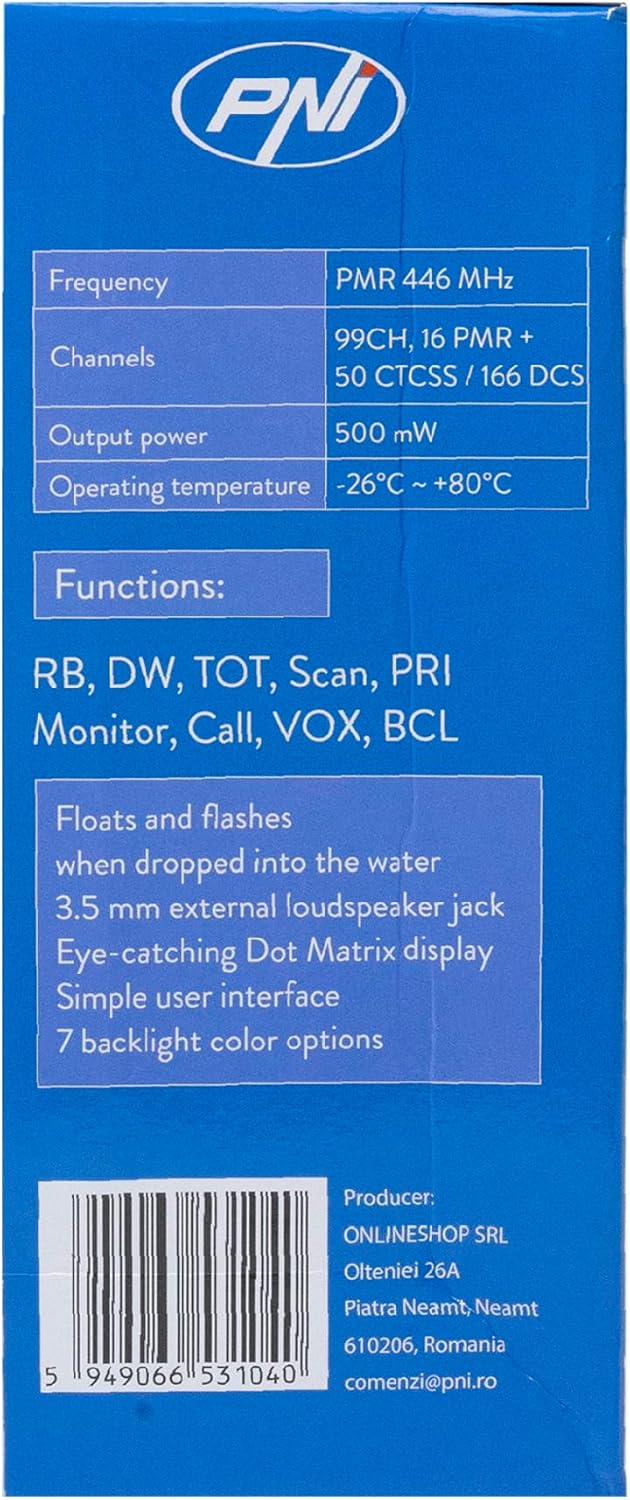
Image 3.2: The PNI PMR R70 PRO radio placed in its desktop charging cradle, connected to a power adapter.
4. Instrucciones de funcionamiento
4.1 Encendido y apagado
Para encender la radio, gire la perilla de encendido/volumen en sentido horario hasta oír un clic. Para apagarla, gírela en sentido antihorario hasta oír un clic.
4.2 Ajuste del volumen
Gire la perilla de encendido/volumen en el sentido de las agujas del reloj para aumentar el volumen y en el sentido contrario a las agujas del reloj para disminuirlo.
4.3 Selección de canales
Utilice el botón ARRIBA (^) y abajo (v) arrow buttons on the front panel to select one of the 16 available channels. The selected channel number will be displayed on the screen.
4.4 Transmisión y recepción
- Para transmitir: Press and hold the Push-To-Talk (PTT) button located on the side of the radio. Speak clearly into the microphone. Release the PTT button to stop transmitting.
- Para recibir: Asegúrese de que el botón PTT no esté presionado. La radio recibirá automáticamente las señales en el canal seleccionado.
4.5 Funciones especiales
- Tonos CTCSS/DCS: The radio supports 50 CTCSS (Continuous Tone-Coded Squelch System) and 166 DCS (Digitally Coded Squelch) tones. These tones help filter out unwanted conversations on the same channel. Refer to the full user guide for programming instructions.
- Función de escaneo: Activate the scan function to monitor all active channels. The radio will stop on an active channel until the transmission ends.
- Doble vigilancia (DW): This feature allows the radio to monitor two channels simultaneously.
- Roger pitido: An audible tone emitted when the PTT button is released, signaling the end of your transmission.
- Bloqueo de teclado: Evita cambios accidentales en la configuración.
- PC Programmable Channels: The radio supports 99 PC programmable channels. This requires a specific programming cable (PNI - PSR70) and software.

Image 4.1: The PNI PMR R70 PRO radio connected to a laptop via a programming cable for channel and feature customization.
5. Mantenimiento
5.1 Limpieza
Limpie la radio con un paño suave yamp Paño. No utilice productos químicos agresivos ni limpiadores abrasivos. Asegúrese de que la radio esté seca antes de usarla o cargarla.
5.2 Resistencia al agua (IP67)
The PNI PMR R70 PRO is rated IP67, meaning it is fully protected against dust ingress and can withstand immersion in water up to 1 meter for 30 minutes. While robust, avoid unnecessary exposure to water and ensure all covers (e.g., battery cover, accessory port cover) are securely closed before exposing the radio to water.

Image 5.1: The PNI PMR R70 PRO radio with water droplets, illustrating its IP67 water resistance feature.
6. Solución de problemas
If you encounter issues with your PNI PMR R70 PRO radio, consider the following common troubleshooting steps:
- Sin energía: Asegúrese de que la batería esté correctamente instalada y completamente cargada. Compruebe que el control de encendido/volumen esté activado.
- No se puede transmitir ni recibir: Verify that you are on the correct channel. Check if the PTT button is functioning. Ensure the antenna is securely attached.
- Mala calidad de audio: Adjust the volume. Ensure the microphone and speaker are not obstructed. Move to an area with fewer obstructions for better signal.
- Corto alcance: Obstacles like buildings and terrain can significantly reduce range. Operate in open areas for maximum range. Ensure the battery is fully charged.
- El teclado no responde: Check if the keypad lock feature is activated. Deactivate it if necessary.
For persistent issues, consult the comprehensive user guide or contact customer support.
7. Especificaciones
| Característica | Especificación |
|---|---|
| Marca | PNI |
| Número de modelo | PNI-R70-PRO |
| Rango de frecuencia | 446.00625 ~ 446.19375 MHz |
| Número de canales | 16 (PMR), 99 PC Programmable |
| Potencia de salida | 0.5 W |
| Tonos CTCSS | 50 |
| DCS Tones | 166 |
| Calificación de protección internacional | IP67 (Dustproof, Submersible up to 1m for 30 min) |
| Batería | 1800 mAh (included) |
| Duración media de la batería | 18 horas |
| Volumentage | 7.4 voltios (CC) |
| Alcance máximo | Up to 10 Kilometers (open space) |
| Temperatura de funcionamiento | -26 °C ~ +80 °C |
| Dimensiones del producto (Pr. x An. x Al.) | 6P x 13l x 4H centímetros |
| Peso del artículo | 225 gramos |
| Características especiales | Digital Display, Rechargeable, Roger Beep, Submersible, Keypad Lock |
8. Garantía y soporte
8.1 Información de garantía
The PNI PMR R70 PRO radio comes with a 2 año de garantía A partir de la fecha de compra. Esta garantía cubre defectos de fabricación en condiciones normales de uso. Conserve su comprobante de compra para reclamaciones de garantía.
8.2 Atención al cliente
For technical assistance, troubleshooting, or warranty service, please contact your retailer or the manufacturer's customer support. Refer to the contact information provided in your purchase documentation.


