
1. Introducción
Thank you for choosing the coldSky F03 Handheld Fan. This manual provides essential information for the safe and efficient use of your new fan. Please read it thoroughly before operation and retain it for future reference.
Contenido del paquete
- 1 x coldSky F03 Handheld Fan
- 1 x base de carga inalámbrica
- 1 x cable de carga USB tipo C
- 1 x Cordón
- 1 x Manual de usuario (este documento)

Image 1.1: coldSky F03 Handheld Fan with its wireless charging base and lanyard.

Image 1.2: Visual representation of all items included in the package: handheld fan, lanyard, USB cable, and instruction manual.
2. Instrucciones de seguridad
- No introduzca los dedos ni ningún objeto en la rejilla del ventilador.
- Mantenga el ventilador alejado del agua y la humedad.
- Do not disassemble, repair, or modify the fan. Contact customer support if service is required.
- Mantener fuera del alcance de los niños.
- Use only the provided charging cable and base.
- Avoid exposing the fan to extreme temperatures or direct sunlight for extended periods.
3. Producto terminadoview
The coldSky F03 Handheld Fan is designed for personal cooling, offering both handheld and desk fan functionalities with a convenient wireless charging base and a digital display.
Características principales
- Base de carga inalámbrica: For easy and convenient charging.
- 3 velocidades ajustables: Customize airflow to your preference.
- Pantalla digital: Muestra el nivel de batería y la configuración de velocidad actual.
- Diseño 2 en 1: Functions as both a handheld and a desk fan.
- Funcionamiento con bajo nivel de ruido: Engineered for quiet performance.
- Portátil: Ligero y compacto para fácil transporte.

Image 3.1: The digital display on the fan shows the remaining battery percentage and the current wind speed setting.
4. Configuración
Carga inicial
- Connect the Type-C USB charging cable to the wireless charging base.
- Plug the other end of the USB cable into a compatible power source (e.g., USB wall adapter, computer USB port, power bank).
- Place the handheld fan onto the wireless charging base. Ensure the fan is properly seated for charging to begin. The digital display will indicate charging status.
- For optimal performance, fully charge the fan before first use.
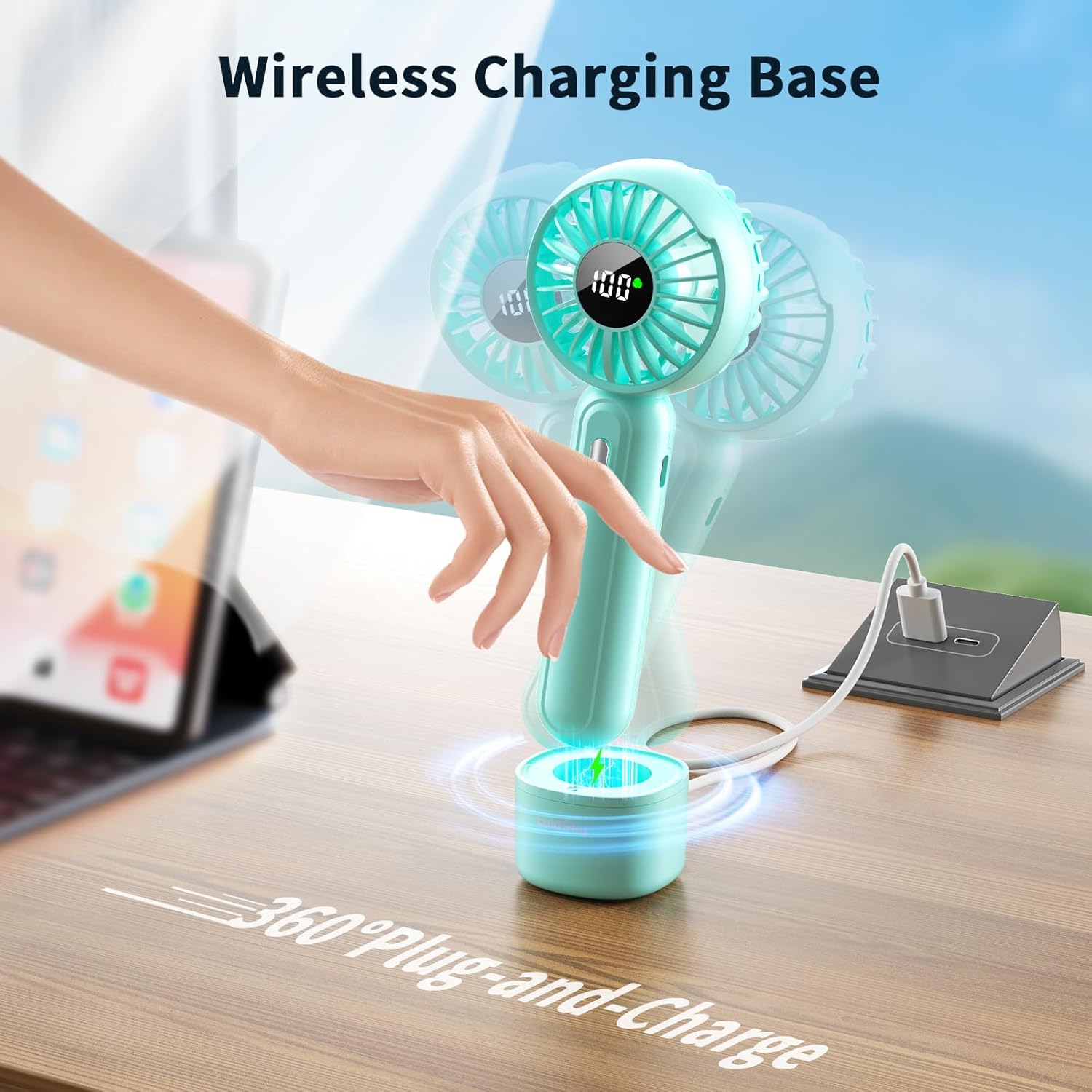
Image 4.1: The handheld fan placed on its wireless charging base, connected to a power source.
Colocación del cordón
Locate the lanyard hole on the fan handle. Thread the thin loop of the lanyard through the hole and then pass the larger part of the lanyard through the loop to secure it. This allows for convenient carrying or hanging.

Image 4.2: The handheld fan shown with its flexible lanyard attached, ready for portable use.
5. Operación
Encendido/apagado y ajuste de velocidad
- Para encender el ventilador, presione el botón de encendido ubicado en el mango. El ventilador comenzará a funcionar en la velocidad 1.
- Press the power button again to cycle through the speeds: Speed 1 → Speed 2 → Speed 3.
- To turn off the fan, press the power button after Speed 3, or press and hold the power button for 2 seconds at any speed.

Image 5.1: The fan provides three distinct wind speeds for varied cooling needs.
Pantalla digital
The integrated LED digital display shows two key pieces of information:
- Nivel de batería: Indica el porcentaje de batería restante.tagmi (0-100%).
- Velocidad del viento: Displays the current fan speed (1, 2, or 3).
During charging, the display will show the increasinporcentaje de batería gtage.
Handheld and Desk Fan Modes
- Modo portátil: Hold the fan by its handle for portable cooling. The attached lanyard can be used for added security.
- Modo ventilador de escritorio: Place the fan into its wireless charging base on a flat surface. The base provides stability, allowing the fan to operate as a stationary desk fan.
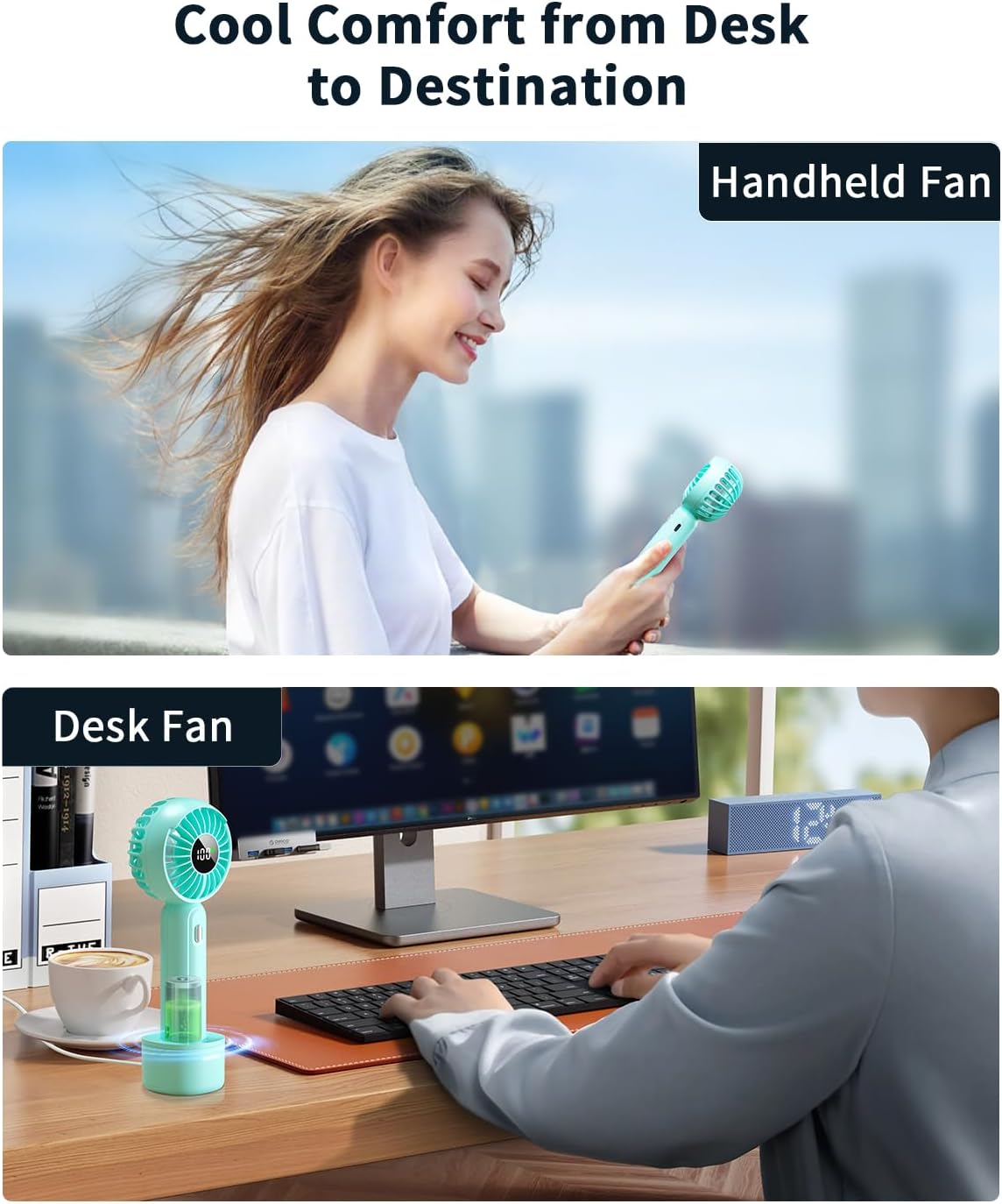
Image 5.2: The fan can be used as a portable handheld device or placed in its base for desk use.

Image 5.3: The fan can also be utilized as a makeup fan for quick drying.
6. Carga
The coldSky F03 fan offers two charging methods:
- Carga inalámbrica: Place the fan directly onto the wireless charging base. The base must be connected to a power source via the Type-C USB cable.
- Carga directa tipo C: Connect the Type-C USB cable directly to the charging port on the fan handle.
The digital display will show a charging animation and the current battery percentage mientras se carga. Una carga completa suele tardar entre 2 y 3 horas.

Image 6.1: The fan can be recharged using the included Type-C USB cable from various power sources like laptops, power banks, or wall adapters.
7. Mantenimiento
Limpieza
- Asegúrese de que el ventilador esté apagado y desenchufado antes de limpiar.
- Limpie el exterior del ventilador con un paño suave y seco.
- Para la suciedad persistente, dampEnjuague el paño con agua y jabón suave y séquelo inmediatamente.
- No utilice limpiadores abrasivos, disolventes ni sumerja el ventilador en agua.
Almacenamiento
Cuando no lo use durante períodos prolongados, guarde el ventilador en un lugar fresco y seco, alejado de la luz solar directa y de temperaturas extremas. Se recomienda cargarlo cada 3 meses para mantener la batería en buen estado.
8. Solución de problemas
| Problema | Posible causa | Solución |
|---|---|---|
| El ventilador no enciende | Batería baja Botón de encendido no presionado correctamente | Charge the fan Presione el botón de encendido firmemente |
| El ventilador no carga | Problema con el cable o adaptador Fan not seated correctly on base Obstrucción del puerto de carga | Try a different cable/adapter Ensure fan is properly aligned on the base Check charging port for debris |
| Flujo de aire débil | Batería baja La velocidad del ventilador está demasiado baja | Charge the fan Increase the fan speed setting |
| Ruido inusual durante el funcionamiento. | Obstrucción en las aspas del ventilador Problema interno | Turn off and carefully check for obstructions (e.g., hair, dust). If noise persists, discontinue use and contact support. |
9. Especificaciones
| Característica | Detalle |
|---|---|
| Marca | frioCielo |
| Nombre del modelo | F03 |
| Color | Azul |
| Fuente de poder | Funciona con pilas |
| Tipo de batería | 1 batería de iones de litio (incluida) |
| Capacidad de la batería | 2000 mAh |
| Número de niveles de potencia | 3 |
| Método de control | Tocar |
| Volumentage | 5 voltios |
| Dimensiones del producto | 2.6" de profundidad x 1.9" de ancho x 7" de alto |
| Peso del artículo | 0.19 kilogramos (6.7 onzas) |
| Características especiales | LED Screen, Lightweight, Portable |
| Uso en interiores y exteriores | Interior |

Image 9.1: The coldSky F03 fan operates at approximately 30 dB, comparable to a quiet environment.
10. Garantía y soporte
Los productos coldSky se fabrican con altos estándares de calidad. Para obtener información sobre la garantía o asistencia técnica, consulte los datos de contacto que se incluyen con su compra o visite el sitio web oficial de coldSky. webSitio. Tenga a mano el número de modelo (F03) y la fecha de compra al contactar con el servicio de asistencia.