
Inwa MZ633
Inwa MZ633 Bluetooth Audio Stereo AmpLifier Manual de usuario
Modelo: MZ633
1. Introducción
The Inwa MZ633 is a compact yet powerful 2.0 channel Hi-Fi stereo amplifier designed to enhance your home audio experience. It features multiple input options including HDMI (ARC), Optical, Coaxial, USB, RCA, and Bluetooth 5.3, allowing connection to various audio sources. With 100W RMS per channel at 4 ohms, it delivers clear and high-quality sound to passive speakers. The amplifier also includes bass and treble controls, a digital LED display, and a remote control for convenient operation.
2. Contenido del paquete
- Inwa MZ633 Stereo AmpUnidad elevadora
- Control remoto
- Adaptador de corriente
- Antena Bluetooth
- Manual de usuario
3. Producto terminadoview
3.1 Panel frontal
The front panel features the digital display, bass and treble control knobs, and a multi-function volume/mode/on-off knob.

Imagen: Panel frontal y trasero encimaview. This image displays the front panel with its digital display, bass, treble, and volume/mode/on-off controls, and the rear panel with all input and output ports.
- Pantalla digital: Shows current input mode and volume level.
- Perilla de control de graves: Ajusta la salida de audio de baja frecuencia.
- Perilla de control de agudos: Ajusta la salida de audio de alta frecuencia.
- Volume/Mode/On-Off Knob: Rotates to adjust volume. Short press to cycle through input modes. Long press to power on/off.
3.2 Panel trasero
The rear panel provides all connection ports for audio input, speaker output, and power.

Imagen: Detallado view del amplifier's rear panel, highlighting the Bluetooth antenna port, HDMI (ARC), USB, Optical, Coaxial, RCA (Audio Input), DC IN, Speaker Output terminals, and Power Switch.
- Antena BT: Connect the included Bluetooth antenna for optimal wireless reception.
- Entrada HDMI (ARC): Connect to a TV's HDMI ARC port for audio return channel functionality.
- Entrada USB: Conecte una unidad USB para reproducir audio.
- Entrada óptica: Conéctese a dispositivos con salida de audio digital óptica.
- Entrada coaxial: Conectarse a dispositivos con salida de audio digital coaxial.
- RCA (Audio Input): Connect to analog audio sources using RCA cables.
- DC EN: Conecte el adaptador de corriente.
- Speaker Output (L+/L-, R+/R-): Connect passive speakers using speaker wire.
- Interruptor de alimentación: Main power toggle for the ampmás duradero.
4. Instrucciones de configuración
Follow these steps to set up your Inwa MZ633 ampmás duradero:
- Conectar altavoces: Connect your passive speakers to the Speaker Output terminals on the rear panel. Ensure correct polarity (positive to positive, negative to negative).
- Conectar la antena Bluetooth: Screw the Bluetooth antenna into the "BT Ant" port on the rear panel.
- Conectar fuente de audio: Choose your desired audio input method (HDMI ARC, USB, Optical, Coaxial, or RCA) and connect the corresponding cable from your audio source device to the ampPanel trasero del lificador.

Imagen: Connection diagram illustrating how to connect various audio sources (TV, phone, tablet, PC, laptop, projector) via Bluetooth, HDMI (ARC), Optical, Coaxial, AUX (RCA), and USB to the amplifier, and then to dual-channel speakers.
- Conecte la electricidad: Connect the power adapter to the "DC IN" port on the rear panel, then plug the adapter into a power outlet.
- Encendido: Flip the main Power Switch on the rear panel to the "ON" position. The ampEl elevador entrará en modo de espera.
For a visual guide on connecting inputs and operating the amplifier, please refer to the video below:
Video: This video demonstrates the physical connection of various audio inputs (HDMI ARC, USB, Optical, RCA) and speaker outputs to the Inwa MZ633 amplifier. It also shows how to power on the device, switch between different input modes (Bluetooth, USB, AUX, Optical, Coaxial, ARC) using the remote or front knob, and adjust volume. The video concludes by demonstrating how to enter standby mode and power off the ampmás duradero.
5. Instrucciones de funcionamiento
5.1 Encendido/Apagado y modo de espera
- Para encender el amplifier from standby, short press the Power button on the remote control or the Volume/Mode/On-Off knob on the front panel.
- To enter standby mode, short press the Power button on the remote control or the Volume/Mode/On-Off knob on the front panel while the unit is active.
- To completely power off the amplifier, flip the main Power Switch on the rear panel to the "OFF" position.
5.2 Selección del modo de entrada
You can switch between input modes using the remote control or the front panel knob.
- Usando el control remoto: Press the "Mode" button on the remote to cycle through available inputs (Bluetooth, USB, Optical, Coaxial, HDMI ARC, RCA).
- Using Front Panel Knob: Short press the Volume/Mode/On-Off knob to cycle through input modes.
5.3 Control de volumen
- Usando el control remoto: Utilice los botones Subir volumen (+) y Bajar volumen (-).
- Using Front Panel Knob: Rotate the Volume/Mode/On-Off knob clockwise to increase volume, counter-clockwise to decrease volume.
5.4 Ajuste de graves y agudos
Adjust the bass and treble levels to customize your audio output.
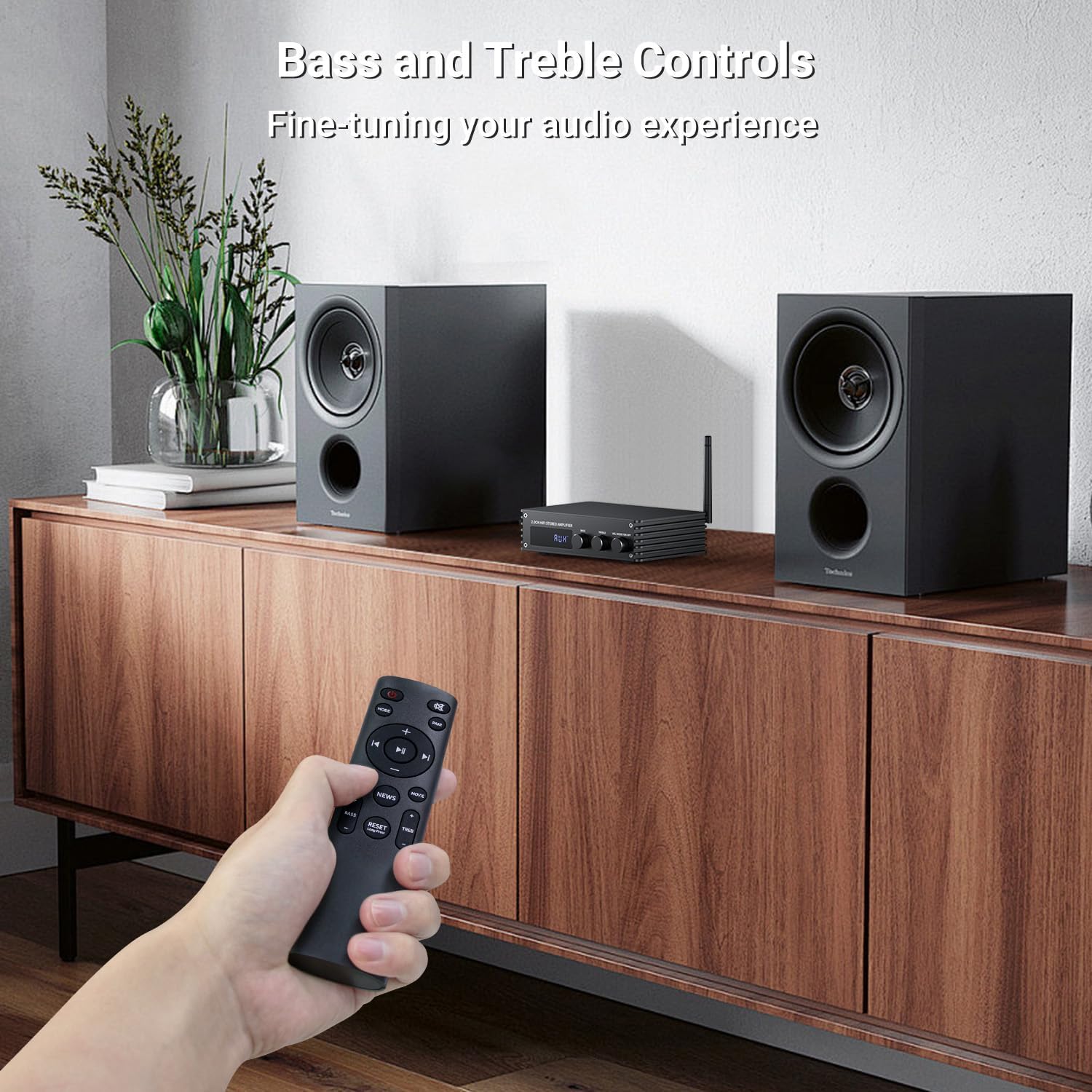
Imagen: A hand holding the remote control, pointing towards the amplifier. The image highlights the bass and treble control knobs on the amplifier's front panel, indicating fine-tuning capabilities.
- Perilla de control de graves: Rotate to increase or decrease bass frequencies.
- Perilla de control de agudos: Rotate to increase or decrease treble frequencies.
5.5 Selección del modo de sonido
El amplifier offers three distinct sound modes to optimize your listening experience:
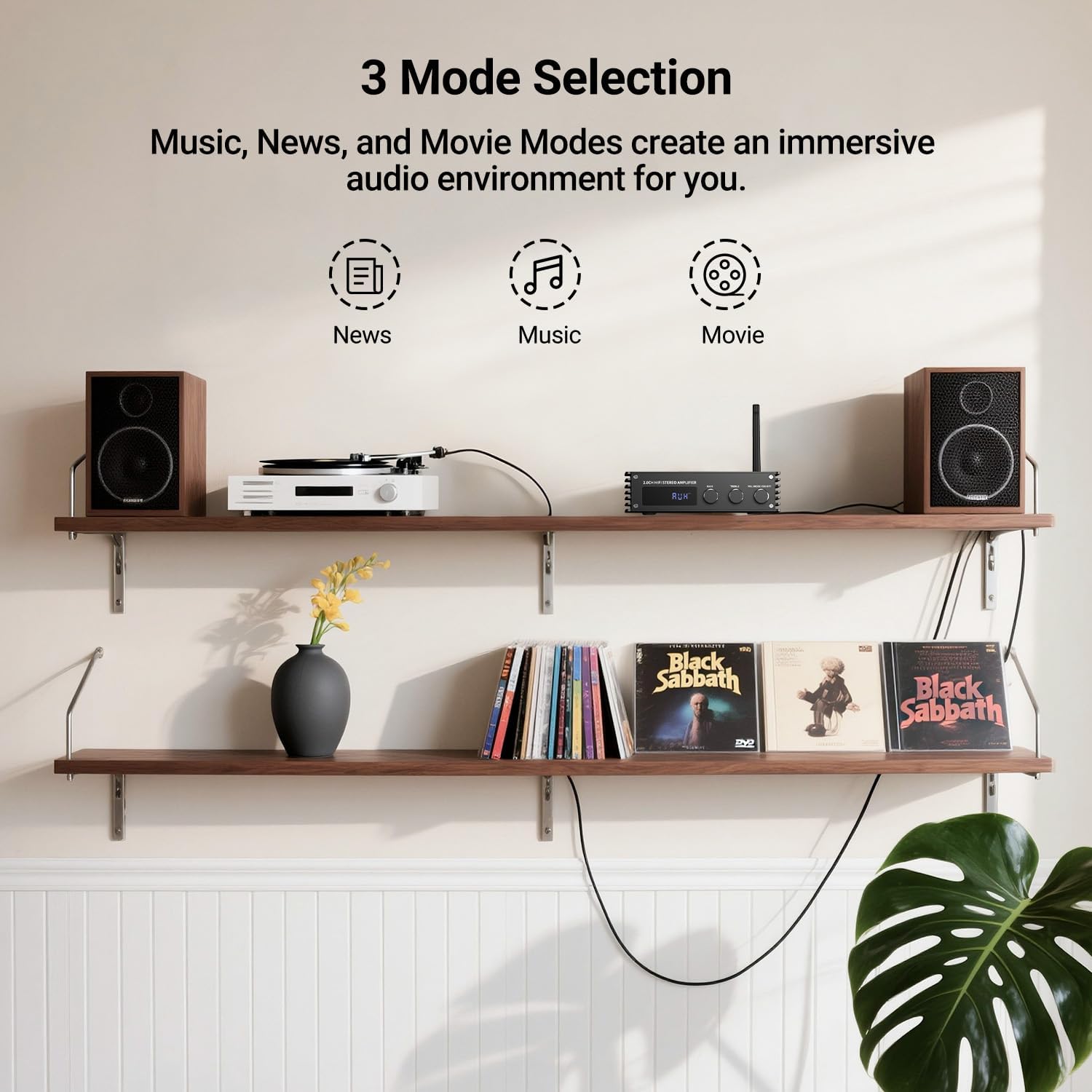
Imagen: Visual representation of the three sound modes: News, Music, and Movie. Each mode has an icon and a brief description of its audio characteristics, such as enhancing vocals for News, providing high-quality sound for Music, and offering 3D surround for Movie mode.
- Modo Noticias: Enhances vocal clarity for spoken content.
- Modo música: Provides a balanced, high-quality sound for general music listening.
- Modo de película Offers a 3D surround effect for an immersive cinematic experience.
- Utilice los botones dedicados del control remoto para cambiar entre estos modos.
6. Emparejamiento Bluetooth
To connect your Bluetooth device to the Inwa MZ633 ampmás duradero:
- Asegúrese de que la antena Bluetooth esté conectada de forma segura al ampmás duradero.
- Cambiar el amplifier to Bluetooth input mode (BT) using the remote or front knob. The digital display will show "BT".
- En su dispositivo móvil (teléfono, tableta, etc.), habilite Bluetooth y busque los dispositivos disponibles.
- Select "Inwa MZ633" from the list of devices.
- Una vez emparejado, el amplifier will indicate a successful connection, and you can begin streaming audio.
- The Bluetooth 5.3 technology ensures stable connectivity up to 50ft/15m.
7. Especificaciones
| Característica | Detalle |
|---|---|
| Potencia de salida | 100W RMS x 2 (at 4 ohms) |
| Canales | Canal 2.0 |
| Versión de Bluetooth | 5.3 |
| Alcance de Bluetooth | Hasta 50 pies/15 m |
| Entradas | HDMI (ARC), USB, Optical, Coaxial, RCA, Bluetooth |
| Control de audio | Bass, Treble, Volume, 3 Sound Modes (News, Music, Movie) |
| Mostrar | Pantalla LED digital |
| Dimensiones | 4.8 x 7.08 x 1.85 pulgadas |
| Peso del artículo | 2.2 libras |
| Número de modelo | MZ633 |
| Fabricante | Inwa |
8. Solución de problemas
If you encounter issues with your Inwa MZ633 amplifier, consulte las siguientes soluciones comunes:
- Sin energía:
- Asegúrese de que el adaptador de corriente esté conectado de forma segura a ambos ampificador y una toma de corriente que funcione.
- Check that the main Power Switch on the rear panel is in the "ON" position.
- Verifique que la toma de corriente funcione enchufando otro dispositivo.
- Sin sonido:
- Confirm that the speakers are correctly connected to the amplifier's output terminals with proper polarity.
- Check that the correct input mode is selected on the amplifier (e.g., "BT" for Bluetooth, "ARC" for HDMI ARC).
- Aumente el volumen en ambos amplifier y su dispositivo fuente de audio.
- Ensure audio cables (HDMI, Optical, Coaxial, RCA) are securely connected and not damaged.
- If using HDMI ARC, ensure your TV's ARC function is enabled and the amplifier is selected as the audio output device in your TV settings.
- If using Bluetooth, ensure the device is successfully paired and not connected to another ampmás duradero.
- Sonido distorsionado:
- Reduce el volumen en ambos amplificador y la fuente de audio para evitar cortes.
- Compruebe las conexiones de los altavoces para detectar cables sueltos o polaridad incorrecta.
- Asegúrese de que la fuente de audio proporcione una señal limpia.
- Adjust bass and treble controls to a neutral position or to your preference.
- Problemas de conexión Bluetooth:
- Asegúrese de que ampEl lifier está en modo Bluetooth.
- Acerque su dispositivo Bluetooth al amplificador para mejorar la intensidad de la señal.
- Desconecte y vuelva a emparejar el dispositivo.
- Asegúrese de que no haya otros dispositivos conectados activamente al amplificador a través de Bluetooth.
- Intente reiniciar ambos amplifier y su dispositivo Bluetooth.
9. Mantenimiento
To ensure the longevity and optimal performance of your Inwa MZ633 amplifier, siga estas pautas de mantenimiento:
- Limpieza: Utilice un paño suave y seco para limpiar el exterior del ampLificador. Evite el uso de limpiadores líquidos, aerosoles o materiales abrasivos, ya que pueden dañar el acabado o los componentes internos.
- Ventilación: Asegúrese de que amplifier is placed in a well-ventilated area. Do not block the ventilation openings, as this can lead to overheating.
- Colocación: Coloque el ampColóquelo sobre una superficie estable y plana, lejos de la luz solar directa, fuentes de calor y humedad.
- Apagar cuando no esté en uso: Si el amplifier will not be used for an extended period, power it off using the rear switch and unplug it from the power outlet.
- Sistema de organización de cables: Mantenga todos los cables perfectamente organizados y libres de torceduras o tensión excesiva para evitar daños.
10. Garantía y soporte
Inwa products are designed for reliability and performance. For warranty information, technical support, or service inquiries, please refer to the warranty card included with your product or visit the official Inwa webSitio. Conserve su recibo de compra como comprobante para reclamaciones de garantía.
Fabricante: Inwa
Ask a question about this manual
Ask about setup, troubleshooting, compatibility, parts, safety, or missing instructions. Manuals+ will review the question and use this page’s manual context to help answer it.