
1. Introducción
The Longer Laser B1 30W Laser Engraver Cutter is a versatile tool designed for precision engraving and cutting across various materials. This manual provides essential information for safe operation, setup, and maintenance to ensure optimal performance and longevity of your device.
Key features include a powerful 36W laser output capable of cutting through 25mm basswood and 50mm acrylic, a high working speed of up to 36,000 mm/min, and a large working area of 450 x 440 mm. It supports colorful engraving on mirrored stainless steel and integrates an automatic air-assist pump for enhanced precision and quality.
2. Información de seguridad
ADVERTENCIA: La radiación láser puede causar lesiones oculares y quemaduras en la piel. Utilice siempre protección ocular adecuada y asegúrese de que haya una ventilación adecuada durante el uso.
The Laser B1 is equipped with eight major safety features to protect users and prevent accidents:
- Move Detection: Stops operation if the machine is moved unexpectedly.
- Detector de llama: Triggers an alarm and stops the laser if a flame is detected.
- Offline Protection: Halts operation if connection is lost.
- Motionless Protection: Automatically stops if the laser module remains stationary for too long while active.
- Candado de seguridad: Previene el uso no autorizado.
- Protección ocular: The laser module features panoramic light filtering glass to block blue light and filter 97% of ultraviolet light.
- Botón de parada de emergencia: Corta inmediatamente la energía al láser en caso de emergencia.
- Restablecimiento a cero: Ensures safe homing of the laser module.

Image: Longer Laser B1 with visual indicators for flame detection and position movement protection.
3. Producto terminadoview
The Longer Laser B1 is designed for precision and efficiency. Understanding its components and capabilities is key to effective use.
3.1 Características principales
- Powerful Laser Output: 36W output power, capable of cutting 25mm basswood and 50mm acrylic.
- Rendimiento de alta velocidad: Engraving speed up to 36,000 mm/min.
- Gran área de trabajo: 450 x 440 mm (17.72 x 17.32 inches).
- Asistencia de aire automática: Controlled via Lightburn software for cleaner cuts and engravings.
- Colorful Engraving: Direct engraving of colorful patterns on mirrored stainless steel.
- Conectividad: Supports USB, TF card, Wi-Fi, and APP control.
- Compatibilidad de software: Works with LaserGRBL (Windows XP/7/8/10) and Lightburn (Windows, macOS, Linux).
3.2 Componentes
The main components of the Longer Laser B1 include the laser module, frame, control unit, and various accessories. Refer to the packaging for a complete list of included items.
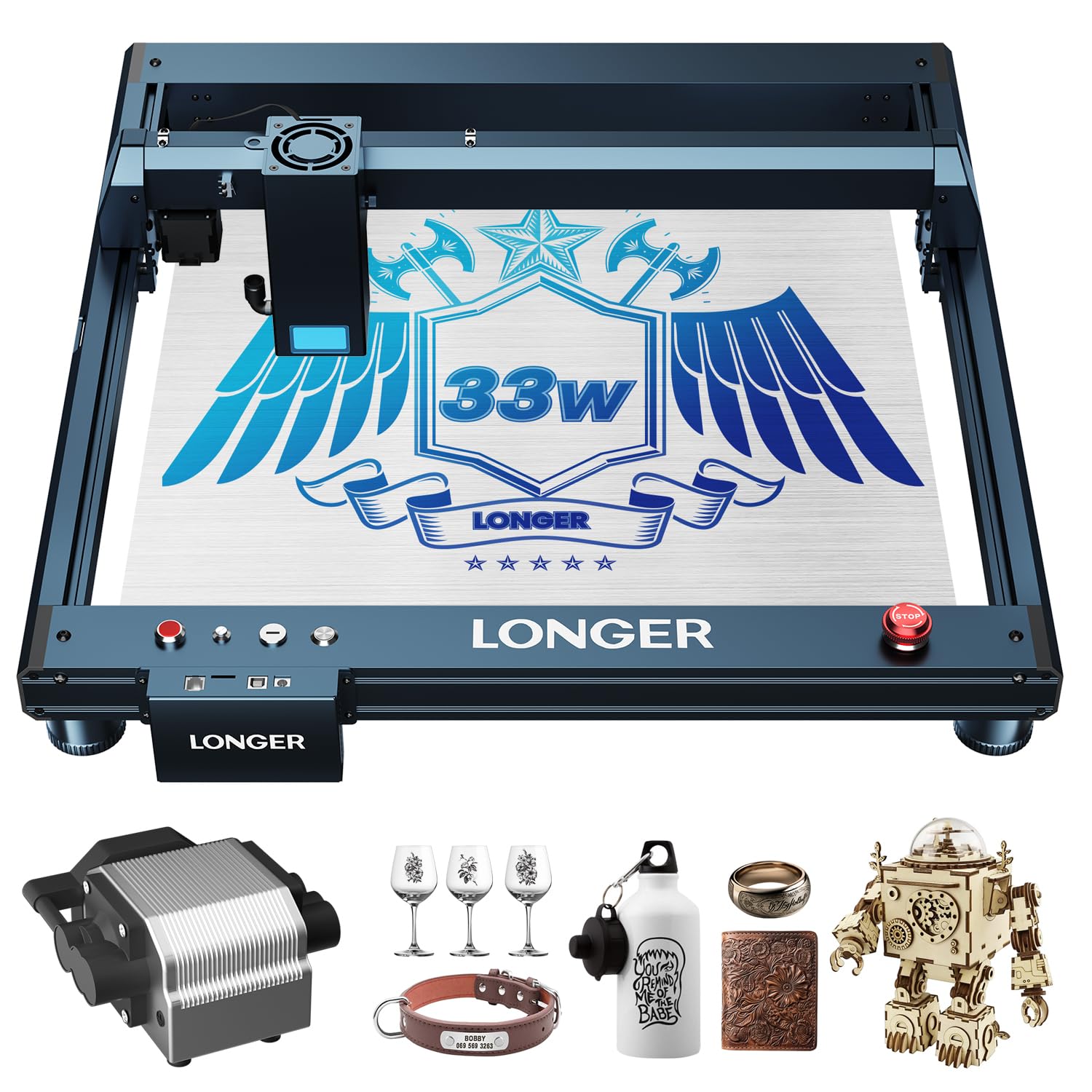
Image: The Longer Laser B1 30W Laser Engraver Cutter.
4. Configuración
Follow these general steps for assembling and preparing your Longer Laser B1 for operation. Detailed assembly instructions are typically provided in a separate guide included with your product.
- Desembalaje: Retire con cuidado todos los componentes del embalaje. Compruebe que estén todas las piezas según la lista de embalaje.
- Conjunto de marco: Assemble the main frame of the laser engraver. Ensure all screws are tightened securely.
- Instalación del módulo láser: Mount the laser module onto the gantry. Connect the necessary cables.
- Air Assist Connection (if applicable): If your model includes an automatic air assist pump, connect it to the laser module and the control unit as per the specific instructions.
- Conexión de energía: Connect the power adapter to the control unit and then to a suitable power outlet.
- Instalación del software: Install the recommended software (Lightburn or LaserGRBL) on your computer. Drivers may be required for USB connection.
- Conexión APP: For mobile control, download the dedicated LaserBurn APP and follow the in-app instructions for Wi-Fi network distribution and connection.

Image: Initial setup of the laser engraver.
5. Instrucciones de funcionamiento
Operating the Longer Laser B1 involves preparing your design, setting parameters, and executing the engraving or cutting process.
5.1 Software y conectividad
The Laser B1 supports multiple connection methods and software:
- Software: Lightburn (recommended for advanced users, compatible with Windows, macOS, Linux) and LaserGRBL (free, compatible with Windows XP/7/8/10).
- Métodos de conexión USB cable, TF card, Wi-Fi, and dedicated mobile APP.

Image: Software and connectivity options for the Laser B1.

Image: The LaserBurn mobile application for controlling the engraver.
5.2 Preparación del material y grabado/corte
- Colocación de materiales: Place your material securely on the working area. Ensure it is flat and stable.
- Ajuste de enfoque: Ajuste el enfoque del láser según el espesor del material.
- Design Import and Parameter Settings: Import your design into the software. Set appropriate parameters for engraving or cutting, including speed, power, and passes, based on the material type and desired outcome.
- Air Assist Activation: If using the automatic air assist, ensure it is enabled in your software settings for optimal results, especially when cutting.
- Iniciar operación: Inicie el proceso de grabado o corte. Supervise la máquina durante su funcionamiento.

Image: The automatic air assist pump improves engraving and cutting quality by removing smoke and debris.
5.3 Capacidades de grabado y corte
The Longer Laser B1 excels in various applications:
- Wood Engraving: Achieve detailed and precise designs on wood.
- Grabado en metal: Create intricate patterns on metal surfaces, including colorful engraving on mirrored stainless steel.
- Acrylic Cutting: Capable of cutting thick acrylic sheets with clean edges.
- Otros materiales: Suitable for paper, glass, leather, and more.
Video: Demonstration of color acrylic engraving and cutting with the Longer Laser B1.
Video: Creating a jewelry box using the Longer Laser B1 engraver.
6. Mantenimiento
El mantenimiento regular garantiza la longevidad y el rendimiento óptimo de su grabador láser.
- Limpieza de la lente: Limpie periódicamente la lente láser con un paño suave que no suelte pelusa y una solución de limpieza de lentes para mantener la calidad del grabado.
- Limpieza del área de trabajo: Remove debris and dust from the honeycomb working area after each use.
- Lubricación: Apply a small amount of lubricant to the guide rails and lead screws as recommended in the detailed product manual to ensure smooth movement.
- Inspección de cables: Revise periódicamente todos los cables para detectar desgaste o daños. Reemplace inmediatamente cualquier cable dañado.
- Actualizaciones de firmware: Keep the device firmware and software updated to benefit from performance improvements and new features.
7. Solución de problemas
This section addresses common issues you might encounter. For more complex problems, refer to the official Longer support resources.
| Problema | Posible causa | Solución |
|---|---|---|
| El láser no dispara o la salida es débil. | Conexión de cable suelta, lente sucia, configuración de energía incorrecta, mal funcionamiento del módulo láser. | Revise todas las conexiones de cables. Limpie la lente láser. Verifique la configuración de energía en el software. Contacte con el soporte técnico si el problema persiste. |
| El grabado/corte es inexacto o está distorsionado. | Loose belts, incorrect focus, material not flat, machine movement during operation. | Ensure belts are properly tensioned. Adjust laser focus. Secure material firmly. Check for any obstructions preventing smooth movement. |
| Machine not connecting to computer/APP. | Incorrect drivers, Wi-Fi issues, faulty USB cable, software conflict. | Install/update drivers. Check Wi-Fi connection and network settings. Try a different USB port/cable. Restart software and machine. |
| Smoke/fumes excessive during operation. | Insufficient ventilation, air assist not active, incorrect power settings. | Ensure adequate ventilation. Activate air assist in software. Reduce laser power if possible for the material. |
8. Especificaciones
| Característica | Detalle |
|---|---|
| Marca | Más extenso |
| Número de modelo | B1 |
| Potencia de salida del láser | 36 W |
| Velocidad de trabajo | Hasta 36,000 mm/min |
| Área de trabajo | 450 x 440 mm (17.72 x 17.32 pulgadas) |
| Dimensiones del producto | 17.31 x 4.9 x 17.72 pulgadas |
| Peso del artículo | 21.5 libras |
| Modo de operación | Automático |
| Compatibilidad de materiales | Wood, Metal, Paper, Acrylic, Glass, Leather |
9. Garantía y soporte
The Longer Laser B1 comes with a standard warranty. Please refer to the warranty card included in your product packaging for specific terms and conditions. For technical assistance, troubleshooting, or warranty claims, please contact Longer3d Official Store customer support.
Información del contacto:
- Vendedor: Longer3d Official Store
- Enlace de la tienda de Amazon: Longer Official Store on Amazon