
1. Introducción
Thank you for choosing the ABSOSO Single Din Wireless CarPlay Stereo. This manual provides essential information for the proper installation, operation, and maintenance of your new car stereo system. Please read this manual thoroughly before use to ensure optimal performance and safety.
2. Información de seguridad
- Utilice siempre el dispositivo de forma responsable y conforme a las normas de tráfico locales. Conducir distraído puede provocar accidentes.
- No intente instalar ni reparar la unidad usted mismo si no está cualificado. Una instalación incorrecta puede dañar la unidad o su vehículo.
- Asegúrese de que todo el cableado esté conectado correctamente para evitar cortocircuitos o peligros eléctricos.
- Mantenga la pantalla limpia y libre de obstrucciones para mantener una visibilidad clara.
- Evite exponer la unidad a temperaturas extremas, luz solar directa durante períodos prolongados o humedad excesiva.
3. ¿Qué hay en la caja?
Verifique que todos los componentes estén presentes antes de continuar con la instalación:
- Single Din CarPlay Stereo Unit
- Cable USB doble
- Antena GPS
- Cable de la cámara de respaldo
- Wiring Harness & Wires
- Kits de montaje
- Manual de usuario (este documento)
4. Producto terminadoview
The ABSOSO Single Din Wireless CarPlay Stereo features a 10.1-inch rotatable touchscreen designed for enhanced in-car entertainment and navigation. It supports wireless Apple CarPlay and Android Auto, Bluetooth connectivity, AM/FM radio, and includes GPS navigation capabilities.
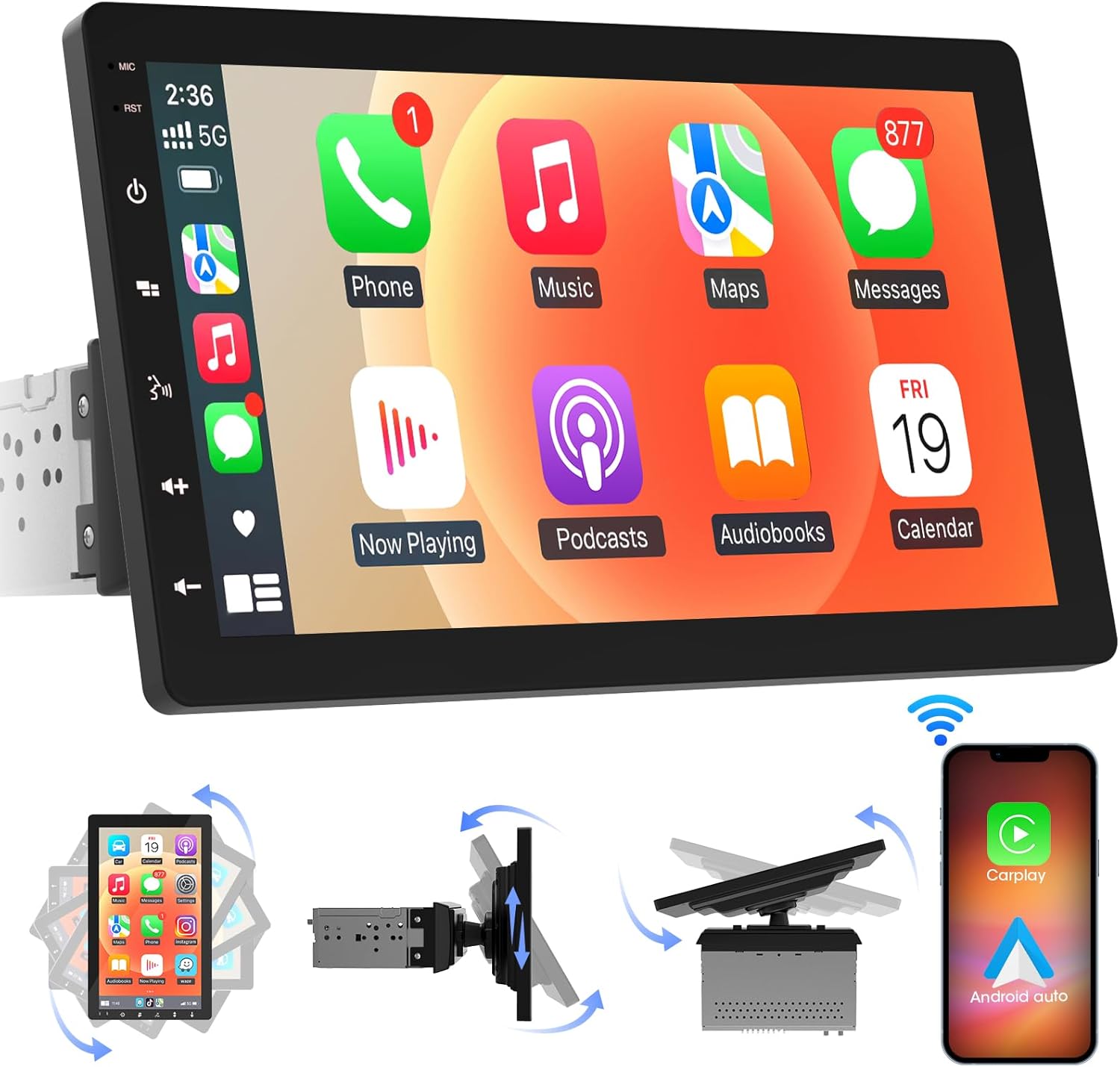
Imagen 4.1: Frente view of the ABSOSO Single Din Wireless CarPlay Stereo displaying the Apple CarPlay interface.
5. Configuración e instalación
This unit is designed for standard single DIN dash openings. Professional installation is recommended to ensure correct wiring and functionality. Refer to the wiring diagram provided with the unit for specific connections.
5.1 Montaje de la unidad
The modular design allows for flexible installation. The main unit fits into a single DIN slot, and the 10.1-inch screen can be adjusted for optimal viewEn.

Image 5.1: Visual comparison of a car dashboard before and after the installation of the ABSOSO 10.1-inch rotatable car stereo, highlighting the integrated appearance.
5.2 conexiones de cableado
Connect the power, speaker, and accessory wires according to your vehicle's wiring harness and the provided diagram. Ensure the backup camera input cable is routed correctly if you plan to use a rearview cámara.
5.3 Instalación de la antena GPS
Monte la antena GPS en un lugar despejado. view of the sky, typically on the dashboard or under the windshield, to ensure accurate satellite reception.
6. Instrucciones de funcionamiento
6.1 Encendido y apagado
The unit will power on automatically with the vehicle's ignition. To manually power off, press and hold the power button on the unit.
6.2 CarPlay inalámbrico y Android Auto
This stereo supports wireless Apple CarPlay and Android Auto. To connect, enable Bluetooth and Wi-Fi on your smartphone and follow the on-screen prompts to pair with the stereo. Once connected, you can access navigation, music, messages, and voice assistants directly from the stereo's display.

Image 6.1: The ABSOSO car stereo showcasing its wireless connectivity features, including Apple CarPlay, Android Auto, and MirrorLink, with various app interfaces.
6.3 HD Touchscreen Operation
The 10.1-inch HD IPS display offers a responsive touch interface. Navigate through menus and applications by tapping, swiping, and pinching. Five capacitive touch buttons are located along the left edge for quick access to common functions.

Image 6.2: The 10.1-inch screen of the ABSOSO car stereo, emphasizing its HD resolution, sleek touch buttons, and 178-degree viewÁngulo de visión para una claridad óptima.
6.4 Funcionalidad Mirrorlink
Mirrorlink allows you to display your smartphone's screen directly onto the stereo. This feature is useful for viewing navigation, videos, or other content from your phone on a larger display.
6.5 Conectividad Bluetooth
Pair your smartphone via Bluetooth for hands-free calling and wireless audio streaming. Access your phone's contacts and call history directly from the stereo.
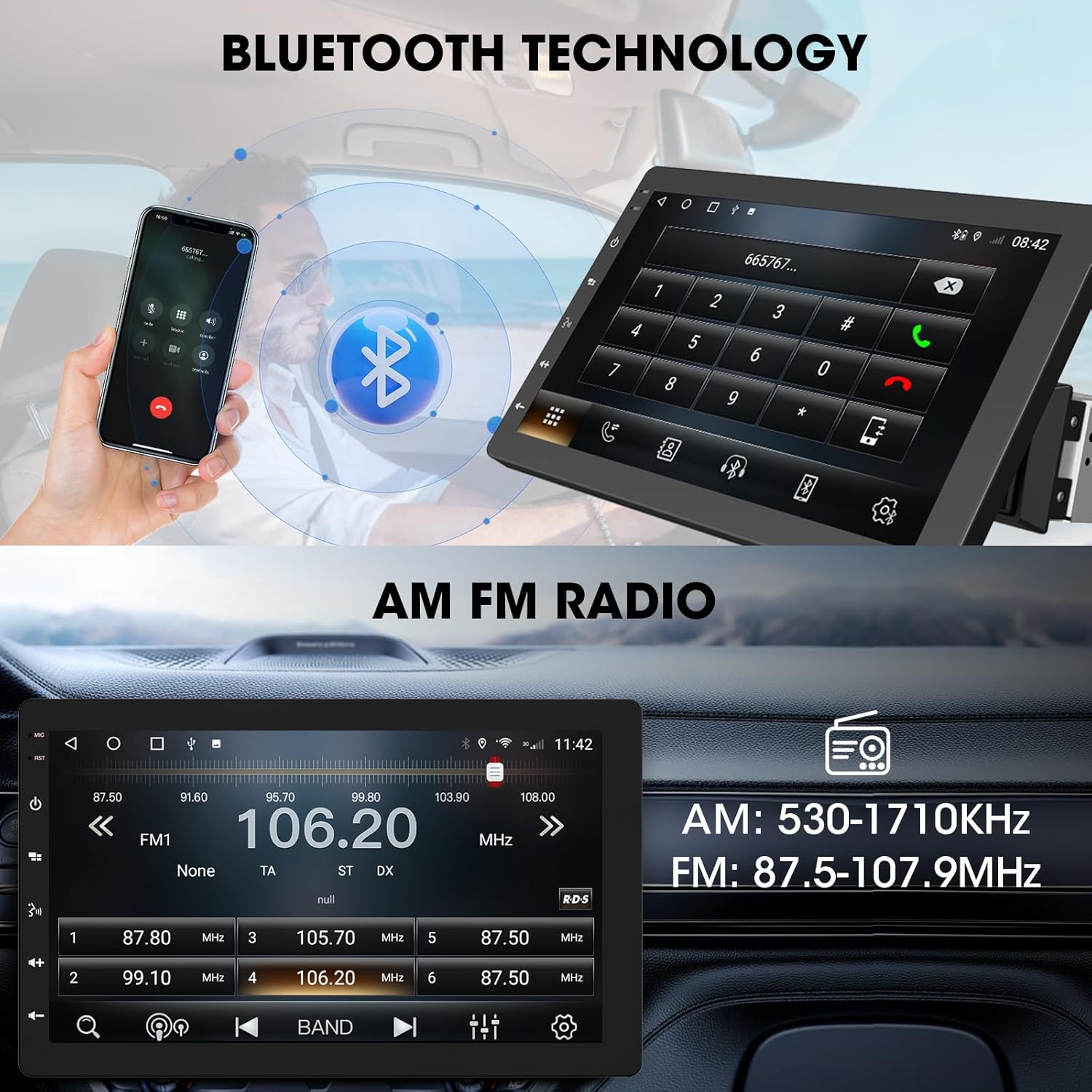
Image 6.3: The ABSOSO car stereo illustrating Bluetooth technology for hands-free calls and the interface for AM/FM radio tuning.
Radio 6.6FM/AM
Tune into your favorite FM and AM radio stations. The unit features 30 station memory presets for quick access to sports, news, and music.
6.7 Navegación GPS y punto de acceso WiFi
The stereo includes built-in GPS navigation with support for offline maps (2G RAM + 64GB ROM storage). Connect to a 2.4 GHz or 5 GHz Wi-Fi hotspot for online navigation and app downloads.
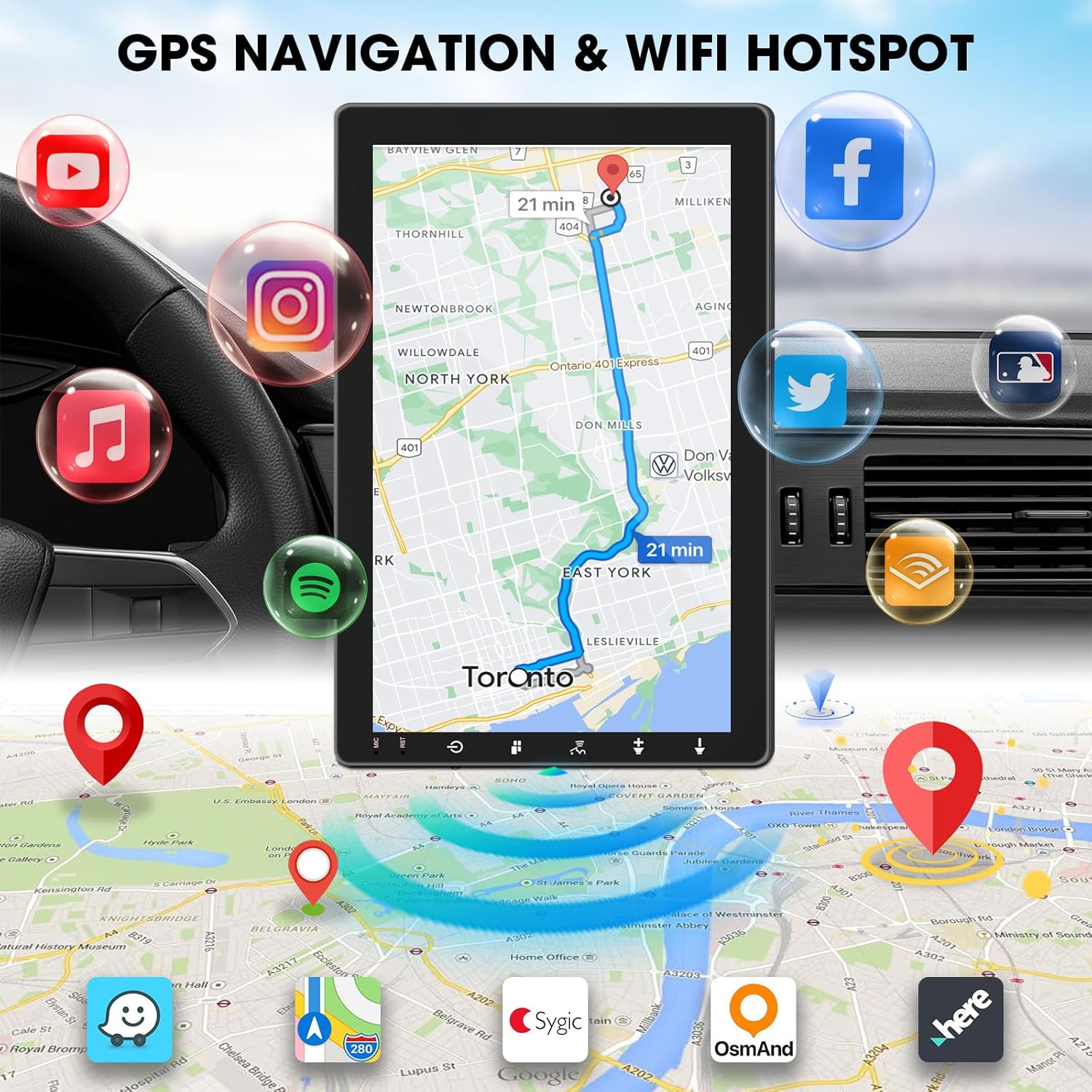
Image 6.4: The ABSOSO car stereo screen showing GPS navigation with a map, surrounded by icons representing various applications accessible via WiFi hotspot.
6.8 Adjustable Floating Screen
The 10.1-inch display is rotatable by 360 degrees and can be adjusted vertically and tilted to achieve optimal viewing angles, reducing glare and improving visibility.
6.9 Ajuste del sonido
Customize your audio experience with preset equalizer settings. The unit delivers a maximum power output of 200W and includes pre-amp and subwoofer outputs for enhanced sound quality.
6.10 Entrada de cámara de respaldo
Connect a compatible backup camera (sold separately) to the RCA input. The stereo will automatically display the rearview camera feed when the vehicle is in reverse, aiding in accurate parking and maneuvering.

Image 6.5: Illustration of the backup camera input connection to the ABSOSO car stereo, showing how the camera feed is displayed on the screen when reversing.
7. Mantenimiento
7.1 Limpieza de pantalla
Utilice un paño suave y sin pelusa para limpiar suavemente la pantalla táctil. Para manchas difíciles, limpie ligeramenteampEnjuague el paño con agua o un limpiador de pantallas. Evite materiales abrasivos o productos químicos agresivos.
7.2 Cuidados generales
Keep the unit free from dust and debris. Ensure proper ventilation around the unit to prevent overheating. Do not block any vents or openings.
8. Solución de problemas
- Sin energía: Revise todas las conexiones eléctricas y los fusibles. Asegúrese de que el encendido del vehículo esté activado.
- Sin sonido: Verifique las conexiones de los altavoces. Compruebe el volumen y la configuración de silencio. Asegúrese de que la fuente de audio seleccionada sea la correcta.
- Problemas de conexión Bluetooth/CarPlay/Android Auto: Ensure your phone's Bluetooth and Wi-Fi are enabled. Try restarting both the stereo and your phone. Forget and re-pair the device.
- Pérdida de señal GPS: Asegúrese de que la antena GPS tenga una vista clara. view del cielo. Compruebe la conexión de la antena.
- La pantalla no responde: Intente reiniciar la unidad. Si el problema persiste, contacte con atención al cliente.
9. Especificaciones
- Dimensiones del producto: 6.4" de profundidad x 9.8" de ancho x 5.9" de alto
- Peso del artículo: 4.73 libras
- Mostrar: 10.1 Inch HD IPS Touchscreen (1280*720P)
- Conectividad: Bluetooth, USB, Wi-Fi (2.4 GHz & 5 GHz)
- Características especiales: 360° Rotatable Floating Touchscreen, Wireless Android Auto, Apple CarPlay, Mirrorlink, GPS Navigation (Online/Offline Maps), AM/FM Radio, AV Input, Rearview Camera Input, USB Charging, Voice Control, Preset EQ, Video Output, Amplifier/Subwoofer Output
- Memoria: 2 GB de RAM + 64 GB de ROM
- Modo de salida de audio: Estéreo
- Configuración del canal de sonido envolvente: 4
- Codificación de vídeo: H.264, H.265/HEVC
10. Garantía y soporte
For warranty information and technical support, please refer to the documentation included with your purchase or contact ABSOSO customer service directly. Keep your purchase receipt as proof of purchase for any warranty claims.
For further assistance, visit the official ABSOSO websitio o comuníquese con sus canales de soporte.