
Introducción
The Waveform QuadPro 4x4 MIMO Signal Boosting Panel Antenna Kit is designed to enhance 4G and 5G cellular internet connectivity for routers and gateways. This kit provides improved data rates, greater reliability, and reduced latency by optimizing signal reception. It supports all 4G and 5G bands from 600 to 6000 MHz, making it compatible with major carriers like AT&T, Verizon, and T-Mobile. The directional design allows for precise aiming towards cellular towers to maximize performance.
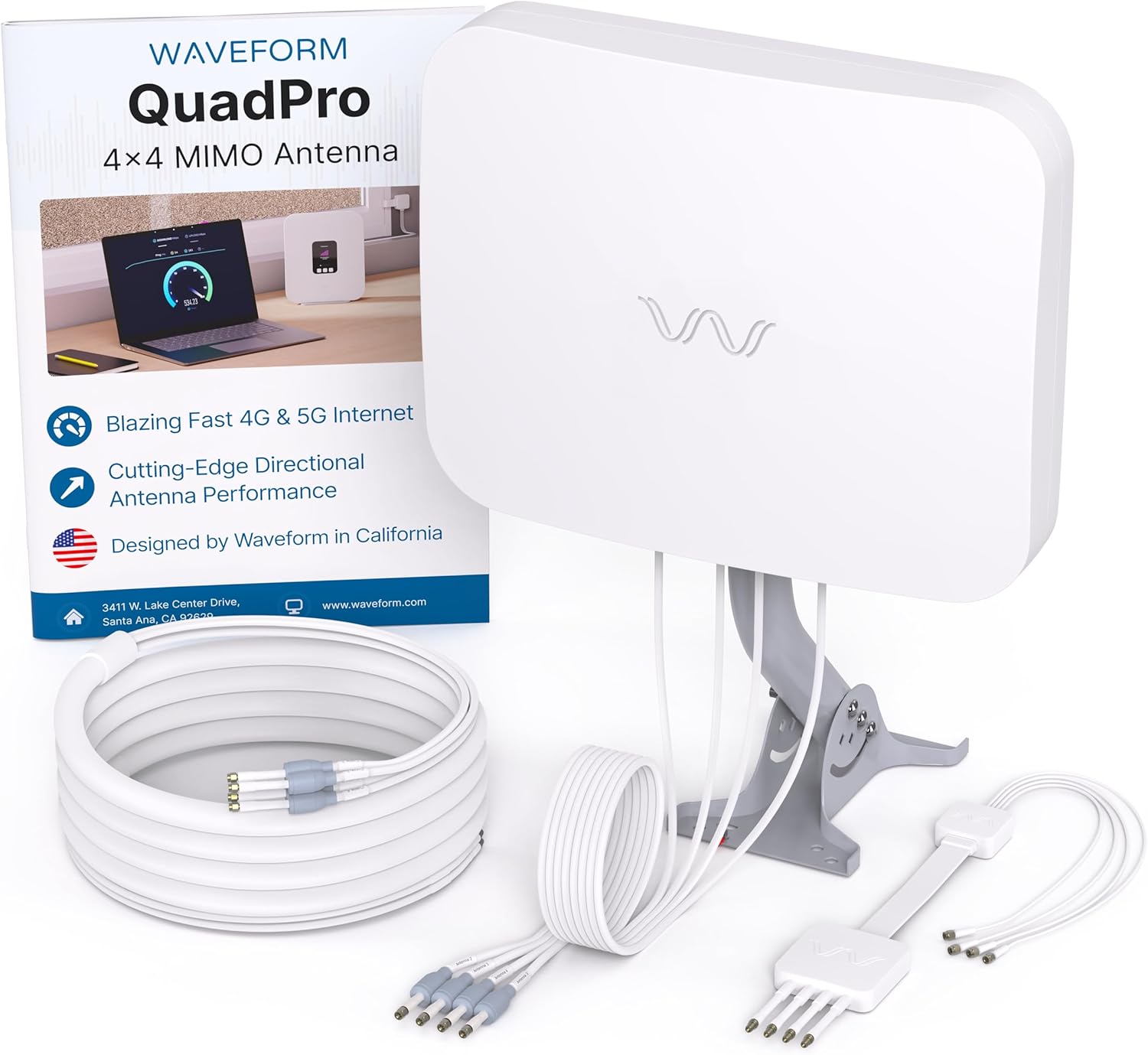
Contenido del paquete
Verify that all components are present in your Waveform QuadPro kit:
- QuadPro 4x4 MIMO Panel Antenna
- FlexMount (Mounting Bracket)
- Cable de entrada de ventana
- UltraFlex-Quad Cable (20 ft)
- 4x U.FL Adapters
- Weatherproofing Boots
- Manual de usuario (este documento)

Configuración e instalación
Follow these steps for proper installation of your QuadPro antenna. Detailed guides for specific gateways are available on the Waveform websitio.
1. Montaje de la antena
The QuadPro antenna can be mounted on a wall or a pole. Choose a location with a clear line of sight towards your nearest cellular tower for optimal performance. Ensure the mounting surface is sturdy and can support the antenna securely.


2. Running Cables Inside
Use the included Window Entry Cable to route the UltraFlex-Quad cable into your home without drilling holes. This cable is designed to pass through window frames or door gaps. Connect the UltraFlex-Quad cable to the antenna and then to the Window Entry Cable, ensuring all connections are tight and weatherproofed with the provided boots.

3. Connecting to Your Gateway
Connect the UltraFlex-Quad cable to your 5G router, modem, or gateway. The kit includes SMA and U.FL adapters for compatibility with various devices. Some gateways may require light disassembly to access internal antenna ports for connection. Refer to your gateway's specific instructions or Waveform's detailed guides for proper connection order and adapter usage. After connecting, reboot your gateway.

Vídeo de desempaquetado
This video provides a visual guide to unboxing the Waveform QuadPro 4x4 MIMO Panel Antenna, showcasing the components and initial setup steps.
Operation and Aiming
The QuadPro is a directional antenna, meaning its performance is highly dependent on its orientation. Proper aiming towards your nearest cellular tower is crucial for achieving the best possible signal strength and data speeds.
Aiming the Antenna
- Identify Tower Location: Use online resources like CellMapper or your carrier's app (e.g., T-Mobile Internet app's placement assistant) to locate the nearest cellular tower(s) in your area.
- Alineación inicial: Mount the antenna and perform an initial alignment towards the identified tower.
- Sintonia FINA: Connect your gateway and monitor signal metrics (RSRP, SINR, RSRQ) through your gateway's administration page or a dedicated app. Slowly adjust the antenna's horizontal and vertical angles in small increments (e.g., 1/4 inch turns). After each adjustment, refresh your signal metrics and perform a speed test.
- Optimize Signal Metrics: Focus on maximizing SINR (Signal to Interference Noise Ratio) and achieving the highest RSRP (Reference Signal Received Power) closest to 0 dBm. A higher SINR indicates a clearer signal, which is critical for faster speeds.
- Posición segura: Once optimal signal metrics and speeds are achieved, securely tighten all mounting hardware to prevent movement due to wind or other environmental factors.

Mantenimiento
The Waveform QuadPro antenna is designed for outdoor use and is weather-resistant. To ensure long-term performance:
- Inspección periódica: Annually inspect the antenna, mounting hardware, and cables for any signs of wear, corrosion, or damage.
- Integridad del cable: Ensure all cable connections remain tight and that weatherproofing boots are securely in place to prevent moisture ingress.
- Línea de visión clara: Trim any new foliage or obstructions that may grow into the antenna's line of sight to the cellular tower.
- Limpieza: If necessary, gently clean the antenna surface with a soft, damp cloth to remove dirt or debris. Avoid abrasive cleaners.
Solución de problemas
If you experience issues with your QuadPro antenna, consider the following troubleshooting steps:
- Low or Inconsistent Signal: Re-evaluate antenna aiming. Even small adjustments can significantly impact signal quality. Verify that there are no new obstructions (trees, buildings) blocking the line of sight to the tower.
- Sin conexión: Double-check all cable connections, especially the small U.FL pigtails inside the gateway. Ensure they are firmly seated. Confirm that your gateway is powered on and configured correctly to use external antennas.
- Velocidades lentas: While aiming, prioritize SINR over raw RSRP. A clear signal (high SINR) often leads to better speeds than just a strong signal (high RSRP) with interference. Experiment with slight changes in antenna height or angle.
- Gateway Disassembly Concerns: If your gateway requires disassembly, proceed with caution. The internal connectors are delicate. If uncomfortable, seek professional assistance or consult Waveform's detailed guides for your specific gateway model.
- Impermeabilización: Ensure all outdoor connections are properly sealed with weatherproofing boots to prevent water damage, which can degrade signal over time.
- Carrier Network Issues: Confirm there are no local network outages or congestion issues with your cellular provider.
Compatibilidad
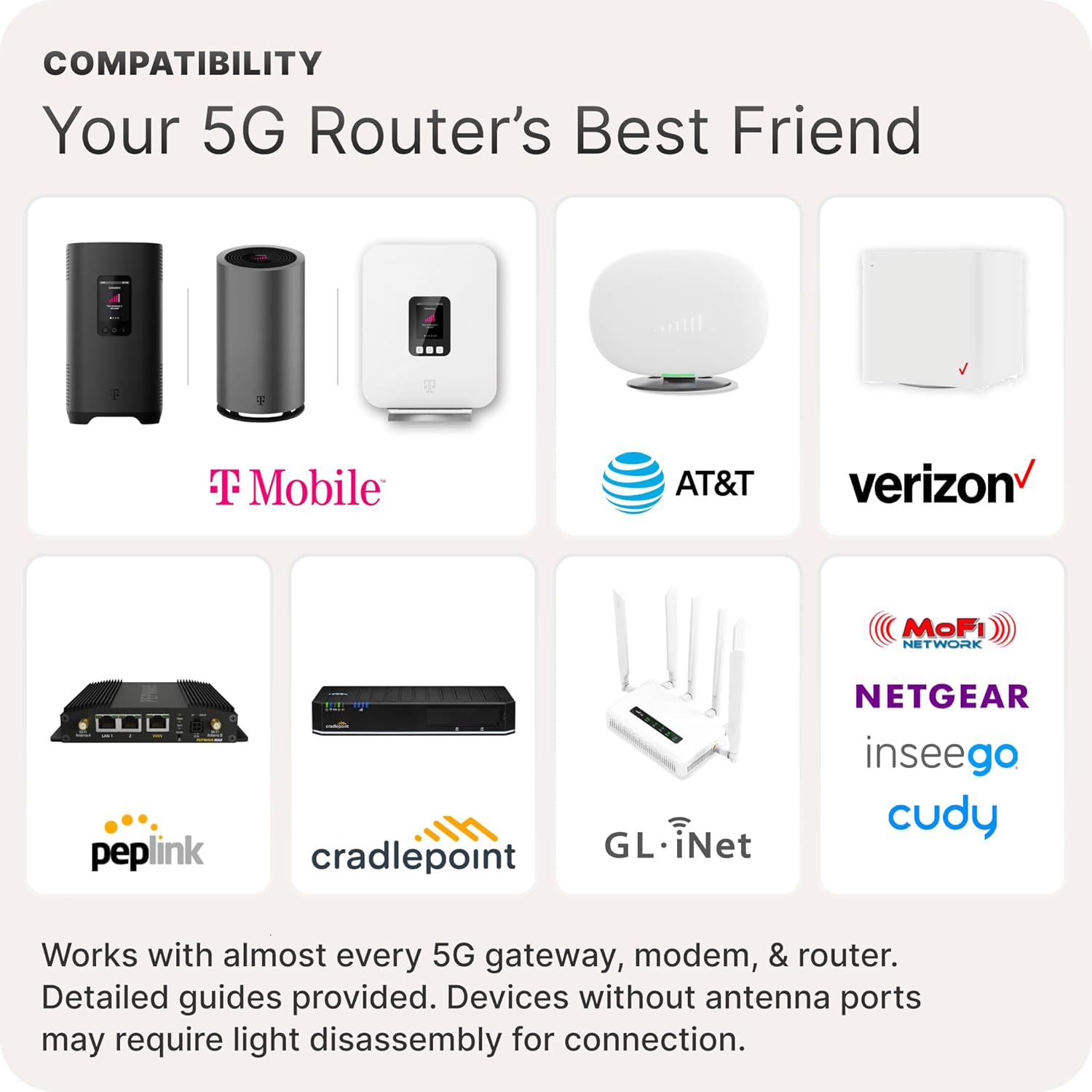
The Waveform QuadPro 4x4 MIMO Panel Antenna Kit is designed for broad compatibility with various 4G/5G routers, modems, and gateways. It supports all major US carriers and a wide range of hardware manufacturers.
- Transportistas: T-Mobile Home Internet, Verizon 5G Home Internet, AT&T Internet Air, and US Cellular.
- Router/Gateway Brands: NETGEAR, PEPLINK, CRADLEPOINT, MOFI, GL.iNET, Inseego, Cudy, and more.
- Gateway Models: Includes detailed guides for connecting to TMHI gateways such as G4AR/G4SE, Nokia 5G21, Arcadyan KVD21, and Sercomm Fast 56WW Gateways.
Devices without external antenna ports may require light disassembly to connect the included U.FL adapters.
Especificaciones técnicas
| Característica | Especificación |
|---|---|
| Marca | Forma de onda |
| Número de modelo | QPRO-2U |
| Tipo de antena | 4x4 MIMO Panel Antenna |
| Rango de frecuencia | 600 a 6000 MHz |
| Ganar | Hasta 9.1 dBi |
| Impedancia | 50 ohmios |
| Número de canales | 4 |
| Color | Blanco |
| Peso del artículo | 2.28 kilogramos |
Garantía y soporte
The Waveform QuadPro 4x4 MIMO Signal Boosting Panel Antenna Kit comes with a Garantía del fabricante de 3 añoEsta garantía cubre defectos de materiales y mano de obra en condiciones normales de uso.
For technical assistance, installation guidance, or warranty claims, please contact Waveform customer support. Refer to the contact information provided on the Waveform websitio o en el embalaje de su producto.