
1. Introducción
Thank you for choosing the EasySMX T37 Wireless Switch Pro Controller. This manual provides detailed instructions for setting up, operating, maintaining, and troubleshooting your controller. Please read this manual carefully before use to ensure optimal performance and longevity of your device. This controller is compatible with Nintendo Switch, Switch Lite, and Switch OLED consoles.
2. Producto terminadoview
The EasySMX T37 is a wireless gamepad designed for an enhanced gaming experience on Nintendo Switch systems. It features an ergonomic design, dual turbo vibration, and 6-axis gyro motion control.

Imagen 2.1: Frente view of the EasySMX T37 Wireless Switch Pro Controller, showcasing su forma ergonómica y la disposición de sus botones.
3. Configuración
3.1 Emparejamiento con Nintendo Switch
- Enciende tu consola Nintendo Switch.
- En el menú HOME, selecciona Controladores > Cambiar agarre/orden.
- On the EasySMX T37 controller, press and hold the Botón SYNC (located on the top edge of the controller) for 3 seconds until the LED indicators start flashing rapidly.
- Una vez que el controlador se haya emparejado correctamente, los LED del reproductor en la parte inferior del controlador se iluminarán de forma fija.
3.2 Carga del controlador
Connect the provided USB-C charging cable to the USB-C port on the controller and the other end to a USB power source (e.g., Switch dock, USB wall adapter, computer USB port). The LED indicators will show charging status and turn off when fully charged.
4. Instrucciones de funcionamiento
4.1 Controles básicos
The controller features standard button layouts for Nintendo Switch compatibility:
- Botones A/B/X/Y: Botones de acción.
- Almohadilla direccional: Entrada direccional.
- Joysticks analógicos izquierdo/derecho: Movimiento y control de cámara.
- Botones L/R/ZL/ZR: Botones de hombro y gatillo.
- Botón de inicio: Returns to the Switch HOME Menu.
- Botón CAPTURAR: Toma capturas de pantalla.
- Botones MÁS (+) / MENOS (-): Funciones de inicio/selección.

Image 4.1: A user holding the EasySMX T37 controller, demonstrating the comfortable grip and accessible button placement during gameplay.
4.2 Función Turbo
The Turbo function allows for rapid, automatic pressing of a button, useful in action or arcade games.
- Activar Turbo: Mantenga presionado el botón de acción deseado (A/B/X/Y/L/R/ZL/ZR), luego presione el Botón turbo (T button). The button will now auto-fire.
- Ajustar la velocidad turbo: Mientras sostiene el Botón turbo, mover el Joystick analógico derecho hacia arriba o hacia abajo to cycle through three speeds: 5 shots/s, 12 shots/s, and 20 shots/s.
- Desactivar Turbo: Repeat the activation step (hold the action button, then press the Turbo button) or press and hold the Botón turbo for 5 seconds to clear all Turbo settings.
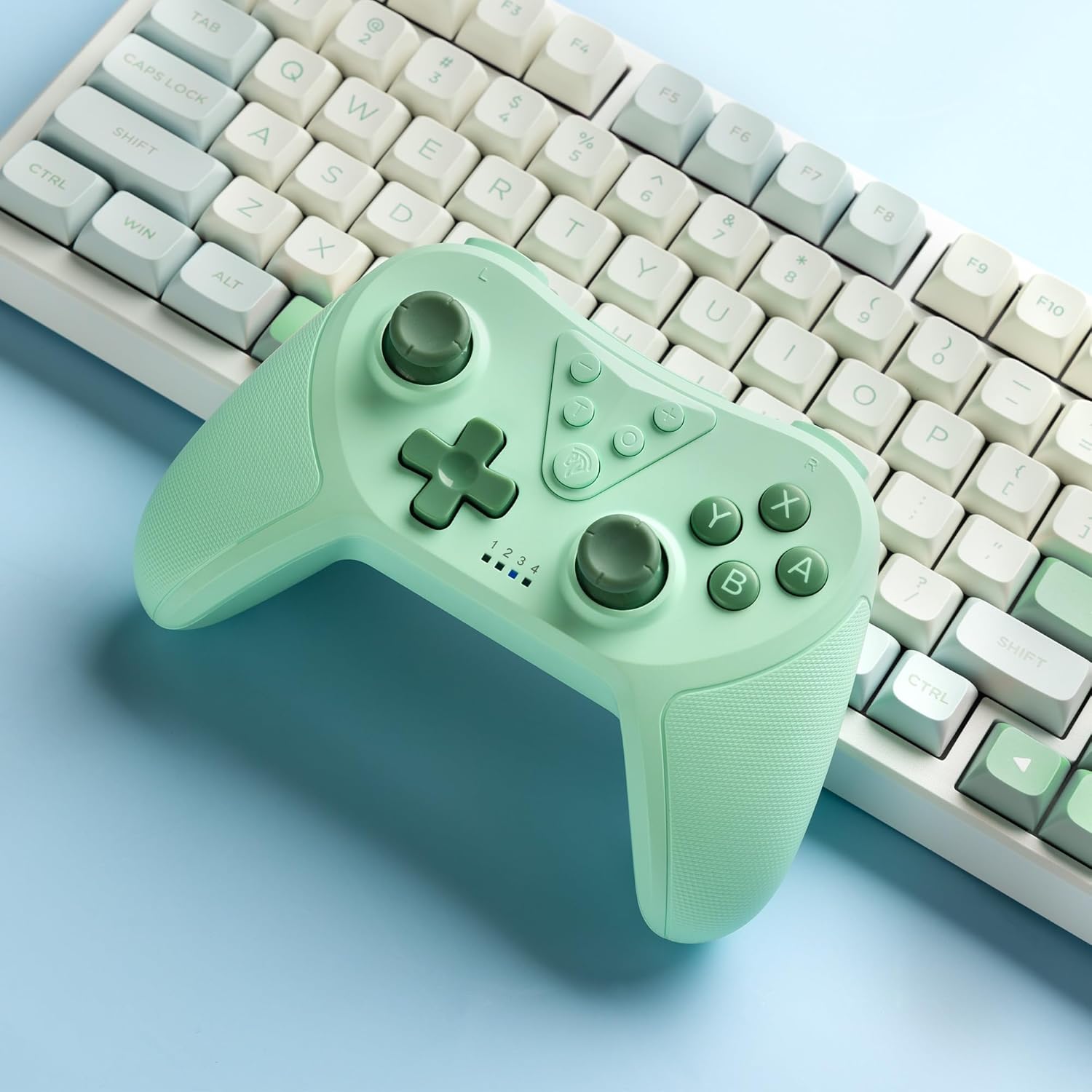
Image 4.2: Illustration of the Turbo function on the EasySMX T37 controller, showing the three adjustable speeds: 5, 12, and 20 shots per second.
4.3 Ajuste de vibración
The controller features dual motors for adjustable vibration feedback, enhancing immersion in games.
- Ajustar la intensidad de la vibración: Mantenga pulsado el Botón turbo, luego mueva el Left Analog Stick Up or Down to cycle through four vibration levels: 0% (off), 30%, 70%, and 100%.

Image 4.3: Visual representation of the Dual Vibration feature on the EasySMX T37 controller, indicating four intensity levels from 0% to 100%.
4.4 Control de movimiento del giroscopio de 6 ejes
The built-in 6-axis gyroscope provides precise motion sensing, allowing for intuitive control in games that support motion input.

Image 4.4: Illustration depicting the 6-Axis Gyro Motion Control feature of the EasySMX T37 controller, showing how it interacts with a game on the Nintendo Switch screen.
5. Mantenimiento
- Limpieza: Utilice un paño suave y seco para limpiar el mando. Evite utilizar productos químicos agresivos o materiales abrasivos.
- Almacenamiento: Guarde el controlador en un lugar fresco y seco, alejado de la luz solar directa y de temperaturas extremas.
- Cuidado de la batería: Para prolongar la vida útil de la batería, evite descargar completamente el mando con frecuencia. Cárguelo regularmente, incluso si no lo usa durante periodos prolongados.
- Evite las gotas: Proteja el controlador de caídas e impactos que puedan dañar los componentes internos.
6. Solución de problemas
6.1 El controlador no se conecta
- Asegúrese de que el controlador esté cargado.
- Verifique que la consola Switch esté actualizada a la última versión del sistema.
- Intente volver a emparejar el controlador siguiendo los pasos de la Sección 3.1.
- If issues persist, try resetting the controller by inserting a thin object into the small reset hole (if present, usually on the back) for a few seconds.
6.2 Buttons Unresponsive or Lagging
- Asegúrese de que el controlador esté completamente cargado.
- Move closer to the Switch console to ensure a strong wireless connection.
- Verifique si hay obstrucciones físicas o residuos alrededor de los botones.
- Vuelva a emparejar el controlador.
6.3 El controlador no se carga
- Asegúrese de que el cable USB-C esté conectado de forma segura tanto al controlador como a la fuente de alimentación.
- Intente utilizar un cable USB-C o un adaptador de corriente diferente.
- Asegúrese de que la fuente de alimentación funcione.
7. Especificaciones
- Modelo: T37
- Conectividad: Inalámbrico (Bluetooth)
- Compatibilidad: Nintendo Switch, Switch Lite, Switch OLED
- Características: Dual Turbo Function, Adjustable Vibration, 6-Axis Gyro Motion Control, Ergonomic Design
- Product Identifier (ASIN): B0CTTWN84L
8. Garantía y soporte
Para obtener información sobre la garantía, soporte técnico o asistencia adicional, consulte el sitio web oficial de EasySMX. webSitio web o contacte directamente con el servicio de atención al cliente. Conserve el recibo de compra para reclamaciones de garantía.