
1. Introducción
Thank you for choosing the OTIC 10.1-inch Portable Dual Screen Car DVD Player. This device is designed to provide versatile entertainment on the go, featuring two synchronized screens, a long-lasting rechargeable battery, and broad media compatibility. This manual will guide you through the proper setup, operation, and maintenance of your new DVD player to ensure optimal performance and longevity.
2. Contenido del paquete
Revise el paquete cuidadosamente para asegurarse de que todos los artículos estén presentes y en buen estado. Si falta algún artículo o está dañado, comuníquese con su vendedor.
- 1 x Main DVD Player Unit
- 1 x Slave Monitor Unit
- 1 adaptador de corriente CA/CC.
- 1 x DC to DC Connection Cable
- 1 x AV Connection Cable
- 1 x adaptador de cargador de coche
- 1 x Control remoto (pilas incluidas)
- Auriculares 2 x
- 2 x correas de montaje
- 1 x Manual de usuario (este documento)
- 1 x Guía de inicio rápido

Nota: The remote control requires 2 AAA batteries, which are included.
3. Características principales
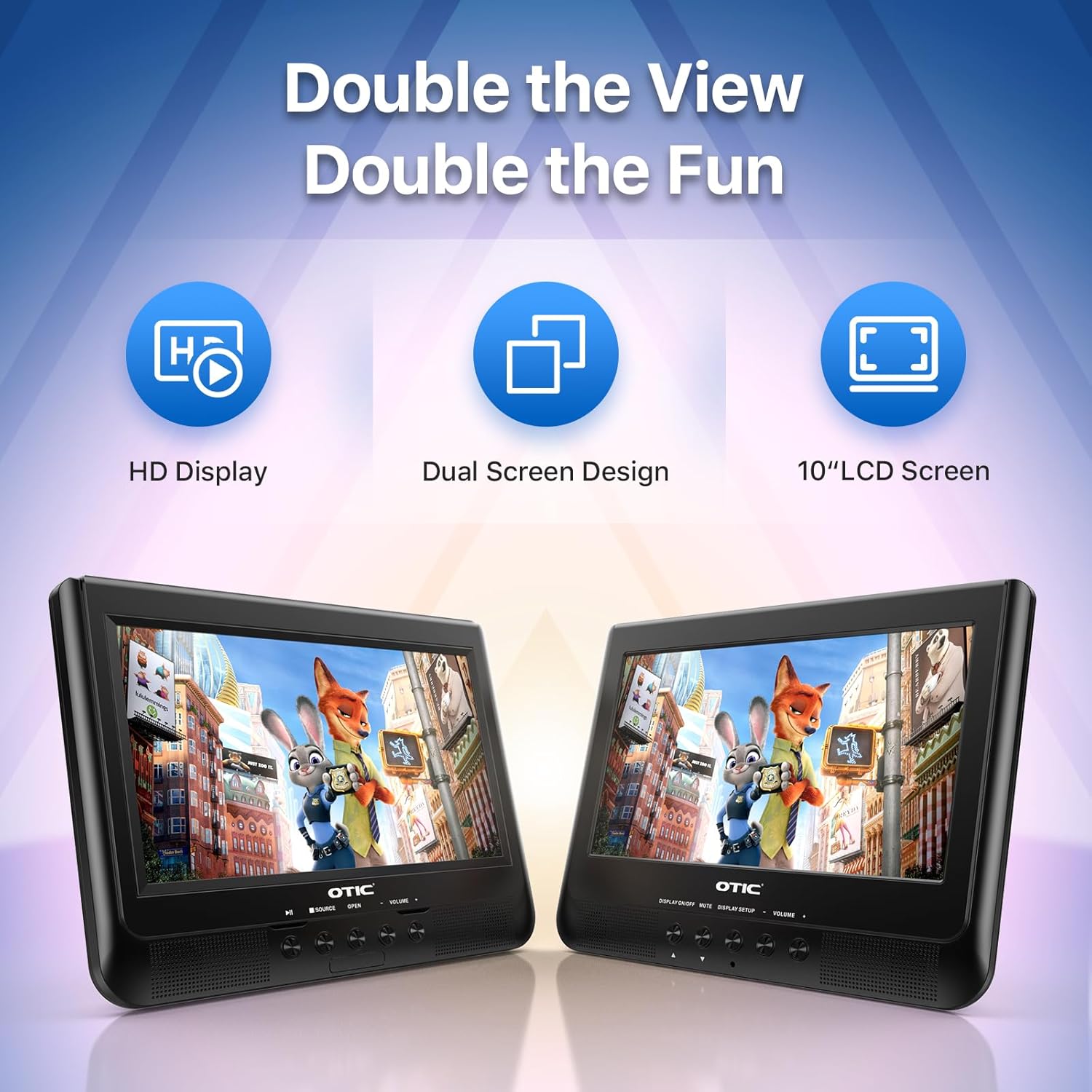
- Dual Display Capability: Connect the host DVD player to the slave monitor using the included AV cable for synchronized viewing of the same content.
- High-Resolution Screens: Both 10.1-inch displays feature a resolution of 1024 x 600 pixels. The main unit's screen can rotate 270° and flip 180° for optimal viewángulos de ing.
- Mayor duración de la batería: Equipped with a built-in 2500 mAh rechargeable battery, providing 3-5 hours of continuous video playback.
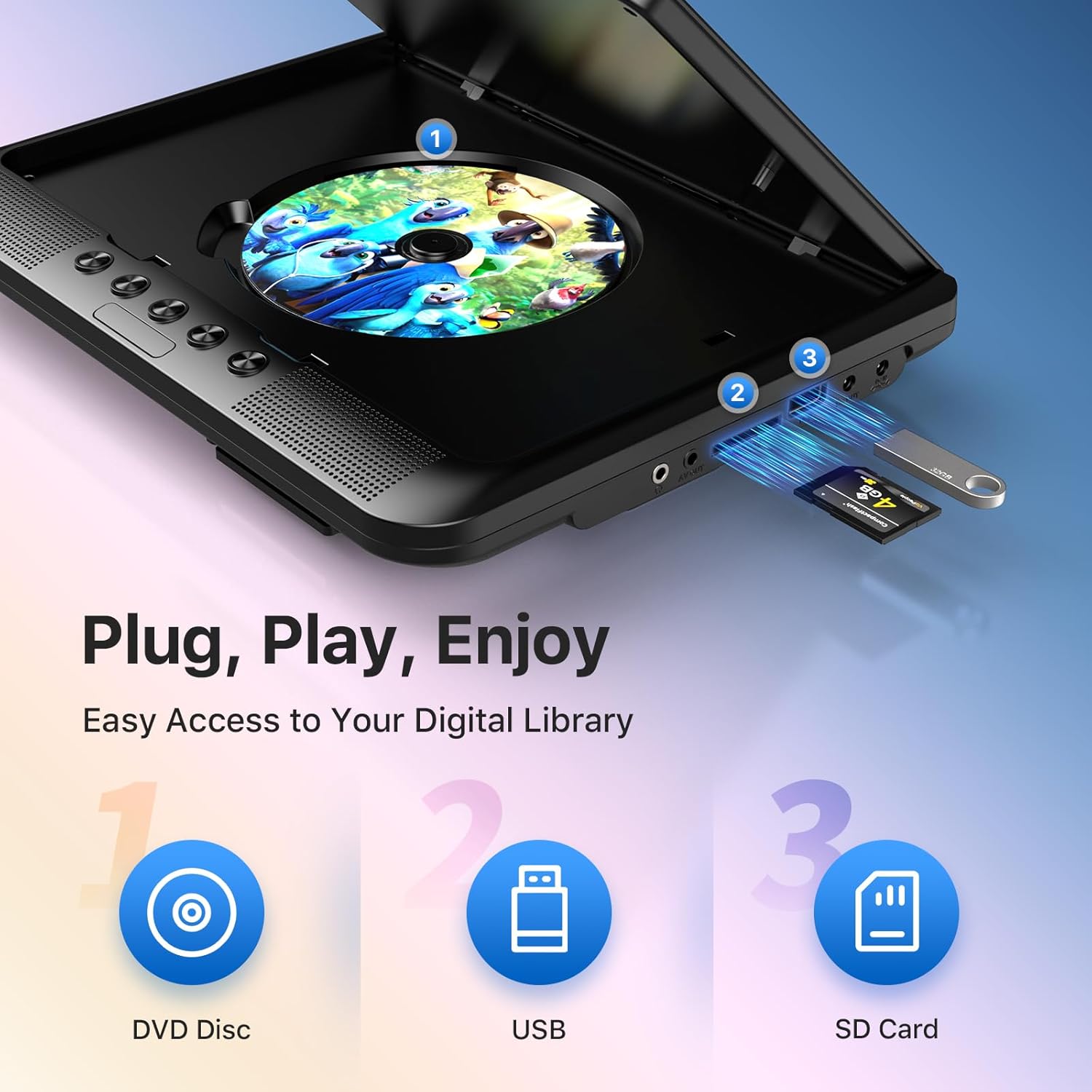
- Soporte de medios versátil: Plays various formats including CD, DVD, CD-R/RW, DVD±R/±RW, VCD/SVCD. Supports USB drives and SD cards up to 32GB for video (VOB, AVI, MPEG1, MPEG2, XVID), audio (MP3, WMA), and image (JPG, JPEG) files. (Note: Blu-ray DVDs are not supported.)
- Función de última memoria: Automatically resumes playback from where you left off, ensuring a seamless viewExperiencia de aprendizaje.
- Audio mejorado: Integrated dual stereo speakers deliver clear sound. A 3.5mm headphone jack is available for private listening.
- Entrada/salida AV: Allows connection to larger TV screens for shared viewing or to external video sources.
4. Guía de configuración
4.1 Carga inicial
Before first use, fully charge the main DVD player unit. Connect the AC/DC power adapter to the player's DC IN port and plug it into a wall outlet. The charging indicator light will typically turn off or change color when fully charged.
4.2 Connecting the Dual Screens
- Localice el puerto AV OUT en la unidad principal del reproductor de DVD.
- Locate the AV IN port on the slave monitor unit.
- Connect the included AV connection cable between the AV OUT of the main unit and the AV IN of the slave unit.
- Connect the DC to DC connection cable from the main unit's DC OUT port to the slave unit's DC IN port to power the slave monitor.
4.3 Encendido del dispositivo
- Alimentación CA: Use the AC/DC power adapter for home use.
- Potencia del coche: Use the car charger adapter to power the unit from your vehicle's 12V power outlet.
- Energía de la batería: The built-in rechargeable battery provides portable power for outdoor use.
4.4 Mounting in a Vehicle
Use the provided mounting straps to securely attach the DVD player and slave monitor to the headrests in your car. Ensure they are positioned safely and do not obstruct the driver's view o despliegue de airbag.

5. Instrucciones de funcionamiento
5.1 Reproducción básica
- Encendido: Press the 'POWER' button on the unit or remote control.
- Insertar disco: Gently open the disc cover and place a DVD or CD onto the spindle, label side up. Close the cover firmly.
- Reproducción USB/SD: Insert a USB drive into the USB port or an SD card into the SD card slot. The player should automatically detect the media or allow you to select the source using the 'SOURCE' button.
- Controles de reproducción: Use the 'PLAY/PAUSE', 'STOP', 'NEXT', 'PREVIOUS', 'FF' (Fast Forward), and 'REW' (Rewind) buttons on the unit or remote control to manage playback.
- Ajuste de volumen: Utilice los botones 'VOL+' y 'VOL-' para ajustar el volumen.

5.2 Uso del control remoto
The included remote control provides full functionality for convenient operation from a distance. Point the remote control directly at the main DVD player unit's IR sensor.
5.3 Función de última memoria
The player automatically remembers the last playback point. To resume from where you left off, simply power on the device and press 'PLAY'. This function is active for most disc and digital media formats.
5.4 Connecting to an External Display (TV)
To share your viewing experience on a larger screen, use the AV OUT port on the main DVD player unit and connect it to the AV IN ports of your television using the included AV cable. Select the correct AV input on your TV.

6. Compatibilidad de medios
The OTIC DVD player supports a wide range of media formats:
- Formatos de disco: DVD, DVD+R, DVD-R, DVD+RW, DVD-RW, CD, CD+R, CD-R, CD+RW, CD-RW, VCD, SVCD. (Blu-ray discs are not supported.)
- Video Formats (USB/SD): VOB, AVI, MPEG1, MPEG2, XVID.
- Audio Formats (USB/SD): MP3, WMA.
- Image Formats (USB/SD): JPG, JPEG.
USB drives and SD cards up to 32GB capacity are supported.

7. Mantenimiento
7.1 Limpieza de la unidad
Limpie el exterior del reproductor con un paño suave y seco. Para manchas difíciles, limpie ligeramenteampen the cloth with water. Do not use abrasive cleaners or solvents, as they may damage the surface.
7.2 Cuidado del disco
Handle discs by their edges. Keep discs clean and free of scratches. Store them in their cases when not in use. A dirty or scratched disc can cause playback issues.
7.3 Cuidado de la batería
Para prolongar la vida útil de la batería, evite descargarla completamente con frecuencia. Si va a guardar la unidad durante un período prolongado, cárguela al 50 % aproximadamente cada pocos meses.
8. Solución de problemas
If you encounter issues with your OTIC DVD player, please refer to the following common problems and solutions:
| Problema | Posible causa | Solución |
|---|---|---|
| El reproductor no se enciende. | La batería está agotada; el adaptador de corriente no está conectado o está defectuoso. | Charge the battery; Ensure power adapter is securely connected and functional. |
| Sin imagen en pantalla. | Disc is dirty/scratched; Incorrect source selected; AV cable loose (for slave monitor/TV). | Clean or replace disc; Press 'SOURCE' button to select correct input; Check AV cable connections. |
| No hay sonido. | Volumen demasiado bajo; Función silencio activa; Auriculares conectados. | Increase volume; Press 'MUTE' button on remote; Disconnect headphones if using speakers. |
| El disco salta o se congela. | Dirty/damaged disc; Player is on an unstable surface; Excessive vibration. | Clean or replace disc; Place player on a stable surface; Reduce vibrations if in a moving vehicle. |
| El control remoto no funciona. | Batteries depleted; Obstruction between remote and player; Incorrect angle. | Replace batteries; Ensure clear line of sight to IR sensor; Point remote directly at player. |
If the problem persists after trying these solutions, please contact OTIC customer support for further assistance.
9. Especificaciones
| Característica | Especificación |
|---|---|
| Marca | ÓTICO |
| Número de modelo | DP-2123A |
| Tamaño de pantalla | 10.1 Inches (visible display area) |
| Tipo de pantalla | Pantalla LCD |
| Resolución de pantalla | 1024 x 600 píxeles |
| Capacidad de la batería | 2500 mAh (built-in rechargeable) |
| Tiempo de reproducción de la batería | 3-5 horas |
| Formatos de disco compatibles | CD, CD-R/RW, DVD, DVD+R/RW, DVD-R/RW, VCD, SVCD |
| Compatible Digital Media | USB drives (up to 32GB), SD cards (up to 32GB) |
| Formatos de vídeo compatibles | VOB, AVI, MPEG1, MPEG2, XVID |
| Formatos de audio compatibles | MP3, WMA |
| Formatos de imagen admitidos | JPG, JPEG |
| Conectividad | AV In, AV Out, USB, SD Card Slot, 3.5mm Headphone Jack, DC In, DC Out |
| Dimensiones (Unidad principal) | Aproximadamente 35.56 x 13.46 x 25.4 cm (14 x 5.3 x 10 pulgadas) |
| Peso | Aproximadamente 2.23 kg (4.92 libras) |
| Color | Negro |
10. Garantía y soporte
For information regarding warranty coverage, technical support, or service, please refer to the warranty card included in your package or contact the retailer from whom you purchased the product. You may also visit the official OTIC websitio para obtener la información de soporte más reciente.
Conserve su comprobante de compra para reclamos de garantía.