
1. Producto terminadoview
The Amkette Hush Pro Astra is a wireless mouse designed for comfort and efficiency. It features 2.4 GHz wireless connectivity, silent switches for quiet operation, an ergonomic design, and adjustable DPI settings for precise control. The mouse also includes an On/Off switch and a smart auto-sleep function to conserve battery life.
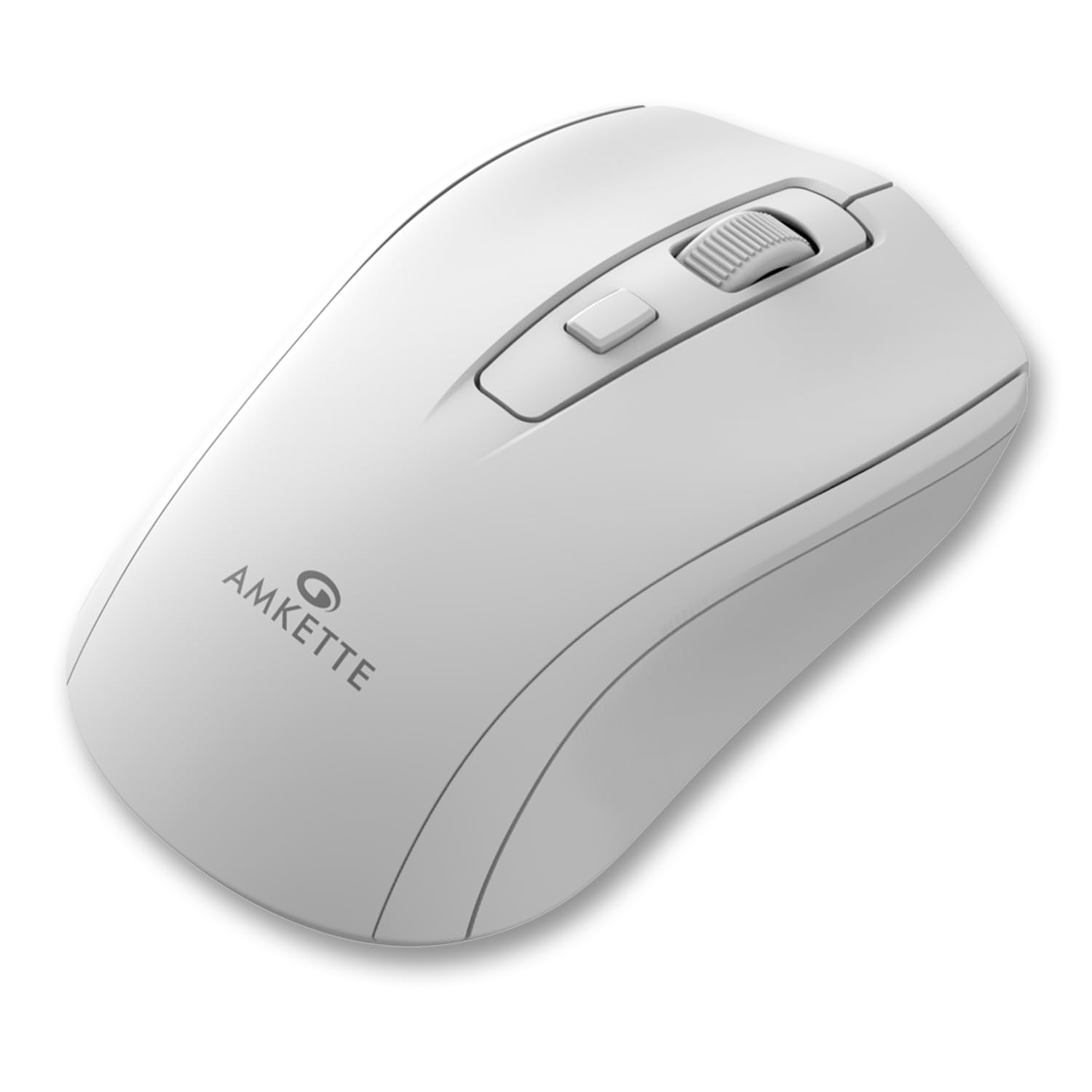
Figure 1: Amkette Hush Pro Astra Wireless Mouse (White)
Características principales:
- Conectividad inalámbrica avanzada de 2.4 GHz: Ensures a stable, lag-free connection.
- Interruptores silenciosos: Provides noiseless clicks for an undisturbed work environment.
- Diseño ergonómico: Shaped for comfortable long-term use.
- Configuración de DPI ajustable: Three levels (800-1000-1200 DPI) for customizable cursor sensitivity.
- Interruptor de encendido/apagado: Para control de potencia manual.
- Smart Auto Sleep Function: Conserva automáticamente la batería cuando no está en uso.
- Compacto y portátil: Easy to carry in a laptop bag.

Figure 2: Ergonomic grip design with matte finish for enhanced comfort.

Figure 3: Silent click switches for quiet operation.

Figure 4: Universal compatibility with Windows, Mac OS, Chrome OS, and Linux.
2. Instrucciones de configuración
2.1 Contenido del paquete
Before you begin, ensure your package contains the following:
- Amkette Hush Pro Astra Wireless Mouse
- Receptor Nano USB
Note: 1 AA battery is required and not included in the box.
2.2 Instalación de la batería
- Ubique el compartimiento de la batería en la parte inferior del mouse.
- Deslice suavemente la tapa de la batería para abrirla.
- Inserte una batería AA, asegurándose de que los terminales positivo (+) y negativo (-) estén alineados correctamente con las marcas dentro del compartimiento.
- Cierre la tapa de la batería hasta que encaje firmemente en su lugar.

Figure 5: Battery compartment and On/Off switch location.
2.3 Conexión del ratón
- Remove the USB Nano receiver from its storage slot, usually located within the battery compartment or on the underside of the mouse.
- Plug the USB Nano receiver into an available USB port on your computer (PC, Mac, Laptop, etc.).
- Encienda el mouse utilizando el interruptor de encendido/apagado ubicado en la parte inferior.
- Su computadora debería detectar e instalar automáticamente los controladores necesarios. El mouse estará listo para usar en unos segundos.

Figure 6: Connecting the USB Nano receiver to a laptop.
3. Instrucciones de funcionamiento
3.1 Encendido y apagado
To turn the mouse on or off, use the slide switch located on the underside of the mouse. Slide it to the 'ON' position for use and 'OFF' to conserve battery when not in use.
3.2 Ajuste de ppp
The mouse features a dedicated DPI button, usually located behind the scroll wheel. Press this button to cycle through three different DPI (Dots Per Inch) settings: 800, 1000, and 1200. A higher DPI setting results in faster cursor movement, while a lower DPI setting provides more precise control.

Figure 7: DPI button and available sensitivity levels.
3.3 Función de clic silencioso
The Amkette Hush Pro Astra is equipped with silent switches, significantly reducing the clicking noise. This feature is ideal for quiet environments, ensuring minimal disturbance during use.
3.4 Smart Auto Sleep Function
To extend battery life, the mouse will automatically enter a sleep mode after a period of inactivity. To wake the mouse, simply move it or click any button.
4. Mantenimiento
4.1 Limpieza
- Utilice un paño suave y seco para limpiar la superficie del mouse.
- Para suciedad difícil, ligeramente dampEnjuague el paño con agua o una solución limpiadora suave. Evite productos químicos agresivos.
- No sumerja el ratón en agua ni en ningún líquido.
- Clean the optical sensor on the underside periodically with a cotton swab to ensure smooth tracking.
4.2 Almacenamiento
- When not in use for extended periods, turn off the mouse using the On/Off switch.
- Store the USB Nano receiver inside the mouse's designated slot to prevent loss.
- Keep the mouse in a cool, dry place away from direct sunlight and extreme temperatures.
5. Solución de problemas
5.1 El ratón no responde
- Comprobar la batería: Asegúrese de que la batería AA esté correctamente instalada y tenga suficiente carga. Reemplácela si es necesario.
- Interruptor de alimentación: Verify that the On/Off switch on the underside of the mouse is in the 'ON' position.
- Conexión del receptor: Ensure the USB Nano receiver is securely plugged into a working USB port on your computer. Try a different USB port.
- Reemparejamiento: In rare cases, the mouse and receiver might lose connection. Try unplugging and re-plugging the receiver, then turn the mouse off and on again.
5.2 Movimiento errático del cursor
- Limpiar sensor: Limpie el sensor óptico en la parte inferior del mouse.
- Superficie: Utilice el ratón sobre una superficie limpia, antirreflectante y uniforme. Evite el vidrio o superficies muy reflectantes.
- Interferencia: Move the mouse closer to the USB receiver. Other wireless devices or large metal objects might cause interference.
5.3 Duración corta de la batería
- Apagar cuando no esté en uso: Always turn off the mouse using the On/Off switch when not in use for extended periods.
- Calidad de la batería: Use high-quality AA alkaline batteries.
- Sueño automático: The mouse has an auto-sleep function, but manual power-off provides maximum battery conservation.
6. Especificaciones
| Característica | Especificación |
|---|---|
| Marca | amkette |
| Número de modelo | 516 |
| Serie | Hush Pro Astra |
| Tecnología de conectividad | 2.4 GHz inalámbrico (receptor nano USB) |
| Tecnología de detección de movimiento | Óptico |
| Configuración de DPI | 800-1000-1200 DPI (Adjustable) |
| Característica especial | Silent Clicks, Ergonomic Design, On/Off Switch, Smart Auto Sleep Function |
| Fuente de poder | Funciona con pilas (se requiere 1 pila AA, no incluida) |
| Compatibilidad del sistema operativo | Linux, Windows 7, Windows XP, Mac OS, Chrome OS |
| Dimensiones del producto | 11 x 6 x 0.1 cm |
| Peso del artículo | 30 gramos |
| Color | Blanco |
7. Garantía y soporte
7.1 Información de garantía
The Amkette Hush Pro Astra Wireless Mouse comes with a hassle-free Garantía de fabricación de 1 años A partir de la fecha de compra. Esta garantía cubre defectos de fabricación en condiciones normales de uso.
7.2 Atención al cliente
For any assistance, queries, or warranty claims, please contact our support team. You can reach them via call or WhatsApp for prompt assistance with any issues.
Please refer to the product packaging or the official Amkette webSitio para obtener los datos de contacto más actualizados.
8. Vídeos de productos
Video 1: Amkette Hush Pro Astra Wireless Mouse Overview. This video highlights the ergonomic design, adjustable DPI settings, and silent click features of the mouse.
Video 2: Amkette Hush Pro Astra Wireless Mouse Features. This video demonstrates the advanced 2.4 GHz connectivity, silent operation, and portability of the mouse.