
Introducción
Thank you for choosing the Newmowa Extendable Selfie Stick Tripod. This manual provides detailed instructions for the setup, operation, and maintenance of your device. Please read this manual carefully before use to ensure optimal performance and safety.
¿Qué hay en la caja?
- 1 x Newmowa Extendable Selfie Stick Tripod
- 1 x Detachable Remote Shutter
- 1 x cable de carga tipo C
- 1 x Manual de usuario
Características del producto
- Unique Remote Shutter & Compatibility: Control your iPhone (11 and above, iOS 15+) remotely for photos, videos, zoom, and lens switching. The remote is integrated and detachable for easy storage and to prevent loss.
- Conexión Bluetooth estable: Features Bluetooth 5.0 for a stable connection up to 15 meters (49 feet). Quick pairing. The built-in battery charges via the included Type-C cable and provides approximately 12 hours of use.
- All-in-One Tripod & Multi-Angle Shooting: Functions as a phone tripod, selfie stick, and portable grip. The anti-slip silicone design ensures stability. Offers 115° vertical adjustment and 360° horizontal rotation for flexible shooting angles.
- Adjustable & Lightweight Design: Extendable in six sections from 23.6 cm (9.3 inches) to 130 cm (51.2 inches). Weighs only 0.3 kg, making it highly portable. The soft silicone phone clip protects your device from scratches.
- Operación manos libres: Constructed from high-quality aluminum alloy and plastic for durability. Reduces phone shake for clearer images and videos. Ideal for various activities including travel, vlogging, live streaming, and video calls.
Guía de configuración
- Despliegue el trípode: Gently pull the legs of the tripod base outwards until they are fully extended and stable. Ensure the anti-slip silicone feet are firmly on the surface.
- Extiende el palo selfie: Pull the top section of the stick upwards to extend it to your desired length. The stick has six adjustable sections.
- Monte su teléfono: Open the phone clip and carefully insert your iPhone. Ensure the phone is securely held by the soft silicone grips to prevent scratches and accidental drops.
- Ajustar el ángulo del teléfono: Use the 115° vertical adjustment and 360° horizontal rotation features to position your phone for the perfect shot.
- Cargue el control remoto: Before first use, charge the detachable Bluetooth remote using the provided Type-C cable. The LED indicator will show charging status.

Figure 1: Stable tripod base with anti-slip silicone feet. Click the button at the bottom to expand the tripod.
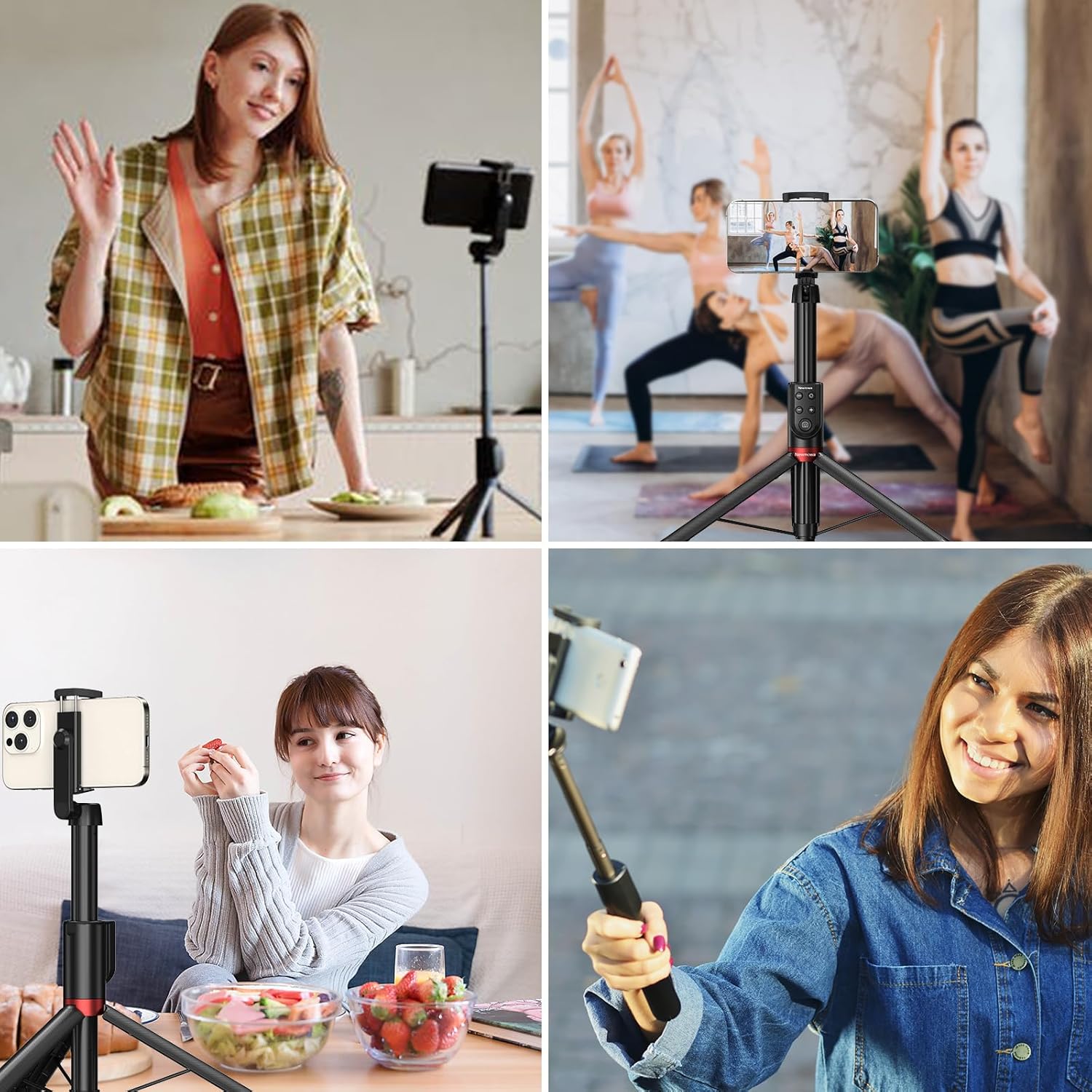
Figure 2: The selfie stick can be extended from 9.3 inches (folded) to 51.2 inches (max height).
Instrucciones de funcionamiento
Compatibility and Remote Features
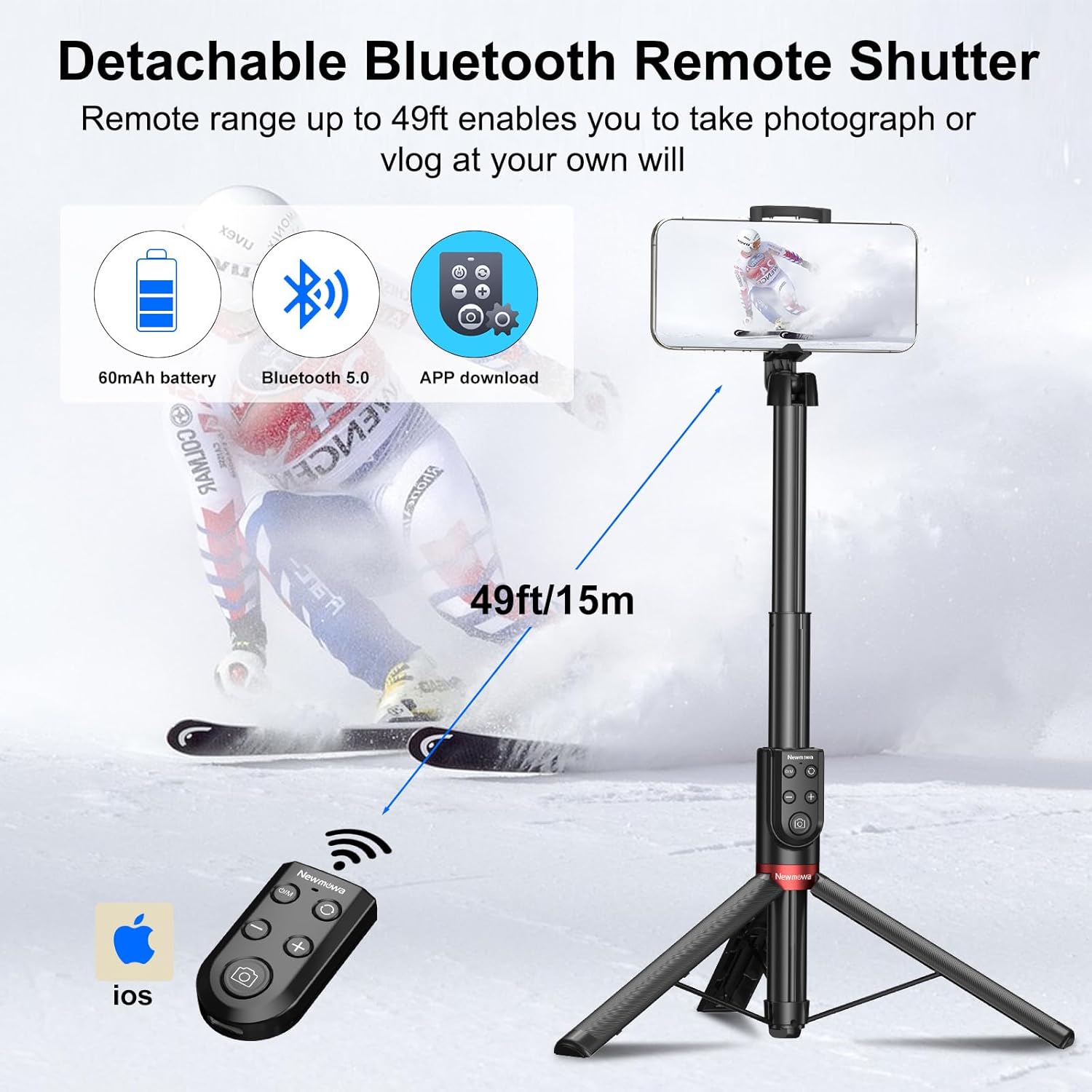
Figure 3: Designed for iPhone, compatible with iPhone 11 and above (iOS 15+). The unique remote shutter allows for photo, video, zoom, and lens switching.
Emparejamiento del control remoto Bluetooth
- Asegúrese de que el control remoto esté cargado.
- Mantenga pulsado el Power ON/OFF / M Button on the remote until the LED indicator light flashes, indicating it's in pairing mode.
- En tu iPhone, ve a Ajustes > Bluetooth.
- Select "Newmowa" or a similar device name from the list of available devices to pair. The LED indicator will stop flashing once paired.
Uso del control remoto
- Power ON/OFF / M Button: Press and hold to turn the remote on/off. Short press to switch between photo/video modes (if applicable to your iPhone camera app).
- Shutter / Record Button: Presione para tomar una fotografía o iniciar/detener la grabación de un video.
- Botón de cambio de lente: Press to switch between different camera lenses (e.g., wide, ultra-wide, telephoto) on your iPhone.
- Lens Zoom Button (+/-): Press the "+" button to zoom in and the "-" button to zoom out.

Figure 4: Detachable Bluetooth Remote Control layout.

Figure 5: The remote can be detached for use up to 15 meters away.
Video 1: Demonstrates the Newmowa VL031 Phone Bluetooth Selfie Stick in use, highlighting its extendable shaft, wide field of view, remote control for selfies, integrated tripod design, and multi-angle adjustment. It also shows the zoom in/out functionality of the remote.
Mantenimiento
- Limpieza: Limpie el palo selfie y el control remoto con un paño suave y seco. No utilice productos químicos agresivos ni limpiadores abrasivos.
- Almacenamiento: Cuando no esté en uso, pliegue el palo para selfies a su tamaño compacto y guárdelo en un lugar fresco y seco, alejado de la luz solar directa y de temperaturas extremas.
- Cuidado de la batería: Charge the remote's battery regularly, even if not in frequent use, to maintain battery health. Avoid fully discharging the battery for extended periods.
- Resistencia al agua: Este producto no es impermeable. Evite la exposición al agua o a la humedad alta.
Solución de problemas
| Problema | Solución |
|---|---|
| Remote not pairing with iPhone. |
|
| Remote buttons not responding. |
|
| El palo para selfies se siente inestable. |
|
Presupuesto
| Característica | Detalle |
|---|---|
| Marca | Nueva mowa |
| Número de modelo | VL031-NMW-UK |
| Dispositivos compatibles | iPhone 11 and above (iOS 15+) |
| Material | Aluminio, plástico, silicona |
| Color | Negro/Blanco |
| Tamaño plegado | 23.6 cm (9.3 pulgadas) |
| Altura máxima | 130 cm (51.2 pulgadas) |
| Número de secciones de patas | 6 |
| Tipo de cabeza de trípode | Cabeza de bola |
| Peso del producto | 300 gramos |
| Conectividad del control remoto | Bluetooth 5.0 |
| Alcance del control remoto | Hasta 15 metros (49 pies) |
| Tipo de batería remota | Iones de litio |
| Duración media de la batería (control remoto) | 12 horas |
| Puerto de carga | Tipo C |
| Resistencia al agua | No es impermeable |
Garantía y soporte
Newmowa products are designed for reliability and performance. For warranty information or technical support, please refer to the contact details provided with your purchase or visit the official Newmowa webSitio. Conserve su comprobante de compra para reclamaciones de garantía.