
Introducción
This manual provides detailed instructions for the setup, operation, maintenance, and troubleshooting of your ZTE MC888 Ultra 5G Router. The MC888 Ultra is a high-performance 5G router designed to deliver fast and reliable internet connectivity. It supports download speeds up to 3.8 Gbps and upload speeds up to 280 Mbps, features dual Gigabit LAN/WAN ports, and includes an RJ11 port for voice calls via VoIP, VoLTE, or VoNR.
Información de seguridad
- Lea atentamente todas las instrucciones antes de utilizar el dispositivo.
- Do not open or modify the device. Unauthorized modifications can void your warranty and create safety hazards.
- Use only the power adapter and accessories supplied with the router.
- Mantenga el dispositivo alejado del agua, la humedad y las temperaturas extremas.
- Asegúrese de que haya una ventilación adecuada alrededor del enrutador para evitar el sobrecalentamiento.
- Evite colocar el enrutador cerca de campos electromagnéticos fuertes.
Contenido del paquete
Verifique que todos los artículos estén presentes en su paquete:
- Enrutador ZTE MC888 Ultra 5G
- Adaptador de corriente
- Cable Ethernet
- Guía de inicio rápido (no incluida en este manual)
Dispositivo terminadoview
Familiarize yourself with the ports and indicators on your ZTE MC888 Ultra 5G Router.
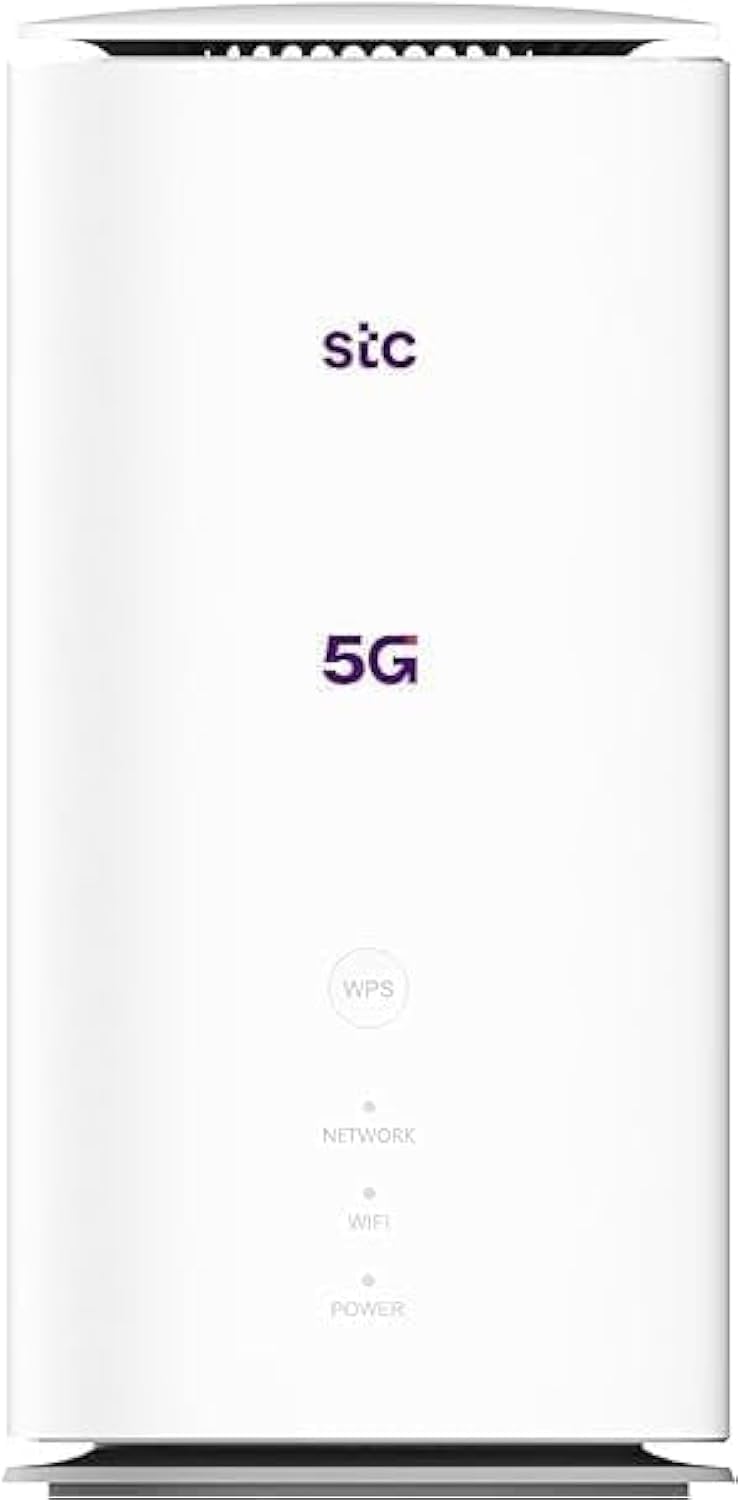
Imagen: delantera y trasera view of the ZTE MC888 Ultra 5G Router, showing LED indicators, SIM card slot, power port, LAN/WAN ports, and RJ11 port.
Indicadores del panel frontal:
- LED de encendido: Indica el estado de energía.
- LED de red: Indica el estado de la conexión de la red 5G/4G.
- LED wifi: Indica actividad Wi-Fi.
Puertos del panel trasero:
- Puerto de alimentación: Se conecta al adaptador de corriente.
- LAN/WAN Ports (x2): Gigabit Ethernet ports for wired connections or WAN input.
- Puerto RJ11: For connecting a telephone for VoIP, VoLTE, or VoNR calls.
- Ranura para tarjeta SIM: Para insertar su tarjeta SIM 5G/4G.
- Botón de reinicio: Se utiliza para restaurar la configuración predeterminada de fábrica.
Configuración
1. Inserte la tarjeta SIM
- Asegúrese de que el enrutador esté apagado.
- Localice la ranura de la tarjeta SIM en el panel trasero.
- Inserte una tarjeta Nano-SIM estándar en la ranura con los contactos dorados hacia abajo y la esquina con muesca correctamente orientada. Presione hasta que encaje en su lugar.
2. Conecte el poder
- Connect the supplied power adapter to the router's power port.
- Conecte el otro extremo del adaptador de corriente a un tomacorriente de pared.
3. Encender
- The router will automatically power on. Wait for the Power LED to turn solid, and the Network LED to indicate a stable 5G/4G connection. This may take a few minutes.
4. Conectar dispositivos
- Conexión Wi-Fi: Find the Wi-Fi network name (SSID) and password printed on the label at the bottom of the router. Select this network on your device (smartphone, laptop, etc.) and enter the password.
- Conexión Ethernet: Use the provided Ethernet cable to connect your computer or other network device to one of the LAN/WAN ports on the router.
Operante
Accediendo a la Web Interfaz
- Abrir una web navegador en un dispositivo conectado al enrutador.
- Introduzca la dirección IP predeterminada del enrutador (por ejemplo, 192.168.0.1 or 192.168.1.1) into the address bar and press Enter. The exact IP address is usually found on the router's label.
- Enter the default username and password (also found on the router's label) to log in.
Changing Wi-Fi Settings
Desde web interface, navigate to the Wi-Fi settings section to change your SSID, password, security type, or enable/disable guest networks.
RJ11 Voice Call Functionality
The RJ11 port allows you to connect a standard analog telephone. You can manage sending and receiving calls via a configured VoIP account, or through VoLTE or VoNR, depending on your mobile operator's compatibility and SIM card support. Refer to your service provider for specific setup details.
Modo de punto de acceso
The router supports Access Point (AP) mode, allowing it to extend an existing wired network wirelessly. This feature can be configured through the web interfaz en configuración de red.
Mantenimiento
Actualizaciones de firmware
Revise periódicamente el enrutador web interface for available firmware updates. Keeping your firmware up-to-date ensures optimal performance, security, and access to new features. Follow the on-screen instructions for safe updating.
Limpieza
Clean the router with a soft, dry cloth. Do not use liquid cleaners or aerosols. Ensure the device is powered off before cleaning.
Restablecimiento de fábrica
If you experience persistent issues or forget your login credentials, you can perform a factory reset. With the router powered on, use a pin to press and hold the Reset button on the rear panel for approximately 5-10 seconds until the indicators flash. The router will restart with default settings.
Solución de problemas
- Sin conexión a Internet: Check the Network LED. If it's off or red, ensure the SIM card is correctly inserted and has an active data plan. Try restarting the router.
- Velocidad lenta de Wi-Fi: Ensure your devices are within range. Reduce interference from other electronic devices. Try changing the Wi-Fi channel in the web interfaz.
- No se puede acceder Web Interfaz: Verify your device is connected to the router via Wi-Fi or Ethernet. Double-check the IP address and login credentials. Try clearing your browser's cache.
- Desconexiones de Wi-Fi: Update router firmware. Ensure the router is placed in a central location. Check for conflicting Wi-Fi networks.
Presupuesto
| Marca | ZTE |
| Nombre del modelo | MC888 Ultra |
| Número de modelo | MC888 ULTRA |
| Tecnología de conectividad | Wi-Fi, 5G/4G Cellular |
| Estándar inalámbrico | 802.11ac |
| Clase de banda de frecuencia | Doble banda |
| Max Velocidad de descarga | 3.8 Gbps |
| Velocidad máxima de carga | 280 Mbps |
| Ancho de banda del puerto LAN | 1000 Mbps (Gigabit) |
| Número de puertos | 2 x Gigabit LAN/WAN, 1 x RJ11 |
| Tipo de antena | Interno |
| Protocolo de seguridad | WPS |
| Características especiales | Access Point Mode, RJ11 for VoIP/VoLTE/VoNR |
| RAM | 4 GB |
| Dispositivos compatibles | PC, Laptop, Smartphone, Tablet, Gaming Console, Smart TV, Surveillance Camera, Printer, Ethernet-enabled devices |
| Componentes incluidos | Router, Ethernet Cable, Charger |
Garantía y soporte
Información de garantía
The ZTE MC888 Ultra 5G Router comes with a 2-year agent warranty. Please retain your proof of purchase for warranty claims. The warranty covers manufacturing defects and malfunctions under normal use. It does not cover damage caused by misuse, accidents, unauthorized repairs, or acts of nature.
Atención al cliente
For technical assistance, warranty service, or further inquiries, please contact your local ZTE authorized service center or the retailer from whom you purchased the product. You may also visit the official ZTE webSitio para recursos de soporte y preguntas frecuentes.