
Introducción
Thank you for choosing the litokam 2.5K 4MP QHD Outdoor PTZ Security Camera. This manual provides detailed instructions for setting up, operating, and maintaining your camera to ensure optimal performance and security for your home. This camera features 2.5K 4MP QHD resolution, 360° pan/tilt monitoring, AI motion detection, color night vision, and two-way audio communication.
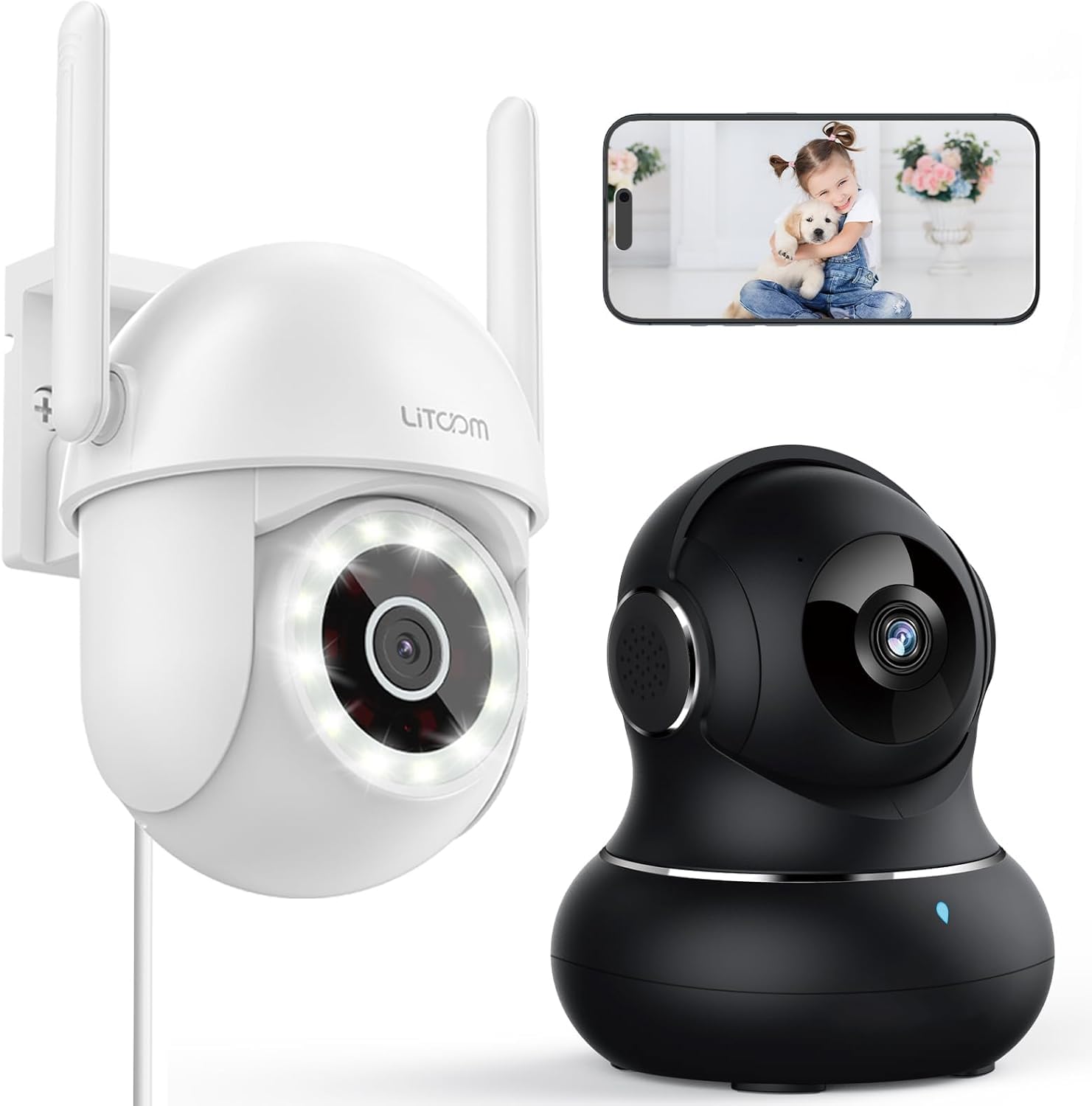
Imagen: Más alláview of the litokam 2.5K 4MP QHD Outdoor PTZ Security Camera.
Guía de configuración
1. Contenido del paquete
Antes de la instalación, asegúrese de que todos los componentes estén presentes:
- litokam 2.5K 4MP QHD Outdoor PTZ Security Camera
- Adaptador de corriente
- Tornillos y anclajes de montaje
- Manual de usuario (este documento)
2. Encendido de la cámara
The camera requires a direct power supply. Connect the provided power adapter to the camera's power input port and then plug it into a standard electrical outlet. Ensure the power source is stable.
3. Montaje de la cámara
La cámara está diseñada para montaje en pared. Elija una ubicación adecuada que proporcione la distancia deseada. viewing angle and is within range of your 2.4GHz Wi-Fi network. Use the included screws and anchors to securely mount the camera.
- Marque los puntos de perforación en la pared utilizando la base de la cámara como plantilla.
- Taladre agujeros en los puntos marcados.
- Inserte los anclajes de plástico en los orificios perforados.
- Align the camera base with the holes and secure it with the screws.
4. Instalación de la aplicación y conexión Wi-Fi
To operate the camera, you need to download the litokam app on your smartphone (compatible with Android and iOS). The camera only works with 2.4GHz Wi-Fi networks.
- Download the litokam app from your device's app store.
- Regístrese o inicie sesión en su cuenta.
- Follow the in-app instructions to add your new camera. This typically involves scanning a QR code on the camera or manually selecting the device type and entering Wi-Fi credentials.
- Ensure your phone is connected to a 2.4GHz Wi-Fi network during the setup process.
Instrucciones de funcionamiento
1. Vivir View y control de panorámica/inclinación
Access the live video feed through the litokam app. The camera offers 360° pan and tilt functionality, allowing you to remotely adjust the viewing angle. Use the on-screen controls in the app to pan horizontally and tilt vertically.

Image: Remote Pan/Tilt/Zoom (PTZ) control via the mobile application, showing 360° horizontal viewing angle and 3X digital zoom.
The camera also supports 3X digital zoom to view details more closely within the live feed.
2. Detección de movimiento y alertas de IA
The camera features PIR motion detection and advanced AI analytics to accurately identify and differentiate between people and vehicles, significantly reducing false alarms. When motion is detected, real-time alerts are sent to your phone.

Image: AI analysis detecting a vehicle in the surveillance area, reducing false alarms.

Image: The camera detecting motion, with options for real-time alerts and app notifications.
You can customize alert settings, including siren activation and flashing white light, to deter unwanted visitors.
3. Comunicación de audio bidireccional
With a built-in microphone and speaker, the camera enables two-way audio. Use the app to speak with visitors, family members, or pets directly through the camera, or to warn intruders.

Image: Demonstrating two-way audio, allowing communication with a person at the door.
4. Modos de visión nocturna
The camera offers three night vision options for clear monitoring up to 33 feet in low-light conditions:
- Modo de infrarrojos: Visión nocturna estándar en blanco y negro mediante LED infrarrojos.
- Modo a todo color: Utilizes the built-in LED spotlight to provide full-color video even at night.
- Modo inteligente: Automatically switches between infrared and full-color mode based on detected motion or light conditions.

Image: Comparison of standard night vision (left) and full-color night vision (right) with LED spotlight activated.

Image: Visual representation of 4MP HD resolution for clearer images, comparing it to lower resolution.
5. Uso compartido entre múltiples usuarios
The litokam app allows you to share camera access with multiple users, such as family members. This enables several people to view la transmisión en vivo y recibir alertas simultáneamente.

Image: The litokam app interface showing multi-user access and sharing capabilities across different devices (Android, iOS, Tablet, PC Software).
Mantenimiento
1. Limpieza de la cámara
Para garantizar una calidad de imagen nítida, limpie periódicamente la lente y la carcasa de la cámara. Utilice un paño suave y seco.amp Paño para limpiar el polvo y la suciedad. Evite usar productos químicos agresivos o materiales abrasivos que puedan dañar la lente o el acabado.
2. Actualizaciones de firmware
Keep your camera's firmware updated to benefit from the latest features and security enhancements. Check for available updates within the litokam app and follow the on-screen instructions to install them.
3. Resistencia a la intemperie
The camera has an IP65 rating, indicating it is protected against dust and water jets. This allows for efficient, all-weather operation, withstanding rain, snow, and harsh conditions. No special weather-related maintenance is typically required beyond ensuring the power connection remains secure and protected.
Solución de problemas
If you encounter issues with your litokam security camera, refer to the following common solutions:
- Cámara sin conexión:
- Asegúrese de que la cámara esté correctamente alimentada y que el adaptador de corriente esté conectado de forma segura.
- Verify your Wi-Fi router is working and the camera is within range of a 2.4GHz Wi-Fi signal.
- Reinicie la cámara desenchufando y volviendo a enchufar el adaptador de corriente.
- Check the litokam app for any network status indicators or troubleshooting guides.
- No se puede conectar a Wi-Fi:
- Confirme que su red Wi-Fi sea de 2.4 GHz. La cámara no admite Wi-Fi de 5 GHz.
- Asegúrese de ingresar la contraseña de Wi-Fi correcta.
- Acerque la cámara a su enrutador Wi-Fi durante el proceso de configuración.
- Reset the camera (refer to the app for specific reset instructions, usually a small button).
- Mala calidad de imagen:
- Limpie la lente de la cámara con un paño suave.
- Asegúrese de que no haya obstrucciones delante de la lente.
- Verifique la velocidad de su conexión a Internet; una conexión lenta puede afectar la calidad de la transmisión.
- La detección de movimiento no funciona:
- Verify motion detection settings are enabled in the litokam app.
- Ajuste los niveles de sensibilidad si es necesario.
- Asegúrese de que la cámara view no está obstruido.
For further assistance, please contact litokam customer support or refer to the FAQ section within the litokam app.
Presupuesto
| Característica | Detalle |
|---|---|
| Modelo | 2.5K 4MP QHD Outdoor PTZ Security Camera |
| Resolución de captura de video | 2.5K, 4 MP (2560*1440) |
| Zoom digital | 3X |
| Cobertura panorámica/inclinación | 360° |
| Protocolo de conectividad | Wi-Fi (solo 2.4 GHz) |
| Fuente de poder | Wired (Direct Power Supply) |
| Detección de movimiento | PIR Motion Detection, Advanced AI Analytics (Person/Vehicle Differentiation) |
| Visión nocturna | Full-Color, Infrared, Smart Mode (up to 33ft visible range) |
| Audio | Audio bidireccional (micrófono y altavoz integrados) |
| Resistencia a la intemperie | Clasificación IP65 |
| Dispositivos compatibles | Smartphone (Android, iOS), PC Software |
| Tipo de montaje | Montaje en pared |
| ASIN | B0CX91MDJ4 |
Garantía y soporte
Información de garantía
For detailed warranty information, please refer to the warranty card included with your product or visit the official litokam webSitio. Los términos y condiciones de la garantía pueden variar según la región y la fecha de compra.
Atención al cliente
If you require technical assistance, have questions about your product, or need to report an issue, please contact litokam customer support. You can typically find contact information (email, phone, or support portal) on the official litokam website or within the litokam mobile application.
Por favor, tenga a mano el modelo de su producto y ASIN (B0CX91MDJ4) ready when contacting support for faster service.