
Introducción
The Yale Assure Lock 2 Touch with Z-Wave is a fingerprint smart lock designed to provide secure and convenient access to your home. This manual provides instructions for installation, operation, and maintenance of your smart lock. It offers multiple unlocking methods including fingerprint recognition, keypad entry, and a traditional physical key. The lock integrates with Z-Wave smart home systems, allowing for remote management and notifications.
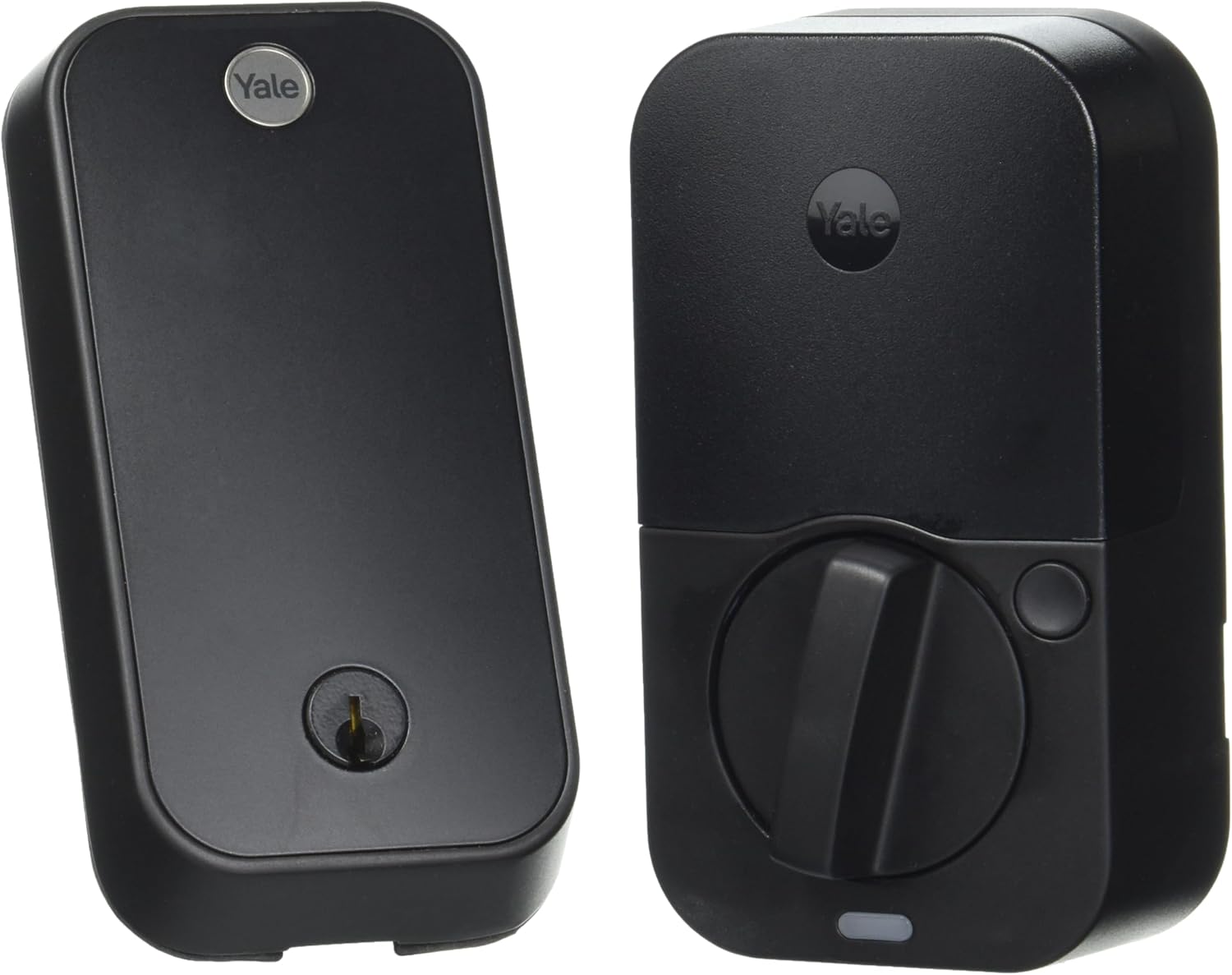
Image: Yale Assure Lock 2 Touch Smart Lock, front view.
Características principales
- Desbloqueo de huella digital: Gain fast and secure access using your unique fingerprint.
- Seguridad mejorada: Features two-factor authentication, biometric verification, and fingerprint-resistant matte keypads.
- Compatibilidad Z-Wave: Seamlessly integrates with Z-Wave smart home systems such as Samsung SmartThings or Ring Alarm for expanded control.
- Función de bloqueo automático: Configurable automatic locking for peace of mind.
- Acceso remoto: Gestionar el acceso, view activity, and lock/unlock remotely via a compatible Z-Wave smart home app.
Configuración e instalación
Proper installation is crucial for the optimal performance and security of your Yale Assure Lock 2 Touch. Please follow the steps below carefully.
1. Comprobación de compatibilidad de puertas
Antes de comenzar la instalación, asegúrese de que su puerta cumpla con las siguientes especificaciones:
- Espesor de la puerta: 1-3/8 pulgadas a 2-1/4 pulgadas (35 mm a 57 mm)
- Pozo: 2-1/8 pulgadas o 1-1/2 pulgadas (54 mm o 38 mm)
- Contracorriente: 2-3/8 pulgadas o 2-3/4 pulgadas (60 mm o 70 mm)

Image: Door preparation diagram with required dimensions for installation.
2. Instalación del hardware
Refer to the detailed installation guide included in your product packaging for step-by-step instructions on mounting the deadbolt and the interior and exterior lock components.
3. Z-Wave Module and Batteries
Insert the Z-Wave smart module into its dedicated slot within the interior assembly of the lock. Install the four (4) AA batteries into the battery compartment. Ensure correct polarity.

Image: Exterior keypad and interior module with Z-Wave module slot.
4. Lock Calibration
After physical installation, perform the lock calibration as instructed in the quick start guide to ensure the lock operates smoothly and correctly detects the door position.
Instrucciones de funcionamiento
1. Desbloqueo con huella dactilar
To unlock the door using your fingerprint, simply place your registered finger on the fingerprint sensor located on the exterior keypad. The lock will verify your fingerprint and unlock the deadbolt.
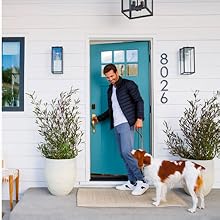
Image: Fingerprint sensor detail, highlighting fast and accurate recognition.
2. Unlocking with Keypad Entry
Activate the keypad by touching it. Enter your personalized 4-8 digit access code, then press the checkmark (✓) button to unlock the door.
3. Unlocking with Physical Key
In case of battery depletion or if preferred, you can use the provided physical key to manually unlock the deadbolt. Insert the key into the keyhole at the bottom of the exterior unit and turn it to unlock.
4. Función de bloqueo automático
The Auto-Lock feature automatically re-locks your door after a preset time (e.g., 30 seconds, 1 minute, 5 minutes) once it has been unlocked and closed. This feature can be configured via the Yale Access app or your connected Z-Wave system.
5. App Control (via Z-Wave)
Integrate your Yale Assure Lock 2 Touch with a compatible Z-Wave smart home system (e.g., Samsung SmartThings, Ring Alarm, Hubitat). This allows you to:
- Lock/Unlock the door remotely.
- Share temporary, scheduled, or permanent access codes with guests.
- View a history of lock activity.
- Receive real-time notifications about lock status.
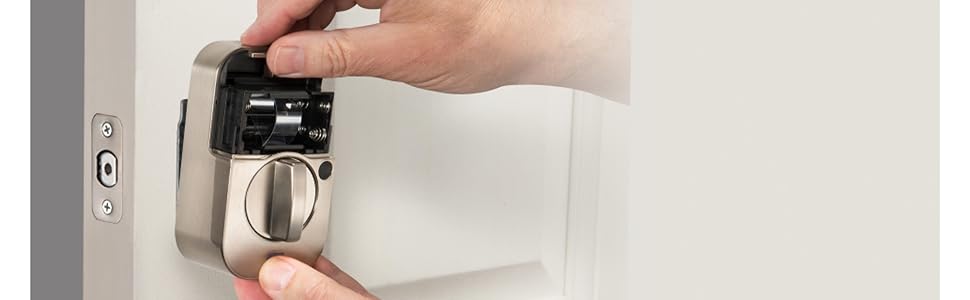
Image: Remote access and control via a Z-Wave partner app.

Image: Sharing guest access with temporary, scheduled, or permanent codes.
Video: Keys are a thing of the past
Video: An official Yale video demonstrating the convenience of keyless entry with the Assure Lock 2 Touch.
Mantenimiento
1. Reemplazo de la batería
The Yale Assure Lock 2 Touch uses four (4) AA batteries. When the battery indicator signals low power, replace all four batteries with new, high-quality alkaline AA batteries. Do not mix old and new batteries or different battery types.
2. Limpieza
Limpie el exterior de la cerradura con un paño suave.amp Paño. Evite usar limpiadores abrasivos, solventes o aerosoles químicos, ya que pueden dañar el acabado y los componentes electrónicos.
3. Actualizaciones de firmware
Periodically check for and install firmware updates through your connected smart home system or the Yale Access app. Updates ensure optimal performance, security, and access to new features.
Solución de problemas
- La cerradura no responde: Check battery levels. Ensure the Z-Wave module is properly seated.
- Huella dactilar no reconocida: Asegúrese de que su dedo esté limpio y seco. Vuelva a registrar su huella dactilar si el problema persiste.
- El teclado no se ilumina: Press any key to activate the keypad. Check battery levels.
- Problemas de conectividad Z-Wave: Ensure your Z-Wave hub is within range and properly configured. Refer to your Z-Wave system's manual for troubleshooting connectivity.
- La llave física no funciona: Asegúrese de que la llave esté completamente insertada y girada correctamente. No la fuerce.
For further assistance, consult the Yale support websitio o póngase en contacto con el servicio de atención al cliente.
Presupuesto
| Marca | Yale |
| Nombre del modelo | Yale Assure Lock 2 Touch with Z-Wave |
| Número de modelo del artículo | YRD420-F-ZW3-BSP |
| Tipo de bloqueo | Biométrico, cerrojo, teclado |
| Material | Zinc |
| Color | Gamuza negra |
| Estilo | Con llave |
| Dimensiones (L x An x Al) | 0.88 x 2.5 x 4.88 pulgadas |
| Peso del artículo | 4.11 libras |
| Fuente de poder | 4 pilas AA |
| Protocolo de conectividad | Bluetooth, Z-Wave |
| Método de control | Aplicación, toque |
| Tipo de controlador | Android, Ring, SmartThings, iOS |
| Características especiales | Auto-Lock, Battery Indicator, Fingerprint, One-Touch Lock, Passcode Unlock |
| Componentes incluidos | Yale Assure Lock 2 Touch, Z-Wave Smart Module, 4 AA Batteries, DoorSense and Key, Mounting Hardware and Deadbolt |
Garantía y soporte
Información de garantía
The Yale Assure Lock 2 Touch typically includes a limited lifetime warranty on finishes and mechanical components, and a one-year warranty on electronics. For complete details regarding your product's warranty, please refer to the official Yale websitio o la tarjeta de garantía incluida con su compra.
Atención al cliente
For technical assistance, product registration, or to access additional resources such as FAQs and video tutorials, please visit the official Yale support website. You may also contact their customer service department directly for personalized support.