
1. Introducción
Gracias por la compraasing the RCA 50-inch UHD 4K LCD TV. This manual provides essential information for setting up, operating, and maintaining your television. Please read this manual thoroughly before using the product to ensure safe and optimal performance. Keep this manual for future reference.
2. Información importante de seguridad
Siga siempre estas precauciones básicas de seguridad al utilizar su televisor:
- No exponga el televisor a la lluvia ni a la humedad para evitar incendios o descargas eléctricas.
- No bloquee las aberturas de ventilación. Asegúrese de que haya suficiente espacio alrededor del televisor para una ventilación adecuada.
- Coloque el televisor sobre una superficie estable y nivelada para evitar que se caiga.
- Utilice únicamente el cable de alimentación incluido con el televisor. No sobrecargue las tomas de corriente.
- Desenchufe el televisor durante tormentas eléctricas o cuando no lo utilice durante períodos prolongados.
- No abra el mueble del televisor. Deje todas las reparaciones a personal técnico cualificado.
- Mantenga las piezas pequeñas y las baterías fuera del alcance de los niños.
3. Contenido del paquete
Carefully unpack your television and check that all items are included. If any items are missing or damaged, please contact your retailer.

Figura 3.1: Accesorios incluidos
- RCA 50-inch UHD 4K LCD TV
- Control remoto (requiere 2 pilas AAA, incluidas)
- Cable de alimentación
- TV Stand Bases (x2)
- Screws for Stand Installation (x4)
- Anti-tip Screw (x1) and Clips (x3)
- Manual de instrucciones (japonés)
4. Configuración
4.1. Physical Setup (Stand / Wall Mount)
You can install your TV on the included stand or mount it on a wall using a VESA-compatible bracket (sold separately).

Figure 4.1: TV Dimensions and Stand Installation
Instalación de soporte:
- Coloque el televisor con la pantalla hacia abajo sobre una superficie suave y plana para evitar daños.
- Alinee las bases del soporte con los orificios de los tornillos en la parte inferior del televisor.
- Asegure las bases del soporte utilizando los tornillos proporcionados.
Montaje en pared:
This TV supports VESA mount standard 400x300mm. Use a compatible wall mount bracket and follow the instructions provided with the bracket. Ensure the wall can support the TV's weight (approximately 9 kg).

Figure 4.2: Wall Mounting Options
4.2. Conexión de dispositivos externos
Connect your external devices to the appropriate ports on the TV's rear and side panels.

Figura 4.3: Puertos de conectividad del televisor

Figure 4.4: Rear Panel and Connection Terminals
| Tipo de puerto | Descripción |
|---|---|
| HDMI (x3) | Connect to Blu-ray players, game consoles, set-top boxes, etc. HDMI 2 supports ARC. |
| USB (x2) | Connect external USB HDD for recording (FAT32 format compatible). |
| Entrada AV | Conecte dispositivos más antiguos mediante cables de audio estéreo y video compuesto. |
| Salida de audio digital óptica | Conéctese a una barra de sonido o un sistema de cine en casa para audio digital. |
| Red local | For service or firmware updates. This TV does not support internet streaming services. |
| mini B-CAS Slot | Insert your mini B-CAS card for digital broadcast reception. |
| BS/CS Antenna Input | Connect to a BS/CS satellite antenna. |
| Terrestrial Digital Antenna Input | Connect to a terrestrial digital antenna. |
| Entrada de audio de 3.5 mm | Conecta fuentes de audio externas. |
4.3. Initial Power On and Channel Setup
- After connecting all necessary cables, plug the power cord into an electrical outlet.
- Presione el botón de encendido en el control remoto o en el televisor.
- Follow the on-screen instructions to perform initial setup, including language selection and channel scanning.
5. Instrucciones de funcionamiento
5.1. Funciones de control remoto
The remote control allows you to access all TV functions. Insert two AAA batteries (included) into the remote control before use.

Figure 5.1: Remote Control Layout and Key Functions
- Fuerza: Enciende o apaga el televisor.
- Botones numéricos (0-12): Seleccionar canales directamente.
- Aporte: Seleccione la fuente de entrada (HDMI, AV, etc.).
- Volumen (+/-): Ajusta el nivel de volumen.
- Canal (Arriba/Abajo): Cambiar canales secuencialmente.
- Botones direccionales (arriba/abajo/izquierda/derecha) y OK: Navegue por los menús y confirme las selecciones.
- Menú: Acceda al menú principal de configuración.
- EPG (Guía electrónica de programación): Muestra la guía de programas.
- Registro: Iniciar grabación del programa actual.
- Controles de reproducción: Play, Pause, Stop, Fast Forward, Rewind for recorded content.
5.2. Background Program Recording
Your RCA TV is equipped with dual tuners, allowing you to record one digital broadcast program while watching another. An external USB Hard Disk Drive (HDD) is required for recording (FAT32 format compatible, up to 6TB).

Figure 5.2: Dual Tuner Recording Function

Figure 5.3: External HDD Recording
Pasos de grabación:
- Connect a FAT32-formatted external USB HDD to one of the TV's USB ports.
- Access the program guide (EPG) to select a program for recording.
- Use the remote control to set a recording timer or initiate instant recording.
- The TV supports series recording and automatically adjusts for broadcast time changes or extended final episodes.
5.3. Configuración de imagen y sonido
Optimiza tu viewMejore su experiencia ajustando la configuración de imagen y sonido.
Calidad de imagen:
This TV features a high-performance image processing engine that reproduces fine details and natural colors. It supports UHD 4K resolution and HDR content for enhanced contrast and vibrant colors.
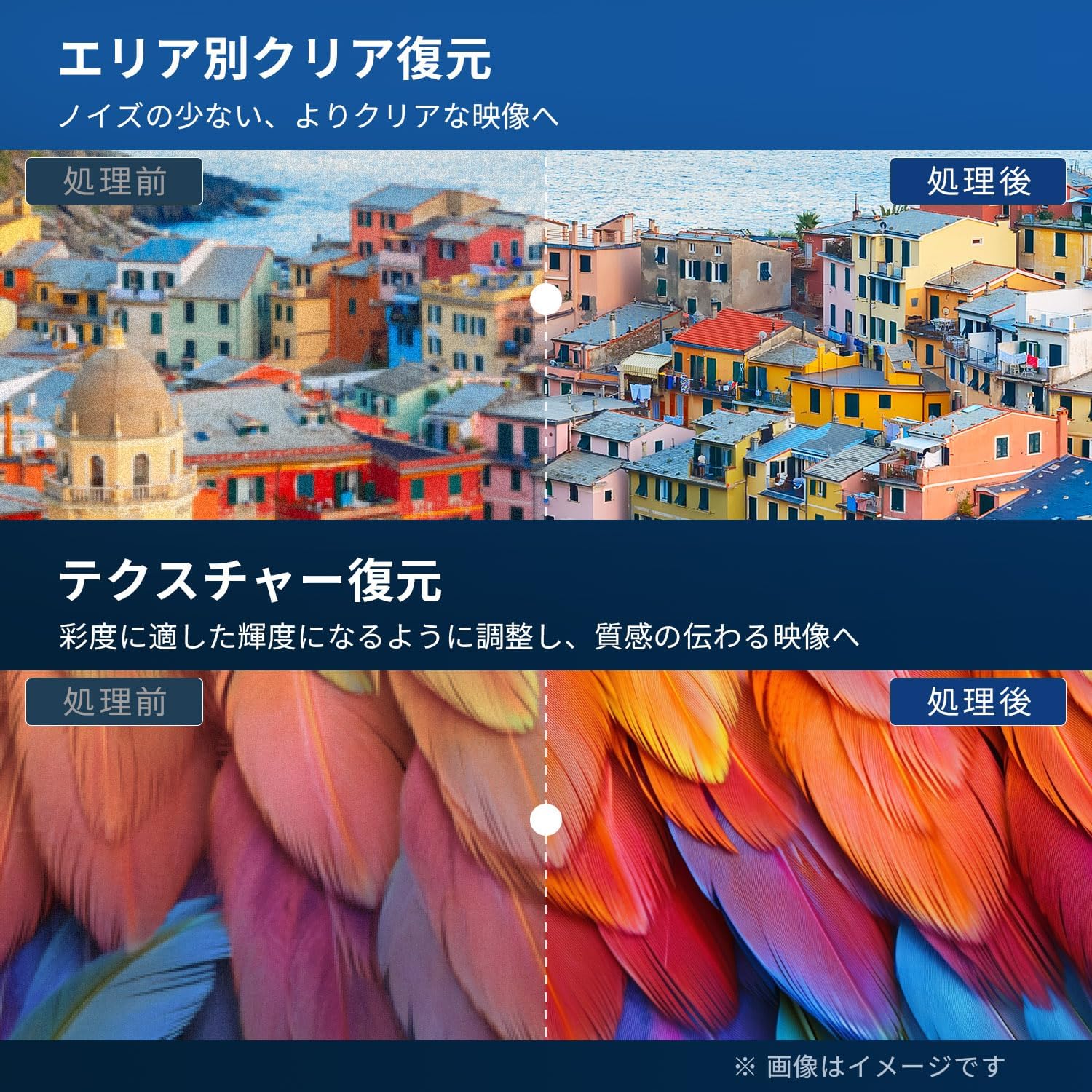
Figure 5.4: Image Processing for Clarity and Texture

Figure 5.5: High-Performance Multi-Speed Processing for Motion Clarity
Modo de juego:
Activate Game Mode to reduce input lag and image processing delay, providing a smoother and more responsive gaming experience, especially for fast-paced games like FPS and fighting games.
Sonido Dolby:
Experience immersive, high-quality sound with built-in Dolby Audio technology. Adjust sound modes in the audio settings menu to suit your preferences.

Figure 5.6: Dolby Audio for Immersive Sound
6. Mantenimiento
Un mantenimiento adecuado garantiza la longevidad y el rendimiento de su televisor.
- Limpieza de la pantalla: Gently wipe the screen with a soft, lint-free cloth. For stubborn marks, use a screen cleaner specifically designed for LCD/LED displays. Do not spray cleaner directly onto the screen.
- Limpieza del gabinete: Utilice un paño suave y seco para limpiar el mueble del televisor. No utilice limpiadores abrasivos, ceras ni disolventes.
- Ventilación: Asegúrese de que las aberturas de ventilación en la parte posterior del televisor no estén bloqueadas.
- Cable de alimentación: Revise periódicamente el cable de alimentación para detectar posibles daños. Si está dañado, contacte con atención al cliente para reemplazarlo.
7. Solución de problemas
Antes de contactar con el servicio de atención al cliente, pruebe las siguientes soluciones para problemas comunes:
| Problema | Posible solución |
|---|---|
| Sin poder | Check if the power cord is securely plugged into the TV and the outlet. Press the power button on the remote or TV. |
| No hay imagen, pero hay sonido | Verifique la fuente de entrada. Asegúrese de que los dispositivos externos estén encendidos y conectados correctamente. |
| No hay sonido, pero hay imagen | Verifique el volumen. Asegúrese de que la función Silencio no esté activada. Revise los cables de audio de los dispositivos externos. |
| El control remoto no funciona | Reemplace las pilas. Asegúrese de que no haya obstrucciones entre el control remoto y el sensor infrarrojo del televisor. |
| Poor picture quality / distorted image | Check antenna connection. Adjust picture settings in the menu. Try a different input source. |
| Cannot record programs | Ensure an external USB HDD is connected and formatted to FAT32. Check available storage space. Verify tuner reception. |
| TV freezes or becomes unresponsive | Unplug the TV from the power outlet, wait for 1 minute, then plug it back in and power on. |
8. Especificaciones
| Característica | Detalle |
|---|---|
| Número de modelo | RCA-NS-50Q1 |
| Tamaño de pantalla | 50 pulgadas |
| Tecnología de visualización | Módulo LED |
| Resolución | 4K UHD (3840x2160) |
| Frecuencia de actualización | 60 Hz |
| Relación de aspecto | 16:9 |
| Viewángulo de ing | 178 grados |
| Tiempo de respuesta | 2 ms |
| Relación de contraste | 200:1 |
| Brillo máximo | 220 cd/m² |
| Compatibilidad con HDR | Alto rango dinámico (HDR) |
| Sintonizadores | Dual Terrestrial/BS/110-degree CS Digital Tuners (ISDB-T) |
| Grabación | External USB HDD Recording (FAT32 compatible, up to 6TB) |
| Audio | Dolby Audio, Built-in Speakers (Max Output: 10W) |
| Conectividad | HDMI (x3), USB (x2), AV Input, Optical Digital Audio Out, LAN, 3.5mm Audio Input |
| Estándar de montaje VESA | 400 x 300 mm |
| Fuente de alimentación | CA 100-240 V, 50/60 Hz |
| Consumo de energía | 120 W |
| Dimensiones (con soporte) | 111.8 cm (ancho) x 69.6 cm (alto) x 21.5 cm (profundidad) |
| Peso (con soporte) | Aprox. 9 kg |
| Funciones de Smart TV | None. This TV does not support internet connection or streaming services. |
9. Garantía y soporte
9.1. Garantía del producto
This RCA television comes with a Garantía de tres años from the date of purchase, covering manufacturing defects. Please retain your proof of purchase for warranty claims. Note that some specific components may have a 12-month quality guarantee.

Figura 9.1: Información de garantía
9.2. Atención al cliente
For any inquiries, technical assistance, or warranty claims, please contact our customer support team. Our offices are located in Tokyo, and our customer service team provides nationwide support.

Figure 9.2: RCA Customer Support Network
Métodos de contacto:
- Soporte de LINE: Scan the QR code below to add our after-sales service account on LINE for quick assistance.
- Soporte por correo electrónico: Send your inquiries to our dedicated email address. We aim to respond within 24 hours.

Scan for LINE Support: https://lin.ee/AOq4pQs

Correo electrónico: tutu@tutuelec.com