
Introducción
Thank you for choosing the Glocusent Wingy Book Light. This manual provides detailed instructions for the setup, operation, and maintenance of your new reading light. Designed for comfort and convenience, the Wingy Book Light offers adjustable illumination to enhance your reading experience.

The Glocusent Wingy Book Light, designed for comfortable reading.
Producto terminadoview
The Glocusent Wingy Book Light features a unique 'wingy' design with 48 dual-row LED beads, providing a wide and even light spread. It includes independent control for each wing, multiple brightness levels, three color temperatures, and a built-in timer with a sleep aid function. Its flexible gooseneck and sturdy clip ensure versatile use.

Detallado view of the Wingy Book Light's optical design for optimal illumination.
Configuración
Carga del dispositivo
Before first use, fully charge your Wingy Book Light. The device is equipped with a 1000mAh battery and charges via a USB-C port. A full charge takes approximately 2.5 hours and provides up to 120 hours of use on the lowest setting.
- Connect the provided USB-C charging cable to the charging port on the clip base.
- Plug the other end into a compatible USB power source (adapter not included).
- The indicator lights on the clip base will show charging status. All four lights indicate a full charge.

La batería de 1000 mAh proporciona un tiempo de uso prolongado.
Colocación de la luz
The sturdy clip base is designed to securely attach to books, tables, or other surfaces. The clip features silicone pads to protect surfaces and ensure a firm grip.
- Open the clip by pressing the rear end.
- Attach the clip to your desired surface, ensuring the silicone pads make contact.
- Adjust the flexible gooseneck to position the light over your reading material.

The sturdy clip with silicone pads ensures secure attachment without damage.

The flexible gooseneck allows for precise light positioning.
Instrucciones de funcionamiento
The Glocusent Wingy Book Light features intuitive controls located on the top of each wing.

Encimaview of the easy-to-use controls.
Power On/Off & Independent Wing Control
- Each wing has an independent power button. Short press the button on the left wing to turn it on/off.
- Short press the button on the right wing to turn it on/off.
- This allows for focused lighting, preventing disturbance to others, especially during bedtime reading.
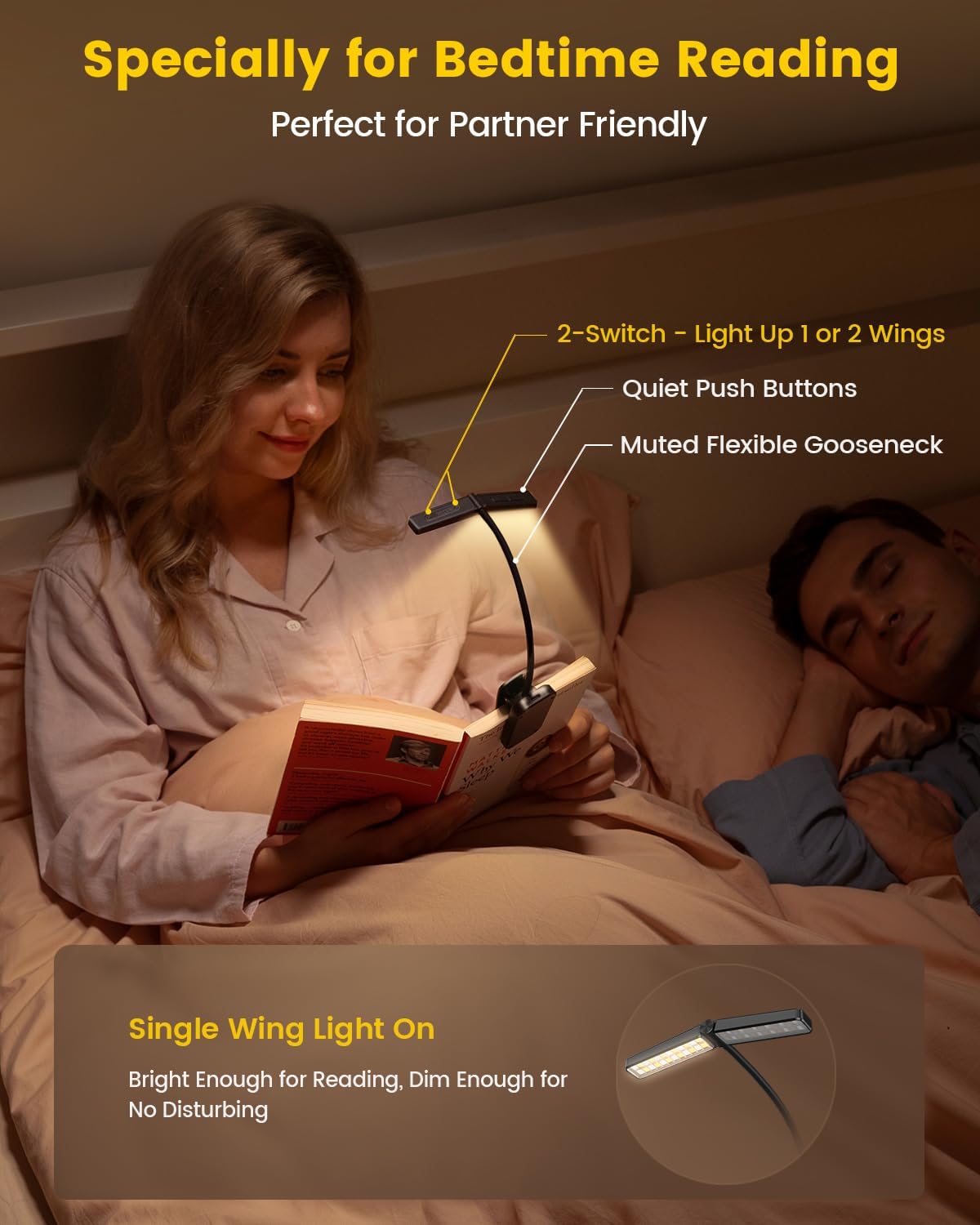
Independent wing control for undisturbed reading.
Ajuste de brillo
- Use the brightness control button (usually marked with +/- or light icon) to cycle through 5 preset brightness levels.
- For stepless adjustment, long press the brightness button to gradually increase or decrease the light intensity. Release when the desired brightness is reached.
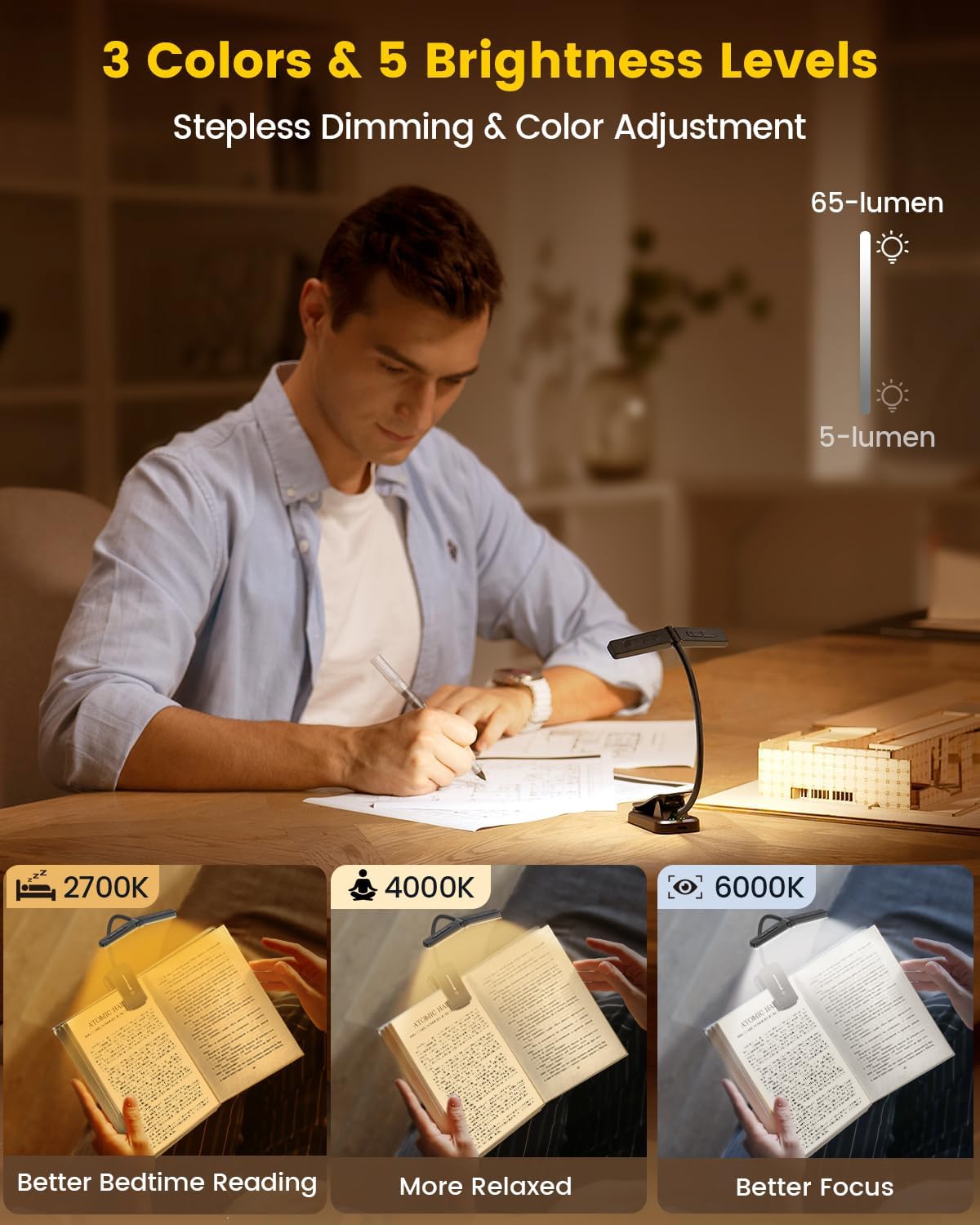
Adjustable brightness levels for various reading conditions.
Ajuste de temperatura de color
- Press the color temperature button (usually marked with a color icon) to switch between three modes:
- 2700K (Luz cálida): Ideal for bedtime reading, gentle on the eyes.
- 4000K (blanco neutro): Suitable for relaxed reading.
- 6000K (blanco frío): Best for focused work or reading.

2700K Warm Light for comfortable night reading.

4000K Neutral White for relaxed reading.

6000K Cool White for enhanced focus.
Timer and Sleep Aid Function
- Minutero: Long press the left wing's power button to activate the 30-minute or 45-minute timer. The light will automatically turn off after the set time.
- Ayuda para dormir: When the timer is active, long press the right wing's power button to engage the sleep aid mode. The light will gradually dim, simulating a sunset, to gently guide you to sleep.

The timer and sleep aid function promote better sleep habits.
Mantenimiento
- Mantenga el dispositivo limpio frotándolo con un paño suave y seco.
- Evite el uso de limpiadores o disolventes abrasivos.
- Conservar en un lugar fresco y seco cuando no esté en uso.
Solución de problemas
- La luz no se enciende: Ensure the device is charged. Connect to a power source and check the indicator lights.
- Luz parpadeante: Esto puede indicar que la batería está baja. Recargue el dispositivo.
- Botones que no responden: Try resetting the device by fully discharging and then recharging it.
Presupuesto
| Nombre del modelo | Wingy Book Light |
| Número de modelo del artículo | A29 |
| Tipo de fuente de luz | CONDUJO |
| Número de fuentes de luz | 48 |
| Brillo | 65 lúmenes (máx.) |
| Temperatura de color | 2700 K, 4000 K, 6000 K |
| Fuente de poder | Alimentado por batería (polímero de litio de 1000 mAh) |
| Peso del artículo | 2.4 onzas |
| Dimensiones del producto | 10.6" de profundidad x 1.7" de ancho x 1.3" de alto |
| Material | Acrilonitrilo butadieno estireno |
| Característica especial | Cordless, Timer, Sleep Aid |
¿Qué hay en la caja?
- 1x Glocusent Wingy Book Light
- 1x Book Mark
- 1x Manual de usuario
- 1x cable de carga (USB-C)
Garantía y soporte
Glocusent products undergo rigorous quality control. We offer:
- 30-day return service.
- Garantía 24 meses.
- 24/7 customer service from our Customer Experience Team.
For any inquiries or support, please refer to the contact information provided in your product packaging or visit the official Glocusent websitio.
Vídeo oficial del producto
Oficial terminadoview of the Glocusent Wingy Book Light, demonstrating its features and design.