
1. Introducción e información de seguridad
This manual provides essential instructions for the installation, operation, and maintenance of your GAMEMAX GX-850 80 Plus Gold Fully Modular Power Supply. Please read this manual thoroughly before installation and retain it for future reference.
1.1 Advertencias de seguridad importantes
- Peligro de descarga eléctrica: Power supplies contain high voltage components. Do not open the power supply unit. There are no user-serviceable parts inside. Opening the unit will void the warranty.
- Puesta a tierra adecuada: Ensure your computer system is properly grounded to prevent electrical hazards.
- Desconectar la energía: Always disconnect the AC power cord from the wall outlet before installing, removing, or servicing the power supply or any other computer components.
- Ventilación: Asegúrese de que haya suficiente ventilación alrededor de la fuente de alimentación. No bloquee ninguna abertura de ventilación.
- Moisture and Temperature: Do not operate the power supply in high humidity or high-temperature environments. Keep it away from water and heat sources.
- Instalación profesional: Si no está seguro acerca de alguno de los pasos de instalación, busque ayuda de un técnico calificado.
2. Contenido del paquete
Verify that all items are present in your GAMEMAX GX-850 package:
- GAMEMAX GX-850 80 Plus Gold Fully Modular Power Supply
- Modular Cable Set (including ATX 24-pin, CPU 8-pin, PCIe 6+2-pin, SATA, Peripheral 4-pin cables)
- Cable de alimentación de CA
- Tornillos de montaje
- Manual de usuario (este documento)
3. Producto terminadoview
The GAMEMAX GX-850 is an 850-watt 80 Plus Gold certified fully modular power supply designed for desktop computers. It features an LLC and DC-DC circuit design for high efficiency and stable power delivery, along with an ultra-quiet FDB (Fluid Dynamic Bearing) fan for optimal cooling and low noise.
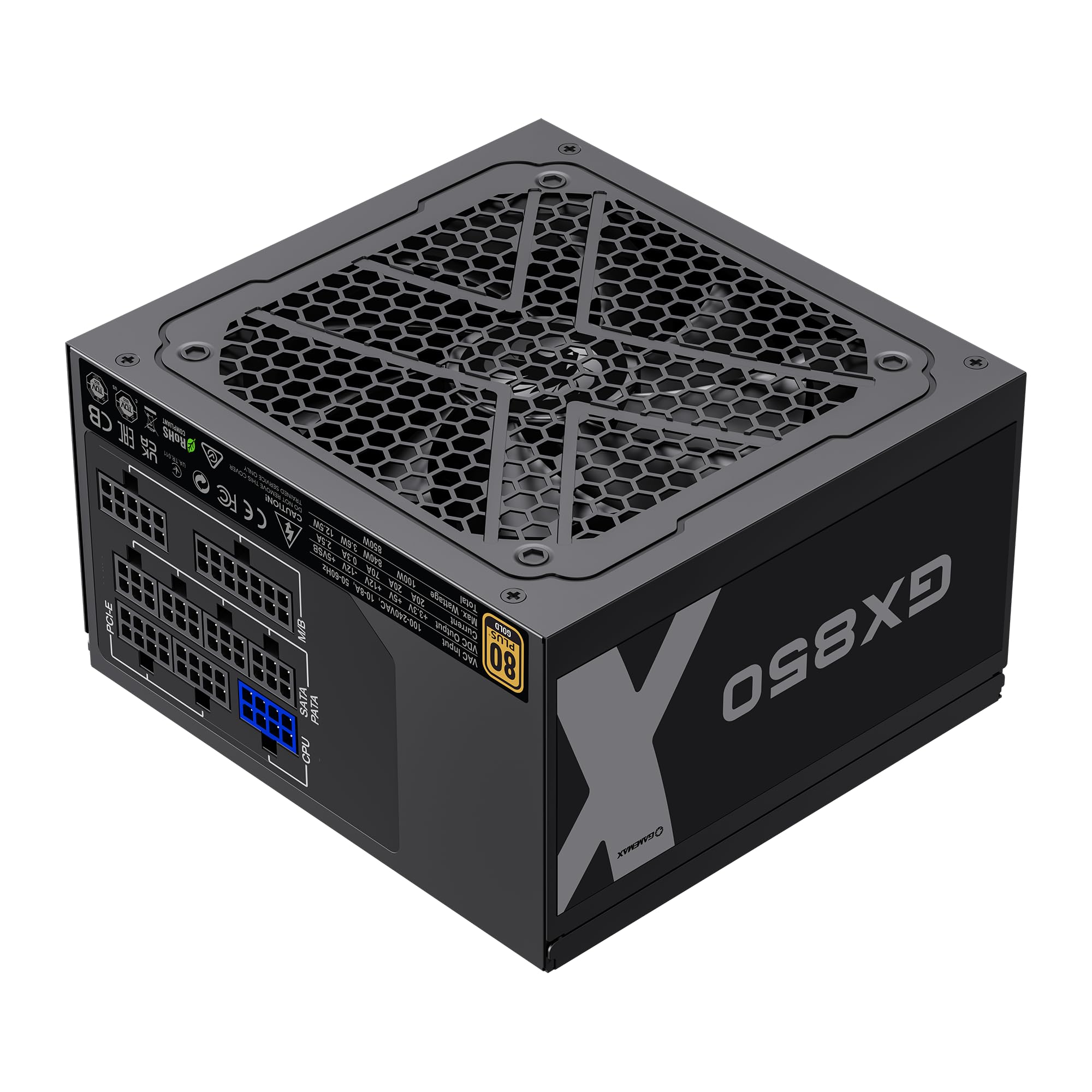
Image: The GAMEMAX GX-850 80 Plus Gold Fully Modular Power Supply, showcasing its black finish and modular design.
3.1 Características principales
- Certificación 80 Plus Gold: Ensures high power efficiency, reducing heat and operating costs.
- LLC+DC-DC Circuit: Advanced circuit design for stable voltage output and improved efficiency.
- Diseño totalmente modular: Allows for custom cable management, reducing clutter and improving airflow.
- FDB Fan: Ultra-quiet temperature-controlled Fluid Dynamic Bearing fan for silent operation and extended lifespan.
- 105℃ Mainstream Capacitor: High-quality capacitors ensure long life and smooth power output.
- Protección integral: Features SIX levels of protection: Over Temperature Protection (OTP), Over Current Protection (OCP), Short Circuit Protection (SCP), Over Voltage Protección (OVP), bajo Voltage Protection (UVP), and Over Power Protection (OPP).
4. Configuración e instalación
Follow these steps to properly install your GAMEMAX GX-850 power supply into your computer system.
4.1 pasos de instalación
- Prepare su sistema: Asegúrese de que su computadora esté completamente apagada y desenchufada del tomacorriente. Abra la carcasa de su computadora.
- Retire la fuente de alimentación antigua (si corresponde): Desconecte todos los cables de su fuente de alimentación anterior y retírela de la carcasa.
- Monte la nueva fuente de alimentación: Carefully place the GAMEMAX GX-850 into the power supply bay of your computer case. Secure it with the provided mounting screws. Ensure the fan is facing the correct direction for optimal airflow (typically facing down if your case has a bottom vent, or up if it's a top-mounted PSU).
- Conectar cables modulares: Identify the necessary cables for your components. Connect the modular cables to the corresponding ports on the power supply first, then route them to your components.
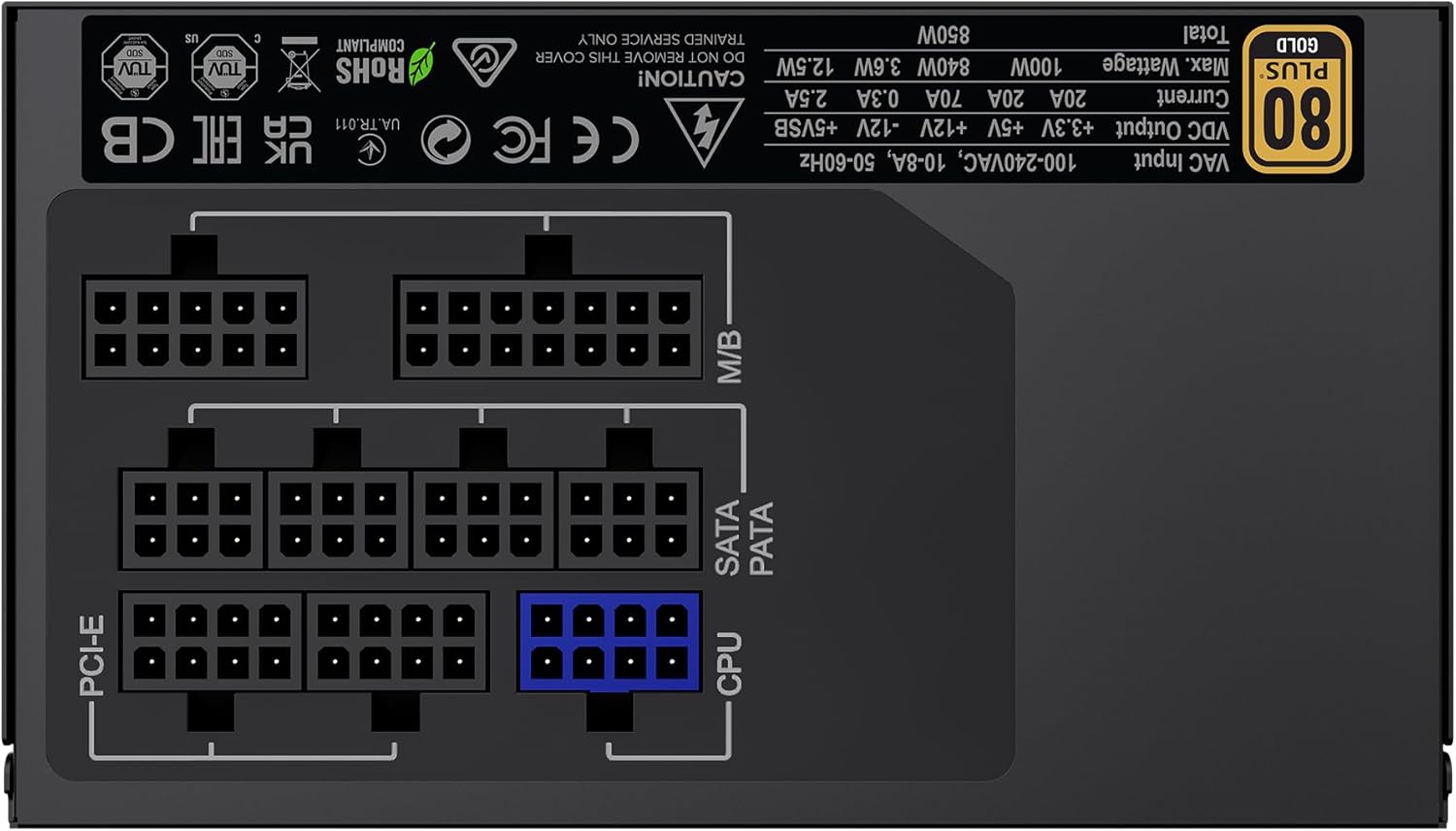
Imagen: Trasera view of the GAMEMAX GX-850 showing the fully modular cable connection ports for PCI-e, M/B (Motherboard), SATA/PATA, and CPU cables.
- Motherboard (M/B): Conecte el cable ATX de 24 pines a la placa base.
- UPC: Connect the 8-pin (or 4+4-pin) CPU power cable to the CPU power connector on your motherboard.
- Graphics Cards (PCI-e): Connect the 6+2-pin PCIe power cables to your graphics card(s). Use separate cables for each connector if your GPU requires multiple.
- Storage Devices (SATA): Conecte los cables de alimentación SATA a sus SSD, HDD y unidades ópticas.
- Peripherals (PATA/Molex): Connect peripheral power cables to any other devices requiring them (e.g., fan controllers, older drives).
- Sistema de organización de cables: Coloque los cables de forma ordenada para mejorar el flujo de aire y la estética.
- Cierre la caja y conecte la alimentación de CA: Cierre la carcasa del ordenador. Conecte el cable de alimentación de CA a la fuente de alimentación y luego a una toma de corriente con conexión a tierra.
5. Instrucciones de funcionamiento
Después de una instalación exitosa, siga estos pasos para operar su sistema.
- Interruptor de alimentación: Asegúrese de que el interruptor de encendido en la parte posterior de la fuente de alimentación esté en la posición 'ENCENDIDO' (I).
- Encendido del sistema: Presione el botón de encendido en la carcasa de su computadora para encender el sistema.
- Apagado del sistema: To turn off your system, use the operating system's shutdown procedure. For a hard shutdown, hold the case power button for several seconds. For complete power disconnection, switch the PSU's power switch to 'OFF' (O) and unplug the AC cord.
6. Mantenimiento
El mantenimiento regular ayuda a garantizar la longevidad y el rendimiento óptimo de su fuente de alimentación.
- Limpieza de polvo: Periodically clean the power supply's fan and ventilation grilles using compressed air to prevent dust buildup, which can impede cooling. Ensure the system is powered off and unplugged before cleaning.
- Verificación de cables: Occasionally check all modular cable connections to ensure they are securely seated.
- Condiciones ambientales: Mantenga su computadora en un ambiente limpio, seco y bien ventilado.
7. Solución de problemas
Si tiene problemas con su fuente de alimentación, consulte los siguientes pasos comunes de solución de problemas:
- Sin energía:
- Asegúrese de que el cable de alimentación de CA esté enchufado de forma segura tanto a la toma de pared como a la fuente de alimentación.
- Verifique que el interruptor de encendido en la parte posterior de la fuente de alimentación esté en la posición 'ON' (I).
- Verify that the 24-pin ATX and 8-pin CPU power cables are correctly and firmly connected to the motherboard.
- Pruebe el tomacorriente de pared con otro dispositivo para confirmar que tenga energía.
- Inestabilidad del sistema/apagados aleatorios:
- Asegúrese de que todos los cables modulares estén completamente colocados tanto en la fuente de alimentación como en los extremos de los componentes.
- Verifique que la ventilación sea adecuada y que el ventilador de la fuente de alimentación esté girando. El sobrecalentamiento puede provocar apagados.
- If you have recently added new components, ensure your 850W power supply is sufficient for the total system wattage.
- El ventilador no gira:
- The GX-850 features a temperature-controlled fan. It may not spin at low loads or temperatures. This is normal operation.
- If the fan does not spin under load and the PSU feels hot, ensure there are no obstructions and consider contacting support.
If problems persist after performing these steps, contact GAMEMAX customer support or your retailer for further assistance.
8. Especificaciones
Detailed technical specifications for the GAMEMAX GX-850 80 Plus Gold Power Supply:
| Característica | Especificación |
|---|---|
| Nombre del modelo | GX-850 Modular |
| Marca | JUEGO MÁXIMO |
| Salida Wattage | 850 vatios |
| Factor de forma | ATX |
| Certificación de Eficiencia | 80 Plus Oro |
| Diseño de fuente de alimentación | Modular completo |
| Método de enfriamiento | Aire (Ventilador FDB) |
| Cantidad de ventiladores | 1 |
| Vol. Mínimo de entradatage | 115 voltios |
| Volumen de entrada máximotage | 240 voltios (CA) |
| Clasificación de temperatura superior | 105 Degrees Celsius (Capacitors) |
| Dispositivos compatibles | Computadora de escritorio |
| Tipos de conectores | ATX, PCI-e, SATA |
9. Garantía y soporte
GAMEMAX products are manufactured to high-quality standards. For warranty information, please refer to the warranty card included with your product or visit the official GAMEMAX webSitio. Los términos de la garantía pueden variar según la región y el minorista.
For technical support or further inquiries, please contact GAMEMAX customer service through their official websitio o la información de contacto proporcionada por su minorista.