
Introducción
Welcome to the user manual for your new XIXIMENG R35 Plus Retro Handheld Game Console. This guide provides essential information for setting up, operating, maintaining, and troubleshooting your device to ensure an optimal gaming experience.
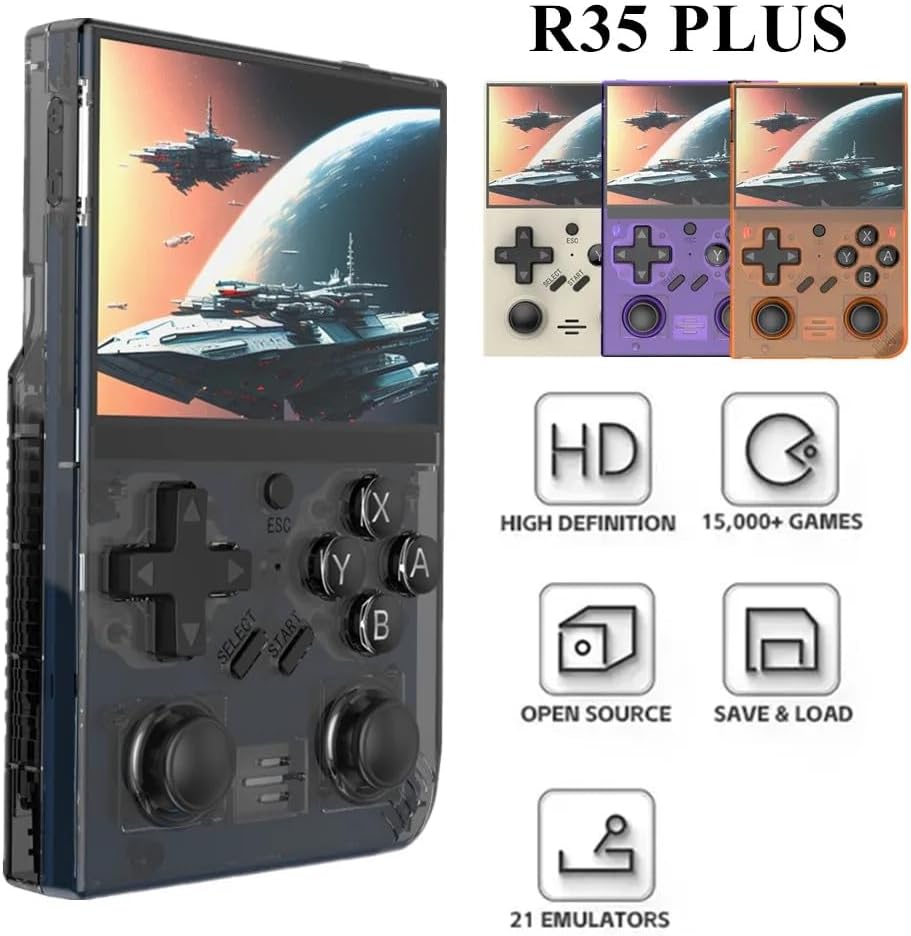
Image: The R35 Plus console showcasing su diseño y características principales.
Producto terminadoview
The R35 Plus is a portable retro gaming console featuring a 3.5-inch IPS screen, a 64-bit quad-core processor, and an open-source system. It comes pre-loaded with over 15,000 games and supports expansion via a TF card. Below is a detailed diagram of the console's buttons and ports.
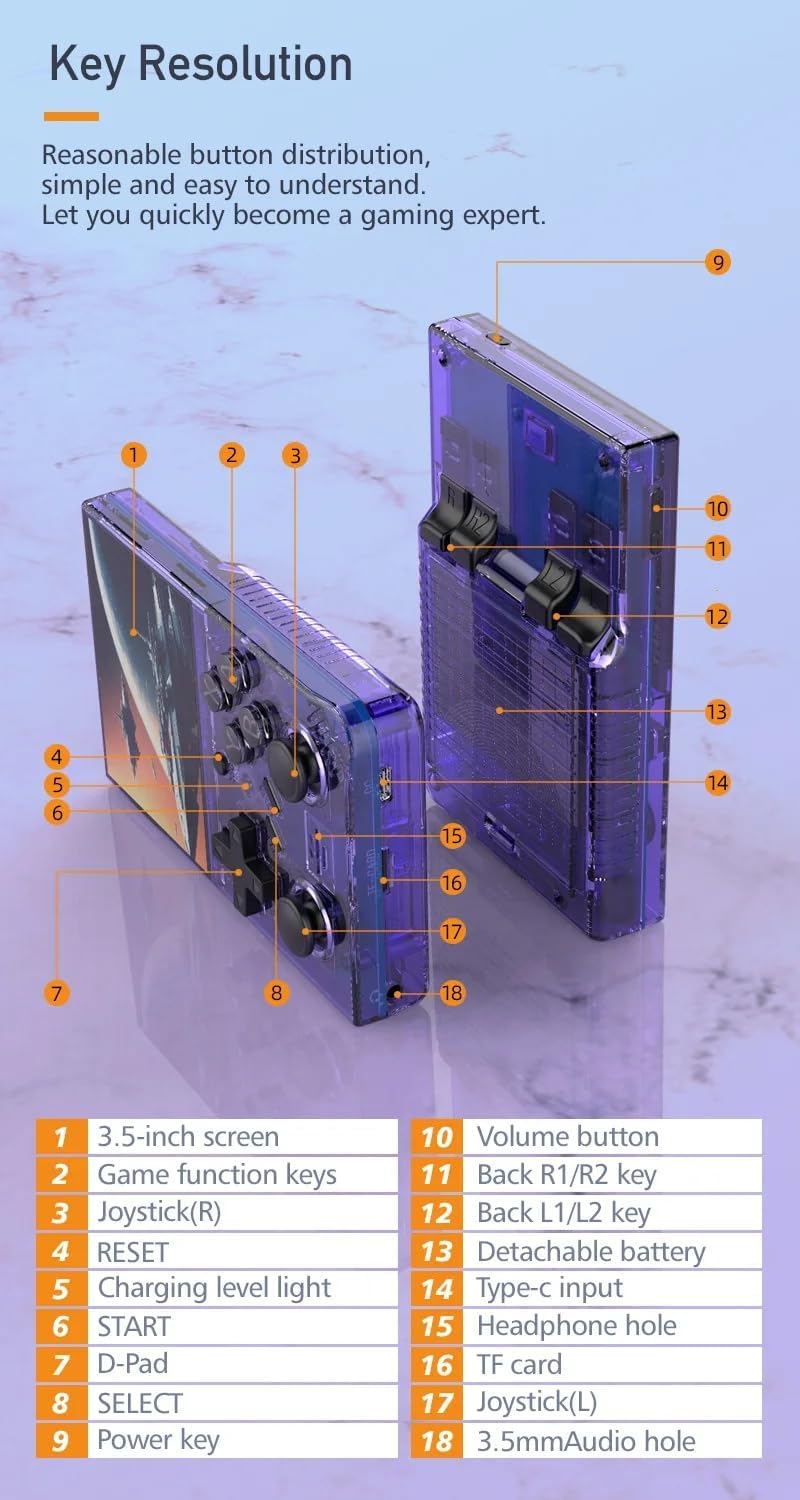
Image: Labeled diagram of the R35 Plus console's controls and ports.
- Pantalla de 3.5 pulgadas
- Game function keys (A, B, X, Y)
- Joystick (Right)
- Botón RESET
- Luz de nivel de carga
- Botón INICIO
- Mando direccional
- Botón SELECCIONAR
- Tecla de encendido
- Botón de volumen
- Back R1/R2 keys
- Back L1/L2 keys
- Compartimento de batería desmontable
- Puerto de entrada tipo C
- Agujero para auriculares
- Ranura para tarjeta TF
- Joystick (Left)
- 3.5mm Audio hole
Configuración
Charging the Console
Before first use, fully charge the console. Connect the console to a power source using the provided Type-C cable. The charging level light will indicate the charging status. A single full charge provides up to 6 hours of gameplay.

Image: The R35 Plus console's battery compartment and battery.
Insertar la tarjeta TF
Locate the TF card slot (labeled 16 in the diagram) on the console. Gently insert the pre-loaded TF card or your own compatible TF card into the slot until it clicks into place. Ensure the card is inserted correctly to avoid damage.
Encendido/apagado
To power on, press and hold the Power key (labeled 9 in the diagram) until the screen illuminates. To power off, press and hold the Power key until the shutdown options appear on the screen, then select "Power Off".
Instrucciones de funcionamiento
Controles básicos
The R35 Plus features a D-Pad (labeled 7), dual joysticks (labeled 3 and 17), and action buttons (A, B, X, Y, labeled 2), along with L/L1/R/R1 keys (labeled 11 and 12) on the back for enhanced gameplay.
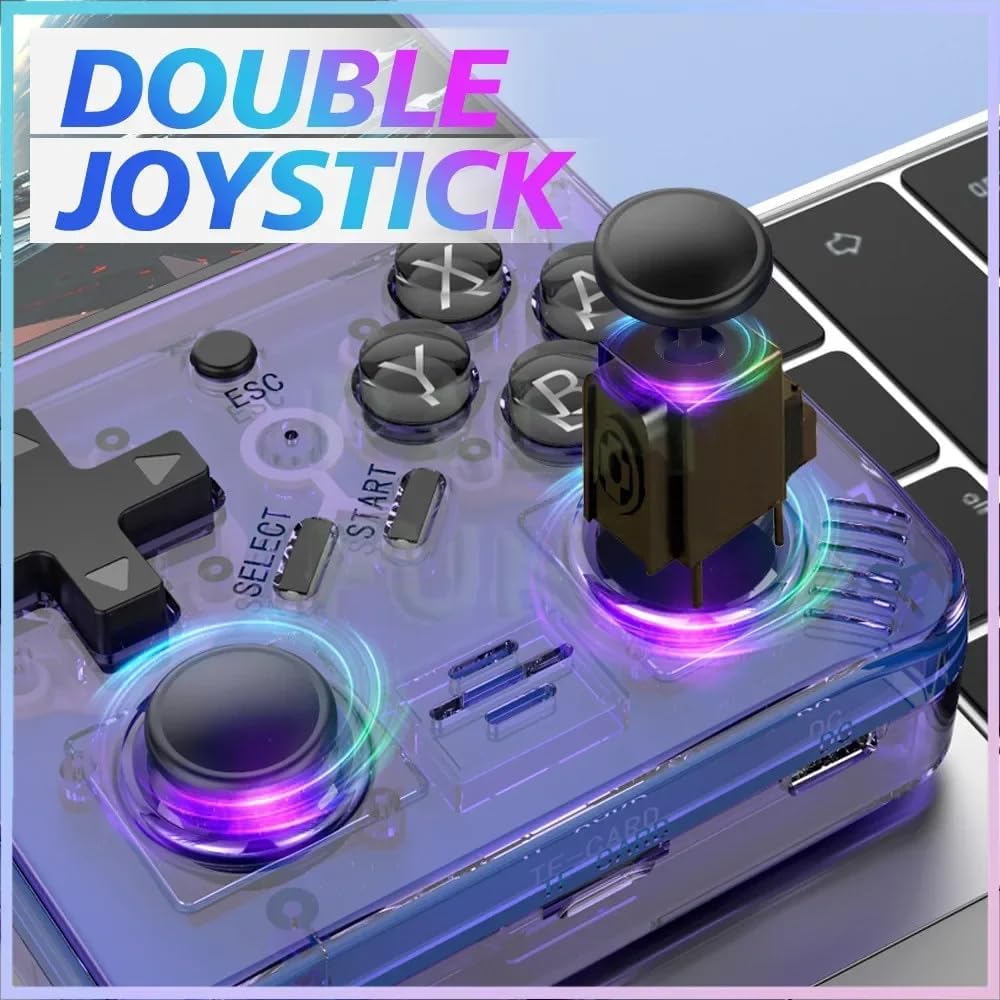
Image: The R35 Plus console's dual joysticks.

Image: The R35 Plus console's crystal buttons.
Navegando por el sistema
Use the D-Pad or joysticks to navigate through the system menus. The A button typically confirms selections, while the B button cancels or goes back to the previous screen.
Jugando juegos
Select a game from the main menu. The console supports over 21 emulators, allowing you to play a wide variety of retro titles. Game controls will vary depending on the emulator and game.
Guardar y cargar el progreso del juego
Most emulators on the R35 Plus support save states. Refer to the specific emulator's in-game menu or documentation for instructions on how to save and load your game progress. This often involves a combination of system buttons (e.g., SELECT + START) to access the emulator menu.
Conexión a dispositivos externos
The console includes a 3.5mm audio jack (labeled 15 and 18 in the diagram) for connecting headphones or external speakers, allowing for private listening or enhanced audio experience.
Mantenimiento
Limpieza
Utilice un paño suave, seco y sin pelusa para limpiar el exterior de la consola. Evite usar limpiadores líquidos, disolventes o materiales abrasivos, ya que pueden dañar el acabado o los componentes internos.
Almacenamiento
Store the console in a cool, dry place away from direct sunlight, extreme temperatures, and high humidity. When not in use for extended periods, it is recommended to store it in its original packaging or a protective case.
Cuidado de la batería
To prolong battery life, avoid fully discharging the battery frequently. Charge the console regularly, even if not in use for extended periods. Do not expose the battery to extreme heat or puncture it.
Solución de problemas
La consola no se enciende
- Asegúrate de que la batería esté cargada. Conecta la consola a una fuente de alimentación con el cable tipo C y deja que se cargue durante al menos 30 minutos antes de volver a encenderla.
- Try a different Type-C cable and power adapter to rule out faulty accessories.
Games Not Loading or Crashing
- Verify that the TF card is properly inserted into its slot. Remove and reinsert it firmly.
- Comprueba si el juego files are corrupted or incompatible with the installed emulators. Try loading other games to isolate the issue.
- Ensure the console's firmware is up to date, if applicable.
Screen Issues (e.g., unresponsive, flickering)
- Intente reiniciar la consola.
- Ensure the screen is clean and free from physical damage.
- Si el problema persiste, póngase en contacto con el servicio de atención al cliente.
Presupuesto
| Característica | Detalle |
|---|---|
| Tamaño de pantalla | 3.5 pulgadas |
| Resolución | 640 x 480 |
| Sistema | Open Source, 64-bit Quad-Core Processor |
| Juegos integrados | 15000+ |
| Expansión de la tarjeta TF | Up to 64GB (15000+ games) |
| Emuladores compatibles | 21 |
| Capacidad de la batería | 3000 mAh |
| Duración de la batería | Hasta 6 horas |
| Puerto de carga | Tipo C |
| Puerto de audio | Conector para auriculares de 3.5 mm |
| Controles | D-Pad, Dual Joysticks, A/B/X/Y Buttons, L/L1/R/R1 Buttons |
| Dimensiones del producto | 6.37 x 1.41 x 5.5 pulgadas |
| Peso del artículo | 3.2 onzas |
| Material | Plástico |
Información de soporte
For further assistance, technical support, or warranty inquiries, please refer to the manufacturer's official website or contact their customer service directly. Please have your product model and ASIN Listo al contactar con el soporte.
- Fabricante: XIXIMENG
- Modelo: R35 Más
- ASIN: B0D25ZFGS9