
1. Producto terminadoview
The FUNLAB Firefly Wireless Pro Controller is designed to enhance your gaming experience on Nintendo Switch, Switch OLED, and Switch Lite consoles. It features Hall Effect joysticks for precise control, customizable RGB LED lighting, programmable back paddle buttons, and motion control capabilities.
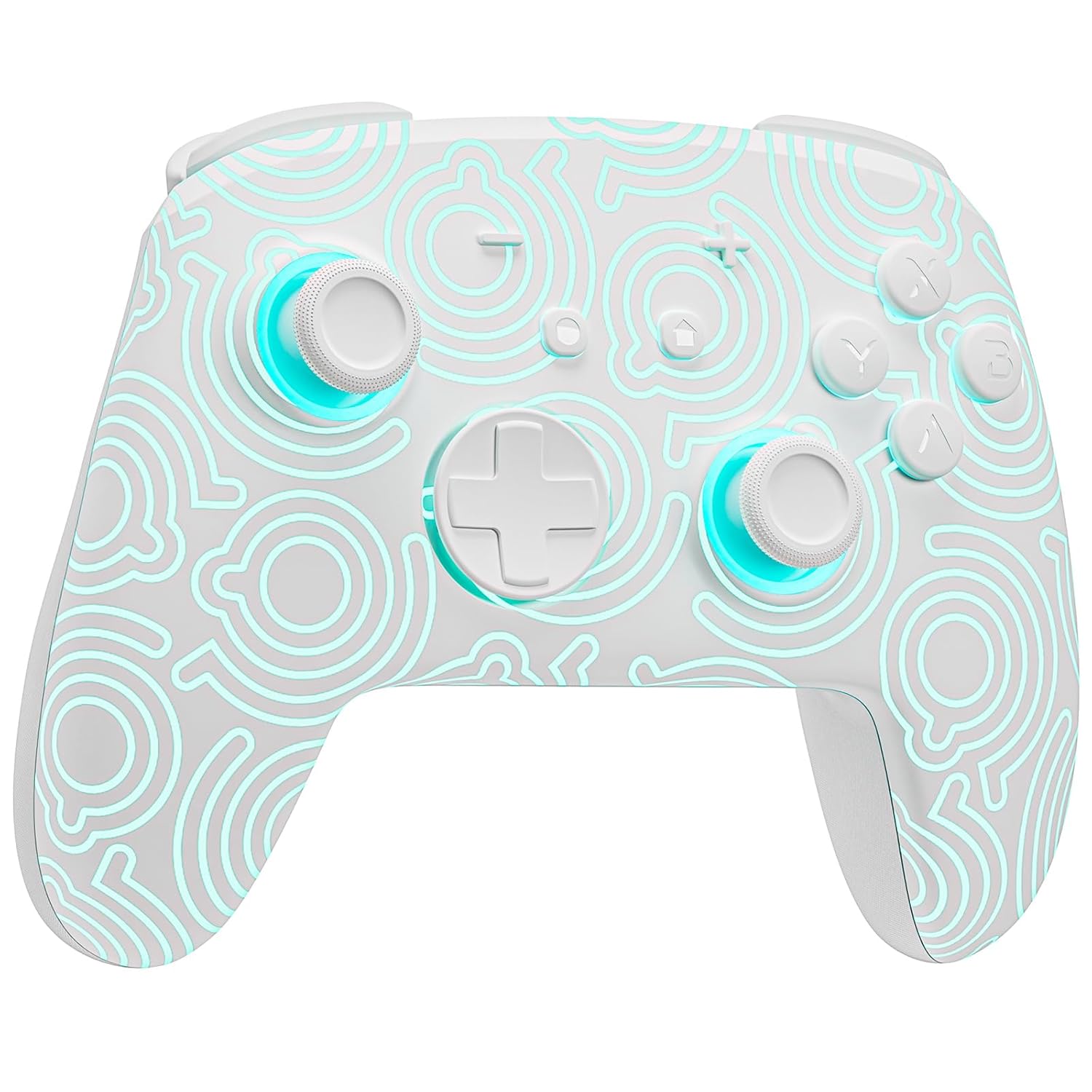
Imagen 1.1: Frente view of the FUNLAB Firefly Wireless Pro Controller, showcasing its white design with illuminated patterns.
2. Contenido del paquete
- FUNLAB Firefly Wireless Pro Controller
- Cable de carga USB-C
- Manual de instrucciones
3. Configuración y conexión
3.1 Emparejamiento inicial con Nintendo Switch
- Asegúrate de que tu consola Nintendo Switch esté encendida y actualizada con el software del sistema más reciente.
- For the first-time connection, connect the controller to the Switch console using the provided USB-C charging cable. This wired activation is required to enable the one-touch wake-up function.
- Once connected, the controller will automatically pair with the console.
- After initial wired pairing, you can disconnect the cable. The controller can now be connected wirelessly.
3.2 Wireless Connection and Wake-Up Function
- To connect wirelessly, press the HOGAR button on the controller. The controller will attempt to connect to the last paired console.
- The controller supports a one-key wake-up function. Pressing the HOGAR button will wake up a sleeping Nintendo Switch, Switch OLED, or Switch Lite console instantly, provided it has been previously paired via wired connection.
3.3 Carga del controlador
- Connect the controller to a USB power source (e.g., Switch dock, computer, USB wall adapter) using the USB-C charging cable.
- The controller features a built-in 3.7V/950mAH Lithium battery.
- A full charge provides approximately 12.5 hours of playtime (with LED lights off). Charging indicators will typically show the charging status.

Image 3.1: Illustration of the controller's battery life, indicating 12 hours playing time and 950mAh capacity.
3.4 Compatibilidad con múltiples dispositivos
The controller is compatible with multiple devices beyond the Nintendo Switch, including Android, iOS, Steam Deck, and PC systems. Refer to the specific pairing instructions for each device in the included manual or online resources.
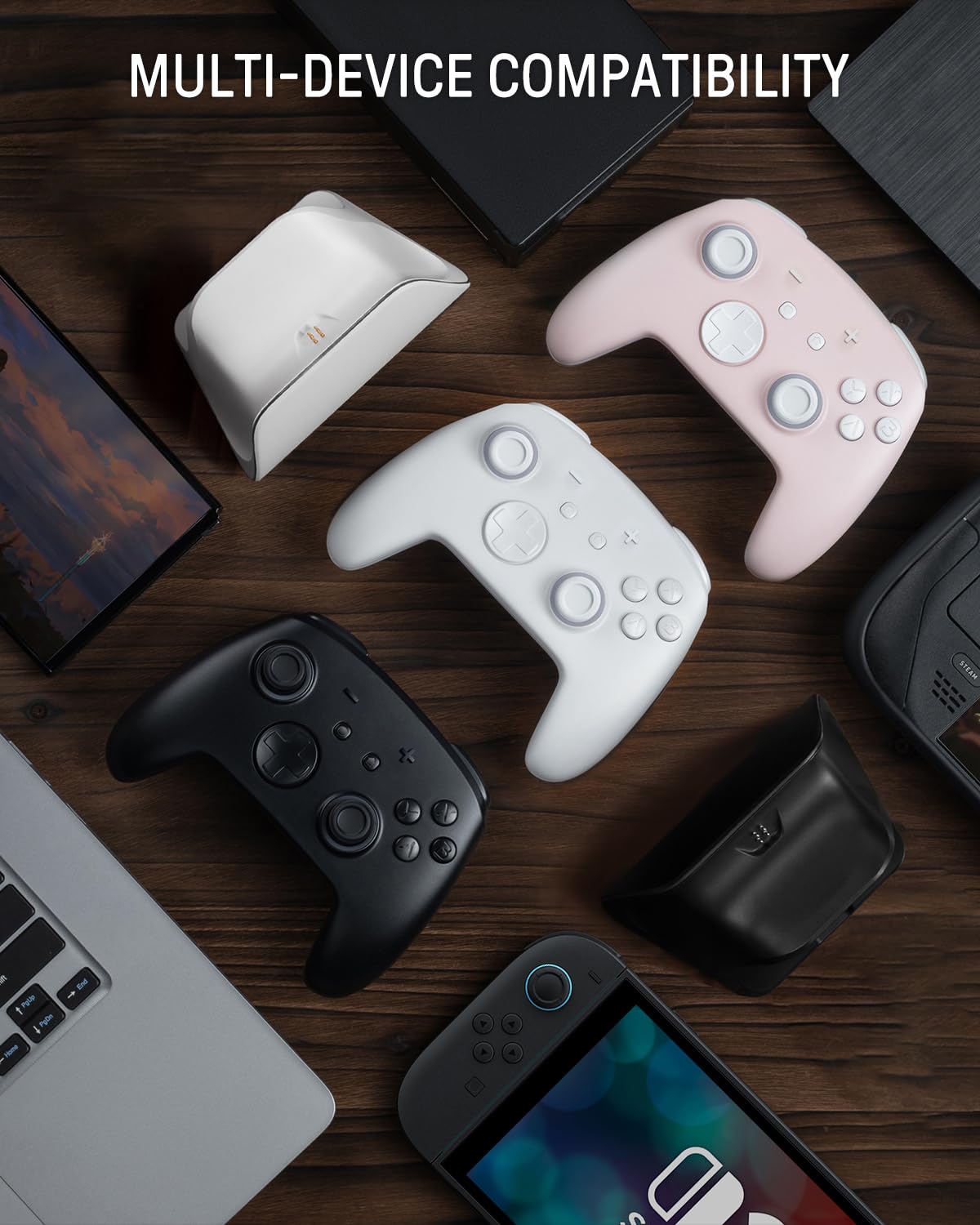
Image 3.2: The controller shown alongside various compatible devices such as laptops, smartphones, and handheld gaming consoles.
4. Instrucciones de funcionamiento
4.1 Hidden-til-lit Display and LED Lighting
The controller features a unique hidden-til-lit display. When the LED is inactive, the controller appears as a solid white unit. Upon activation, a hidden pattern illuminates, enhancing the visual experience.
- Presione el Botón de luz (located on the back or front, depending on model variant) to cycle through 7 LED colors.
- The controller offers 4 lighting modes: breathing light mode, quick flash mode, vibration lighting mode, and always-on mode.
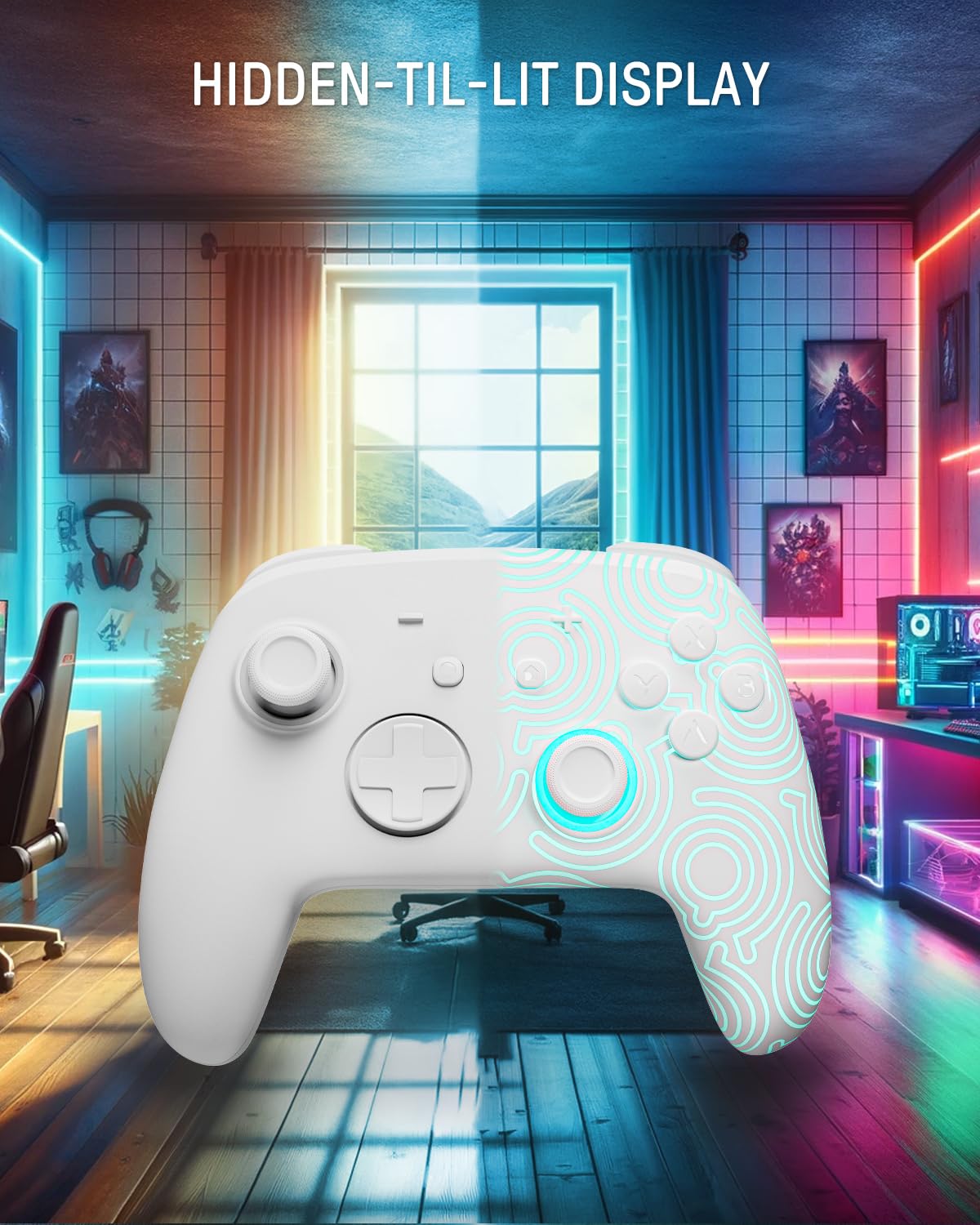
Image 4.1: The controller demonstrating its hidden-til-lit display, with one side illuminated and the other unlit.
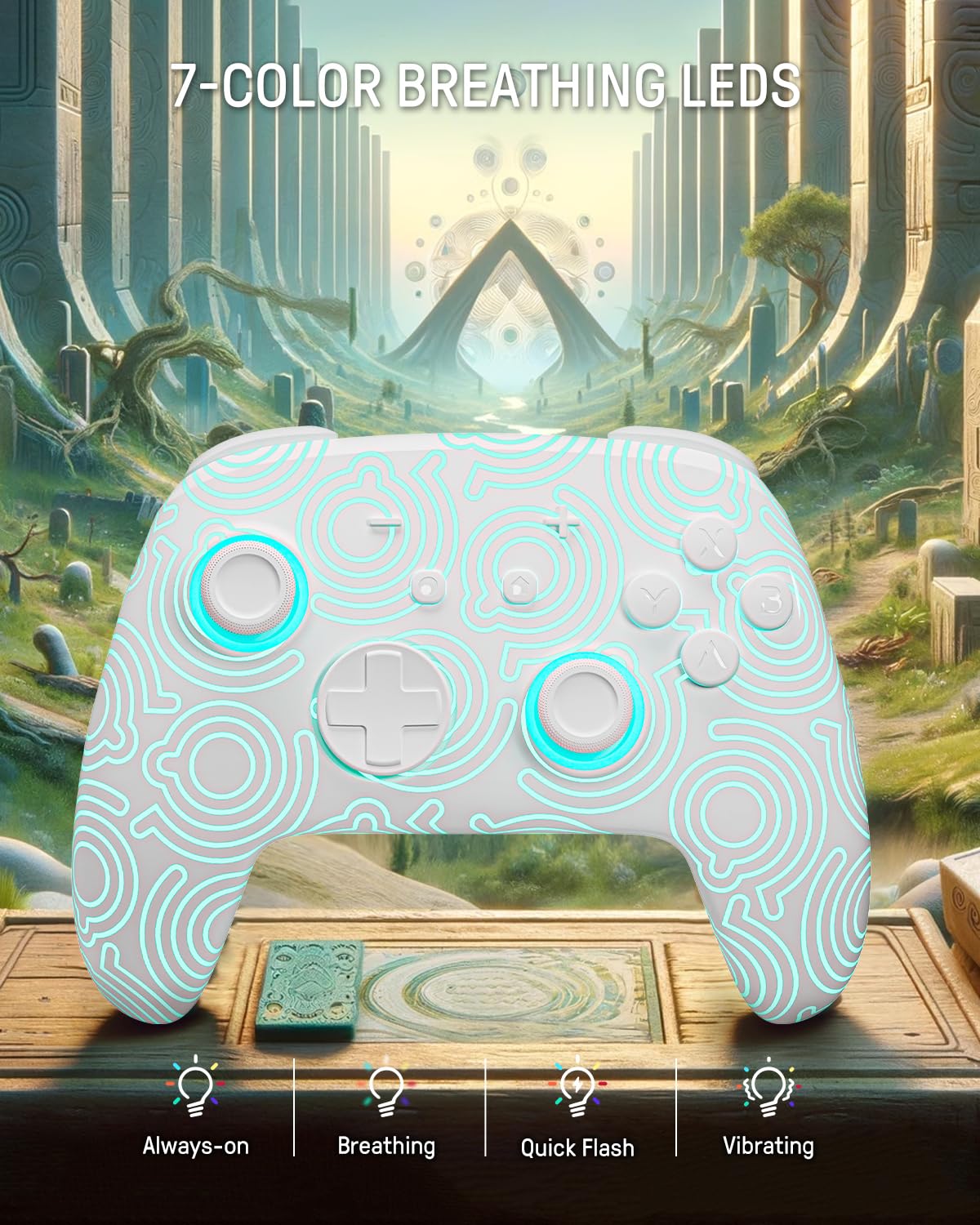
Image 4.2: The controller displaying its 7-color breathing LED feature, with various lighting modes indicated.
4.2 Joysticks de efecto Hall
The controller is equipped with Hall Effect joysticks, which utilize magnetic sensors instead of physical contacts. This design provides precise and sensitive control, ensuring accurate and smooth gameplay while offering a longer lifespan and stable performance with reduced mechanical wear and stick drift.

Image 4.3: A detailed diagram illustrating the internal components and magnetic sensing principle of a Hall Effect joystick.
4.3 Back Paddle Buttons
The controller includes programmable back paddle buttons. These buttons can be assigned to replicate other controller inputs, allowing for enhanced gameplay and customized control setups to suit individual playstyles.

Imagen 4.4: Trasera view of the controller, highlighting the two programmable back paddle buttons.
4.4 Turbo Function and Motion Control
- The controller features a Función turbo, which supports continuous input for rapid button presses. This is beneficial for games requiring quick, repeated actions, such as shooting games.
- Preciso motion control is integrated, allowing for immersive gameplay in titles that utilize gyroscope or accelerometer input.
4.5 Función de vibración
The controller provides immersive vibration feedback, bringing in-game actions to life. The intensity of the vibration can often be adjusted or toggled off via console settings or dedicated controller buttons, if available.

Image 4.5: An illustration depicting the vibration function of the controller, with intensity levels indicated.
5. Mantenimiento
- Limpieza: Utilice un paño suave y seco para limpiar el controlador. Para la suciedad difícil, limpie ligeramenteampEnjuague el paño con agua. Evite usar productos químicos agresivos o materiales abrasivos.
- Almacenamiento: Guarde el controlador en un lugar fresco y seco, alejado de la luz solar directa y de temperaturas extremas.
- Cuidado de la batería: Para prolongar la vida útil de la batería, evite descargar completamente el mando con frecuencia. Cárguelo regularmente, incluso si no lo usa durante periodos prolongados.
6. Solución de problemas
6.1 El controlador no se conecta
- Asegúrese de que el controlador esté cargado.
- Perform the initial wired pairing as described in Section 3.1.
- Check the console's Bluetooth settings to ensure it is enabled and searching for devices.
- Try resetting the controller (a small reset button may be present on the back, often requiring a pin to press).
6.2 Retraso de entrada o botones que no responden
- Asegúrese de que el mando esté completamente cargado. Una batería baja puede afectar el rendimiento.
- Move closer to the console to minimize wireless interference.
- Asegúrese de que ningún otro dispositivo inalámbrico esté causando interferencias.
- Restart both the controller and the console.
6.3 Las luces LED no funcionan
- Press the Light button repeatedly to cycle through modes and colors.
- Asegúrese de que el controlador tenga suficiente carga de batería.
7. Especificaciones
| Característica | Detalle |
|---|---|
| Modelo | FUNLAB Firefly Wireless Pro Controller |
| ASIN | B0D2LCBVYD |
| Dimensiones del producto | 5.91 x 2.36 x 4.33 pulgadas |
| Peso del artículo | 8.8 onzas |
| Fabricante | FUNLAB |
| Tipo de batería | 1 batería de iones de litio (incluida) |
| Capacidad de la batería | 950 mAh |
| Tiempo de juego estimado | Hasta 12.5 horas (luces apagadas) |
| Conectividad | Inalámbrico (Bluetooth), USB-C (con cable) |
| Compatibilidad | Nintendo Switch, Switch OLED, Switch Lite, Android, iOS, Steam Deck, PC |
| Características especiales | Hall Effect Joysticks, RGB 7 LED Colors, Back Paddle Buttons, Turbo Function, Motion Control, Wake-Up Function |
8. Garantía y soporte
For warranty information and customer support, please refer to the documentation included with your product or visit the official FUNLAB webSitio. También puede contactar directamente al vendedor a través de la plataforma donde compró el producto para obtener asistencia.
Fabricante: FUNLAB
Fecha de primera disponibilidad: 24 de abril de 2024