
1. Producto terminadoview
The ZTE U50 is a portable 5G WiFi hotspot designed to provide high-speed internet connectivity for multiple devices. It features an unlocked SIM slot, supporting 5G and 4G+ networks, and utilizes AX1800 WiFi 6 technology. This device is suitable for home, business, and travel use, allowing up to 32 devices to connect simultaneously.

Image: ZTE U50 5G WiFi Hotspot shown from various perspectives, highlighting its compact design and ports.
2. Características principales
- High-Speed 5G Connectivity: Equipped with Qualcomm Snapdragon X55, supporting all 5G networks for fast internet access. LTE downlink speed reaches 5G+ EN-DC 2.63 Gbit/s.
- Amplio soporte de dispositivos: Connects up to 32 WiFi-enabled devices, including laptops, tablets, phones, and gaming consoles.
- Batería de larga duración: Features a 4500 mAh battery, providing approximately 8 hours of stable 5G network service with high speed and low latency.
- Enhanced Signal & Security: Integrated 4x4 MIMO high-gain antennas improve speed by 15% compared to standard 5G hotspots. A security firewall with PP2P/L2TP protection ensures network safety.
- Fácil configuración: No complex configuration required. Simply insert a 5G nano-SIM card. Manage the device using the ZTE Link app on iOS and Android.

Image: Visual summary of ZTE U50 features, including 5G speed, Qualcomm Snapdragon X55 processor, support for 32 devices, and secure network encryption.
3. Contenido del paquete
Asegúrese de que todos los artículos estén presentes en el paquete:
- ZTE U50 5G WiFi Hotspot Device
- Cable de carga USB-C
- Guía de inicio rápido (este manual)
- Tarjeta de garantía
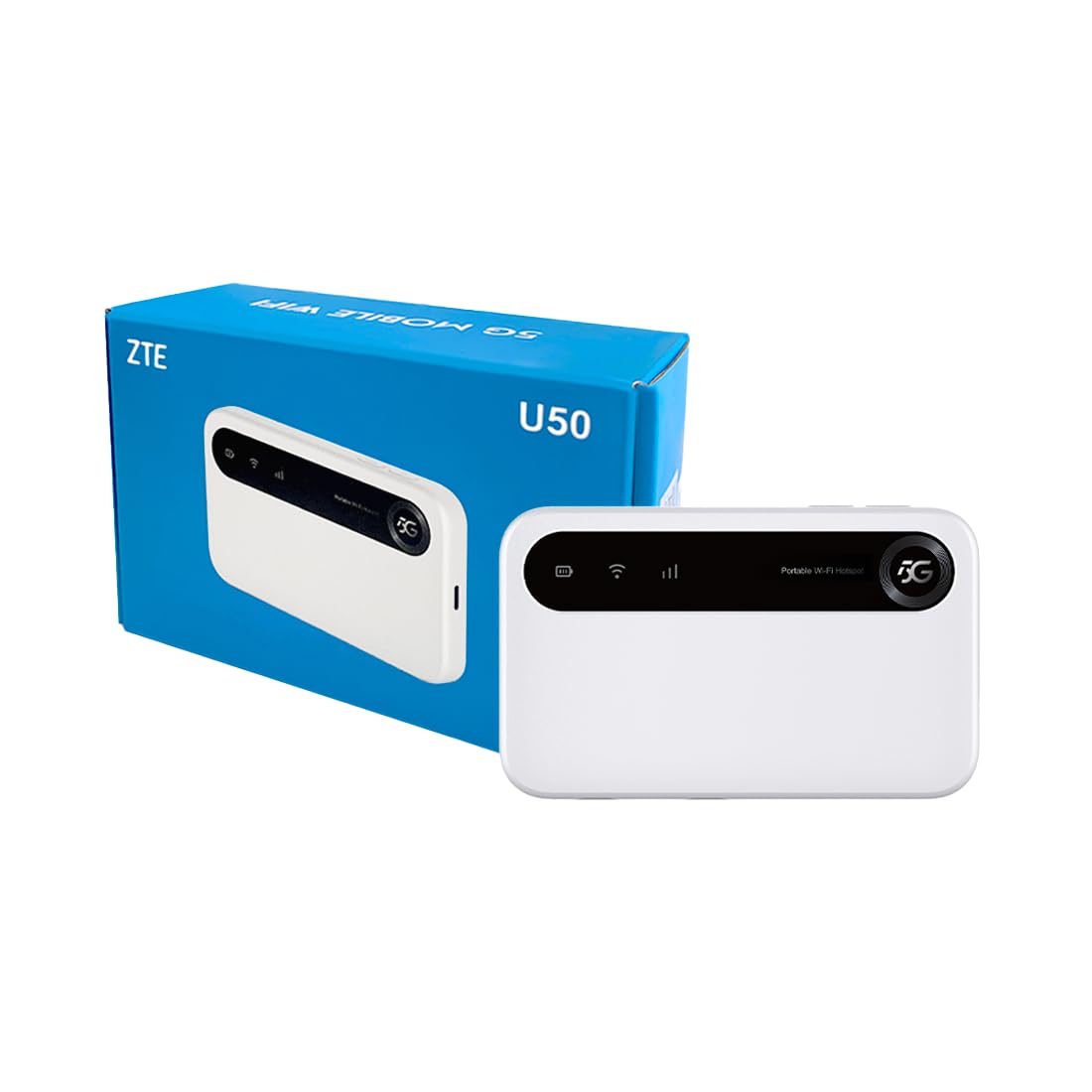
Image: The ZTE U50 device and its accompanying USB-C cable, representing the typical package contents.
4. Guía de configuración
4.1. Inserción de la tarjeta SIM
- Locate the SIM card slot on the device. Refer to the device diagram in the Product Overview sección.
- Abra con cuidado la tapa de la ranura de la tarjeta SIM.
- Insert a 5G nano-SIM card into the slot with the gold contacts facing down and the notched corner aligned correctly.
- Cierre la tapa de la ranura de la tarjeta SIM de forma segura.
4.2. Encendido del dispositivo
Press and hold the Power button for a few seconds until the screen illuminates. The device will begin to search for a network connection.
4.3. Conexión de dispositivos mediante Wi-Fi
- Once the device is powered on and connected to a mobile network, the Wi-Fi network name (SSID) and password will be displayed on the device screen.
- En su dispositivo con Wi-Fi habilitado (computadora portátil, teléfono inteligente, tableta), busque redes Wi-Fi disponibles.
- Select the SSID corresponding to your ZTE U50 hotspot.
- Ingrese la contraseña de Wi-Fi cuando se le solicite.
- Your device should now be connected to the internet through the ZTE U50 hotspot.

Image: Illustration showing the ZTE U50 hotspot wirelessly connecting to various devices like laptops, phones, and gaming consoles.
5. Instrucciones de funcionamiento
5.1. Device Management via ZTE Link App
The ZTE Link app (available on iOS and Android) allows you to manage your U50 hotspot settings, monitor data usage, change Wi-Fi passwords, and more. Download the app from your device's app store and follow the on-screen instructions to connect to your U50.
5.2. Checking Device Status
The device's screen displays important information such as signal strength, battery level, connected devices, and data usage. Periodically check the screen for updates on your hotspot's status.
5.3. Gestión de la batería
The ZTE U50 is equipped with a 4500 mAh battery. To maximize battery life:
- Cargue el dispositivo utilizando el cable USB-C provisto y un adaptador de corriente compatible.
- Reduce the number of connected devices if extended battery life is needed.
- Apague el dispositivo cuando no esté en uso.
6. Mantenimiento
6.1. Actualizaciones de software
Regularly check for and install software updates for your ZTE U50. Updates can improve performance, enhance security, and add new features. You can typically check for updates via the ZTE Link app or the device's web Interfaz de gestión.
6.2. Limpieza del dispositivo
Use a soft, dry cloth to clean the exterior of the device. Avoid using liquid cleaners or abrasive materials, as these can damage the device.
6.3. Almacenamiento
When storing the device for extended periods, ensure it is fully charged and then powered off. Store it in a cool, dry place away from direct sunlight and extreme temperatures.
7. Solución de problemas
| Problema | Posible causa | Solución |
|---|---|---|
| Sin conexión a Internet | No SIM card, incorrect SIM, no network signal, data plan expired. | Ensure SIM is correctly inserted and active. Check for network signal. Verify data plan status with your provider. Restart the device. |
| Velocidad de Internet lenta | Señal débil, demasiados dispositivos conectados, congestión de la red. | Move to an area with better signal. Disconnect unnecessary devices. Contact your service provider if congestion is suspected. |
| No se puede conectar al wifi | Incorrect Wi-Fi password, device out of range, Wi-Fi disabled. | Verify Wi-Fi password. Move closer to the hotspot. Ensure Wi-Fi is enabled on both the hotspot and your connecting device. |
| El dispositivo no se enciende | Low battery, faulty power button. | Cargue el dispositivo durante al menos 30 minutos. Si sigue sin encenderse, contacte con el servicio de asistencia. |
8. Especificaciones
| Característica | Detalle |
|---|---|
| Marca | ZTE |
| Nombre del modelo | U50 |
| Tecnología de conectividad | 5G, WiFi 6 |
| Estándar de comunicación inalámbrica | 802.11ax |
| Clase de banda de frecuencia | Dual-band (2.4 GHz) |
| Velocidad de transmisión de datos | 150 Megabits per second (Upstream) |
| Ancho de banda del puerto LAN | 1000 Mbps |
| Número de antenas | 4 (Interno) |
| Características especiales | Modo de punto de acceso |
| Dispositivos compatibles | Laptop, Smartphone, Game Console, Tablet |
| Usos recomendados | Gaming, Business, Home |
| Componentes incluidos | Enrutador |
| Protocolo de seguridad | WPA2-PSK |
| Método de control | App (iOS & Android) |
| Color | Blanco |
| Peso del artículo | 163.7 gramos |
| Capacidad de la batería | 4500 mAh (Built-in rechargeable) |
9. Garantía y soporte
9.1. Información de garantía
The ZTE U50 5G WiFi Hotspot comes with a Garantía del fabricante de 2 años. Please retain your proof of purchase for warranty claims. The warranty covers defects in materials and workmanship under normal use. It does not cover damage caused by misuse, accidents, unauthorized modifications, or external causes.
9.2. Atención al cliente
For technical assistance, troubleshooting, or warranty inquiries, please contact ZTE customer support through their official website or the contact information provided in your product packaging. You can also refer to the ZTE Link app for additional support resources.