
1. Introducción
This manual provides detailed instructions for the installation, operation, and maintenance of your SHZSR Android 13 Car Radio Stereo. This unit is specifically designed for Porsche Macan 95B models from 2014 to 2016, compatible with PCM 3.x systems. It upgrades your vehicle's infotainment system with a 12.3-inch touch screen, Android 13 OS, and advanced connectivity features.
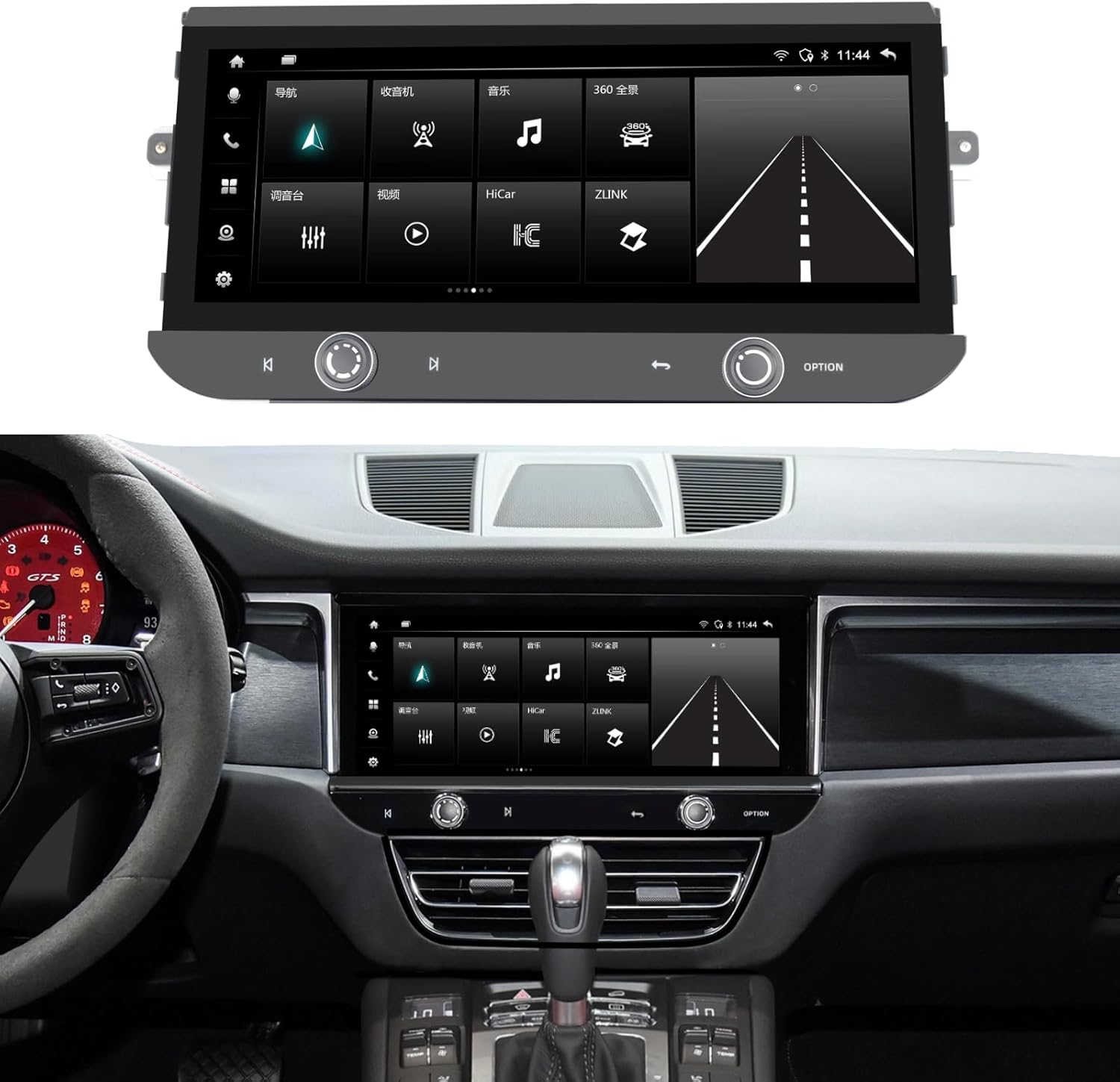
Image 1.1: The SHZSR Android 13 Car Radio Stereo seamlessly integrated into a Porsche Macan dashboard.
2. Producto terminadoview
The SHZSR Android 13 Car Radio Stereo enhances your driving experience with a powerful and intuitive infotainment system. Key features include:
- Sistema operativo: Android 13 with Qualcomm 668S chip.
- Mostrar: 12.3-inch Blu-ray touch screen with 2400x900 HD resolution, anti-scratch, anti-fingerprint, and anti-glare properties.
- Actuación: 8-Core CPU with 8GB RAM and 128GB internal storage.
- Conectividad: Built-in Wireless/Wired CarPlay & Android Auto, 4G network support, Wi-Fi, and Bluetooth.
- Navegación: Integrated GPS navigation system with worldwide map support.
- Soporte de cámara: Built-in 360 video system support, compatible with original 360 image systems and additional cameras.
- Integración: Retains the original car system, CD player, and utilizes OEM speakers for audio output.

Image 2.1: Hardware features including the 12.3" ultra-large screen, 2400*900 resolution, channel switch, redesigned air vents, and volume knob.

Image 2.2: Software features including Android 13, 6GB RAM + 128GB ROM, 4G/BT/Wi-Fi Hotspot, Built-in APP Store, steering wheel control support, camera support, and original car speaker compatibility.
3. Configuración e instalación
The SHZSR Android 13 Car Radio Stereo is designed for non-destructive, plug-and-play installation. It integrates with your existing vehicle systems without permanent modifications.
3.1 Contenido del paquete
Verifique que todos los componentes estén presentes en el paquete:
- Unidad de radio principal
- Base de montaje
- Accessory Cables and Connectors
- Instruction Manuals (this document)

Image 3.1: All components included in the product package, numbered for identification.
3.2 Comprobación de compatibilidad
Ensure your vehicle is a Porsche Macan 95B model from 2014-2016 with a PCM 3.x system. This unit is specifically designed for these configurations.
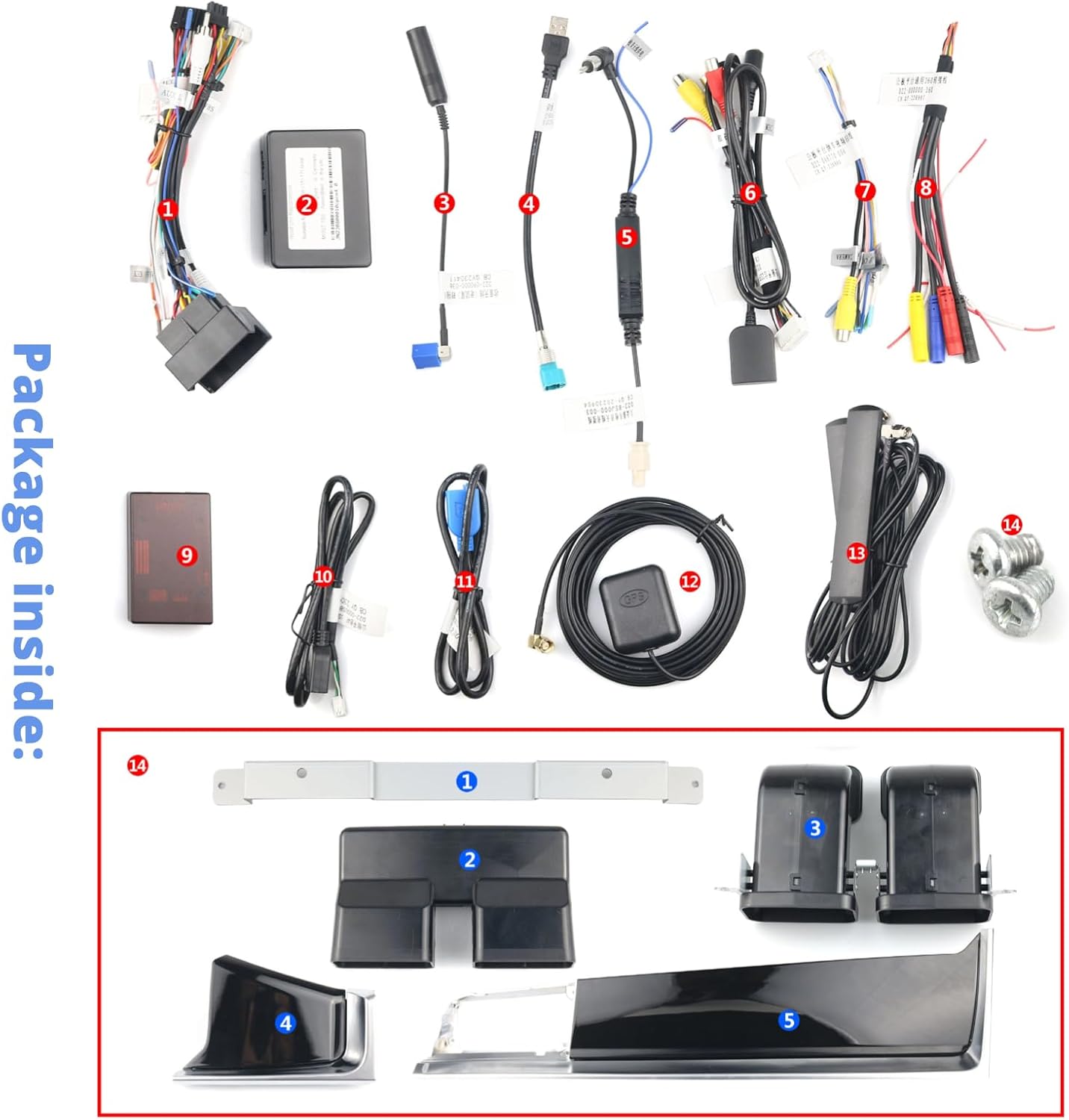
Image 3.2: The original Macan PCM 3.x system, indicating the area for upgrade.
3.3 Proceso de instalación
Installation typically involves removing the original screen and control panel, then connecting the new unit using the provided wiring harnesses. The design ensures that the original system and CD functionality are retained, with all audio routed through your OEM speakers. For detailed steps, refer to the specific installation guide provided with your unit or consult a professional installer.

Image 3.3: Visual comparison of the original interior style versus the upgraded interior with the new SHZSR unit.
4. Instrucciones de funcionamiento
Once installed, the unit operates similarly to a modern Android tablet, optimized for in-car use.
4.1 Funcionamiento básico
- Pantalla táctil: Navigate menus, select applications, and control functions using the responsive 12.3-inch touch screen.
- Controles del volante: The unit supports your original steering wheel controls for audio, calls, and other functions.
- Volume/Channel Knobs: Utilize the physical volume knob and channel switch for quick adjustments.
4.2 CarPlay y Android Auto
Connect your iPhone or Android device wirelessly or via USB to access CarPlay or Android Auto. This allows seamless integration of your smartphone's features, including navigation, music, messaging, and calls, directly on the car's display.
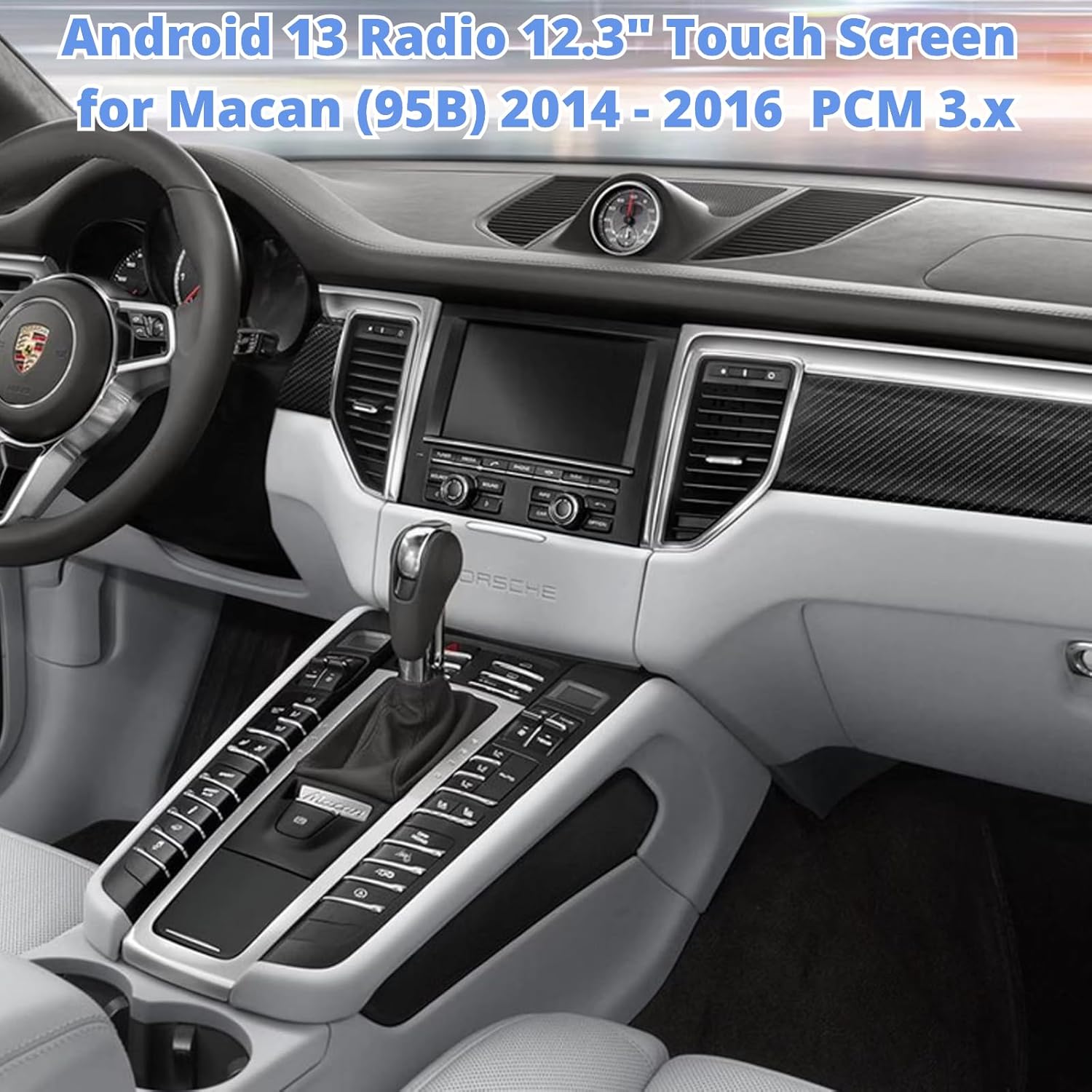
Image 4.1: The unit displaying the CarPlay interface with navigation and media options.
4.3 Navegación
The built-in GPS module provides accurate navigation. You can also use navigation apps via CarPlay, Android Auto, or download additional apps from the Google Play Store.
4.4 Instalación de la aplicación
Access the built-in Google Play Store to download and install thousands of compatible Android applications, expanding the functionality of your car radio.

Image 4.2: The unit displaying the Google Play Store, allowing access to various applications.
4.5 4G/Wi-Fi/Bluetooth
Connect to the internet via 4G (with a compatible SIM card, not included) or Wi-Fi hotspot. Use Bluetooth for hands-free calling and audio streaming.
5. Mantenimiento
Para garantizar la longevidad y el rendimiento óptimo del estéreo de su automóvil, siga estas pautas de mantenimiento:
- Limpieza de pantalla: Use a soft, lint-free cloth specifically designed for electronics to clean the touch screen. Avoid abrasive cleaners or harsh chemicals.
- Temperatura: Evite exponer la unidad a temperaturas extremas, tanto calientes como frías, durante períodos prolongados.
- Actualizaciones de software: Verifique e instale periódicamente actualizaciones de software para garantizar un rendimiento óptimo y acceso a nuevas funciones.
- Conexiones de cable: Ensure all cables are securely connected. Avoid pulling on cables forcefully.
6. Solución de problemas
If you encounter issues with your SHZSR Android 13 Car Radio Stereo, refer to the following common troubleshooting steps:
- Sin energía: Revise todas las conexiones eléctricas y asegúrese de que el encendido del vehículo esté activado. Verifique los fusibles si es necesario.
- Sin sonido: Ensure the volume is not muted or set too low. Check audio output settings and speaker connections. Confirm that the original car system is correctly integrated.
- La pantalla táctil no responde: Try restarting the unit. If the issue persists, perform a factory reset (refer to the unit's settings menu for this option).
- Pérdida de señal GPS: Asegúrese de que la antena GPS esté correctamente instalada y tenga una vista clara. view del cielo.
- Problemas de conexión de CarPlay/Android Auto: Ensure your phone's Bluetooth and Wi-Fi are enabled. Try reconnecting the device. For wired connections, check the USB cable.
- Ralentización del sistema: Close unnecessary background applications. Clear cache or perform a system restart.
Si estos pasos no resuelven el problema, comuníquese con el servicio de atención al cliente.
7. Especificaciones
| Característica | Especificación |
|---|---|
| Marca | SHZSR |
| Nombre del modelo | For Macan PCM 3.x |
| Sistema operativo | Androide 13 |
| Procesador | Qualcomm 668S, 8 Core CPU |
| Memoria (RAM) | 8 GB |
| Almacenamiento (ROM) | 128 GB |
| Tamaño de pantalla | 12.3 pulgadas |
| Tipo de pantalla | Blu-ray Touch Screen |
| Resolución | 2400 x 900 |
| Conectividad | Bluetooth, Wi-Fi, 4G |
| Navegación | Built-in GPS, Worldwide Map Support |
| Características especiales | Wireless/Wired CarPlay & Android Auto, Retains Original System, Touchscreen, 360 Video System Support |
| Vehículos compatibles | Porsche Macan 95B (2014-2016) with PCM 3.x |
8. Garantía y soporte
8.1 Información de garantía
This SHZSR Car Radio Stereo comes with a Garantía de 1 años Desde la fecha de compra. Esta garantía cubre defectos de fabricación y mal funcionamiento en condiciones normales de uso. No cubre daños causados por instalación incorrecta, mal uso, accidentes ni modificaciones no autorizadas.
8.2 Atención al cliente
For technical assistance, warranty claims, or any questions regarding your product, please contact the SHZSR customer support team through the retailer where the product was purchased. Please have your purchase receipt and product model information ready when contacting support.