
1. Introducción
Thank you for choosing the Nimble Champ Portable Charger. This 10,000mAh power bank is designed to provide fast and reliable charging for your electronic devices on the go. This manual provides essential information for safe and efficient use of your device.
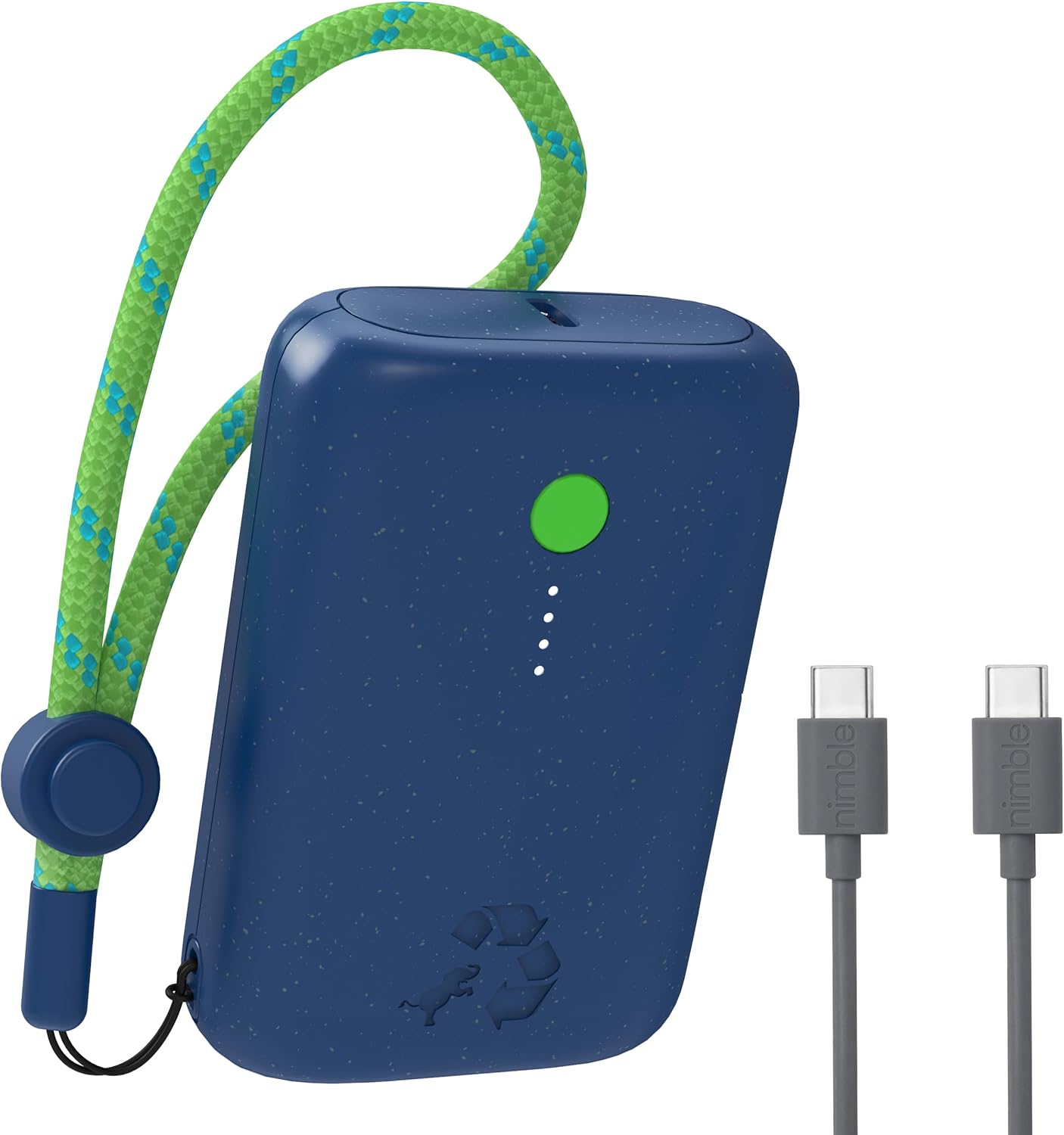
Image 1.1: The Nimble Champ Portable Charger in Nebula Blue, showcasing its compact design and the included USB-C charging cables.
2. Información de seguridad
- No exponga el banco de energía a temperaturas extremas, luz solar directa o fuego.
- Evite dejar caer, desmontar o intentar reparar el dispositivo usted mismo.
- Mantener alejado del agua y otros líquidos.
- Utilice únicamente cables y cargadores certificados para un rendimiento y seguridad óptimos.
- Mantener fuera del alcance de los niños.
- Deseche el banco de energía de forma responsable de acuerdo con las regulaciones locales.
3. Contenido del paquete
Verifique que todos los artículos estén presentes en su paquete:
- Ch ágilamp Cargador portátil 10,000mAh
- Cable de carga USB-C a USB-C
- Manual de usuario (este documento)
4. Producto terminadoview
The Nimble Champ Portable Charger features a compact design with essential indicators and ports for efficient charging.
- Botón de encendido / apagado: Activa el banco de energía y verifica el nivel de batería.
- Indicadores LED de encendido: Four small LEDs indicate the remaining battery capacity. Each LED represents approximately 25% charge.
- Puertos USB-C duales: Se utiliza tanto para entrada (recarga del banco de energía) como para salida (carga de dispositivos).
- Adjustable Lanyard Loop: Para llevar cómodamente.

Imagen 4.1: Primer plano view of the power bank showing the power button, LED indicators, and USB-C ports during a pass-through charging operation.
5. Configuración
5.1 Carga inicial del banco de energía
- Connect the included USB-C cable to one of the USB-C ports on the Nimble Champ.
- Conecte el otro extremo del cable USB-C a un adaptador de pared USB compatible (no incluido).
- The LED indicators will illuminate and blink to show the charging progress. All four LEDs will be solid when fully charged.
- Una carga completa normalmente demora aproximadamente 1.85 horas con un adaptador de corriente de 20 W.
6. Instrucciones de funcionamiento
6.1 Carga de tus dispositivos
- Connect your device (e.g., smartphone, tablet) to one of the USB-C ports on the Nimble Champ using a compatible USB-C cable.
- The power bank will automatically begin charging your device. If not, press the Power On/Off button once.
- Los indicadores LED mostrarán el nivel de batería restante del banco de energía durante la carga.
- To stop charging, disconnect your device. The power bank will automatically power off after a period of inactivity.

Image 6.1: The Nimble Champ Portable Charger demonstrating its ability to charge two devices concurrently via its dual USB-C ports.
6.2 Carga de dos dispositivos
The Nimble Champ features two USB-C ports, allowing you to charge two devices simultaneously. Connect each device to a separate USB-C port on the power bank. The 20W maximum output will be shared between the two devices.
6.3 Carga de paso
The power bank supports pass-through charging, meaning you can recharge the Nimble Champ while it is simultaneously charging another device. Connect the power bank to a wall adapter and then connect your device to the power bank.
6.4 Comprobación del nivel de la batería
Press the Power On/Off button once to view the current battery level indicated by the four LED lights:
- 4 LED fijos: Carga del 75% al 100%
- 3 LED fijos: Carga del 50% al 75%
- 2 LED fijos: Carga del 25% al 50%
- 1 LED fijo: 0% - 25% de carga (recarga pronto)

Image 6.2: Illustration of the Nimble Champ's universal compatibility with a wide range of electronic devices.
7. Mantenimiento
7.1 Limpieza
Limpie la batería externa con un paño suave y seco. No utilice productos químicos agresivos ni materiales abrasivos.
7.2 Almacenamiento
Guarde la batería externa en un lugar fresco y seco, alejado de la luz solar directa y de temperaturas extremas. Para un almacenamiento prolongado, se recomienda cargarla aproximadamente al 50 % cada tres meses para mantener la batería en buen estado.
8. Solución de problemas
- El banco de energía no carga: Asegúrate de que el cable de carga esté bien conectado tanto a la batería externa como al adaptador de pared. Prueba con otro cable o adaptador.
- El dispositivo no se carga desde el banco de energía: Ensure the power bank has sufficient charge. Press the power button to activate it. Try a different cable or device.
- Carga lenta: Ensure you are using a compatible fast-charging cable and adapter. Some devices may limit charging speed based on their battery status.
- Los indicadores LED no funcionan: If the power bank is completely depleted, the LEDs may not light up immediately. Charge the power bank for a few minutes and check again. If the issue persists, contact support.
9. Especificaciones
| Característica | Especificación |
|---|---|
| Número de modelo | NB-CPC-10K2C |
| Capacidad de la batería | 10,000 mAh |
| Producción | 20W Max (Dual USB-C) |
| Aporte | USB-C |
| Dimensiones del producto | 3.38 x 2.28 x 0.98 pulgadas |
| Peso del artículo | 7.4 onzas (aprox. 210 g) |
| Características especiales | Auto Shut-Off, Portable, Travel, Pocket Size, Lightweight, Eco Print, LED Indicator Lights, Dual USB-C Ports, Fast Charging, Slim |
| Material | Certified Recycled Plastic |
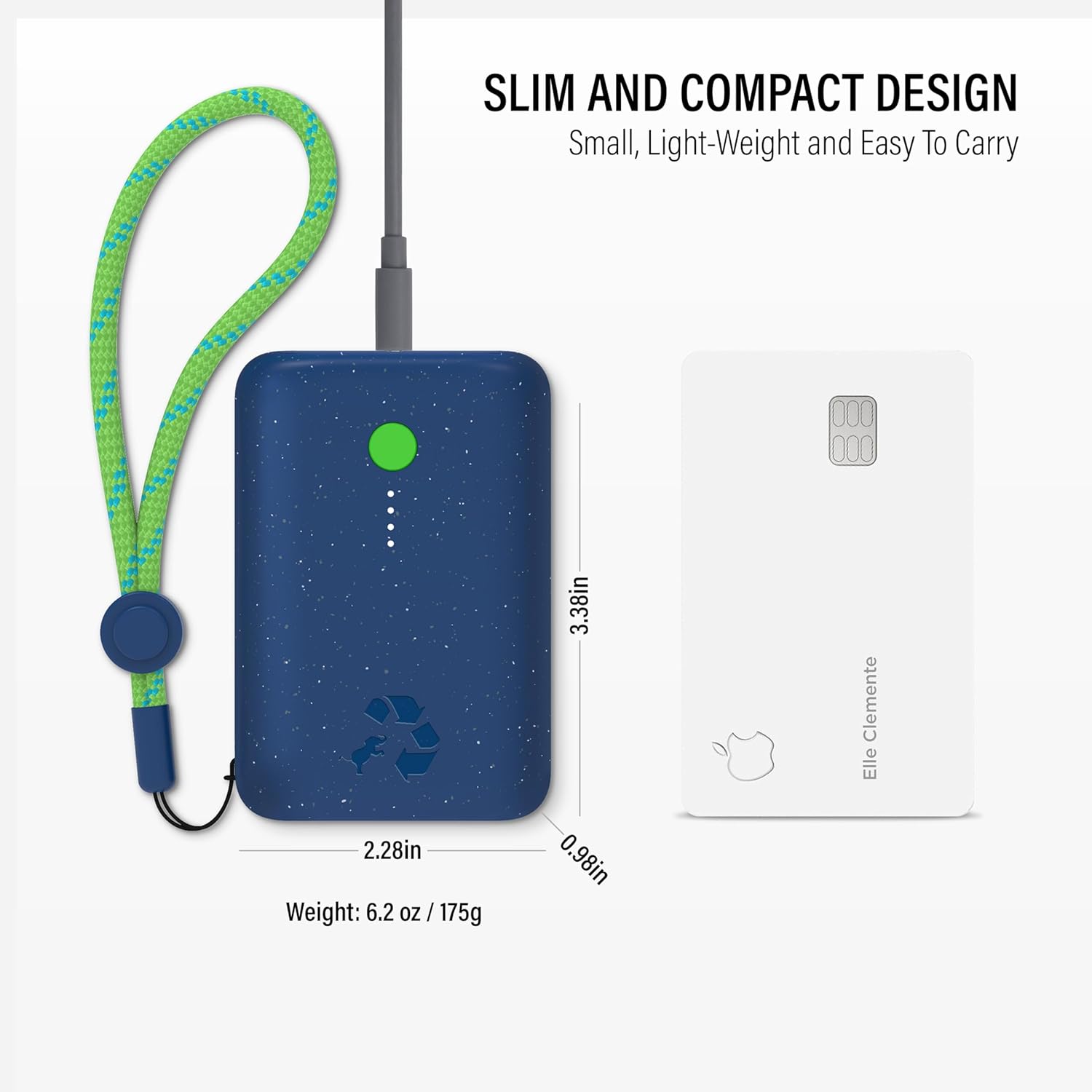
Image 9.1: The compact size of the Nimble Champ Portable Charger, illustrated by its comparison to a standard credit card.

Imagen 9.2: Másview of the advanced 6-layer protection features integrated into the Nimble Champ Portable Charger for enhanced safety.

Image 9.3: Details on the eco-friendly design of the Nimble Champ, emphasizing its use of recycled materials and reduced carbon footprint.
10. Garantía y soporte
The Nimble Champ Portable Charger comes with a 2 año de garantía from the date of purchase, covering defects in materials and workmanship. This warranty does not cover damage caused by misuse, accidents, unauthorized modifications, or normal wear and tear.
For warranty claims, technical support, or any questions regarding your product, please visit the official Nimble webSitio web o contacte directamente con el servicio de atención al cliente. Conserve su comprobante de compra para validar la garantía.
Puede encontrar más información y soporte en Nimble Store on Amazon.