
LYEAA KS42
LYEAA KS42 Wireless Dual-Color Game Controller User Manual
Modelo: KS42
1. Introducción
Thank you for choosing the LYEAA KS42 Wireless Dual-Color Game Controller. This manual provides detailed instructions on how to set up, operate, maintain, and troubleshoot your new gamepad. Designed for seamless compatibility with Nintendo Switch, Switch OLED, and Switch Lite, the KS42 offers a precise and immersive gaming experience with its 6-axis gyroscope and comfortable design.
Contenido del paquete:
- 1 x LYEAA KS42 Wireless Game Controller
- 1 x 1M Data Cable (USB-C)
- 1 x Manual de instrucciones

Image 1.1: The LYEAA KS42 Wireless Dual-Color Game Controller, showcasing su acabado negro y diseño ergonómico.
2. Producto terminadoview
The LYEAA KS42 controller features a split design, allowing for flexible use. Each half is equipped with essential controls for an optimal gaming experience.

Image 2.1: Icons representing key features of the LYEAA KS42 controller: Wireless Connection, Motion Sensing, Vibration Feedback, TURBO Function, and Precise Joysticks.
Componentes del controlador:
- Controlador izquierdo: Directional Pad (D-Pad), Left Analog Stick, L/ZL Buttons, Capture Button, Minus (-) Button.
- Controlador derecho: A/B/X/Y Buttons, Right Analog Stick, R/ZR Buttons, Home Button, Plus (+) Button.
- Sección central: Indicator Lights, Charging Port (USB-C).
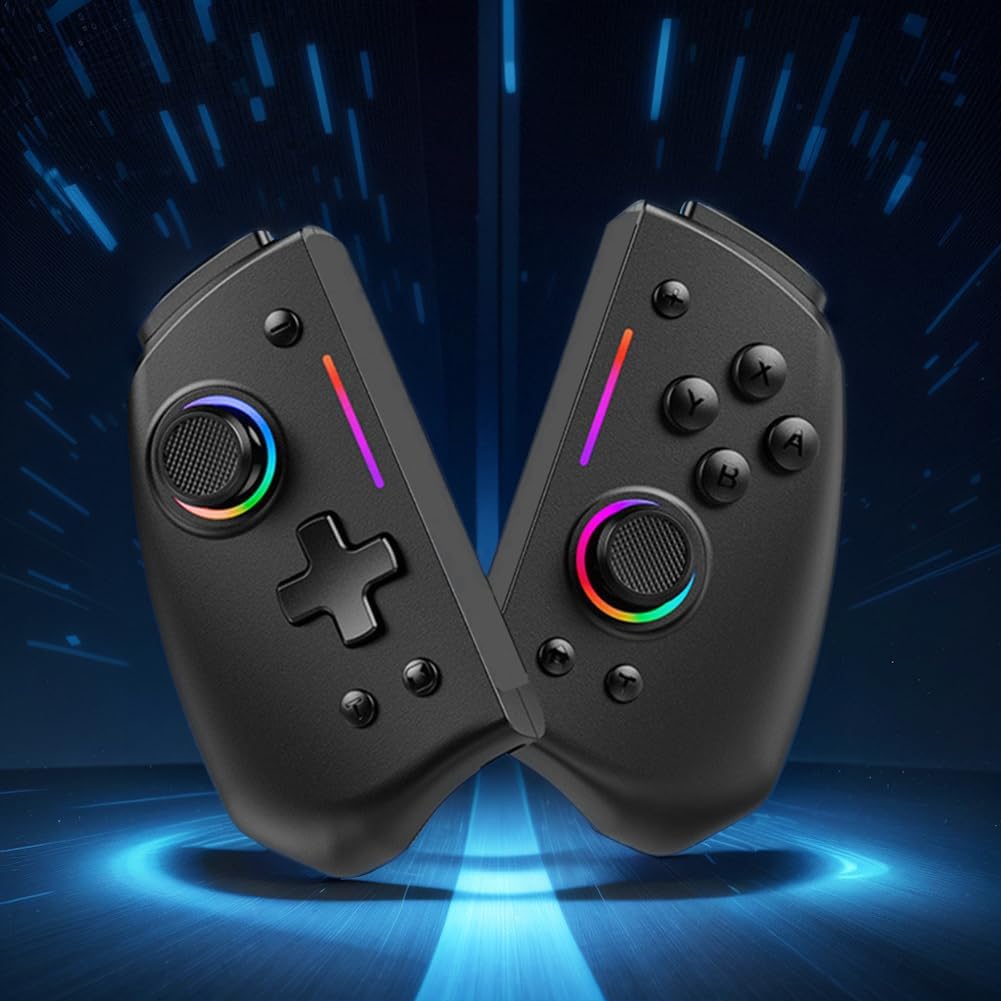
Imagen 2.2: A view of the LYEAA KS42 controller split into its two halves, highlighting its modular design.
3. Especificaciones
| Característica | Detalle |
|---|---|
| Modelo | KS42 |
| Compatibilidad | Nintendo Switch, Switch OLED, Switch Lite |
| Conectividad | Inalámbrico |
| Capacidad de la batería | 500 mAh |
| Tiempo de carga | Aproximadamente 3 horas |
| Tiempo de juego | Hasta 6.5 horas |
| Peso del producto | 178 g (0.39 libras) |
| Product Dimensions (Single Side) | 109.00 x 65.00 x 54.00 mm (4.29 x 2.56 x 2.13 pulgadas) |
| Dimensiones del paquete | 145 x 145 x 65 mm (5.71 x 5.71 x 2.56 pulgadas) |
| Características especiales | 6-axis Gyroscope, Vibration Feedback, TURBO Function |
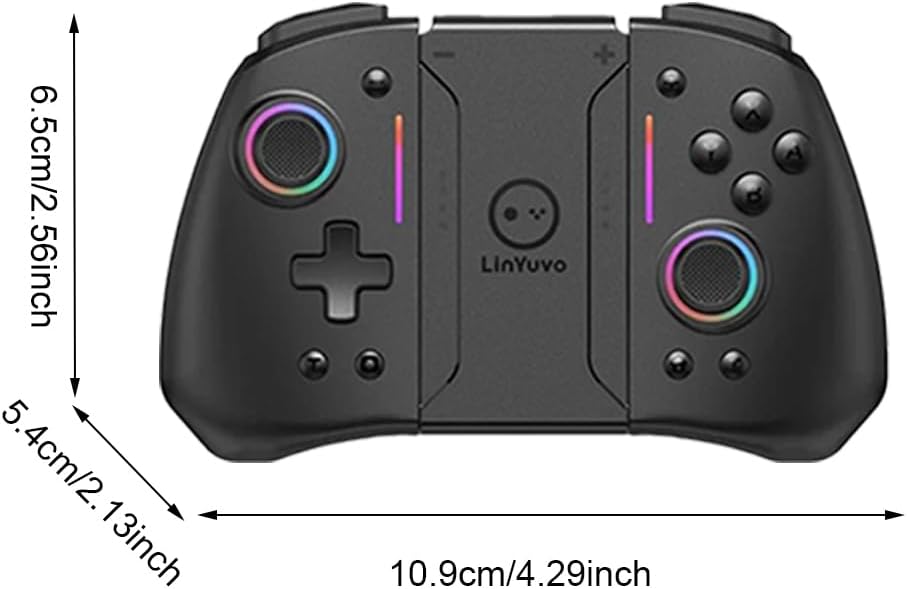
Image 3.1: Diagram illustrating the dimensions of the LYEAA KS42 controller in centimeters and inches.
4. Configuración
4.1 Carga del controlador
Before first use, fully charge the controller. Use the provided USB-C data cable to connect the controller to a USB power source (e.g., Nintendo Switch dock, computer USB port, or a USB wall adapter).
- The indicator lights on the controller will show charging status.
- La carga suele tardar unas 3 horas para una carga completa.
- Once fully charged, the indicator lights will change or turn off, depending on the controller's state.
4.2 Conexión a Nintendo Switch/OLED/Lite
The LYEAA KS42 controller connects wirelessly to your Nintendo Switch console.
- En tu consola Nintendo Switch, ve al menú HOME.
- Seleccionar "Controladores", entonces "Cambiar agarre/orden".
- While on this screen, press and hold the Botón de inicio on the LYEAA KS42 controller for a few seconds until the indicator lights start flashing rapidly.
- The controller will automatically pair with your Switch. Once connected, the indicator lights will become solid.
- You can now detach the Joy-Cons from your Switch (if applicable) and insert the Switch console into the LYEAA KS42 controller's central slot for handheld mode, or use it wirelessly.
Note: The controller supports automatic power-on and connectivity once paired.
5. Instrucciones de funcionamiento
5.1 Controles básicos
Familiarícese con el diseño de botones estándar:
- Joysticks analógicos: Para movimiento y control de cámara.
- Almohadilla direccional: Para entrada direccional, navegación del menú.
- Botones A/B/X/Y: Action buttons, typically for confirm, cancel, jump, etc.
- Botones L/R/ZL/ZR: Botones de hombro y gatillo para diversas acciones en el juego.
- Botones más (+) / menos (-): Equivalent to Start/Select or menu buttons.
- Botón de inicio: Returns to the Switch HOME Menu.
- Botón de captura: Takes screenshots or video clips (game dependent).

Image 5.1: A user holding the LYEAA KS42 controller, demonstrating its comfortable grip during gameplay.
5.2 Funciones avanzadas
- Giroscopio de 6 ejes: The controller features a built-in 6-axis gyroscope for precise motion control. This allows for immersive gameplay in titles that support motion sensing. No special setup is required; the gyroscope activates automatically when supported by the game.
- Retroalimentación de vibración: Experience enhanced immersion with haptic feedback. The controller's vibration motors provide tactile responses to in-game events. This feature is automatically enabled.
- Función TURBO: La función TURBO permite pulsar un botón de forma rápida y automática.
- To activate TURBO: Press and hold the desired action button (e.g., A, B, X, Y, L, R, ZL, ZR), then press the Botón TURBO (refer to controller diagram for location, typically a dedicated button or a combination).
- To deactivate TURBO: Repeat the same process.

Image 5.2: The LYEAA KS42 controller positioned with various game screenshots floating above, illustrating its compatibility with diverse gaming titles.
6. Mantenimiento
Proper care will extend the life of your LYEAA KS42 controller.
- Limpieza: Utilice un paño suave y seco para limpiar el mando. Para suciedad difícil de eliminar, limpie ligeramenteampen the cloth with water or a mild electronic cleaner. Avoid excessive moisture. Do not use harsh chemicals or abrasive materials.
- Almacenamiento: Store the controller in a cool, dry place away from direct sunlight and extreme temperatures. When not in use for extended periods, ensure the controller is fully charged before storing.
- Cuidado de la batería: To maintain battery health, avoid completely draining the battery frequently. Recharge the controller when the low battery indicator appears. If storing for a long time, charge it at least once every three months.
- Manejo: Evite dejar caer el mando o someterlo a impactos fuertes. No intente desmontarlo, ya que esto anularía la garantía.
7. Solución de problemas
| Problema | Posible causa / solución |
|---|---|
| El controlador no se conecta al Switch. |
|
| El controlador no carga. |
|
| Los botones o joysticks no responden. |
|
| Motion control (gyroscope) is not working. |
|
8. Garantía y soporte
LYEAA products are designed for reliability and performance. While specific warranty details are not provided in this manual, please retain your proof of purchase for any potential warranty claims. For product support, troubleshooting assistance beyond this manual, or inquiries about returns, please contact the seller or refer to the retailer's return policy where you purchased the product. Amazon.es typically offers a 30-day return policy for eligible items.
For the latest information and support, please visit the official LYEAA website or contact their customer service directly if available.
Ask a question about this manual
Ask about setup, troubleshooting, compatibility, parts, safety, or missing instructions. Manuals+ will review the question and use this page’s manual context to help answer it.