
Dzees G1-D
Dzees Wireless Security Camera User Manual
Modelo: G1-D | Marca: Dzees
Your comprehensive guide to setting up, operating, and maintaining your Dzees Wireless Security Camera.
1. Producto terminadoview
The Dzees Wireless Security Camera is designed to provide robust and reliable home security with its advanced features and flexible installation options. This battery-powered camera offers 4MP resolution for clear imaging, AI motion detection, two-way audio communication, and color night vision, ensuring comprehensive surveillance day and night.

Image: Dzees Wireless Security Cameras with Magnetic Mount. The image shows two white security cameras, one attached to a black magnetic base, and a smartphone screen above them displaying a live video feed of children playing outdoors.
Características principales:
- No-Hole Magnetic Mount: Offers easy installation and repositioning without drilling.
- Real-Time Siren & Two-Way Talk: Deter intruders and communicate with visitors directly via the built-in siren and two-way audio.
- Advanced AI Motion Detection: Accurately tracks people and objects, sending instant notifications to your app.
- High-Definition 2.5K Resolution: Provides clear and detailed images with a 120-degree wide field of view.
- Visión nocturna en color: Ensures clear, full-color images even in low-light conditions.
- Opciones de almacenamiento flexibles: Supports both cloud storage (including a 2-year free 3-day rolling cloud option) and local SD card storage (up to 128GB).
- Clasificación de resistencia a la intemperie IP66: Designed to withstand harsh outdoor conditions, including dust, rain, and snow.
2. Contenido del paquete
Por favor, marque la casilla correspondiente a los siguientes artículos:
- Dzees Wireless Security Camera Unit(s)
- Magnetic Mount(s)
- Cable de carga USB
- Mounting Screws and Anchors (for optional screw mount)
- Guía de inicio rápido
3. Configuración e instalación
3.1 Carga de la cámara
Before initial use, fully charge the camera using the provided USB charging cable. Connect the cable to the camera's charging port and a standard USB power adapter (not included). The charging indicator light will show the charging status.
3.2 Instalación de la aplicación y creación de una cuenta
Download the "DzeesHome" or "Vicohome" app from your smartphone's app store (iOS or Android). Follow the on-screen instructions to create an account and log in.
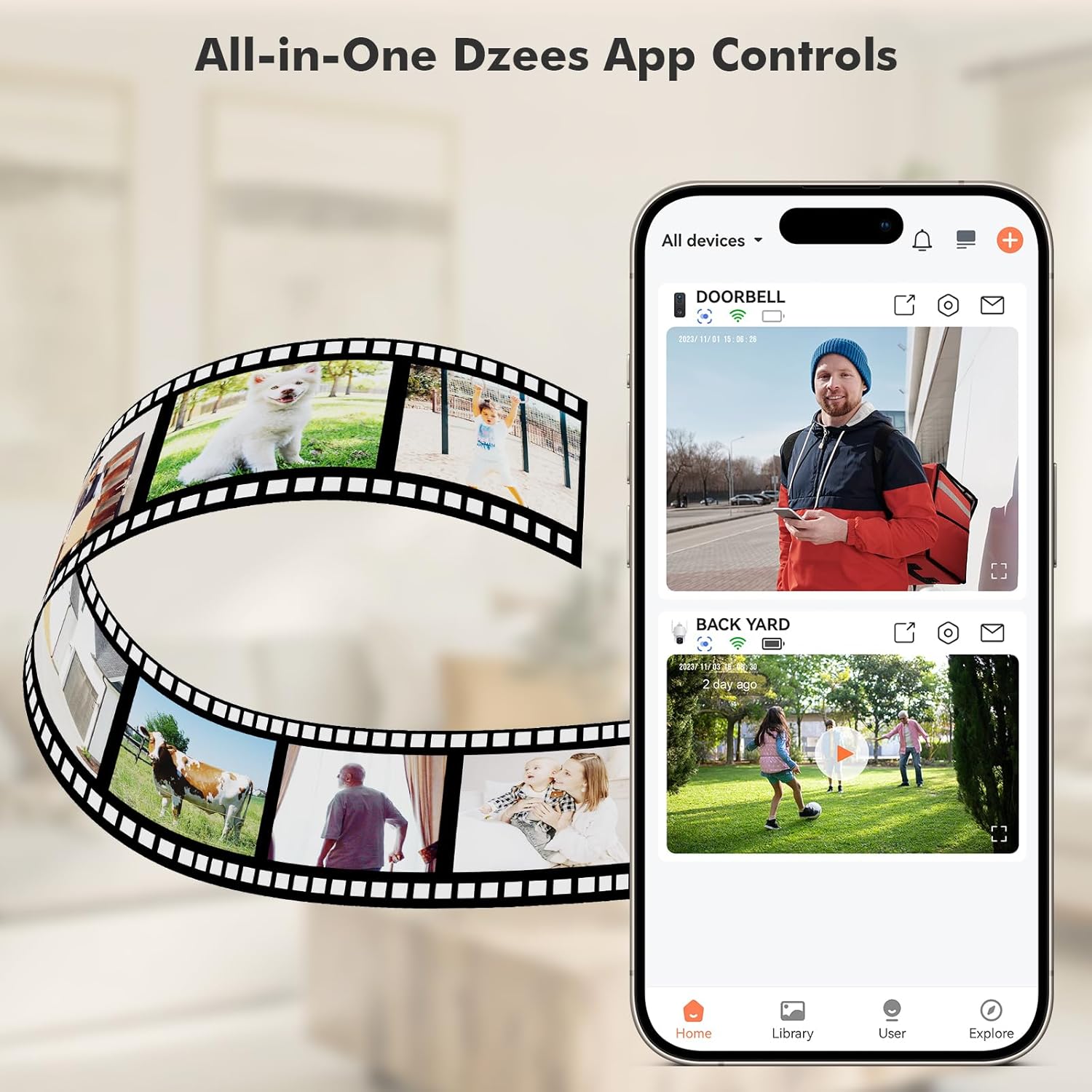
Image: All-in-One Dzees App Controls. The image shows a smartphone displaying the DzeesHome application, with a list of connected devices and live video feeds, demonstrating centralized control.
3.3 Conexión de la cámara a Wi-Fi
- Open the DzeesHome/Vicohome app and tap the "+" icon to add a new device.
- Seleccione el modelo de su cámara de la lista.
- Encienda la cámara. Esta entrará en modo de emparejamiento (indicado por un LED parpadeante).
- Siga las instrucciones de la aplicación para conectar la cámara a su Red Wi-Fi 2.4GHz. Note: This camera is not compatible with 5GHz Wi-Fi networks.
- Escanea el código QR que aparece en la pantalla de tu teléfono con la cámara. Escucharás un sonido de confirmación una vez conectado.

Image: 2.4GHz Wifi Only. This diagram shows a house with a Wi-Fi router and a Dzees camera, indicating that the camera only supports 2.4GHz Wi-Fi, not 5GHz.
3.4 Montaje de la cámara
The Dzees camera offers versatile mounting options:
- Montaje magnético: For easy, drill-free installation and repositioning. Simply attach the magnetic base to a clean, flat surface using the adhesive pad, then snap the camera onto the magnetic ball joint.
- Montaje con tornillo: For a more permanent installation, use the provided screws and anchors to secure the mount to a wall or ceiling.

Image: Flexibility In Installation. A woman is shown adjusting a Dzees security camera mounted on an outdoor wall, while holding a smartphone, illustrating the ease of installation and positioning.

Image: Stand, Wall Mount, Ceiling Mount. This composite image displays three different ways to install the Dzees camera: on a flat surface using its base, mounted on a wall, and mounted on a ceiling.
4. Operación
4.1 en vivo View y Grabación
Access the DzeesHome/Vicohome app to view vivir footage from your camera. You can manually record video or capture screenshots directly from the live view interfaz.
4.2 Detección de movimiento y alertas
The camera features advanced AI motion detection. When motion is detected, the camera will automatically record and send instant notifications to your smartphone. You can customize activity zones within the app to minimize unwanted alerts.

Image: Instant Security Alerts. A smartphone screen shows a notification from the Dzees app indicating motion detection, with a person standing at a front door in the background.

Image: Customizable Zone to Minimize Unwanted Alerts. This image illustrates a house with its surrounding area divided into three distinct zones (Zone 1, Zone 2, Zone 3), demonstrating how users can customize detection areas to reduce false alarms.
4.3 Audio bidireccional y sirena
Use the two-way talk feature in the app to communicate with people near the camera. You can also remotely activate the built-in siren to deter unwanted visitors.
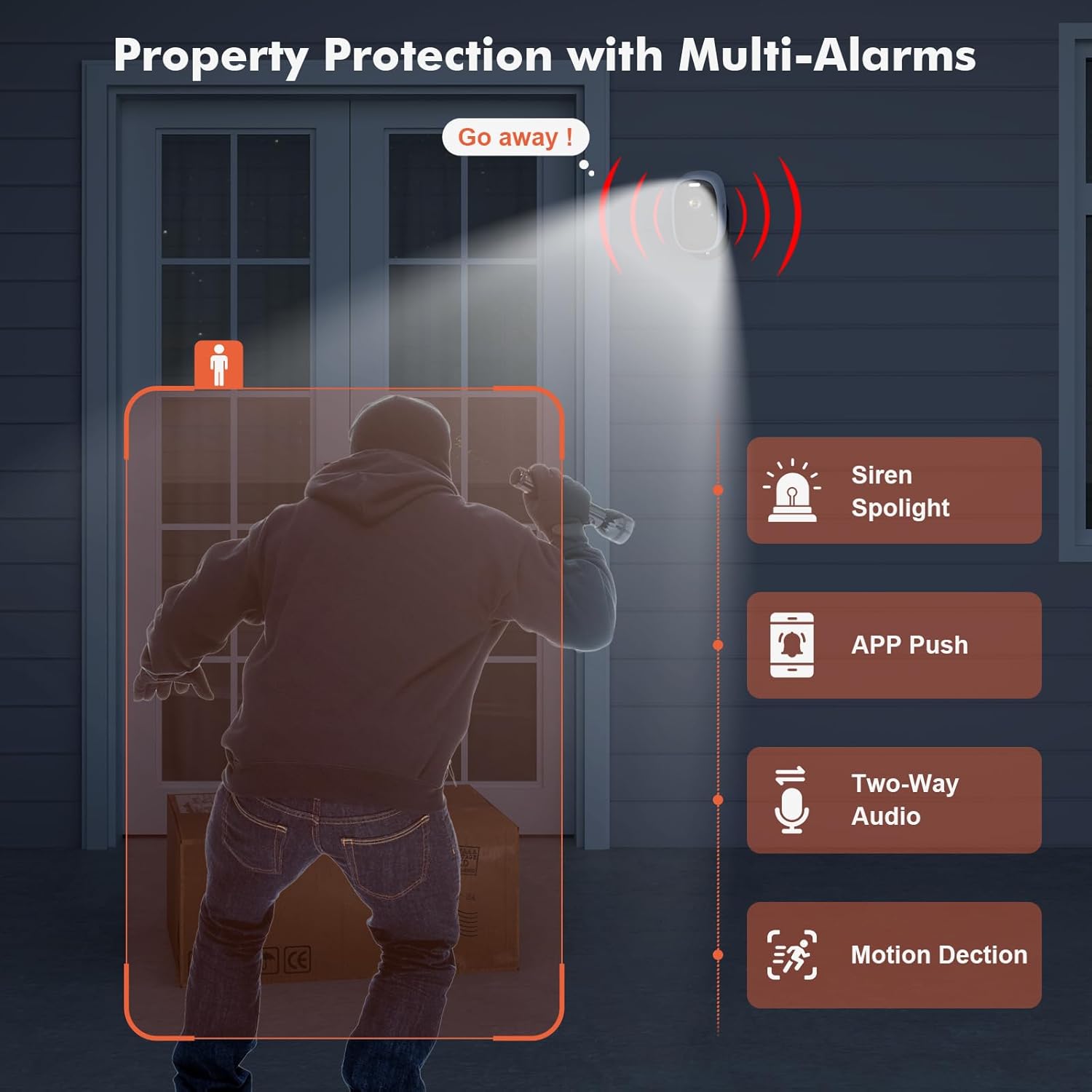
Image: Property Protection with Multi-Alarms. This image depicts a security camera deterring an intruder with a spotlight and siren, alongside icons representing app push notifications, two-way audio, and motion detection.
4.4 Visión nocturna
The camera is equipped with color night vision, providing clear, full-color images even in very low light conditions, enhancing visibility and identification at night.
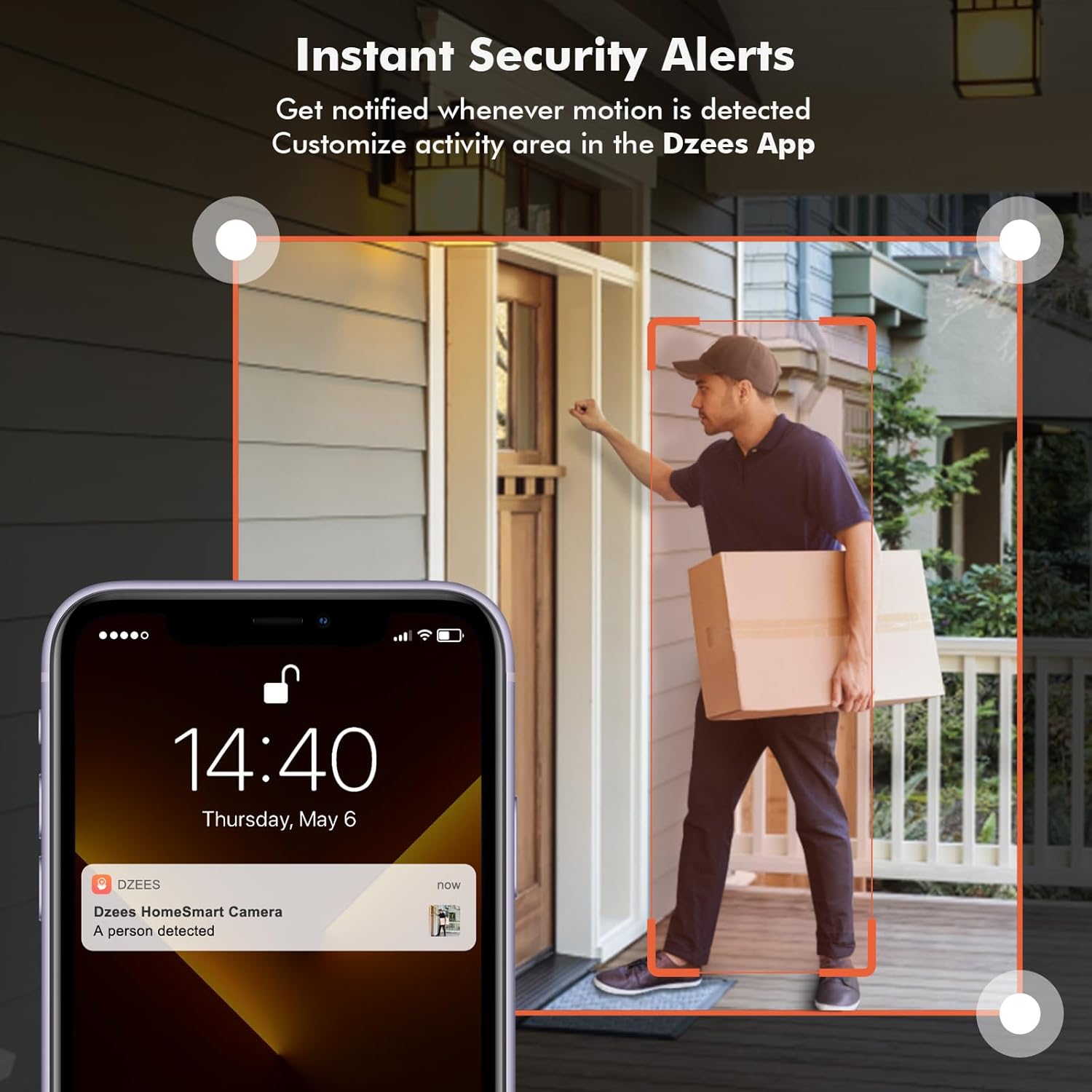
Image: Color Night Vision. This split image compares traditional black-and-white night vision with the Dzees camera's color night vision, showing a house at night in both modes.
4.5 Gestión del almacenamiento
Su cámara admite dos métodos de almacenamiento:
- Almacenamiento en la nube: Enjoy a 2-year free 3-day rolling cloud storage cycle. Optional paid plans are available for extended storage and AI recognition features.
- Almacenamiento en tarjeta SD: Insert a microSD card (up to 128GB, not included) into the camera's SD card slot for local video storage.

Image: Dzees Cloud, Privacy, Storage Card. This image shows three distinct panels: one for Dzees Cloud storage with a "FREE 3 DAYS Video History" label, another for privacy protection with a shield icon, and a third for "Up to 128 GB" storage via an SD card.
5. Mantenimiento
5.1 Gestión de la batería
The camera is powered by a 6700 mAh rechargeable battery. Battery life varies based on usage (e.g., frequency of motion detection, live view access). Recharge the camera when the battery level is low, typically every few weeks to months depending on activity.
5.2 Limpieza
To ensure optimal performance, periodically clean the camera lens and body with a soft, dry cloth. Avoid using harsh chemicals or abrasive materials.
5.3 Resistencia a la intemperie
With an IP66 rating, your Dzees camera is designed to withstand dust, rain, and snow. However, avoid submerging the camera in water or exposing it to extreme temperatures beyond its operating range.

Image: IP66 for harsh outdoor conditions. This image shows a Dzees camera, with one half depicting it in rainy and dusty conditions and the other half in snowy conditions, emphasizing its IP66 weather resistance.
6. Solución de problemas
| Problema | Posible causa | Solución |
|---|---|---|
| La cámara no se conecta al Wi-Fi. | Banda de Wi-Fi incorrecta (5 GHz), señal débil, contraseña incorrecta. | Ensure your router is broadcasting a 2.4GHz network. Move the camera closer to the router. Double-check your Wi-Fi password. |
| Corta duración de la batería. | Detección de movimiento frecuente, amplia transmisión en vivo view uso, clima frío. | Reducir la sensibilidad o frecuencia de detección de movimiento. Limitar la transmisión en vivo. view sessions. Ensure camera is fully charged. Consider a solar panel accessory if available. |
| No hay alertas de detección de movimiento. | Detección de movimiento deshabilitada, sensibilidad incorrecta, notificaciones de aplicaciones desactivadas. | Check motion detection settings in the app. Adjust sensitivity. Enable app notifications for DzeesHome/Vicohome. |
| Mala calidad de imagen. | Lente sucia, condiciones de poca luz, problemas de ancho de banda de red. | Clean the camera lens. Ensure adequate lighting for optimal color night vision. Check your internet connection speed. |
7. Especificaciones
| Característica | Detalle |
|---|---|
| Nombre del modelo | G1-D |
| Uso en interiores y exteriores | Interior, exterior |
| Resolución de captura de video | 4MP (2.5K) |
| Tecnología de conectividad | Inalámbrico (solo Wi-Fi 2.4 GHz) |
| Fuente de poder | Funciona con pilas |
| Capacidad de la batería | 6700 miliampAntes de la hora (mAh) |
| Tipo de controlador | DzeesHome, Vicohome |
| Tipo de montaje | Magnetic, Screw (anywhere) |
| Características especiales | 2-Way Audio, Built-In Light, HD Resolution, Motion Sensor, Night Vision (Color) |
| Calificación de protección internacional | IP66 |
| Dimensiones del producto | 4.84 x 3.7 x 5.94 pulgadas |
| Peso del artículo | 2.64 libras |
| Opciones de almacenamiento | Cloud, SD Card (up to 128GB) |
8. Garantía y soporte
Dzees is committed to providing excellent customer service and product support.
- Garantía de por vida: Dzees offers a lifetime warranty on its products, ensuring long-term reliability.
- Lifetime Trade-in: Benefit from a lifetime trade-in program for future upgrades.
- Soporte técnico profesional: Access a professional technical team for assistance.
- Respuesta rápida: Espere respuestas rápidas a sus consultas.
For further assistance, please visit the official Dzees Store on Amazon: Dzees Store.
Ask a question about this manual
Ask about setup, troubleshooting, compatibility, parts, safety, or missing instructions. Manuals+ will review the question and use this page’s manual context to help answer it.