
Acoyer SRP9232D
Acoyer Universal TV Remote Control User Manual
Modelo: SRP9232D
Introducción
This manual provides detailed instructions for setting up and operating your new Acoyer Universal TV Remote Control. This remote is designed to simplify your home entertainment experience by controlling multiple devices with a single unit. Please read this manual carefully before use to ensure proper functionality and to maximize your remote's capabilities.

Imagen: Anverso y reverso view of the Acoyer Universal TV Remote Control.
Dispositivos compatibles
Your Acoyer Universal Remote Control is compatible with a wide range of audio and video devices, including:
- TV brands: Samsung, LG, Vizio, Sony, Hisense, Onn, Sharp, RCA, Element, Westinghouse, Sanyo, Emerson, Philips, JVC, Sceptre, Sansui, Panasonic, Magnavox, Skyworth, and more.
- DVD/Blu-ray players
- Media Streaming Players
- Barras de sonido
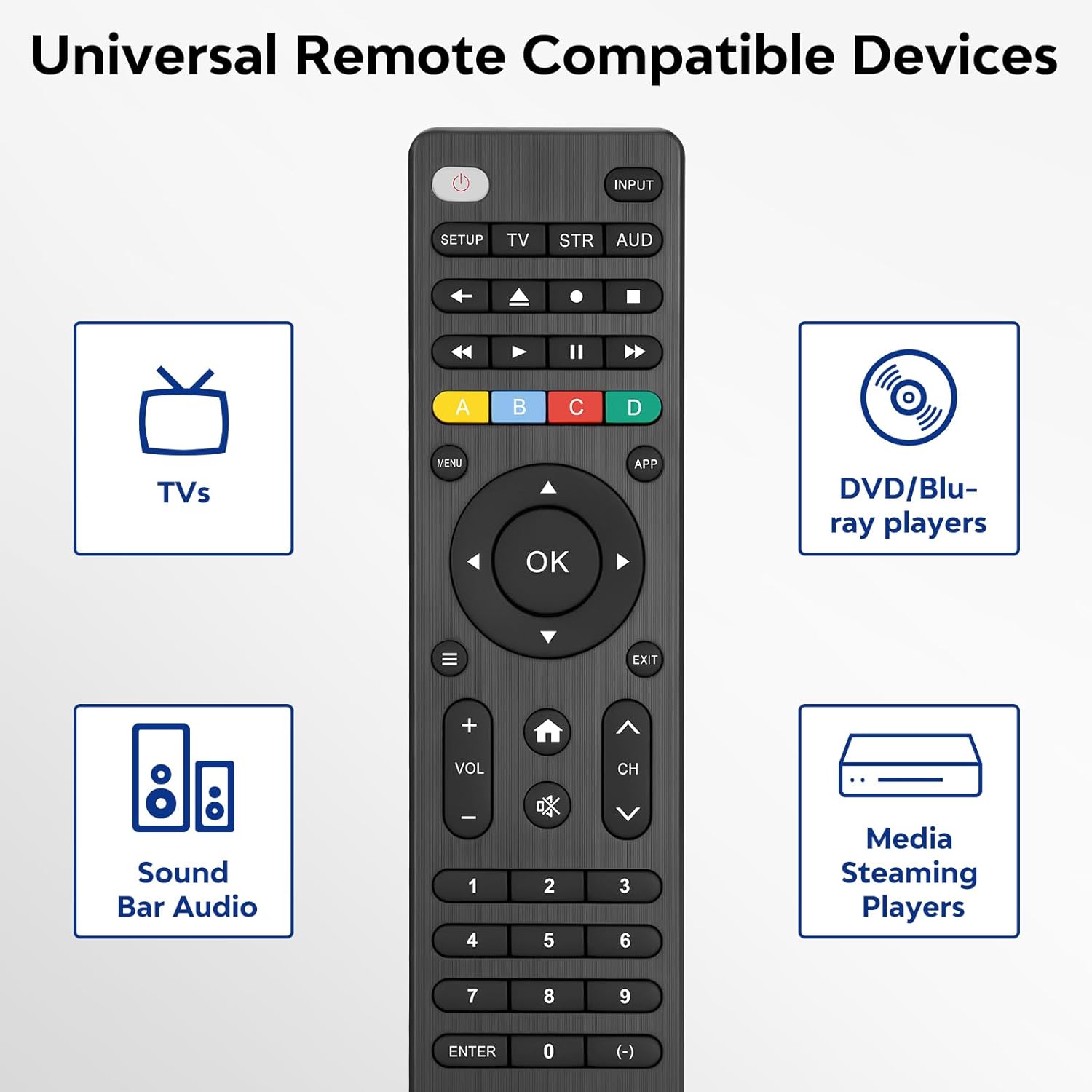
Image: Visual representation of compatible device types.

Image: List of compatible brands including Samsung, LG, Vizio, Sony, Hisense, Philips, and more.
Dispositivos no compatibles
Please note that this universal remote is NO compatible with the following devices:
- Dispositivos de transmisión Roku
- Roku Sound Bar
- Amazon Sound Bar
- Barra de sonido TCL
- Hisense Sound Bar
- Anker Sound Bar
- Klipsch Sound Bar
- Fire TV Sticks
- TCL Fire TV
- Televisor Insignia Fire
- Toshiba Fire TV
- Amazon Fire Stick
- Cubo de Fire TV
This product connects and pairs via infrared only. If you are unsure about compatibility, please refer to the product's code list or contact customer support.

Image: Visual representation of devices not compatible with the remote.
Configuración
Direct Code Entry Pairing
Follow these steps to program your universal remote using direct code entry:
- Paso 1: Find the device type you need in the provided code list (included in the package). Then, locate and circle all the codes for your specific brand.
- Paso 2: Mantenga presionada la tecla CONFIGURACIÓN button for 3 seconds until the red light on the remote turns on.
- Paso 3: Presione y suelte el TV/STR/AUD button on the remote. The red light will blink once and then remain on.
- Paso 4: Enter the first 4-digit code from your code list.
- Paso 5: Point the remote at your TV (or other device) and test the buttons to see if the device responds as expected. If the buttons do not control the device, repeat steps 2-4 and enter a different code from your list to test.
Note: If all codes in the program fail, please refer to the instructions on page 7 of your physical user manual for "Automatic Code Search" (including code table and usage instructions).

Image: Visual guide for the direct code entry pairing process.
Instrucciones de funcionamiento
Funciones de los botones
Familiarize yourself with the functions of each button on your universal remote control:

Image: Detailed layout of remote buttons and their corresponding functions.
| Botón | Función |
|---|---|
| Fuerza | Turns devices ON / OFF |
| Configuración | Se utiliza para programar el control remoto |
| Aporte | Selecciona entradas de video |
| TV / STR / AUD | Selects the device to control (TV, Streaming Device, Audio Device) |
| Último canal | Vuelve al canal seleccionado anteriormente |
| Record / Stop / Fast Forward / Pause / Rewind | Controla la reproducción de medios |
| ABCD Buttons | Acceda a funciones adicionales para DVR, cable y receptores satelitales |
| Menú | Muestra el menú en pantalla |
| App Hotkey | Accede a las mejores aplicaciones como Netflix, Amazon Prime, Hulu y más |
| OK | Selecciona elementos de menú para el dispositivo controlado |
| Up / Down / Left / Right Navigation | Navega a través de menús y opciones. |
| Info / Options | Muestra información sobre el programa/contenido en pantalla |
| Salida | Exits on-screen menus |
| Home / Guide | Easily access features on today's streaming devices, or Guide on cable/satellite receivers |
| Subir / Bajar volumen | Ajusta el volumen |
| Canal arriba / abajo | Cambia de canal |
| Silenciar | Silencia el sonido |
| Números (0-9) | Ingrese números para la selección directa de canales |
| Tecla Intro | Confirms selection (some devices require Enter to be pressed after channel selection) |
| (-) Dash | Used to select digital channels (e.g., 4.1) |
The universal remote control utilizes infrared technology, providing a rapid response time of 0.2 seconds and an effective range of up to 30 feet.

Image: Features of the remote's infrared technology.
Mantenimiento
Instalación de la batería
The universal remote control requires dos (2) pilas alcalinas AAA for operation. Batteries are not included in the package.
- Abra la tapa del compartimiento de la batería en la parte posterior del control remoto.
- Inserte las dos pilas AAA, asegurándose de la polaridad correcta (+ y -) como se indica dentro del compartimento.
- Cierre bien la tapa del compartimento de la batería.
Warning: Do not mix old and new batteries, or mix different types of batteries together. This can lead to battery leakage or damage to the remote.

Image: Battery compartment and remote dimensions.
Solución de problemas
If you encounter issues with your universal remote, try the following troubleshooting steps:
- El control remoto no responde: Ensure fresh AAA batteries are correctly installed. Check if the red light on the remote illuminates when a button is pressed.
- El dispositivo no responde: Verify that the remote is pointed directly at the device's infrared sensor. Ensure there are no obstructions between the remote and the device.
- Incorrect device control: Re-attempt the programming steps (Direct Code Entry) using a different code from the provided code list for your device brand.
- Funcionalidad limitada: Some advanced functions may not be supported by all universal remotes or specific device models. Refer to your device's original manual for specific feature compatibility.
- Red light blinks continuously: This may indicate a programming error or low battery. Re-program the remote or replace the batteries.
Presupuesto
| Característica | Detalle |
|---|---|
| Número de modelo | SRP9232D |
| Dimensiones del paquete | 6.89 x 3.27 x 0.75 pulgadas |
| Peso del artículo | 2.05 onzas |
| Fuente de poder | 2 * AAA alkaline batteries (not included) |
| Color | Negro |
| Característica especial | Universal |
| Número máximo de dispositivos compatibles | 3 |
| Dispositivos compatibles | Sound Bar, Television, VCR, Streaming Device, DVD/Blu-ray Player |
| Fabricante | Acoyer |
| País natal | Porcelana |
Garantía y soporte
Acoyer is committed to providing safe, durable, and user-friendly remote control products. We value your experience with our products.
For any questions regarding your order or product, please do not hesitate to contact us. Our customer service team aims to respond to inquiries within 24 hours on working days.
Consulte la documentación de compra para conocer los términos y detalles específicos de la garantía.