
Introducción
This manual provides essential information for setting up, operating, and maintaining your VIZIO 40-inch Full HD 1080p Smart TV. Please read these instructions carefully before using your television to ensure proper function and safety. This television offers superior Full HD picture quality with lifelike color, enhanced audio, and smart connectivity features for an immersive entertainment experience.
¿Qué hay en la caja?
Verifique que todos los componentes estén presentes antes de continuar con la configuración:
- VIZIO 40-inch Full HD 1080p Smart TV
- Mando a distancia
- Cable de alimentación
- Soporte para TV (2 piezas)

Figura 1: Componentes incluidos y dimensiones del televisor.
Configuración
1. Colocación del soporte
- Coloque con cuidado el televisor con la pantalla hacia abajo sobre una superficie suave y limpia para evitar daños.
- Alinee las patas del soporte con los orificios para tornillos en la parte inferior del televisor.
- Asegure las patas del soporte utilizando los tornillos proporcionados.
2. Montaje en pared (opcional)
If wall mounting, ensure you use a VESA-compliant mount (200 x 100 mm) and follow the mount manufacturer's instructions. Disconnect the power cable before mounting.
3. Conexión de energía
Conecte el cable de alimentación a la entrada de alimentación del televisor y luego a una toma de pared.
4. Encendido inicial y configuración inicial
- Presione el botón de encendido en el control remoto o en el televisor.
- Follow the on-screen prompts to select your language, connect to Wi-Fi, and complete the initial setup of the SmartCast OS.
- You may be prompted to install app updates. Allow the TV to complete this process.

Figure 2: VIZIO Account setup for Smart TV functionality and product updates.
Manejo de la TV
Mando a distancia
The included remote control allows you to navigate the SmartCast OS, adjust settings, and control connected devices. Ensure AAA batteries are installed correctly.
SmartCast OS
Your VIZIO Smart TV runs on the SmartCast OS, providing instant access to a wide selection of streaming services and apps. New apps are automatically added and updated.
- Pantalla de inicio: Access your favorite apps, inputs, and trending content.
- Mira gratis+: Stream over 275 free channels and 15,000+ movies and shows on demand.
- App Catalog: Browse and launch pre-installed applications like Disney Plus, Max, Netflix, Prime Video, and YouTube.
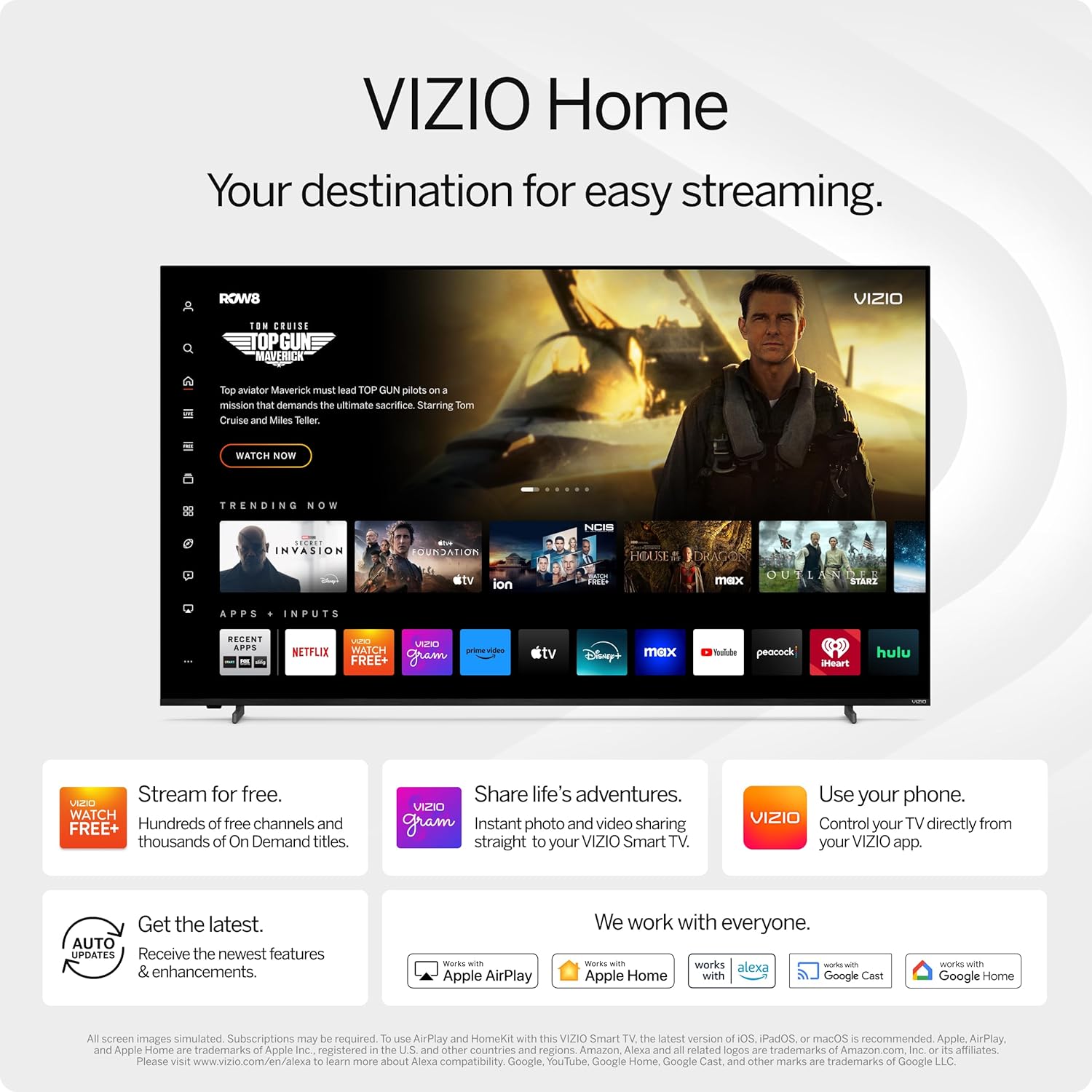
Figure 3: VIZIO Home screen for easy streaming and content access.

Figure 4: Accessing free content via WatchFree+.
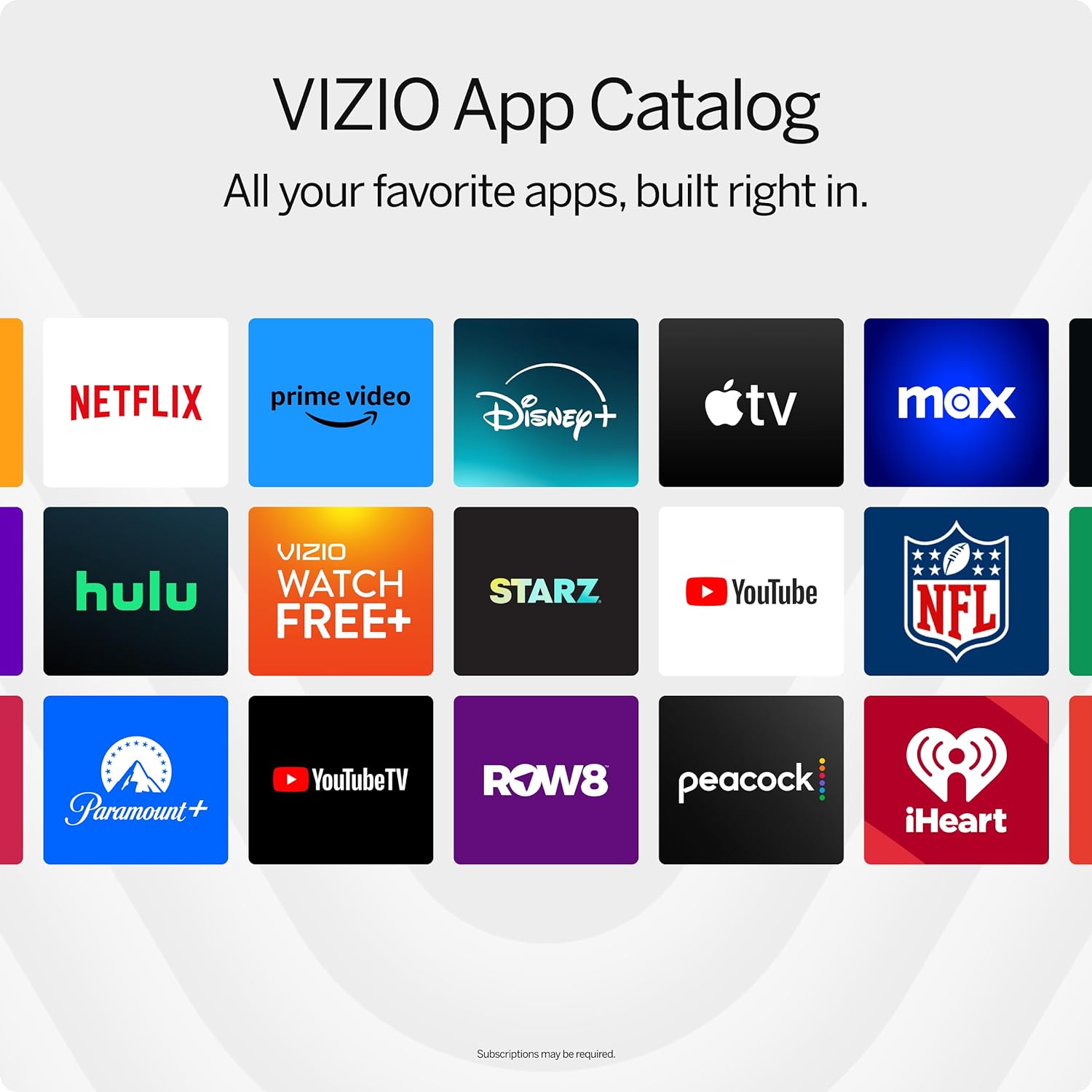
Figure 5: The VIZIO App Catalog with popular streaming services.
Conectividad
- Wifi: Conéctese a su red doméstica para acceder a Internet y realizar streaming.
- Bluetooth: Empareje los auriculares Bluetooth para escuchar en privado.
- Chromecast Built-in & Apple AirPlay 2: Stream content directly from your Apple or Android devices to the TV.
- HDMI y USB: Connect external devices such as gaming consoles, Blu-ray players, or USB drives.
- Integración de casa inteligente: Compatible with Alexa-enabled devices, Google Assistant, and Apple Home for voice control and smart home management.
Características principales
Calidad de imagen
Experience superior Full HD (1080p) picture with lifelike color and clarity. Features like Full Array LED Backlight and Active Pixel Tuning enhance contrast and brightness for a sharp, detailed image.

Figura 6: Sobreview of Full HD benefits including picture quality, smart platform, and Bluetooth audio.
Experiencia de audio
The TV features integrated DTS Virtual:X for an enhanced, cinema-inspired audio experience, creating the illusion of sound all around you. Bluetooth headphone capability allows for private listening without disturbing others.

Figure 7: DTS Virtual:X for immersive audio.
Características del juego
This TV is game-ready with HDR10 support on HDMI, unlocking striking in-game details. When a console or PC is detected, FHD models automatically enable Auto Low Latency Mode and an integrated gaming menu for optimal performance.

Figure 8: HDR10 support enhances gaming visuals.
Presupuesto
| Característica | Detalle |
|---|---|
| Tamaño de pantalla | 39.5 pulgadas (clase de 40 pulgadas) |
| Resolución | 1080p Full HD |
| Tecnología de visualización | LED (Full Array LED Backlight) |
| Frecuencia de actualización | 60 Hz |
| Formato HDR compatible | HDR10/HLG |
| Modo de salida de audio | Surround (DTS Virtual:X compatible) |
| Sistema operativo | SmartCast OS |
| Tecnología de conectividad | Bluetooth 5.0, Wi-Fi |
| Duplicación de pantalla | AirPlay 2, Google Cast |
| Puertos HDMI totales | 2 |
| Puertos USB totales | 2 |
| Dimensiones del producto (Pr. x An. x Al.) | 8.81" de profundidad x 35.13" de ancho x 22.26" de alto |
| Peso del artículo | 12.26 libras |
| Estándar de montaje VESA | 200 x 100 mm |
| Consumo de energía | 54 vatios |
| Número de modelo | VFD40M-0810 |
Solución de problemas
No hay energía / El televisor no enciende
- Asegúrese de que el cable de alimentación esté conectado de forma segura tanto al televisor como a una toma de corriente que funcione.
- Pruebe el tomacorriente con otro dispositivo para confirmar que tenga energía.
- Intente presionar el botón de encendido directamente en el televisor, no solo en el control remoto.
Sin imagen / Pantalla negra
- Verifique que esté seleccionada la fuente de entrada correcta (por ejemplo, HDMI 1, HDMI 2).
- Verifique todas las conexiones de cables entre el televisor y los dispositivos externos.
- Reinicie el televisor y todos los dispositivos conectados.
Sin sonido
- Aumente el volumen tanto del televisor como de cualquier dispositivo de audio conectado.
- Check the TV's audio settings to ensure the correct audio output is selected.
- Si utiliza altavoces externos, asegúrese de que estén correctamente conectados y encendidos.
Problemas de conectividad Wi-Fi
- Asegúrese de que su enrutador Wi-Fi esté encendido y funcionando.
- Reinicie su enrutador y módem.
- Vaya a la configuración de red del televisor e intente volver a conectarse a su red Wi-Fi.
- Acerque el televisor al enrutador o considere un extensor de Wi-Fi si la señal es débil.
Mantenimiento
Limpieza de la pantalla
- Always turn off the TV and unplug the power cord before cleaning.
- Utilice un paño suave que no suelte pelusa (se recomienda microfibra) para limpiar suavemente la pantalla.
- Para marcas difíciles, aplique ligeramenteampEnjuague el paño con agua o un limpiador de pantallas específico. Nunca rocíe el limpiador directamente sobre la pantalla.
- Avoid using harsh chemicals, abrasive pads, or paper towels, as these can damage the screen.
Limpieza del cuerpo del televisor
- Limpie el marco y el soporte del televisor con un paño suave y seco.
- Do not use liquid cleaners on the TV body.
Actualizaciones de software
Your VIZIO Smart TV automatically receives software updates. Ensure your TV is connected to the internet to receive the latest features and enhancements.
Garantía y soporte
Información de garantía
This VIZIO Smart TV comes with a Garantía limitada de 90 días. Please refer to the warranty card included with your product for full terms and conditions, or visit the official VIZIO support websitio para más detalles.
Atención al cliente
For technical assistance, troubleshooting, or warranty claims, please contact VIZIO Customer Support. You can find contact information and additional resources on the official VIZIO websitio.
Online resources are available at www.vizio.com/support.