
1. Introducción
Thank you for choosing the MECHEN H1-Pro Bluetooth MP3 Player with WiFi. This device is designed to provide a versatile and enjoyable audio and video experience. Featuring a 4-inch touchscreen and running on Android 9.0, it supports various applications and connectivity options. This manual provides essential information for setting up, operating, and maintaining your device.
2. Contenido del paquete
Verifique que todos los artículos enumerados a continuación estén incluidos en su paquete. Si falta algún artículo o está dañado, comuníquese con atención al cliente.
- MECHEN H1-Pro MP3 Player
- Cable USB
- Auriculares
- Película protectora
- Estuche protector
- Manual de usuario

Image: The MECHEN H1-Pro MP3 Player displayed with its accessories, including a USB cable, headphones, protective film, and a clear protective case.
3. Dispositivo terminadoview
Familiarize yourself with the physical components and controls of your MECHEN H1-Pro MP3 Player.
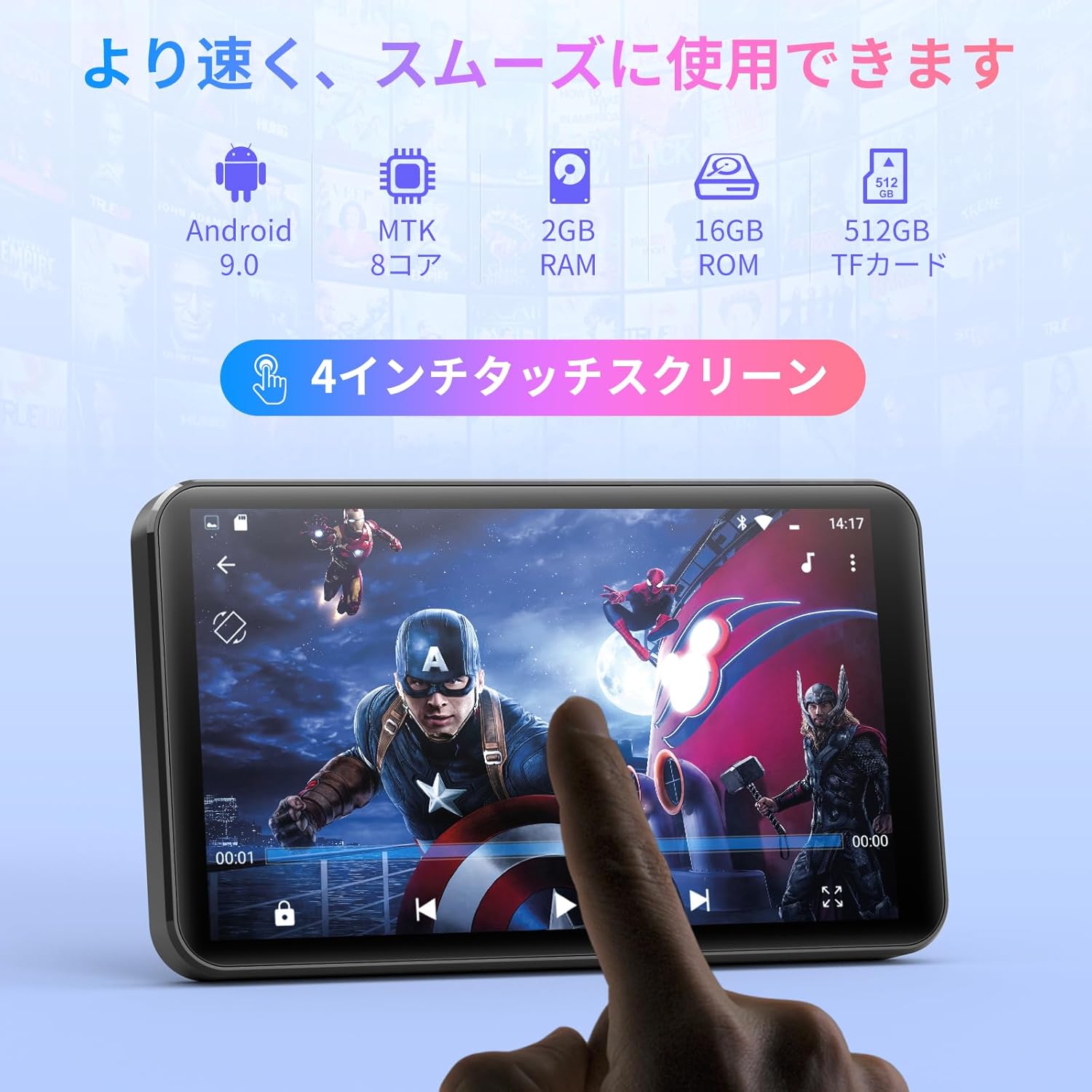
Imagen: Frente view of the MECHEN H1-Pro MP3 Player, showcasing its 4-inch touchscreen display.

Imagen: Lateral view of the MECHEN H1-Pro MP3 Player, highlighting the power button and volume controls.

Imagen: Arriba y abajo views of the MECHEN H1-Pro MP3 Player, illustrating the USB-C charging port, headphone jack, and Micro SD card slot.
4. Configuración
4.1 Carga inicial
Before first use, fully charge the device. Connect the provided USB cable to the player's USB-C port and the other end to a USB power adapter (not included) or a computer's USB port. The charging indicator will show the charging status.
4.2 Encendido y apagado
- Para encender: Mantenga presionado el botón de encendido en el costado del dispositivo hasta que la pantalla se ilumine.
- Para apagar: Press and hold the Power button until a power-off menu appears on the screen. Select 'Power Off' to shut down the device.
4.3 Conexión a wifi
To access online features and download apps, connect your device to a Wi-Fi network.
- Ir a Ajustes > Red e Internet > Wifi.
- Activar/desactivar Wi-Fi On.
- Seleccione la red Wi-Fi deseada de la lista.
- Ingrese la contraseña si se le solicita y toque Conectar.

Image: The MECHEN H1-Pro MP3 Player screen showing Wi-Fi settings and available networks.
4.4 Inserción de una tarjeta Micro SD
The device supports Micro SD cards for expanded storage. Locate the Micro SD card slot on the side of the device. Gently insert the card with the gold contacts facing down until it clicks into place.
5. Instrucciones de funcionamiento
5.1 Basic Navigation (Touchscreen)
The MECHEN H1-Pro features a responsive 4-inch touchscreen. Use standard touch gestures:
- Grifo: Para seleccionar un elemento o abrir una aplicación.
- Golpe fuerte: Para desplazarse por las listas o cambiar entre pantallas.
- Pellizco: To zoom in or out (in supported applications).
5.2 Reproducción de música
The device supports various audio formats including MP3, WAV, WMA, APE, OGG, and FLAC for high-fidelity music playback.
- Abrir el Música solicitud.
- Explora tu biblioteca de música por artista, álbum, canción o lista de reproducción.
- Toque una canción para comenzar la reproducción.
- Utilice los controles en pantalla para reproducir/pausar, omitir pistas y ajustar el volumen.

Image: The MECHEN H1-Pro MP3 Player screen showing a music playback interface with album art and controls.
5.3 Reproducción de video
Enjoy 720P/1080P full-format HD video playback without conversion. Supported formats include RM, RMVB, FLV, MP4, DAT, MKV, MPG, MOV, TS, etc.
- Abrir el Reproductor de video solicitud.
- Seleccione un video file de su almacenamiento.
- Tap to play. Use on-screen controls for playback options.

Image: The MECHEN H1-Pro MP3 Player screen showing a video playing in full-screen mode.
5.4 Conectividad Bluetooth
Connect to Bluetooth headphones, speakers, or other compatible devices.
- Ir a Ajustes > Dispositivos conectados > Bluetooth.
- Activar o desactivar Bluetooth On.
- Asegúrese de que su accesorio Bluetooth esté en modo de emparejamiento.
- Seleccione el accesorio de la lista de dispositivos disponibles para emparejar.

Image: The MECHEN H1-Pro MP3 Player shown alongside a pair of wireless headphones, indicating Bluetooth connectivity.
5.5 Wi-Fi Connectivity & App Downloads
With Android 9.0 and Wi-Fi, you can download and install various applications from the Google Play Store.
- Asegúrese de que el dispositivo esté conectado a Wi-Fi (consulte la Sección 4.3).
- Abrir el Tienda de juegos solicitud.
- Inicia sesión con tu cuenta de Google.
- Buscar and download desired applications (e.g., Spotify, Amazon Music, Audible).

Image: The MECHEN H1-Pro MP3 Player screen showing a variety of installed applications, including music streaming services and web navegadores.
5.6 Radio FM
Escuche sus estaciones de radio FM favoritas.
- Connect wired headphones to the 3.5mm audio jack; they act as the antenna.
- Abrir el Radio FM solicitud.
- Utilice los controles en pantalla para buscar estaciones o sintonizarlas manualmente.
5.7 File Gestión
Utilice el incorporado file gerente para organizar su files on internal storage and the Micro SD card.
- Abrir el File Gerente solicitud.
- Navigate through folders to view, copy, move, or delete files.
6. Mantenimiento
6.1 Limpieza
Limpie el dispositivo con un paño suave, seco y sin pelusa. No utilice limpiadores líquidos ni productos abrasivos.
6.2 Almacenamiento
Guarde el dispositivo en un lugar fresco y seco, alejado de la luz solar directa y de temperaturas extremas. Si lo va a guardar durante un periodo prolongado, asegúrese de que la batería esté parcialmente cargada (alrededor del 50 %) para prolongar su vida útil.
6.3 Cuidado de la batería
To maximize battery life, avoid fully discharging the battery frequently. Use the original charging cable for optimal performance.
7. Solución de problemas
| Problema | Posible solución |
|---|---|
| El dispositivo no se enciende. | Ensure the battery is charged. Connect to a charger for at least 30 minutes. If unresponsive, perform a hard reset by holding the power button for 10-15 seconds. |
| No se puede conectar al wifi. | Comprueba si el wifi está habilitado. Verifica la contraseña del wifi. Reinicia el router y el reproductor MP3. |
| El dispositivo Bluetooth no se empareja. | Ensure Bluetooth is enabled on both devices and the accessory is in pairing mode. Move devices closer together. |
| Las aplicaciones son lentas o fallan. | Close unnecessary background apps. Clear app cache (Settings > Apps > [App Name] > Storage > Clear Cache). Restart the device. Too many apps can lead to slowdowns. |
| No hay sonido en los auriculares. | Comprueba la conexión de los auriculares. Asegúrate de que el volumen no esté silenciado ni demasiado bajo. Prueba con otros auriculares. |
8. Especificaciones
| Característica | Detalle |
|---|---|
| Marca | MECHÉN |
| Nombre del modelo | H1-Pro (EU-H11) |
| Sistema operativo | Androide 9.0 |
| Procesador | MTK de 8 núcleos |
| RAM | 2 GB |
| Almacenamiento interno | 16 GB |
| Almacenamiento expandible | Micro SD (hasta 512 GB) |
| Tamaño de pantalla | 4 pulgadas |
| Tecnología de pantalla | Pantalla LCD |
| Conectividad | Bluetooth, USB, Wi-Fi |
| Características especiales | FM Radio, Equalizer, Video Playback |
| Formatos de audio compatibles | MP3, WAV, WMA, APE, OGG, FLAC |
| Formatos de vídeo compatibles | Formatos de archivo RM, RMVB, FLV, MP4, DAT, MKV, MPG, MOV, TS, etc. |
| Capacidad de la batería | 2000 mAh |
| Duración de la batería (Música) | Hasta 50 horas |
| Duración de la batería (vídeo) | Hasta 8 horas |
| Dimensiones (D x W x H) | 10.5 x 6.2 x 1.2 cm (4.14 x 2.44 x 0.46 pulgadas) |
| Peso del artículo | 97.5 gramos (3.45 oz) |

Image: The MECHEN H1-Pro MP3 Player shown with its physical dimensions and weight specifications.
9. Garantía y soporte
For warranty information and technical support, please refer to the warranty card included in your package or visit the official MECHEN webSitio. Conserve su recibo de compra como comprobante para reclamaciones de garantía.


