
1. Introducción
Thank you for choosing the SUNOL GS08 Smart Glasses. These open-ear audio glasses combine stylish eyewear with advanced audio technology, allowing you to enjoy music, make calls, and access navigation while remaining aware of your surroundings. This manual provides detailed instructions for the proper use and maintenance of your device.
Las características principales incluyen:
- Audio de oído abierto: Enjoy sound without blocking your ears, maintaining situational awareness.
- Conectividad Bluetooth 5.3: Stable and efficient wireless connection to your smart devices.
- Micrófono integrado: For clear hands-free calls and voice assistant interaction.
- Lentes polarizadas: 100% UV protection to shield your eyes from harmful rays and reduce glare.
- Resistencia al agua IPX4: Designed to resist sweat and light rain, suitable for various activities.
- Control de voz con IA: Access navigation, phone calls, and music without needing to pull out your phone.
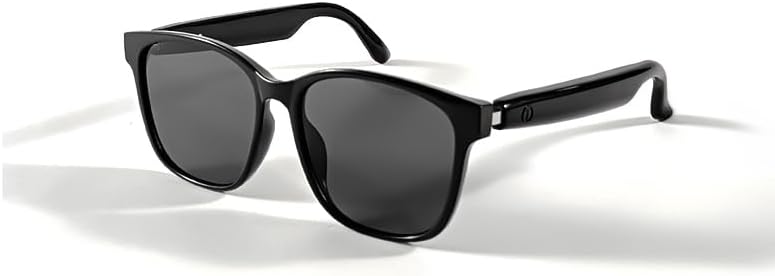
Image 1.1: The SUNOL GS08 Smart Glasses in gray, showcasing su elegante diseño.
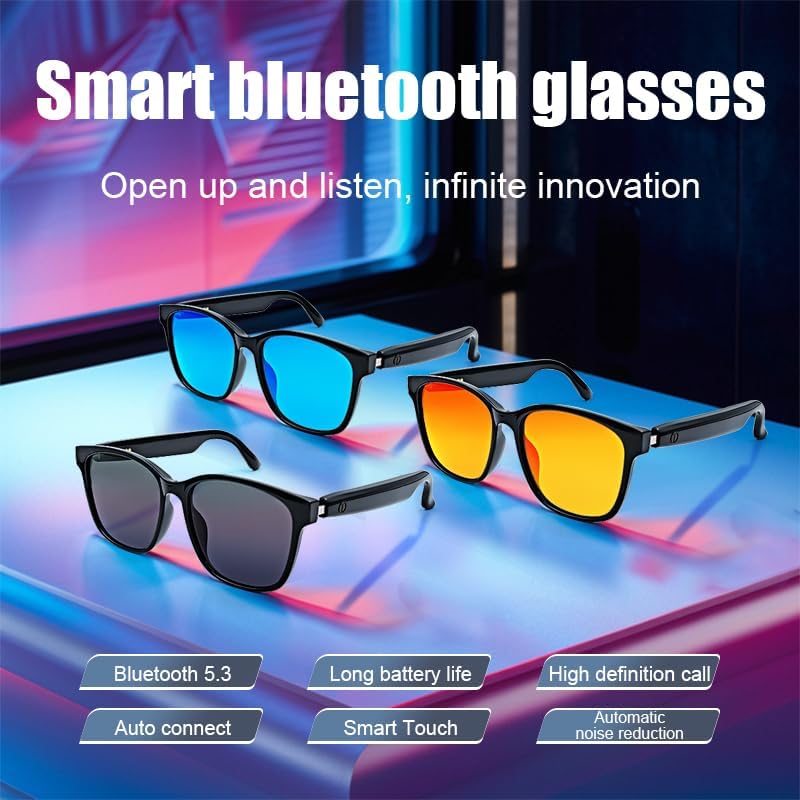
Image 1.2: Multiple color variants of the smart glasses highlighting features like Bluetooth 5.3, long battery life, high-definition calls, auto-connect, smart touch, and automatic noise reduction.
2. Configuración
2.1. Contenido del paquete
Antes de continuar, asegúrese de que todos los artículos estén presentes en el paquete:
- SUNOL GS08 Smart Glasses
- Cable de carga
- Manual de usuario
- Paño de limpieza (puede variar según el paquete)
2.2. Carga de las gafas
For optimal performance, fully charge your smart glasses before first use.
- Connect the charging cable to the charging port on the glasses.
- Conecte el otro extremo del cable de carga a un adaptador de corriente USB (no incluido) o al puerto USB de una computadora.
- The indicator light on the glasses will illuminate during charging and turn off or change color when fully charged.
- Una carga completa suele tardar entre 1.5 y 2 horas.
2.3. Emparejamiento Bluetooth
Follow these steps to pair your SUNOL GS08 Smart Glasses with your smartphone or other Bluetooth-enabled device:
- Asegúrese de que las gafas estén cargadas y apagadas.
- Press and hold the power button on the glasses until the indicator light flashes rapidly (usually blue and red), indicating pairing mode.
- On your smart device, go to Bluetooth settings and turn Bluetooth on.
- Buscar available devices. You should see "GS08" or "SUNOL GS08" in the list.
- Select "GS08" to connect. Once connected, the indicator light on the glasses will typically stop flashing and remain solid blue or turn off.
- The glasses will automatically connect to the last paired device when powered on, if the device's Bluetooth is active and within range.
3. Instrucciones de funcionamiento
3.1. Encendido y apagado
- Encendido: Press and hold the power button for approximately 3 seconds until you hear a power-on prompt or see the indicator light.
- Apagado: Press and hold the power button for approximately 5 seconds until you hear a power-off prompt or the indicator light turns off.
3.2. Reproducción de música
Control your music directly from the smart glasses:
- Reproducir/Pausa: Single press the multi-function button (often the power button or a dedicated button).
- Pista siguiente: Presione dos veces el botón multifunción.
- Pista anterior: Presione tres veces el botón multifunción.
3.3. Gestión de llamadas
Manage phone calls hands-free:
- Responder llamada: Presione una vez el botón multifunción cuando entre una llamada.
- Finalizar llamada: Presione una vez el botón multifunción durante una llamada.
- Rechazar llamada: Mantenga presionado el botón multifunción durante 2 segundos cuando entre una llamada.
3.4. Voice Assistant (AI Voice Control)
Activate your device's voice assistant for navigation, information, and more:
- Activar: Press and hold the multi-function button for 2 seconds (when not on a call) to activate your smartphone's voice assistant (e.g., Siri, Google Assistant).
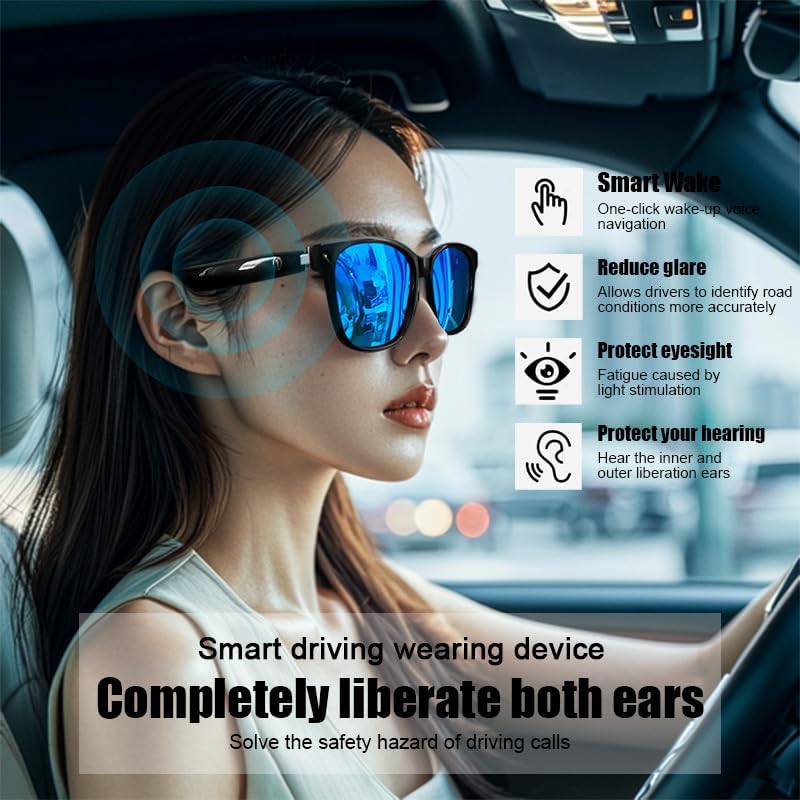
Image 3.1: The smart glasses in use while driving, demonstrating features such as Smart Wake for voice navigation, reduced glare, eye protection, and open-ear audio for hearing protection.
3.5. Control de volumen
Adjust the audio volume using the dedicated volume buttons on the glasses (if available) or directly from your connected smart device.

Imagen 3.2: Examples of the smart glasses being used in various activities such as cycling, hiking, driving, and fishing, highlighting their versatility.
4. Mantenimiento
4.1. Cleaning the Glasses
To maintain clarity and hygiene:
- Utilice el paño de limpieza provisto o un paño suave que no suelte pelusa para limpiar suavemente las lentes y el marco.
- Para manchas difíciles, aplique ligeramenteampen the cloth with water or a lens cleaning solution specifically designed for eyewear.
- Avoid using harsh chemicals, abrasive materials, or paper towels, as these can scratch the lenses or damage the frame.
4.2. Almacenamiento
When not in use, store your smart glasses in their protective case to prevent scratches and damage. Avoid exposing them to extreme temperatures, direct sunlight for prolonged periods, or high humidity.
4.3. Resistencia al agua (IPX4)
The SUNOL GS08 Smart Glasses are rated IPX4, meaning they are resistant to splashing water from any direction. This makes them suitable for use during workouts or in light rain. However, they are not designed for submersion in water. Do not wear them while swimming, showering, or in heavy rain.
5. Solución de problemas
If you encounter issues with your smart glasses, please refer to the following common solutions:
| Problema | Posible causa | Solución |
|---|---|---|
| Las gafas no se encienden. | Batería baja. | Cargue las gafas completamente. |
| No se puede emparejar con el dispositivo. | Bluetooth off on device; glasses not in pairing mode; too far from device. | Ensure Bluetooth is on. Put glasses in pairing mode (see Section 2.3). Move glasses closer to the device. Try unpairing and re-pairing. |
| No hay sonido o volumen bajo. | Volume too low on glasses or device; glasses not connected; audio source paused. | Increase volume on both glasses and connected device. Verify Bluetooth connection. Check if audio is playing on the source device. |
| Conexión intermitente. | Interferencia; dispositivo demasiado lejos; batería baja. | Move closer to the connected device. Avoid areas with strong Wi-Fi or other Bluetooth interference. Ensure glasses are charged. |
Si el problema persiste después de probar estas soluciones, comuníquese con el servicio de atención al cliente.
6. Especificaciones
| Característica | Detalle |
|---|---|
| Número de modelo | F06 |
| Versión de Bluetooth | 5.3 |
| Tipo de batería | 1 batería de polímero de litio (incluida) |
| Resistencia al agua | IPX4 (resistente a salpicaduras) |
| Tipo de lente | Polarized, 100% UV Protection |
| Tiempo de reproducción de audio | Approximately 3 hours (on a full charge) |
| Departamento | Unisex-adult |
| Fecha de primera disponibilidad | 24 de junio de 2024 |
| Origen | Importado |
7. Información de garantía
SUNOL products are manufactured to the highest quality standards. This product is covered by a limited warranty against defects in materials and workmanship from the date of original purchase. Please retain your proof of purchase for warranty claims.
The warranty does not cover damage caused by misuse, accident, unauthorized modification, or normal wear and tear. For specific warranty terms and conditions, please refer to the warranty card included with your product or contact customer support.
8. Atención al cliente
If you have any questions, require technical assistance, or need to make a warranty claim, please contact our customer support team:
- Correo electrónico: support@sunol.com
- Websitio: www.sunol.com/support
Please have your product model number (F06) and purchase date ready when contacting support.