
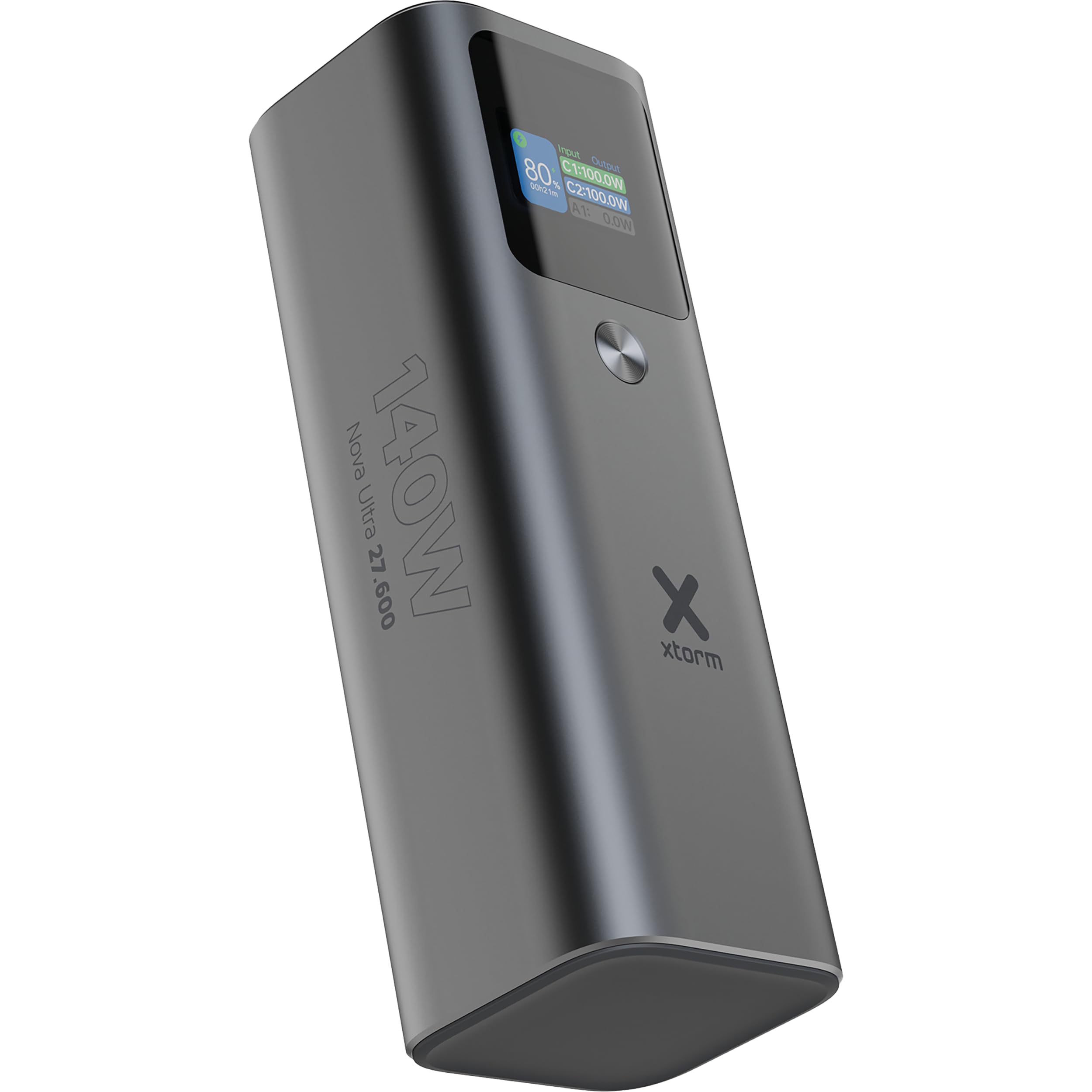
Introducción
Thank you for choosing the Xtorm Nova Ultra Power Bank. This manual provides essential information for the safe and efficient use of your device. Please read it thoroughly before operation and retain it for future reference.
The Xtorm Nova Ultra Power Bank (Model XNP276) is a high-capacity portable charger designed to power a wide range of devices, including laptops, tablets, and smartphones, with its 27600 mAh battery and 140W output capabilities.
Información de seguridad
Para garantizar un funcionamiento seguro y evitar daños, tenga en cuenta las siguientes precauciones de seguridad:
- No exponga el banco de energía a temperaturas extremas (superiores a 45 °C o inferiores a 0 °C).
- Evite dejar caer, golpear o desmontar el dispositivo.
- Mantener alejado del agua, la humedad y materiales inflamables.
- Utilice únicamente cables de carga y adaptadores certificados.
- Do not attempt to repair or modify the power bank yourself. Contact qualified service personnel.
- Deseche el banco de energía de forma responsable de acuerdo con las regulaciones locales.
- This power bank has a capacity of 99.9 Wh, making it compliant with maximum allowed standards for air travel in carry-on luggage. Always confirm with your airline's specific regulations before flying.
Contenido del paquete
Por favor revise el paquete para ver los siguientes artículos:
- Xtorm Nova Ultra Power Bank (XNP276)
- Cable de carga USB-C a USB-C
- Manual de instrucciones
Producto terminadoview
The Xtorm Nova Ultra Power Bank features a robust aluminum casing and an advanced intelligent display for real-time information.
Puertos y Conectores:
- 2x USB-C PD Ports (Input/Output): Each capable of up to 140W Power Delivery for fast charging of laptops, tablets, and smartphones. These ports are used for both charging the power bank and charging other devices.
- 1x USB-A QC 3.0 Port (Output): Provides up to 22.5W output for charging smartphones and other compatible devices.
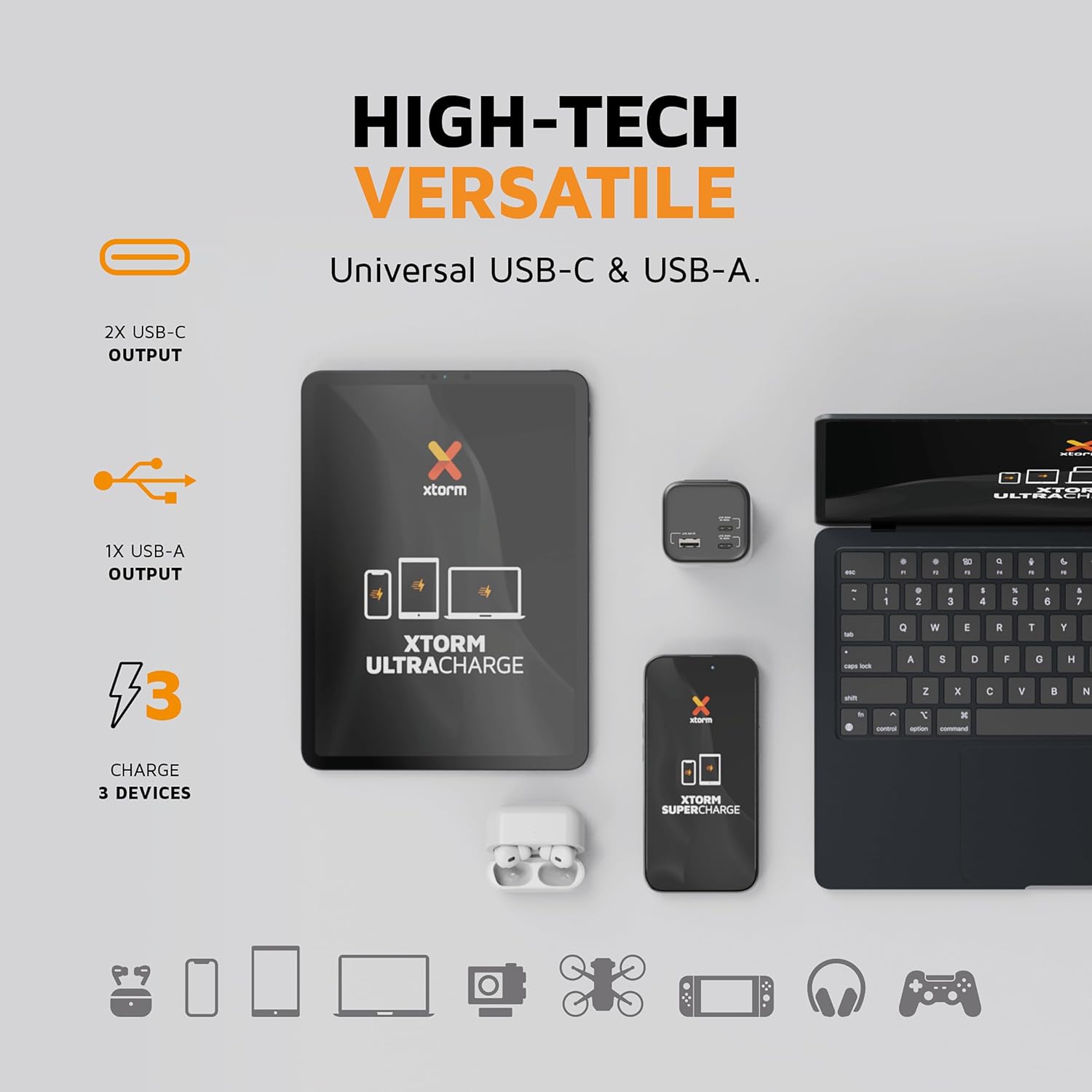
Imagen: Un primer plano view of the Xtorm Nova Ultra Power Bank showing its two USB-C ports and one USB-A port, labeled with their respective power outputs.
Pantalla inteligente:
The integrated display provides real-time information on:
- Porcentaje de bateríatagy restante.
- Wat de entradatage (when charging the power bank).
- Watt de salidatage para cada dispositivo conectado.
- Estimated time remaining for charging or recharging.

Imagen: Un detalle view of the Xtorm Nova Ultra Power Bank's intelligent display, showing battery level, input/output wattages for C1, C2, and A1 ports, and screen display time settings.
Configuración
Before initial use, it is recommended to fully charge your Xtorm Nova Ultra Power Bank.
- Connect one end of the provided USB-C cable to one of the USB-C PD ports on the power bank.
- Connect the other end of the USB-C cable to a compatible USB-C power adapter (not included) with a minimum output of 60W, preferably 100W or 140W for fastest charging.
- Conecte el adaptador de corriente a una toma de pared.
- La pantalla inteligente mostrará el agua de entrada.tage and the battery percentage increasing. The power bank is fully charged when the display shows 100%.
Una carga completa puede tardar varias horas dependiendo del adaptador de corriente utilizado.
Instrucciones de funcionamiento
Cargando sus dispositivos:
The Xtorm Nova Ultra Power Bank can charge up to three devices simultaneously.
- Identify the appropriate charging cable for your device (USB-C to USB-C for laptops/tablets/phones, USB-A to desired connector for other devices).
- Conecte un extremo del cable de carga a su dispositivo.
- Connect the other end of the charging cable to an available output port on the power bank (USB-C PD or USB-A QC 3.0).
- The power bank will automatically begin charging your device. The display will show the output wattage para cada puerto activo.
Note on Laptop Charging: For optimal laptop charging speeds, use one of the USB-C PD ports. When charging a single laptop via one USB-C PD port, the power bank can deliver up to 140W. When charging two laptops simultaneously via both USB-C PD ports, the power output will be distributed.
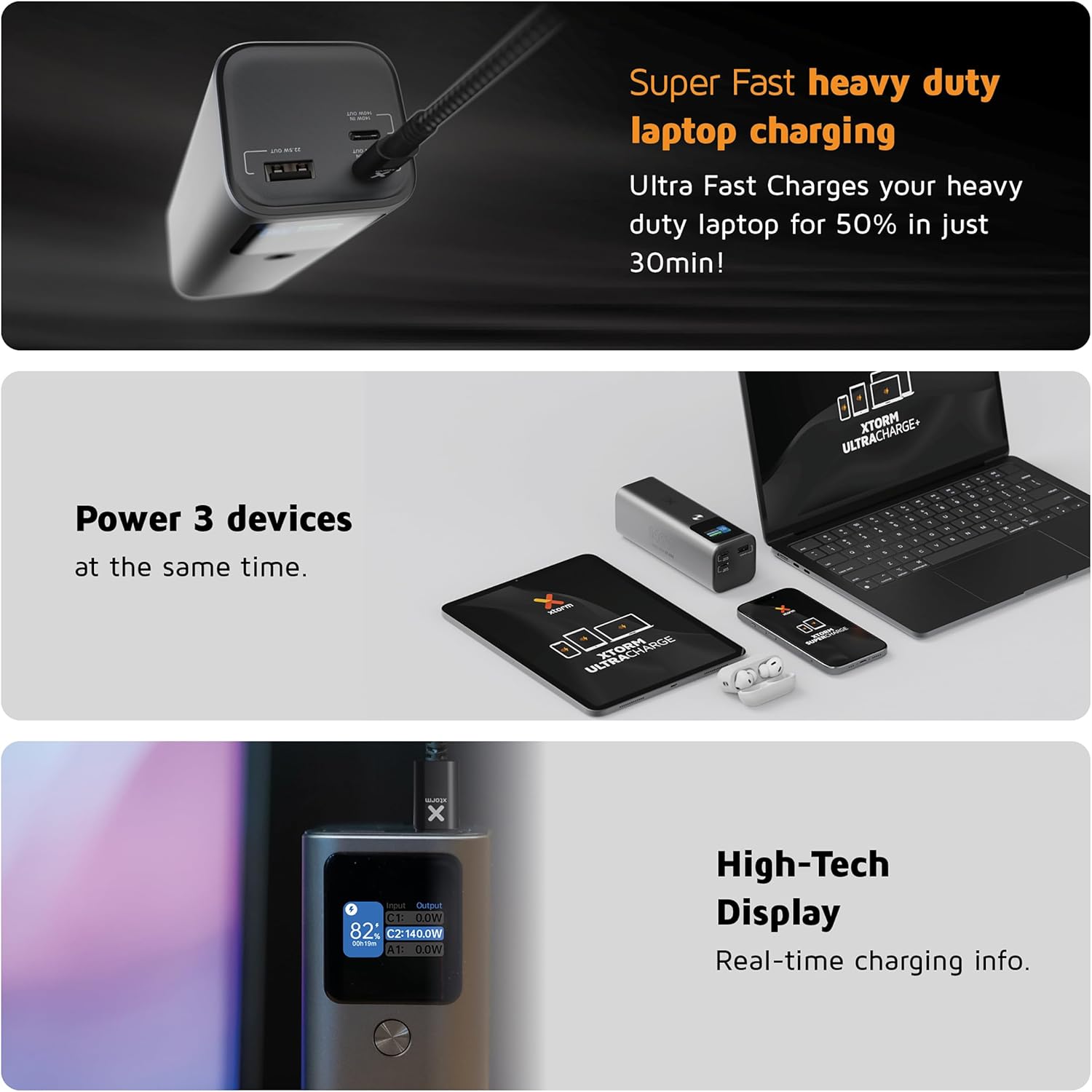
Image: A collage showing the Xtorm Nova Ultra Power Bank charging a laptop, a tablet, and a smartphone simultaneously, highlighting its ability to power three devices.
Comprobación del nivel de la batería:
The intelligent display automatically activates when a device is connected or when the power bank is being charged. It shows the current battery percentage and real-time power flow.
Mantenimiento
- Limpieza: Utilice un paño suave y seco para limpiar el exterior de la batería externa. No utilice limpiadores líquidos ni productos abrasivos.
- Almacenamiento: Store the power bank in a cool, dry place away from direct sunlight and extreme temperatures. For long-term storage, charge the power bank to approximately 50-70% every three months to maintain battery health.
- Cuidado de la batería: Avoid fully discharging the power bank regularly, as this can reduce its lifespan.
Solución de problemas
- El banco de energía no se carga:
- - Asegúrese de que el cable de carga esté conectado de forma segura tanto al banco de energía como al adaptador de pared.
- - Verify that the wall adapter is functioning correctly and plugged into a live outlet.
- - Try a different USB-C cable and/or wall adapter.
- Devices are not charging from the power bank:
- - Check if the power bank has sufficient charge.
- - Ensure the charging cable is securely connected to both the power bank and your device.
- - Try a different charging cable or a different port on the power bank.
- - Some devices may require specific charging protocols; ensure compatibility.
- Velocidad de carga lenta:
- - Ensure you are using a high-quality, compatible cable that supports fast charging.
- - For laptops, use the USB-C PD ports. Charging multiple devices simultaneously may reduce individual port output.
- - Check if your device supports the fast charging protocols (e.g., USB Power Delivery) offered by the power bank.
- La pantalla no funciona:
- - Connect a device or charger to activate the display. If it remains off, the power bank might be fully discharged or require service.
Presupuesto
| Característica | Detalle |
|---|---|
| Número de modelo | XNP276 |
| Capacidad de la batería | 27600 mAh (99.9 Wh) |
| USB-C PD Output (x2) | Up to 140W each (Total shared output) |
| USB-A QC 3.0 Output (x1) | Hasta 22.5W |
| Salida máxima total | 140 W |
| Entrada (USB-C PD) | Hasta 140W |
| Dimensiones | 15.5 de largo x 5.3 de ancho x 5 de alto cm |
| Peso | 910 gramos |
| Composición de la batería | Iones de litio |
| Dispositivos compatibles | Smartphone, Smartwatch, Tablet, Laptop |
| País natal | Alemania |

Image: The Xtorm Nova Ultra Power Bank held in a hand, illustrating its compact size and lightweight design. While the image indicates 647 grams, the product specifications state a weight of 910 grams.
Información de garantía
Xtorm products are designed and manufactured to the highest quality standards. This product is covered by a standard manufacturer's warranty against defects in materials and workmanship from the date of purchase. Please refer to the official Xtorm webConsulte el sitio web o a su distribuidor para conocer los términos y condiciones de garantía específicos aplicables a su región.
Conserve su comprobante de compra (recibo o factura), ya que será necesario para cualquier reclamo de garantía.
Apoyo
For technical support, product inquiries, or further assistance, please visit the official Xtorm website or contact their customer service department. Contact details can typically be found on the Xtorm websitio o dentro del embalaje de su producto.
Websitio: www.xtorm.eu


