
Rocketek FBA_RT-CR7
Rocketek CAC Card Reader User Manual
Model: FBA_RT-CR7 | 2-in-1 USB/Type C Dual Connector
1. Introducción
Thank you for choosing the Rocketek CAC Card Reader. This device is a versatile 2-in-1 USB/Type C dual connector smart card reader designed for secure access and data transfer. It is compatible with a wide range of smart cards, including DOD Military Common Access Cards (CAC), Government IDs, National IDs, and various banking cards. This manual provides essential information for setting up, operating, and maintaining your card reader.
2. Contenido del paquete
- 1 x Rocketek CAC Card Reader (Model: FBA_RT-CR7)
- 1 x Manual de usuario (este documento)
3. Características del producto
- Conectividad dual: Equipped with both USB-A and Type-C connectors for broad device compatibility.
- Conectar y usar: Automatic driver installation for Windows systems.
- Amplia compatibilidad: Supports ISO7816 Class A, B, and C (5V/3V/1.8V) Smart Cards, including CAC, Government ID, National ID, ActivClient, AKO, OWA, DKO, JKO, NKO, BOL, GKO, Marinenet, AF Portal, Pure Edge Viewer, ApproveIt, DCO, DTS, LPS, Disa Enterprise Email.
- Seguridad mejorada: Ideal for high-security federal government applications, online banking, Windows authentication, and Single Sign-On (SSO).
- Diseño portátil: Mini foldable design, thumb-sized, and convenient for travel without external power cords.
- Durabilidad: Built to withstand extensive use.
4. Guía de configuración
4.1 Conexión del lector de tarjetas
The Rocketek CAC Card Reader features a 2-in-1 design with both USB-A and Type-C connectors. Choose the appropriate connector for your device.
- Identify the available USB-A or Type-C port on your computer, laptop, or compatible Android device.
- Plug the corresponding connector of the card reader firmly into the port.

Image: The Rocketek CAC Card Reader connected to a laptop, demonstrating its compact design and dual USB-A/Type-C connectivity. A smart card is shown inserted into the reader.

Imagen: Un detalle view of the card reader's integrated USB-A and Type-C connectors, highlighting their design and indicating that Lightning and Micro USB ports are not compatible.
4.2 Instalación del controlador
The card reader is designed for ease of use with plug-and-play functionality.
- Sistemas Windows: The driver will automatically install upon connecting the device. No manual installation is typically required.
- Usuarios de Mac OS: Java is necessary for the card reader to function correctly. Please install Java from Java's official websitiowww.java.com) before using the reader.
- DOD and USG Users: A third-party CAC Enabler program is required for full functionality with military and government cards.
For additional driver downloads and support, please visit the Rocketek websitio: www.rocketek.hk.

Image: An illustration emphasizing the ease of driver installation and directing users to the Rocketek webSitio para soporte y descargas.
5. Instrucciones de funcionamiento
5.1 Inserción de una tarjeta inteligente
- Ensure the card reader is connected to your device.
- Localice la ranura de la tarjeta inteligente en el lector.
- Insert your smart card (e.g., CAC card, ID card, bank card) into the slot with the chip facing upwards and towards the reader. Push gently until it is fully seated.
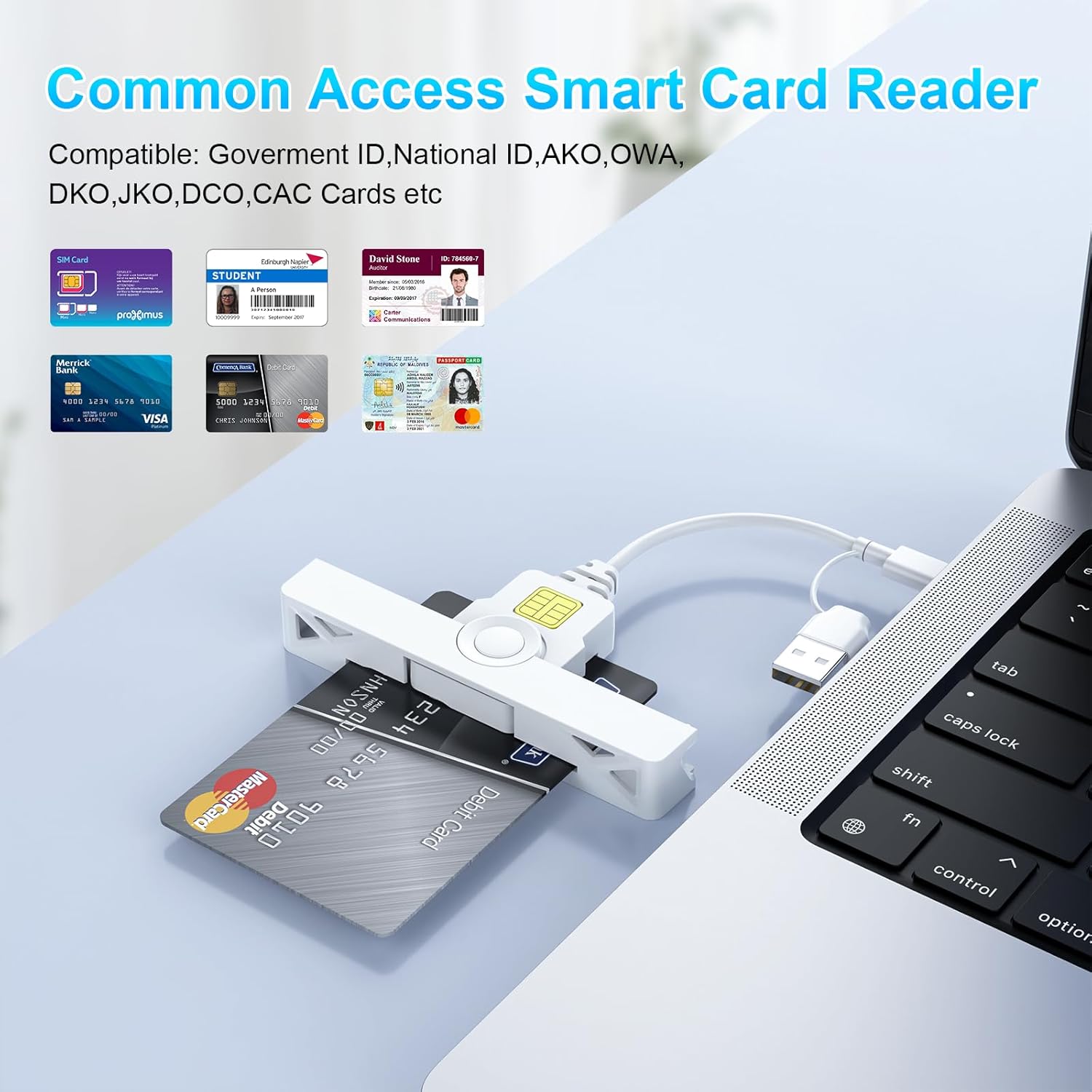
Image: The card reader shown with various types of smart cards, including government IDs and bank cards, demonstrating its broad compatibility for common access.
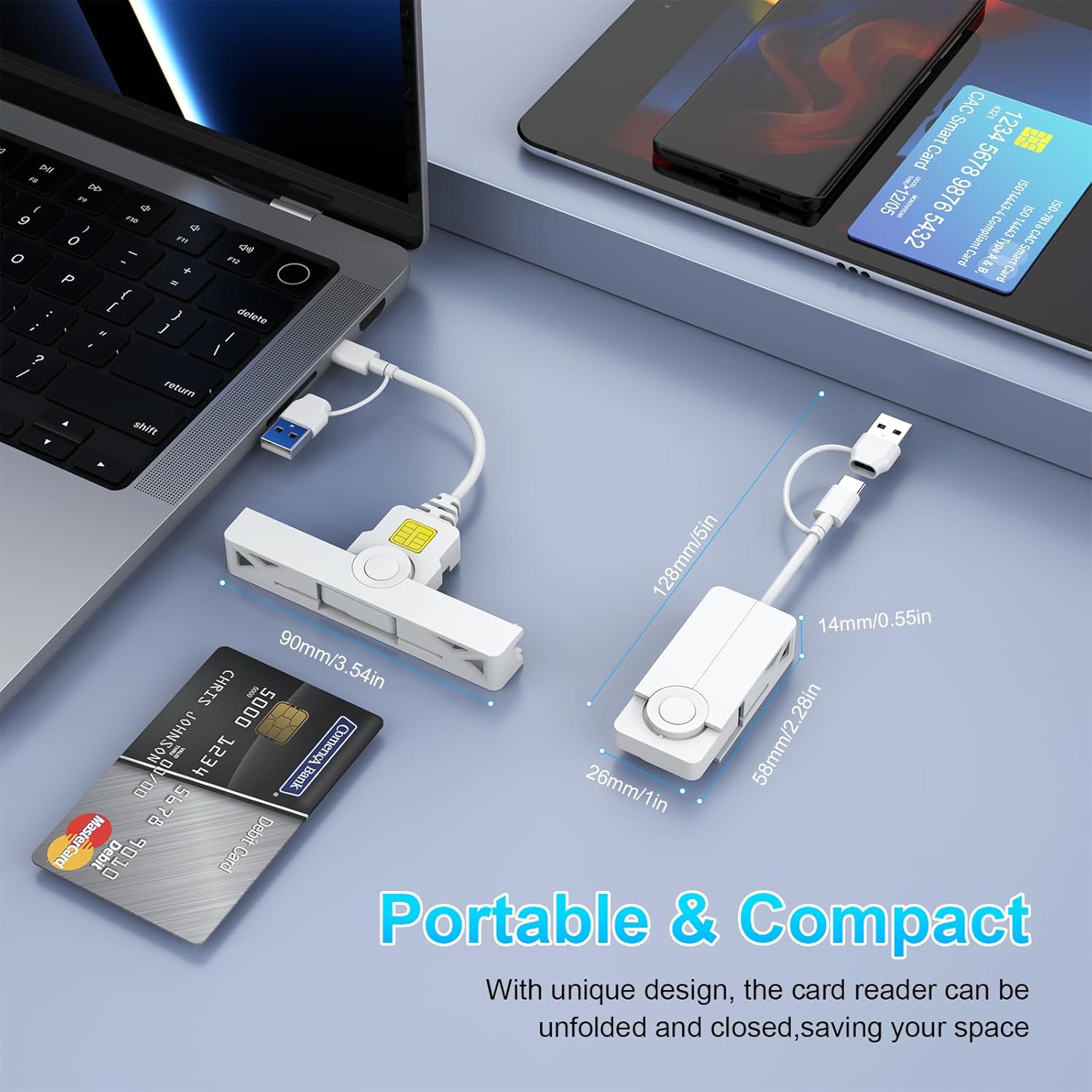
Imagen: Un collage de primeros planos. views detailing the card reader's features, including the smart card insertion point, the dual connectors, and its compact, foldable design.
5.2 Uso del lector de tarjetas
Once the card is inserted and recognized by your system, you can proceed with your desired operation:
- Inicio de sesión seguro: Use with ActivClient, AKO, OWA, DKO, JKO, NKO, BOL, GKO, Marinenet, AF Portal, Pure Edge Viewer, ApproveIt, DCO, DTS, LPS, Disa Enterprise Email for secure access.
- Online Banking/Payment: Facilitates secure online transactions.
- Firma digital: Supports applications requiring digital signatures.
5.3 Extracción de una tarjeta inteligente
Gently pull the smart card out of the slot when you are finished with your operation. Ensure any active processes using the card are completed before removal.
6. Compatibilidad
The Rocketek CAC Card Reader offers broad compatibility with various operating systems and devices.
- Sistemas operativos: Windows (10/8/7/Vista/XP), Mac OS, Android.
- Dispositivos: Laptops (e.g., Macbook, AirRetina, Lenovo Yoga, ThinkPad), Desktop PCs, Android Phones, Surface, IdeaPad.

Imagen: Una sobreview of the card reader's extensive compatibility, displaying various laptops, smartphones, and operating system logos it supports.
6.1 Port Design for Convenience
The compact and foldable design of the Rocketek card reader ensures it does not block neighboring USB ports on your device, allowing for simultaneous use of other peripherals.
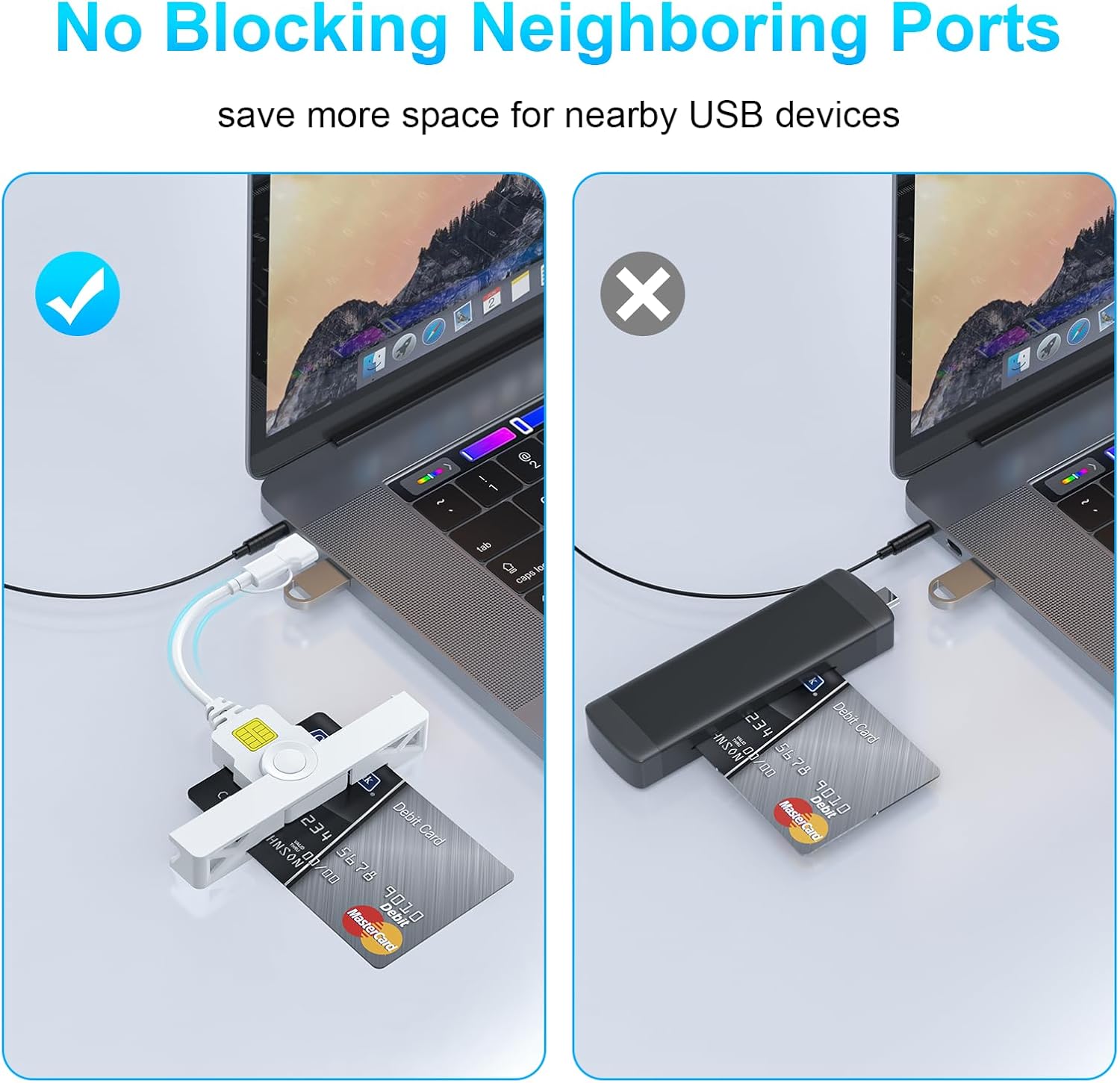
Image: A visual comparison demonstrating how the Rocketek reader's slim profile prevents it from obstructing adjacent USB ports, unlike bulkier alternatives.
7. Mantenimiento
To ensure the longevity and optimal performance of your Rocketek CAC Card Reader, follow these simple maintenance guidelines:
- Mantenga el dispositivo limpio y libre de polvo y residuos. Utilice un paño suave y seco para limpiarlo.
- Avoid exposing the reader to extreme temperatures, humidity, or direct sunlight.
- No intente desmontar ni modificar el dispositivo, ya que esto anulará la garantía.
- Store the reader in a safe place when not in use, ideally in its folded, compact form to protect the connectors.
8. Solución de problemas
If you encounter issues with your Rocketek CAC Card Reader, please refer to the following common solutions:
- Lector no detectado:
- Ensure the reader is firmly plugged into a working USB-A or Type-C port.
- Pruebe con un puerto USB diferente en su computadora.
- Reinicie su computadora.
- For Mac OS, verify that Java is installed and up to date.
- Tarjeta no reconocida:
- Ensure the smart card is inserted correctly with the chip facing upwards.
- Check if the card is damaged or dirty. Clean the chip gently if necessary.
- Verify that you have the necessary third-party software (e.g., CAC Enabler for DOD/USG users) installed and configured correctly.
- Ensure the card type is supported by the reader (ISO7816 Class A, B, C).
- Problemas con el controlador:
- For Windows, check Device Manager for any yellow exclamation marks next to the card reader device. If found, try updating the driver or uninstalling and reinstalling the device.
- Visita www.rocketek.hk for the latest drivers and troubleshooting guides.
9. Especificaciones
| Característica | Detalle |
|---|---|
| Marca | Rocketek |
| Serie modelo | FBA_RT-CR7 |
| Tecnología de conectividad | USB tipo A, USB tipo C |
| Sistemas operativos compatibles | Mac OS, Windows |
| Peso del artículo | 0.634 onzas |
| Dimensiones del paquete | 5.2 x 3.35 x 0.63 pulgadas |
| Color | Blanco |
| Tipos de medios admitidos | CAC (Tarjeta de Acceso Común) |
| Fabricante | SHENZHEN ROCKETEK ELECTRONICS CO., LTD. |
10. Garantía y soporte
Rocketek stands behind the quality of its products.
- Garantía del fabricante: Este producto viene con una garantía del fabricante de 18 meses.
- Política de reemplazo: Hassle-free replacement is available for eligible issues.
- Apoyo técnico: Enjoy free lifetime technical support for your Rocketek CAC Card Reader.
For warranty claims, technical assistance, or further inquiries, please visit the official Rocketek websitio o comuníquese con sus canales de atención al cliente.
Oficial Websitio: www.rocketek.hk