
Introducción
This manual provides detailed instructions for the installation, operation, and maintenance of your AKAMATE Wireless CarPlay Portable Motorcycle Dash Cam. Please read this manual thoroughly before using the product to ensure proper function and safety. Keep this manual for future reference.
Información de seguridad
- Ensure all components are securely mounted to prevent detachment during operation.
- Route all cables away from moving parts, heat sources, and sharp edges to prevent damage and interference.
- No intente desmontar ni modificar el dispositivo. Las modificaciones no autorizadas pueden anular la garantía y suponer riesgos de seguridad.
- The device is waterproof (IP67 rated); however, avoid prolonged submersion or high-pressure water jets.
- Operating the device while riding should be done with caution to avoid distraction. Utilize voice control features for safer interaction.
- Connect the power supply correctly to avoid electrical shorts or damage to your motorcycle's electrical system.
Contenido del paquete
Verifique que todos los artículos enumerados a continuación estén incluidos en su paquete:
- Motorcycle Dash Cam Unit (Main Display)
- Cámara frontal
- Cámara trasera
- Herramienta de montaje
- Herramienta de instalación
- Kit de cableado
- Kit de cableado
- Manual de usuario
Producto terminadoview
The AKAMATE Wireless CarPlay Portable Motorcycle Dash Cam is designed to enhance your riding experience with smart connectivity and recording capabilities. It features a 5.5-inch waterproof touch screen, dual 1080P HD cameras for front and rear recording, and supports wireless CarPlay and Android Auto. Integrated Bluetooth 5.3 allows for seamless connection to your smartphone and headset, enabling voice control and hands-free communication.
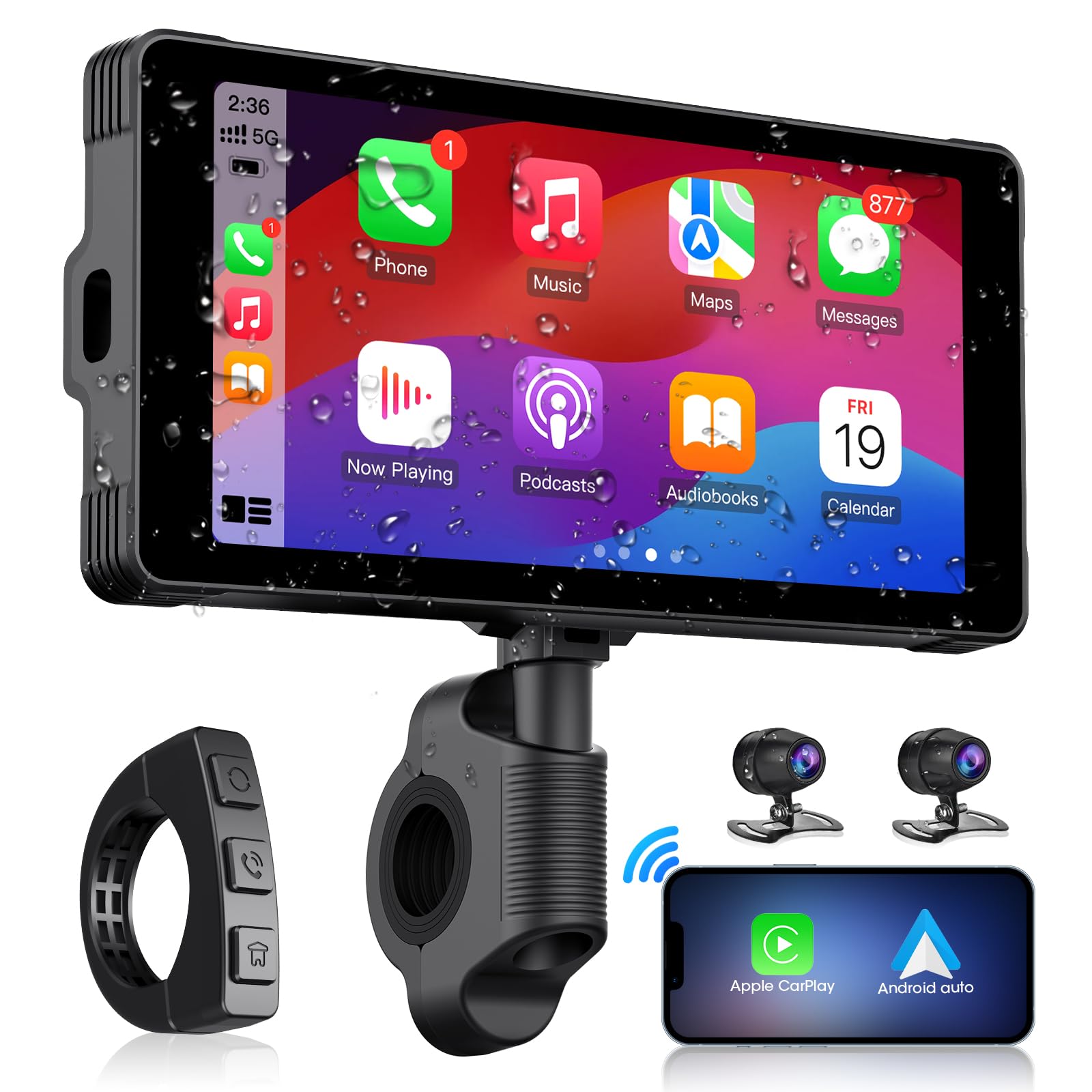
Image: The main AKAMATE dash cam unit, showing its compact design and display.
Configuración
1. Instalación
Proper installation is crucial for the device's performance and your safety. Follow these general steps:
- Montaje de la unidad principal: Use the provided mounting tools to securely attach the main display unit to your motorcycle's handlebar. Ensure it is positioned for clear visibility without obstructing your view de la carretera o de los controles.
- Colocación de la cámara: Install the front and rear cameras in locations that provide a clear, unobstructed view. Typically, the front camera is mounted near the headlight or on the fairing, and the rear camera near the license plate or tail light.
- Alambrado: Connect the wiring kit. The hardwire kit typically connects directly to your motorcycle's battery (for constant power) and an accessory wire (for ignition-switched power). Ensure all connections are secure and insulated. Route cables carefully, avoiding hot engine parts, sharp edges, and areas where they might be pinched or snagged. Use zip ties or cable clips to secure wiring.
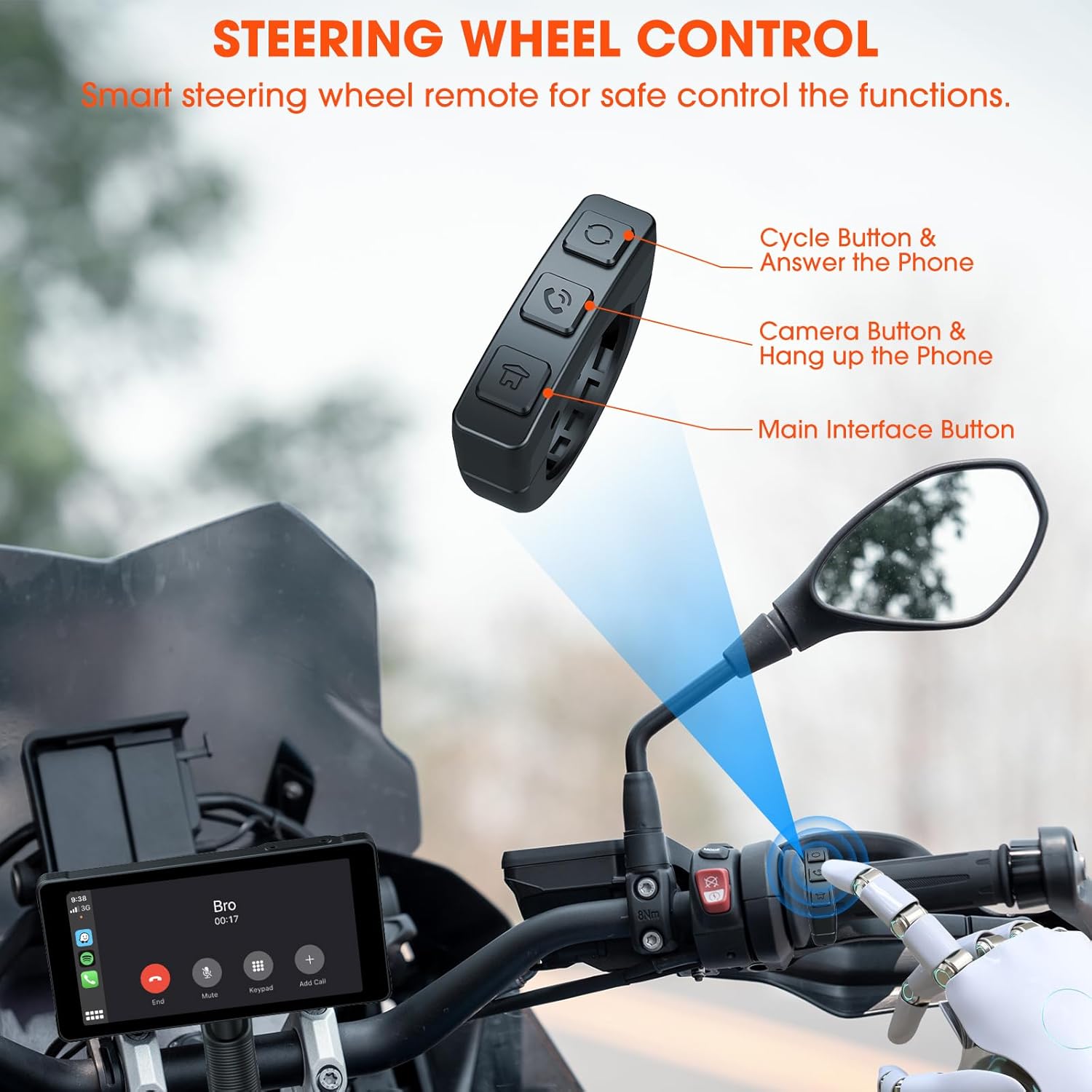
Image: Comparison showing a motorcycle handlebar before and after the installation of the AKAMATE dash cam, highlighting the integrated look and IP67 waterproof rating.
2. Encendido inicial
Once installed and wired, turn on your motorcycle's ignition. The dash cam should power on automatically. Follow the on-screen prompts for initial setup, including language selection and time zone settings.
Instrucciones de funcionamiento
1. Wireless Connection (CarPlay/Android Auto)
El dispositivo es compatible con Apple CarPlay y Android Auto de forma inalámbrica para una integración perfecta con teléfonos inteligentes.
- Asegúrese de que Bluetooth y Wi-Fi estén habilitados en su teléfono inteligente.
- On the dash cam, navigate to the 'Wireless Connection' or 'CarPlay/Android Auto' settings.
- Buscar available devices on your phone and select the dash cam's Bluetooth name.
- Confirm the pairing code on both devices. Once paired via Bluetooth, the device will automatically establish a Wi-Fi connection for CarPlay or Android Auto.
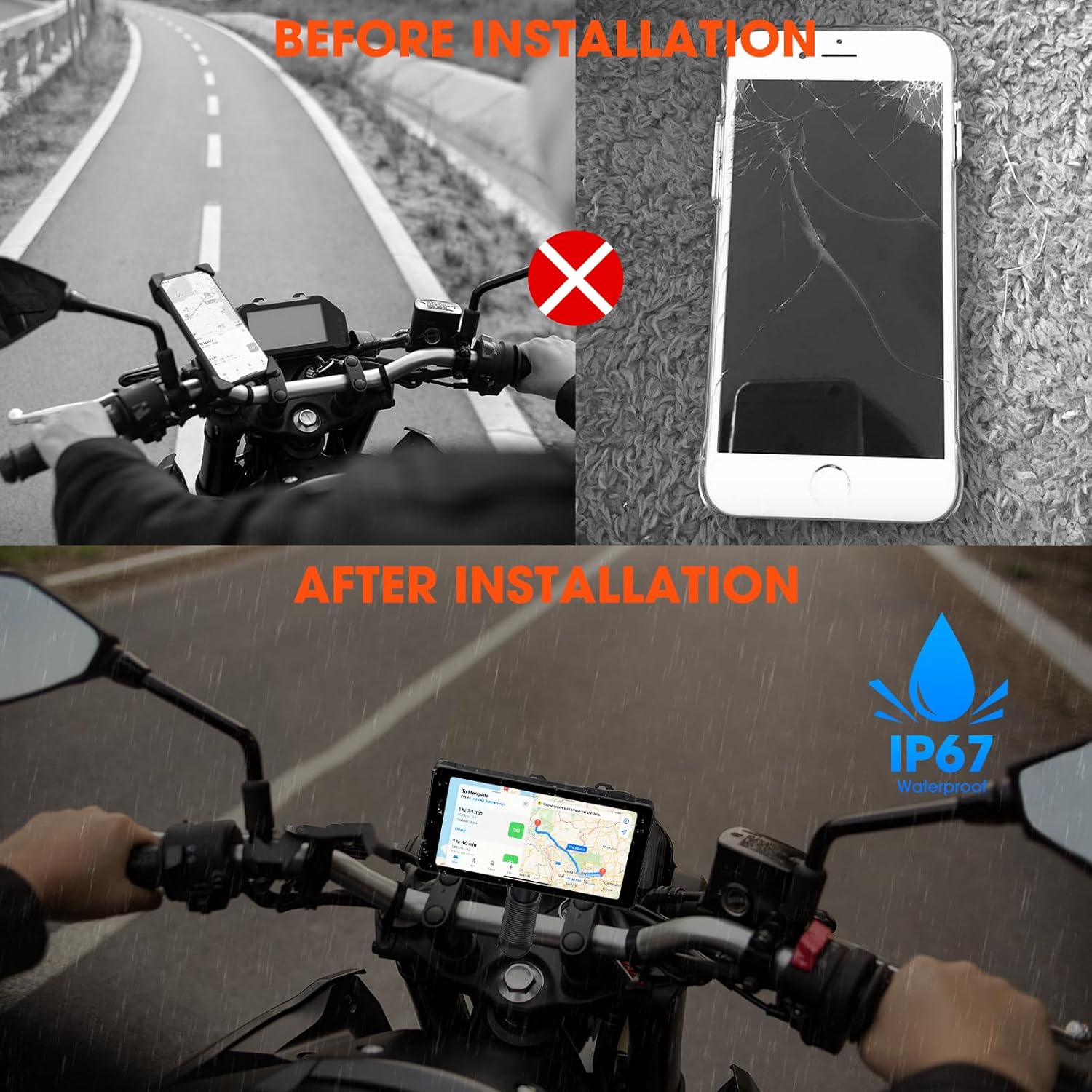
Image: Illustrates the wireless connection feature, showing the dash cam displaying navigation and music, with voice commands for Siri and Google Assistant.
2. Dash Cam Operation (Video Recording)
The device automatically begins recording upon power-on. It features 1080P HD front and rear cameras.
- Grabación en bucle: The system records video in continuous loops, overwriting the oldest footage cuando la tarjeta de memoria está llena.
- Grabación de emergencia: In the event of a sudden impact or collision, the G-sensor will trigger emergency recording, locking the current footage para evitar que se sobrescriba.
- Viewing Footage: Los vídeos grabados pueden ser viewed directly on the dash cam's screen or by removing the memory card and inserting it into a computer.

Image: Demonstrates the 1080P HD front and rear camera views, highlighting the 170-degree wide-angle recording and loop recording function.
3. Conectividad Bluetooth
The device utilizes Bluetooth 5.3 for stable connections.
- Emparejamiento de teléfono: Pair your smartphone via Bluetooth for CarPlay/Android Auto functionality and hands-free calls.
- Emparejamiento de auriculares: Connect your Bluetooth helmet or earphones to the dash cam to receive audio (navigation prompts, music, calls) directly.

Image: Illustrates the dual Bluetooth connection capability, allowing simultaneous pairing with a smartphone and a Bluetooth helmet or earphones.
4. Control por voz
With CarPlay or Android Auto connected, you can use voice commands (Siri or Google Assistant) for navigation, music playback, calls, and messages, minimizing manual interaction while riding.
5. Steering Wheel Control (Remote)
A smart remote control is included for convenient operation of key functions without reaching for the main unit.
- Cycle Button & Answer Phone: Used to cycle through modes or answer incoming calls.
- Camera Button & Hang up Phone: Activates camera functions (e.g., take a snapshot) or ends calls.
- Main Interface Button: Navigates to the main menu or home screen.
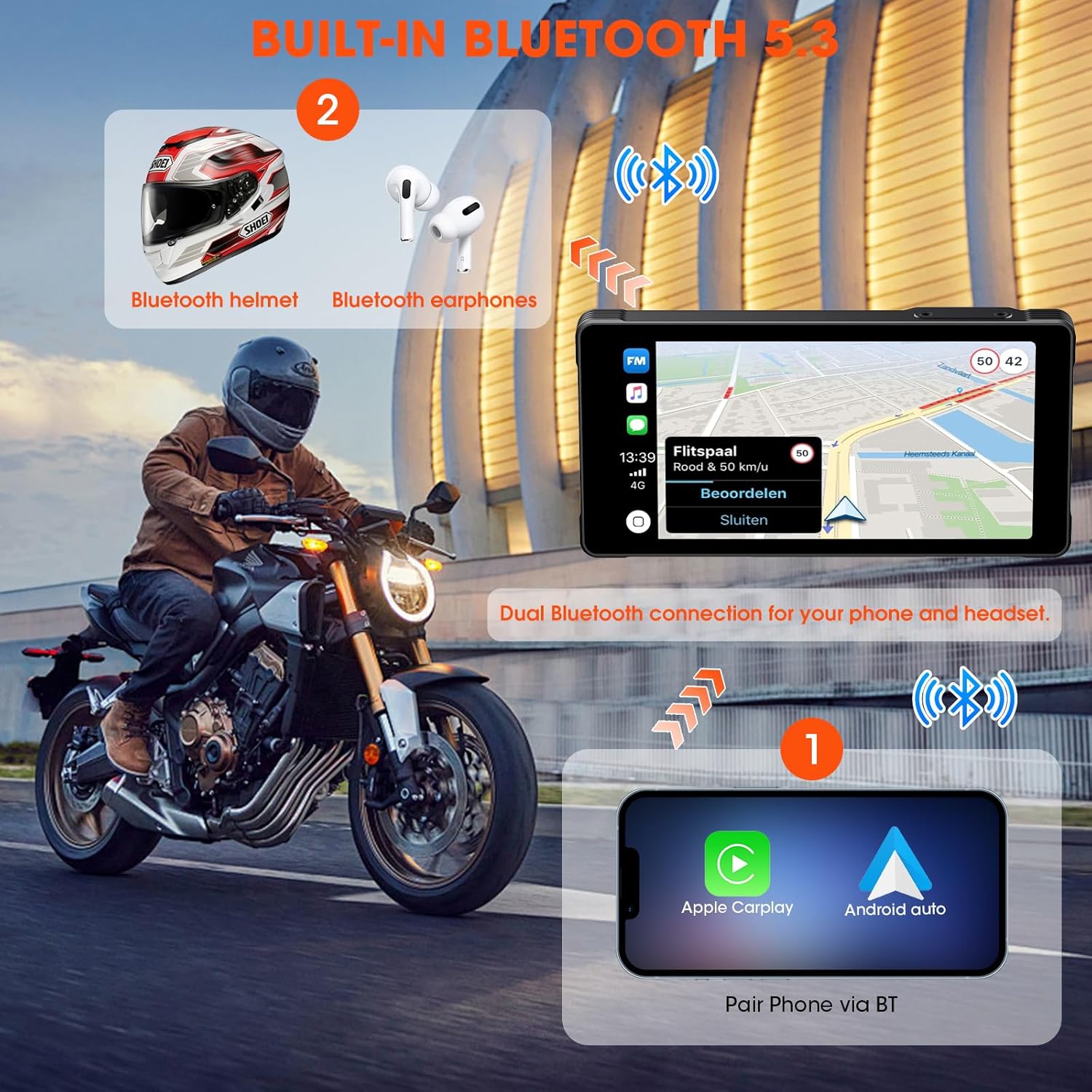
Image: Shows the smart steering wheel remote control and its functions, designed for safe operation while riding.
6. Navegación GPS
GPS navigation is provided through your smartphone's CarPlay or Android Auto application. The dash cam acts as a display for your phone's navigation system, offering real-time directions on its screen.
Mantenimiento
- Limpieza: Utilice un paño suave y seco.amp Paño para limpiar la pantalla y el cuerpo del dispositivo. Evite limpiadores abrasivos o disolventes.
- Actualizaciones de firmware: Revise periódicamente las instrucciones del fabricante. webSitio para actualizaciones de firmware para garantizar un rendimiento óptimo y acceso a nuevas funciones.
- Tarjeta de memoria: Format the memory card regularly (e.g., monthly) to maintain optimal recording performance and prevent data corruption. Back up important footage antes de formatear.
- Inspección de cables: Regularly inspect all cables and connections for wear, damage, or loose fittings.
Solución de problemas
| Problema | Posible causa | Solución |
|---|---|---|
| El dispositivo no se enciende. | Cableado incorrecto; Fusible quemado; Bajo volumen de bateríatage. | Check power connections; Inspect fuse; Ensure motorcycle battery has sufficient charge. |
| CarPlay/Android Auto no se conecta. | Bluetooth/Wi-Fi desactivado en el teléfono; emparejamiento incorrecto; interferencia. | Ensure phone's Bluetooth/Wi-Fi is on; Re-pair devices; Move away from sources of interference. |
| Cameras not recording or footage está dañado. | Memory card full/faulty; Incorrect card format; Loose camera connection. | Format memory card; Replace card if faulty; Check camera cable connections. |
| No hay audio desde los auriculares. | Headset not paired; Volume too low; Incorrect audio output selected. | Ensure headset is paired and connected; Adjust volume; Check audio settings on device. |
Presupuesto
| Característica | Detalle |
|---|---|
| Fabricante | Akamate |
| Dimensiones del producto | 0.99 x 14.99 x 7.49 cm (aprox. 1 x 15 x 7.5 cm) |
| Peso del artículo | 907.18 gramos (aprox. 2 libras) |
| ASIN | B0D9B3T8SL |
| Marca | Akamate |
| Tipo de servicio del vehículo | Motorcycle, Bicycle |
| Tecnología de conectividad | Bluetooth, wifi |
| Características especiales | Voice Control, Wireless Android Auto, Portable Wireless CarPlay, Waterproof (IP67) |
| Resolución de captura de video | 1080p |
| Componentes incluidos | Motorcycle Dash Cam Unit, Front Camera, Rear Camera, Mounting Tools, Installation Tools, Wiring Kit, Hardwire Kit, User Manual |
| Tipo de montaje | Montaje del manillar |
| Método de control | Remoto |
Garantía y soporte
For warranty information and technical support, please refer to the documentation included with your product or visit the official AKAMATE webSitio. Conserve su recibo de compra como comprobante para reclamaciones de garantía.