
Introducción
Thank you for choosing the Midland GXT3000 GMRS Two-Way Radio. This manual provides essential information for the safe and efficient operation of your new radio. Please read it thoroughly before use and keep it for future reference. The GXT3000 is designed for robust, long-range communication, ideal for outdoor enthusiasts, farmers, and professionals.
Producto terminadoview
The Midland GXT3000 GMRS Two-Way Radio offers advanced features for clear and dependable communication:
- 50 GMRS Channels: Proporciona una amplia gama de opciones de comunicación.
- 142 Códigos de privacidad: Enhances communication privacy and reduces interference.
- Capacidad de largo alcance: Designed for extended communication distances, up to 50 miles in optimal conditions.
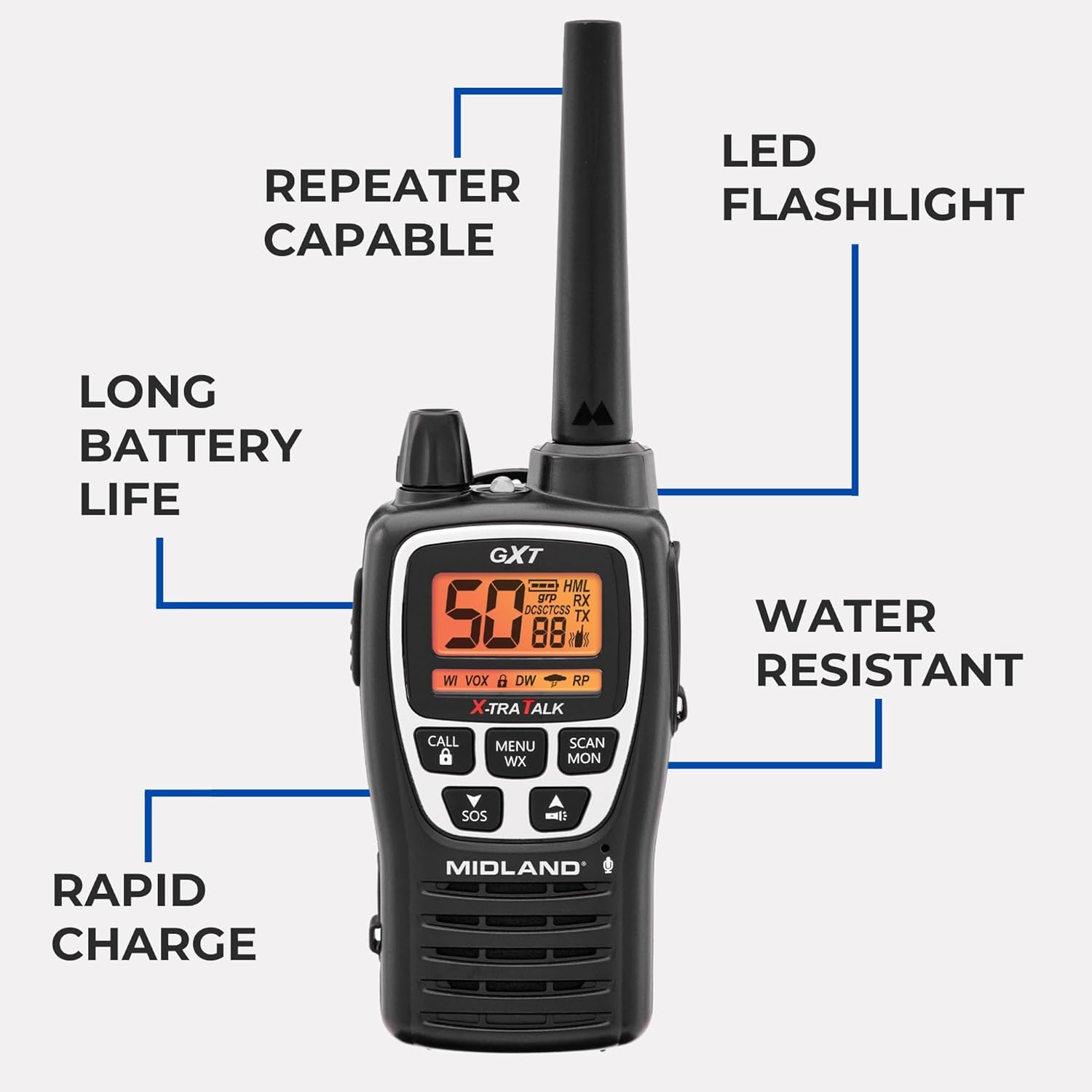
- Capacidad de repetidor: Extends signal range for even greater coverage.
- Alerta meteorológica de la NOAA: Keeps you informed of severe weather conditions.
- Sirena SOS: Para señalización de emergencia.
- Batería recargable de iones de litio: Offers long-lasting power (up to 18 hours) and rapid charging (4 hours).
- Water Resistant (JIS4 Rating): Protege contra salpicaduras de agua desde cualquier dirección.
- VOX (Intercambio operado por voz): Funcionamiento manos libres.
- Linterna LED integrada: For convenience in low-light conditions.
¿Qué hay en la caja?
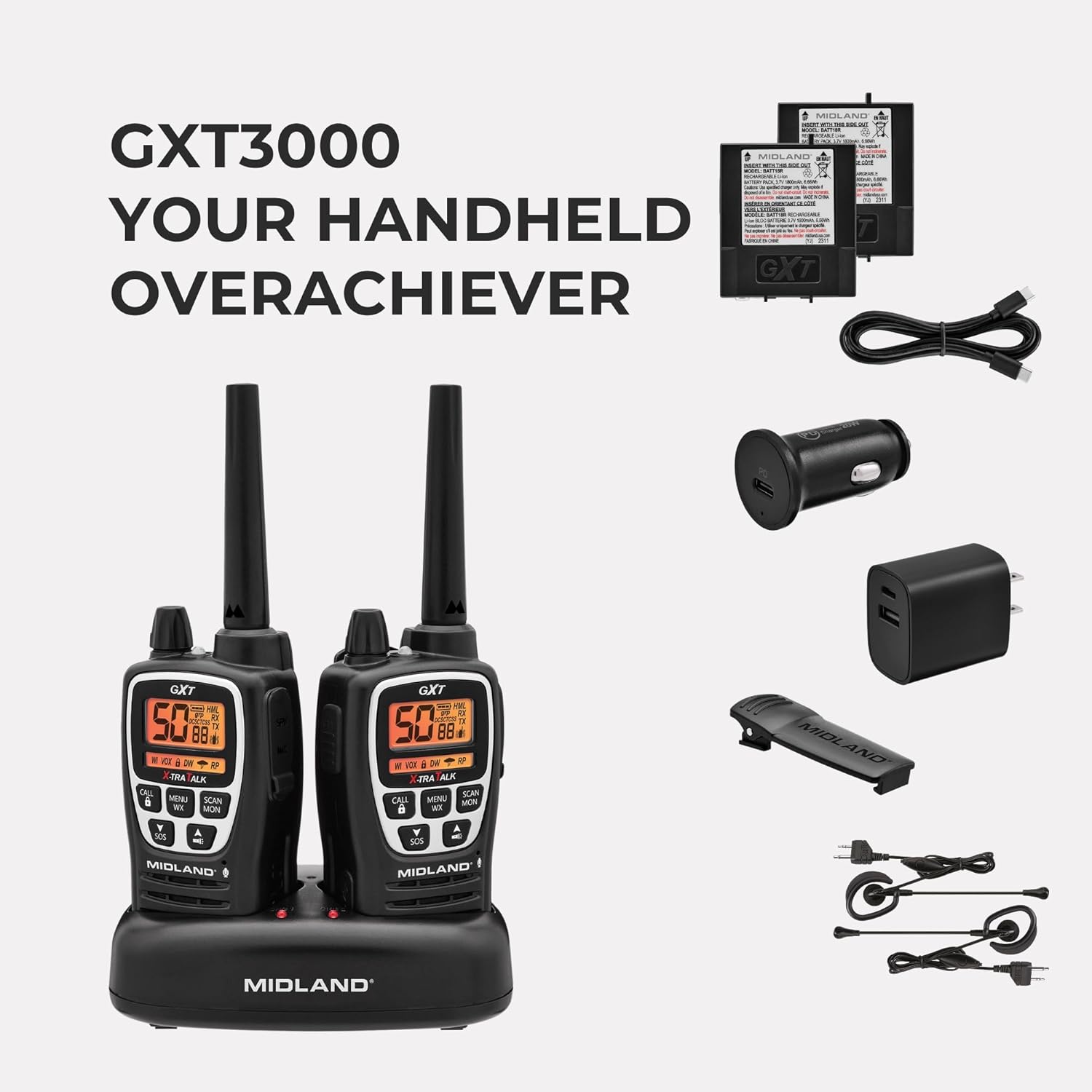
- Midland GXT3000 GMRS Two-Way Radios (2 units)
- Rechargeable Lithium-Ion Battery Packs (2 units)
- Desktop Charger with AC Wall Adapter
- Clips para cinturón (2 unidades)
- Manual del propietario
Configuración
1. Instalación de la batería
- Asegúrese de que la radio esté apagada.
- Remove the belt clip by sliding it up on the radio and pushing up the BELT CLIP LOCK TAB.
- Lift the BATTERY COVER LATCH and remove the battery cover.
- Insert the rechargeable Lithium-Ion battery pack, observing the polarity as shown in the battery compartment. Alternatively, you can use 4 AA alkaline batteries (not included).
- Replace the battery cover and secure the belt clip until it locks into place.
2. Carga de la batería
Your radio is equipped with a rechargeable Lithium-Ion battery pack. For optimal performance, charge the battery for 4 hours before initial use. Subsequent charges typically take 4 hours.
- Place the rechargeable battery packs into the desktop charger.
- Connect the AC adapter plug into an AC wall outlet.
- The charging indicator light on the desktop charger will turn red while charging and green when fully charged.
Nota: Only use the Midland Lithium-Ion battery pack or optional AA alkaline batteries. Do not attempt to charge alkaline batteries in the desktop charger. For long-term storage, remove batteries from the radio.

Instrucciones de funcionamiento
1. Encendido/apagado y control de volumen
- Turn the POWER/VOLUME knob clockwise to turn the radio ON and increase the volume.
- Turn the POWER/VOLUME knob counter-clockwise to decrease the volume and turn the radio OFF.
2. Selección del canal
- Presione el botón MENÚ para ingresar al menú.
- Utilice los botones de flecha ARRIBA/ABAJO para seleccionar un canal (1-50).
- Press the PTT button to confirm your selection and exit the menu.
3. Códigos de privacidad (CTCSS/DCS)
- To use privacy codes, both radios must be set to the same channel and privacy code.
- Press the MENU button twice to access the privacy code setting.
- Use the UP/DOWN arrow buttons to select a privacy code (1-142).
- Presione el botón PTT para confirmar y salir.
4. Transmisión y recepción
- To transmit, press and hold the PTT button and speak into the microphone.
- Suelte el botón PTT para recibir.
5. Análisis meteorológico de la NOAA
- Press the MENU WX button to activate the NOAA Weather Scan feature.
- The radio will scan for active weather channels and alert you to severe weather.
6. Sirena SOS
- Press and hold the SOS button for 5 seconds to activate the SOS siren function.
- This sends out an audible distress signal to other radios within range.
7. Bloqueo de teclas
- Press and hold the LOCK button to lock or unlock the keypad, preventing accidental changes to settings.
8. Repeater Capability
- The GXT3000 is repeater capable, allowing you to extend your communication range significantly. Refer to the detailed manual for specific repeater setup instructions.
9. VOX (Intercambio de voz)
- Activates transmission by voice, allowing for hands-free operation. Adjust VOX sensitivity in the menu.
Mantenimiento
1. Cuidados generales
- Limpie la radio con un paño suave.amp paño. No utilice productos químicos agresivos ni limpiadores abrasivos.
- Mantenga la radio seca. Si se moja, séquela inmediatamente.
- Evite exponer la radio a temperaturas extremas o a la luz solar directa durante períodos prolongados.
2. Cuidado de la batería
- To maximize battery life, avoid overcharging. Once fully charged, remove the radio from the charger.
- Si va a guardar la radio durante un período prolongado, retire las baterías.
3. Resistencia al agua
The GXT3000 is rated JIS4 water resistant, meaning it is protected against splashing water from any direction. It is no submersible. Do not immerse the radio in water.

Solución de problemas
| Problema | Posible causa | Solución |
|---|---|---|
| Sin poder | Baterías bajas o instaladas incorrectamente. | Recharge or replace batteries. Check battery orientation. |
| Pobre alcance | Obstructions (buildings, terrain), low battery, or low power setting. | Move to an open area. Recharge batteries. Set transmit power to High (H). Consider using repeater channels. |
| Interference/Noise | Other users on the same channel/privacy code, electrical interference. | Change channel and/or privacy code. Move away from electrical devices. |
| No se puede transmitir/recibir | Keypad locked, incorrect channel/privacy code, out of range. | Unlock keypad. Verify channel and privacy code match. Move closer to other radio. |
For more detailed troubleshooting, please refer to the comprehensive manual or visit the Midland support websitio.
Presupuesto
- Marca: Del interior
- Número de modelo: GXT3000VP4
- Número de canales: 50
- Rango de frecuencia: 462-467 MHz (GMRS)
- Rango de conversación máximo: Hasta 50 millas (condiciones óptimas)
- Códigos de privacidad: 142 (CTCSS/DCS)
- Tipo de batería: Rechargeable Lithium-Ion (included), also accepts 2 Lithium Ion batteries required.
- Duración media de la batería: 18 horas
- Rapid Charge Time: 4 horas
- Nivel de resistencia al agua: JIS4 (Splash Resistant)
- Peso del artículo: 1.93 libras
- Características especiales: Long Range, Repeater Capable, SOS Siren, NOAA Weather Alert, VOX, LED Flashlight
Garantía y soporte
The Midland GXT3000 GMRS Two-Way Radio comes with a 3 año de garantía. For warranty claims, technical support, or additional product information, please visit the official Midland Radio websitio o póngase en contacto con su servicio de atención al cliente.