
1. Introducción
Gracias por la compraasing the HOMIDEC 140CM L-Shaped Gaming Desk with LED Lights. This manual provides essential information for the safe assembly, operation, and maintenance of your new desk. Please read these instructions carefully before beginning assembly and retain them for future reference.
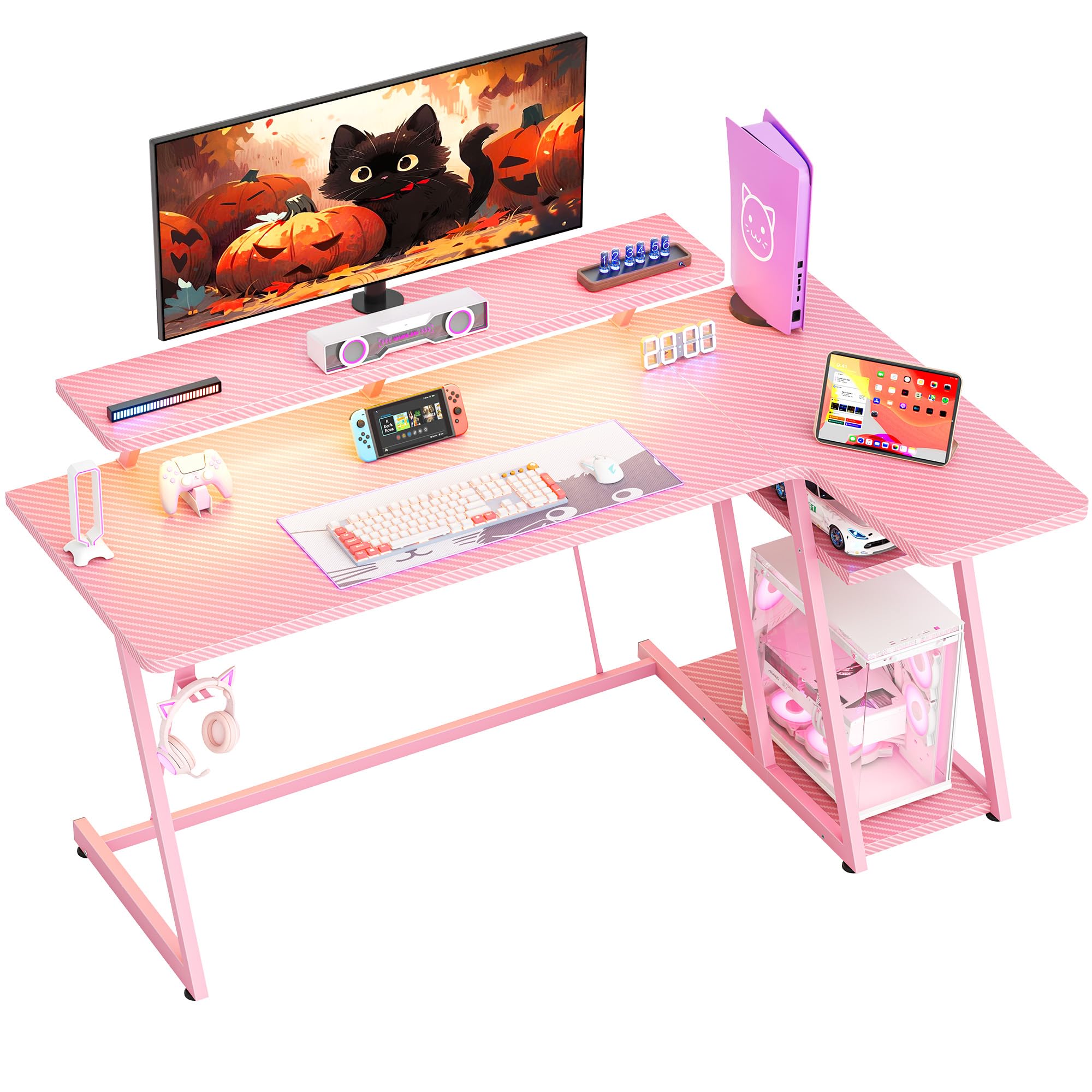
Imagen: General view of the HOMIDEC 140CM L-Shaped Gaming Desk with LED Lights, showcasing its design and features in a gaming setup.
2. Información de seguridad
- Monte siempre el escritorio sobre una superficie suave y limpia para evitar arañazos.
- Asegúrese de que todos los tornillos y fijaciones estén bien apretados antes de usar. Revíselos periódicamente y ajústelos según sea necesario.
- Do not exceed the maximum weight capacity of 220 pounds (100 kg) for the desktop.
- Mantenga las piezas pequeñas y los materiales de embalaje fuera del alcance de los niños para evitar peligro de asfixia.
- Evite colocar objetos calientes directamente sobre la superficie del escritorio sin protección.
- Ensure electrical connections for the LED lights are properly secured and away from liquids.
3. Contenido del paquete
Verifique que todos los componentes enumerados a continuación estén presentes antes de comenzar el ensamblaje. Si alguna pieza falta o está dañada, comuníquese con atención al cliente.
- Gaming Desk Components (MDF board sections, steel frame parts)
- Tira de luz LED con control remoto
- Soporte del monitor
- Gancho para auriculares
- Herrajes de montaje (tornillos, pernos, herramientas)
- Manual de instrucciones
4. Configuración y montaje
The HOMIDEC gaming desk is designed for straightforward assembly. A detailed installation manual with step-by-step instructions and necessary tools are included in the package. Please follow the provided manual carefully for proper assembly.
- Desembale todos los componentes y compruébelos con la lista de contenido del paquete.
- Identify the main desktop sections, monitor stand, and steel frame parts.
- Assemble the steel frame structure, ensuring all connections are secure. The desk features a double Z-shaped leg design for stability.
- Attach the desktop sections to the assembled frame.
- Install the monitor stand, headphone hook, and any other accessories.
- Connect the LED light strip according to its specific instructions.
- Adjust the footpads to ensure the desk is level and stable on uneven surfaces.

Image: Illustration of the desk's stable Z-shaped leg structure and integrated storage shelves, highlighting its robust design.

Imagen: Primer plano view of the convenient headphone hook and the adjustable footpads designed for stability on various floor types.
5. Instrucciones de funcionamiento
5.1. Sistema de iluminación LED
The integrated LED light strip enhances your gaming or work environment. It offers various customization options:
- Bandera: Elija entre 20 colores estáticos.
- Efectos dinámicos: Select from 22 dynamic effects (e.g., fade, flash, jump).
- Control: Use the included remote control to adjust color, speed, and brightness.
- Función de memoria: The light strip retains the last selected color and mode when powered off and on.

Image: The LED light strip under the monitor stand, displaying various color options, along with the remote control for customization.
5.2. Soporte ergonómico para monitor
The elevated monitor stand is designed to position your screen at an optimal viewing height, reducing neck and back strain. The space beneath the stand can be utilized for storing small devices or accessories.

Image: The ergonomic monitor stand elevating a display, illustrating how it helps maintain proper posture and provides additional storage space.
5.3. Gancho para auriculares
A dedicated hook is provided for convenient storage of your headphones, keeping them within reach and off the desktop surface.
5.4 Estantes de almacenamiento
The L-shaped desk includes 2-tier storage shelves, ideal for placing a computer case, books, or other gaming and office essentials, helping to keep your workspace organized.
6. Mantenimiento
To ensure the longevity and appearance of your HOMIDEC gaming desk, follow these maintenance guidelines:
- Limpieza: The desk surface features a carbon fiber texture, which is scratch-resistant and waterproof. Wipe clean with a damp paño y detergente suave. Evite los limpiadores abrasivos.
- Derrames: Promptly wipe up any spills to prevent water damage, especially around electrical components.
- Sujetadores: Revise periódicamente todos los tornillos y pernos para asegurarse de que estén bien apretados. Vuelva a apretarlos si es necesario para mantener la estabilidad.
- Luces LED: Ensure the LED light strip and its connections are free from dust and moisture.

Image: Close-up of the desk surface, highlighting its carbon fiber texture which is designed to be scratch-resistant and waterproof for easy maintenance.
7. Solución de problemas
Si tiene algún problema con su escritorio, consulte los siguientes consejos comunes de solución de problemas:
- El escritorio se tambalea: Ensure all assembly screws are tightened. Adjust the footpads on the bottom of the legs to level the desk on uneven floors.
- Las luces LED no funcionan: Check if the power adapter is securely plugged into both the light strip and a working power outlet. Ensure the remote control has working batteries and is pointed directly at the receiver.
- Partes faltantes: Review the package contents list. If parts are missing, contact HOMIDEC customer support with your purchase details.
8. Especificaciones
| Característica | Especificación |
|---|---|
| Marca | HOMIDEC |
| Número de modelo | LDJZ-140-PK |
| Dimensiones generales (L x An x Al) | 140 cm x 80 cm x 94 cm (55.12" de profundidad x 31.5" de ancho x 37.01" de alto) |
| Material | MDF board, Steel frame |
| Peso neto | 21.8 kg (48 libras) |
| Capacidad de peso | 100 kg (220 libras) |
| Color | Rosa |
| Diseño de escritorio | Escritorio para computadora en forma de L |
| Componentes incluidos | Desk, Monitor Stand, LED Light Strip, Headphone Hook |
| Requiere ensamblaje | Sí |

Image: Detailed diagram illustrating the dimensions of the HOMIDEC Gaming Desk, including the main desktop, monitor stand, and storage shelves.
9. Garantía y soporte
For warranty information or technical support, please refer to the specific warranty card included with your product or contact HOMIDEC customer service directly. Ensure you have your purchase receipt and model number (LDJZ-140-PK) available when contacting support.