1. Introducción
This manual provides detailed instructions for the proper operation, maintenance, and troubleshooting of the INSTRUKART Lutron TU-2016 Turbidity Meter. Please read this manual thoroughly before using the device to ensure accurate measurements and safe operation.
The Lutron TU-2016 is designed for measuring turbidity in various water sources, including lakes, water tanks, rivers, and mangroves. It features a wide measurement range, high resolution, and a user-friendly interface, adhering to ISO 7027 standards.
2. Información de seguridad
- Always handle the meter and its components with care to prevent damage.
- No exponga el dispositivo a temperaturas extremas, humedad o luz solar directa durante períodos prolongados.
- Asegúrese de que el compartimento de la batería esté correctamente sellado para evitar la entrada de agua.
- Keep the exterior of the test bottle clean and dry before insertion into the meter.
- Use only specified standard solutions for calibration.
- Dispose of batteries and solutions according to local regulations.
3. Contenido del paquete
Al desembalar, verifique que todos los elementos enumerados a continuación estén presentes y en buenas condiciones:
- 1 Unit of TU-2016 Turbidity Meter
- 0 NTU standard solution
- 10 NTU standard solution
- Empty testing bottle (sample cuvette)
- Hard Carrying case
- Manual de instrucciones
- Certificado de calibración de fábrica
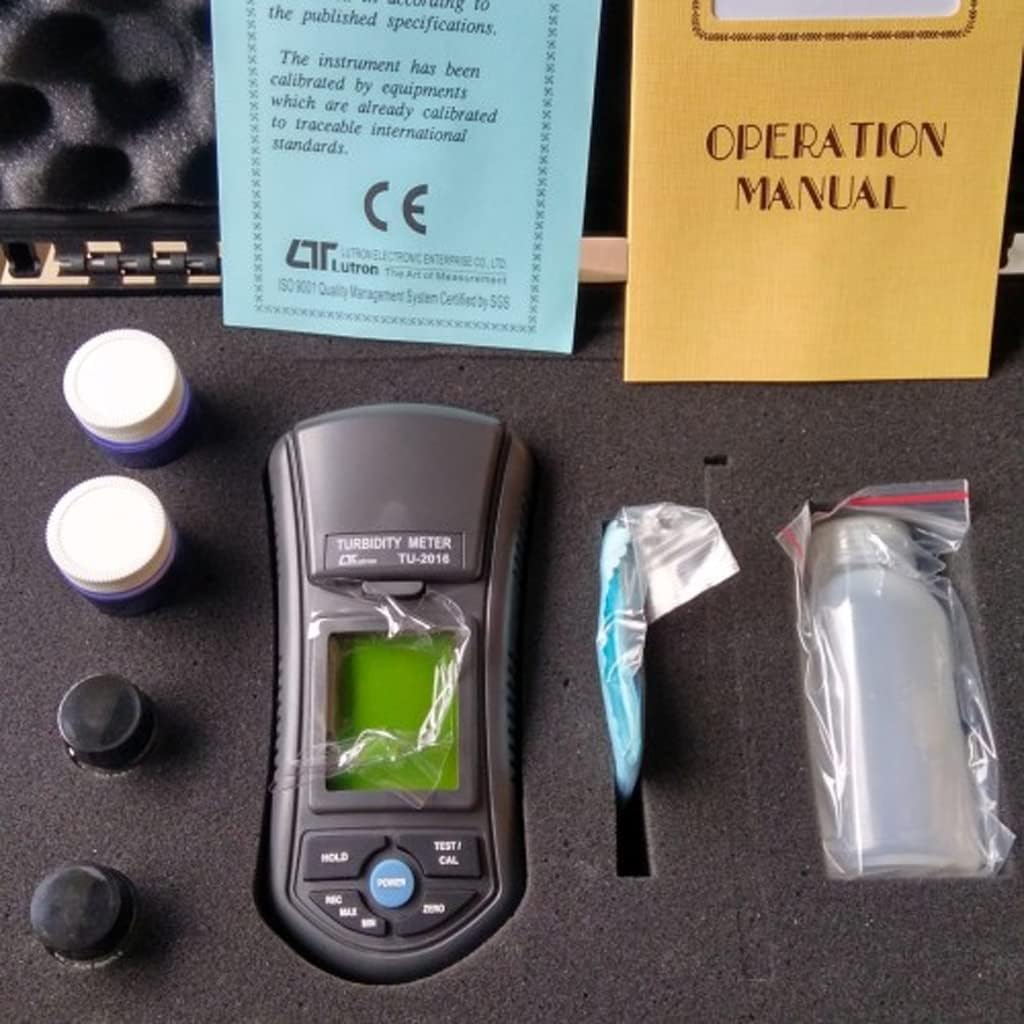
Figura 3.1: Contents of the TU-2016 Turbidity Meter package, neatly organized within its hard carrying case.

Figura 3.2: The TU-2016 Turbidity Meter along with its essential accessories for measurement and maintenance.
4. Producto terminadoview
The Lutron TU-2016 Turbidity Meter is a portable, microprocessor-controlled device designed for precise turbidity measurements. Key features include:
- ISO 7027 Compliance: Designed to meet international standards for turbidity measurement.
- Unidad de medida: NTU (Nephelometric Turbidity Unit).
- Wide Auto Measurement Range: 0 a 1,000 NTU.
- Resolución alta: 0.01 NTU (for 0.00 to 50.00 NTU range) and 1 NTU (for 50 to 1,000 NTU range).
- Unique Optics Structure: Enables accurate readings from low to high turbidity levels.
- Interfaz fácil de usar: Four operation buttons and three calibration points for easy use.
- Pantalla LCD gigante: Large display for clear and easy readability.
- Microprocessor Circuit: Ensures maximum accuracy and provides special functions.
- Funciona con pilas: Ideal for field and on-site testing.
- Función de retención de datos: Freezes the displayed value.
- Recuperación de la memoria: Records and recalls Maximum and Minimum readings.
- Apagado automático: Conserva la vida útil de la batería.
- Diseño duradero: Heavy-duty and compact housing with a hard carrying case.

Figura 4.1: Frente view of the TU-2016 Turbidity Meter, highlighting the display and control panel.

Figura 4.2: The TU-2016 Turbidity Meter held in hand, illustrating its compact and portable design.
5. Configuración
5.1 Instalación de la batería
The meter operates on six DC 1.5 V AAA (UM4) batteries. To install or replace batteries:
- Localice la tapa del compartimiento de la batería en la parte posterior del medidor.
- Open the cover and insert six AAA batteries, observing the correct polarity (+/-).
- Cierre bien la tapa del compartimento de la batería.
5.2 Encendido inicial
Presione el FUERZA button to turn on the meter. The LCD display will illuminate and show a brief self-test before entering measurement mode.
6. Instrucciones de funcionamiento
6.1 Preparing a Sample
- Ensure the empty testing bottle (cuvette) is clean and dry. Wipe the exterior with a lint-free cloth.
- Fill the testing bottle with the water sample to be measured. Avoid air bubbles.
- Securely cap the bottle.
6.2 Realización de una medición
- Abre la sample compartment lid on the top of the meter.
- Inserte el preparado sample bottle into the compartment, ensuring it is seated correctly.
- cerrar la sampLa tapa del compartimento.
- Presione el TEST/CAL button to initiate a measurement. The turbidity reading will appear on the LCD display.
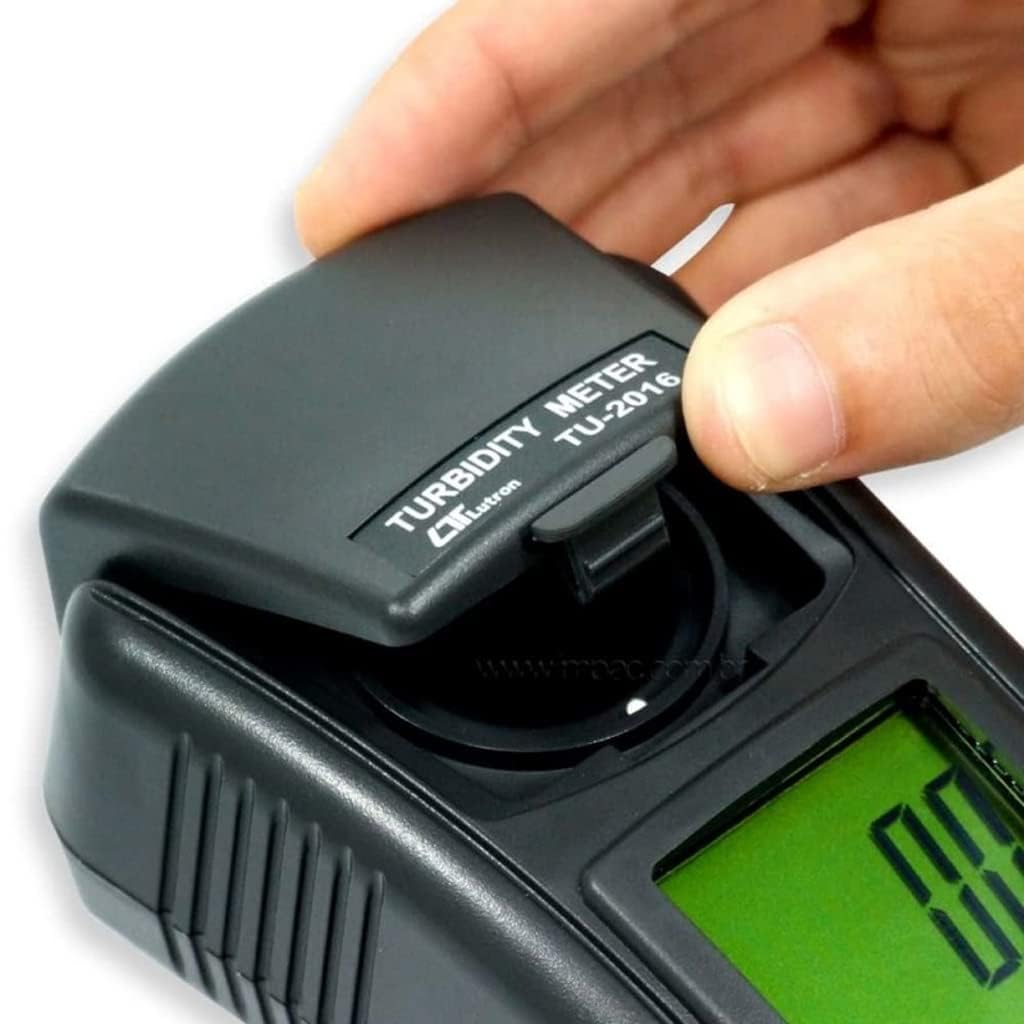
Figura 6.1: Opening the sampLa tapa del compartimento.

Figura 6.2: Insertar comoample bottle into the meter.
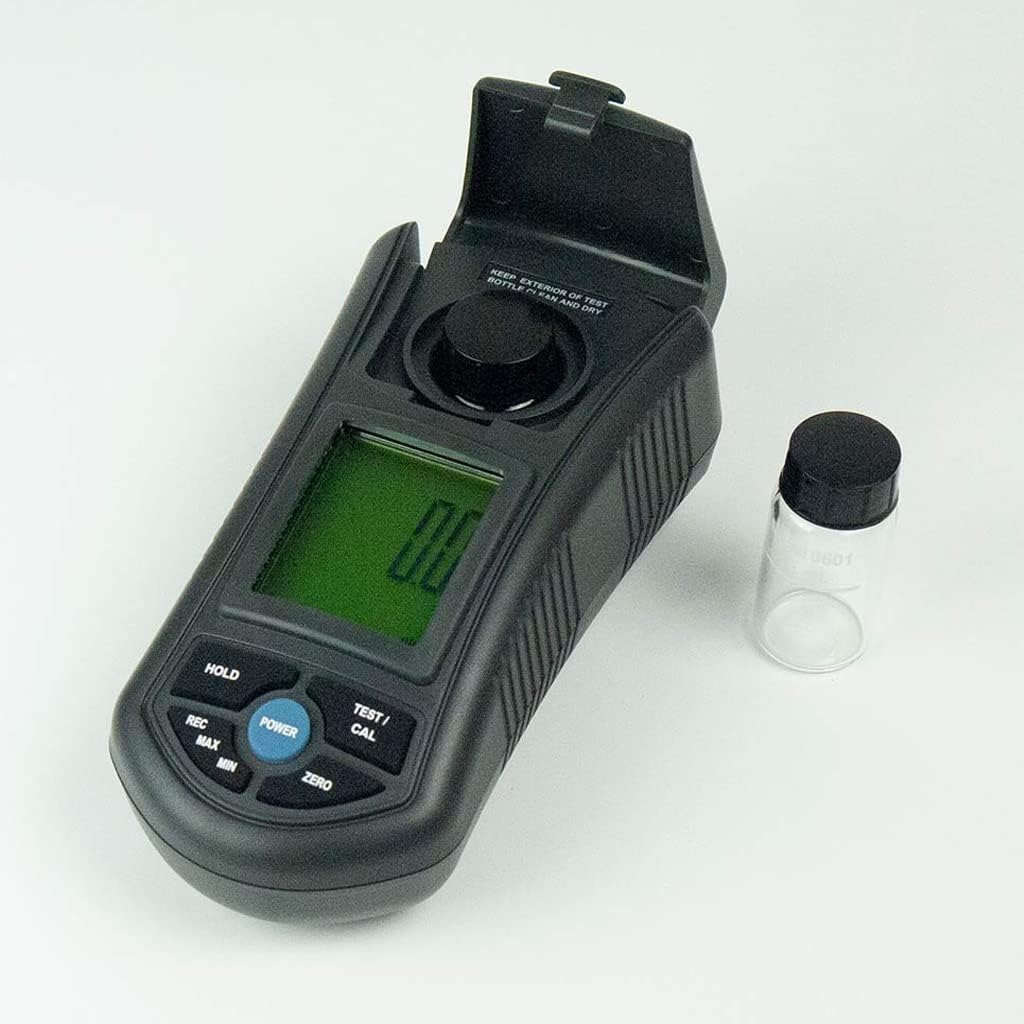
Figura 6.3: The meter with the sample compartment open, ready for sample insertion.
6.3 Función de retención de datos
Para congelar la lectura actual en la pantalla, presione el botón SOSTENER button. Press it again to release and resume live measurement.
6.4 Memory Recall (MAX/MIN)
The meter can record and recall the maximum and minimum turbidity readings:
- Presione el REC Presione el botón una vez para mostrar el valor máximo registrado.
- Presione el REC Presione nuevamente el botón para visualizar el valor mínimo registrado.
- Presione el REC button a third time to exit memory recall mode.
6.5 Apagado automático
The meter features an auto shut-off function to conserve battery life. If no button is pressed for a certain period, the meter will automatically power off. This can be manually overridden by pressing the FUERZA Botón para apagar el dispositivo.
7. Calibración
The TU-2016 features a three-point push-button calibration system. Regular calibration ensures the accuracy of your measurements. Use the provided 0 NTU and 10 NTU standard solutions for calibration.
- Encienda el medidor.
- Insert the 0 NTU standard solution into the sample compartimiento.
- Mantenga pulsado el TEST/CAL button until the calibration mode is indicated on the display. Follow the on-screen prompts to calibrate the 0 NTU point.
- Remove the 0 NTU solution and insert the 10 NTU standard solution.
- Repeat the calibration process for the 10 NTU point.
- The third calibration point (if applicable) can be performed similarly with a higher NTU standard solution if available and required for your specific application.
- After successful calibration, the meter will return to measurement mode.
Note: Refer to the Factory Calibration Certificate for details on the initial calibration performed by the manufacturer.
8. Mantenimiento
8.1 Limpieza del medidor
- Limpie el exterior del medidor con un paño suave y húmedo.amp Paño. No utilice limpiadores abrasivos ni disolventes.
- Mantén el sample compartment clean and free of debris.
- Ensure the exterior of the test bottles are always clean and dry before use.
8.2 Almacenamiento
- When not in use, store the meter and its accessories in the provided hard carrying case.
- Conservar en un lugar fresco y seco, alejado de la luz solar directa y de temperaturas extremas.
- Si lo va a almacenar durante períodos prolongados, retire las pilas para evitar fugas.
9. Solución de problemas
| Problema | Posible causa | Solución |
|---|---|---|
| El medidor no se enciende. | Baterías muertas o instaladas incorrectamente. | Reemplace las baterías, asegurándose de la polaridad correcta. |
| Lecturas inexactas. |
|
|
| La pantalla muestra "Err" o un error similar. | Measurement range exceeded or internal error. | Asegurarse deample is within 0-1000 NTU range. Power cycle the device. If error persists, contact support. |
10. Especificaciones
| Parámetro | Detalle |
|---|---|
| Circuito | Custom one-chip of microprocessor LSI circuit |
| Mostrar | Tamaño de pantalla LCD: 41 mm x 34 mm |
| Rango de medición | 0.00 to 50.00 NTU, 50 to 1,000 NTU (Auto range) |
| Resolución | 0.01 NTU (0.00 to 50.00 NTU), 1 NTU (50 to 1,000 NTU) |
| Exactitud | ± 5 % F.S. or ± 0.5 NTU, whichever is greater |
| Fuente de luz | LED, 850 nm |
| Detector | fotodiodo |
| Cumplimiento de normas | Meet ISO 7027 |
| Tiempo de respuesta | Menos de 10 segundos |
| Sample Volume Needed | 10 ml |
| Retención de datos | Congelar la lectura de la pantalla |
| Recuperación de la memoria | Valor máximo y mínimo |
| Pantalla Samptiempo de ling | Aprox. 1 segundo |
| Apagado | Apagado automático o apagado manual mediante botón |
| Temperatura de funcionamiento | 0 a 50°C |
| Humedad de funcionamiento | Menos del 85% de humedad relativa |
| Fuente de alimentación | DC 1.5 V battery (UM4, AAA) x 6 PCs |
| Power Current (Standby) | Aprox. CC 3.5 mA |
| Power Current (Testing) | Aprox. CC 36 mA |
| Peso | 320 g Approx. (0.71 lbs) |
| Dimensiones | 155 x 76 x 62 mm (6.1 x 2.99 x 2.44 pulgadas) |
11. Soporte y garantía
For technical assistance, troubleshooting beyond this manual, or warranty inquiries, please contact INSTRUKART customer support. Refer to your purchase documentation for specific warranty terms and contact information.
The product comes with a Factory Calibration Certificate, ensuring its initial accuracy and compliance with international standards.


