
1. Introducción
Thank you for choosing the SODLK T13 Portable Bluetooth Speaker. This manual provides essential information for setting up, operating, and maintaining your speaker. Please read it thoroughly before use to ensure optimal performance and longevity of your device.
2. Producto terminadoview
2.1 Componentes
- Altavoz Bluetooth portátil SODLK T13
- Cable de alimentación (USB-C)
- Cable auxiliar de 3.5 mm
- Guía de inicio rápido
2.2 Características principales
- Booming Bass & 360-degree Sound: Ofrece un rendimiento de audio potente.
- Stereo Dual Pairing: Connect two T13 speakers for an enhanced stereo sound experience.
- IP67 a prueba de agua y polvo: Designed to withstand water immersion and dust ingress, suitable for various environments.
- Luz de fiesta RGB: Integrated LED lighting effects to enhance your listening experience.
- Múltiples opciones de entrada: Supports Bluetooth, USB, TF Card, and AUX input.
- Diseño portátil: Tamaño compacto con un cómodo asa para facilitar su transporte.
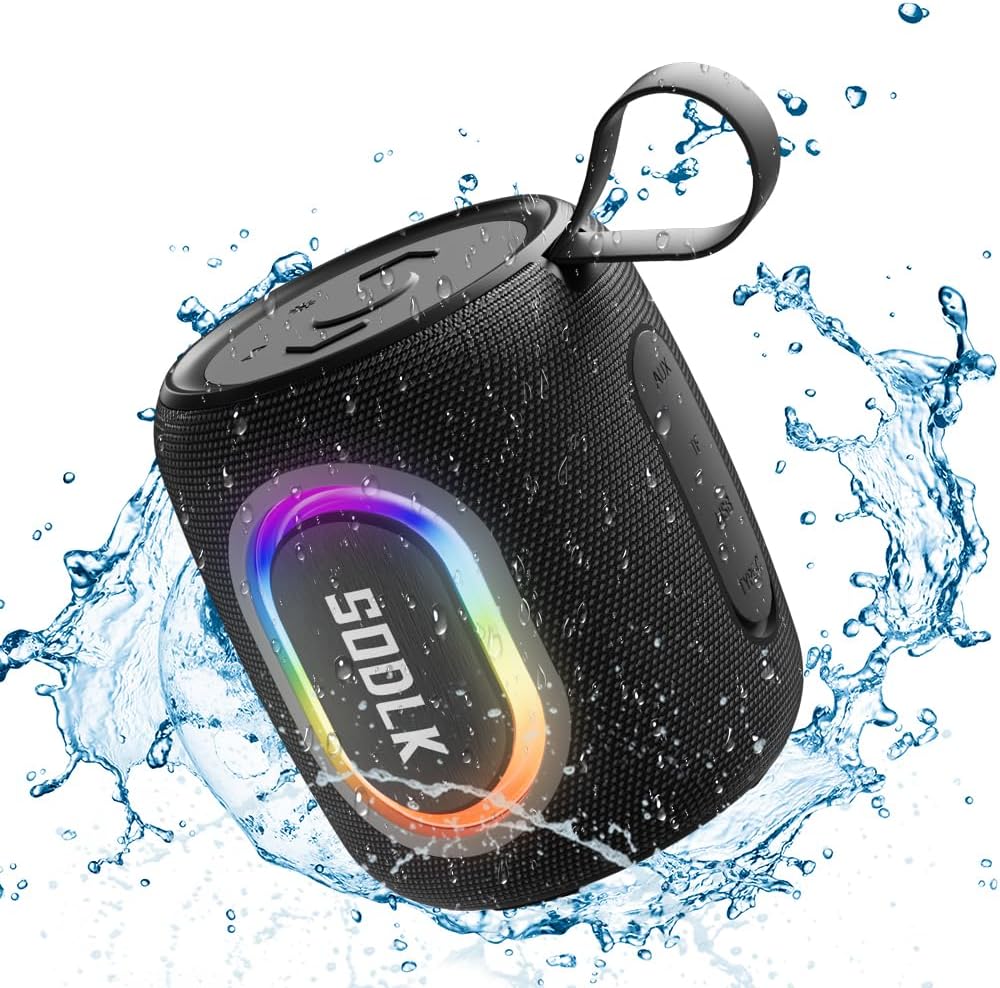
Figure 1: The SODLK T13 Portable Bluetooth Speaker demonstrating its IPX7 waterproof capability amidst splashing water.

Figure 2: Internal components of the SODLK T13 speaker, illustrating its sound engineering for loud sound and bass boost.
3. Configuración
3.1 Carga del altavoz
Before first use, fully charge the speaker. Connect the provided USB-C power cable to the speaker's charging port and the other end to a compatible USB power adapter (not included) or a computer's USB port. The charging indicator light will show the charging status and turn off when fully charged.
3.2 Encendido y apagado
- Para encender: Mantenga presionado el botón de encendido (U) durante aproximadamente 3 segundos hasta que escuche un aviso audible y las luces indicadoras se iluminen.
- Para apagar: Mantenga presionado el botón de encendido (U) durante aproximadamente 3 segundos hasta que escuche un aviso audible y las luces indicadoras se apaguen.
3.3 Emparejamiento Bluetooth
- Asegúrese de que el altavoz esté encendido y en modo de emparejamiento Bluetooth (indicado por un LED azul parpadeante). De lo contrario, presione brevemente el botón Bluetooth.
- En su dispositivo (teléfono inteligente, tableta, computadora), habilite Bluetooth y busque los dispositivos disponibles.
- Select "SODLK T13" from the list of found devices.
- Once connected, you will hear a confirmation sound, and the Bluetooth indicator light will turn solid blue.
El altavoz intentará automáticamente reconectarse al último dispositivo emparejado cuando se encienda.
4. Instrucciones de funcionamiento
4.1 Reproducción de música
- Reproducir/Pausa: Presione el botón Reproducir/Pausar (||).
- Sube el volumen: Presione el botón para subir el volumen (+).
- Bajar volumen: Presione el botón para bajar el volumen (-).
- Pista siguiente: Mantenga presionado el botón para subir el volumen (+).
- Pista anterior: Mantenga presionado el botón para bajar el volumen (-).
Modos de luz 4.2
The SODLK T13 features dynamic RGB lighting. Press the Light Mode button (often indicated by a lightbulb icon or similar) to cycle through different light patterns and colors. Press and hold to turn the lights off or on.

Figure 3: The SODLK T13 speaker illuminating a party atmosphere with its integrated RGB lighting.
4.3 Stereo Dual Pairing (TWS Function)
To achieve true wireless stereo (TWS) sound, you can pair two SODLK T13 speakers together:
- Asegúrese de que ambos altavoces T13 estén encendidos y no conectados a ningún dispositivo Bluetooth.
- On one speaker (this will be the primary speaker), press and hold the TWS button (often indicated by two interlocking circles or similar icon) for approximately 3 seconds. You will hear a prompt indicating it's searching for another speaker.
- Los dos altavoces se conectarán automáticamente. Escuchará un sonido de confirmación una vez emparejados.
- Ahora, conecta tu dispositivo al altavoz principal mediante Bluetooth, como se describe en la Sección 3.3. El audio se reproducirá en estéreo por ambos altavoces.
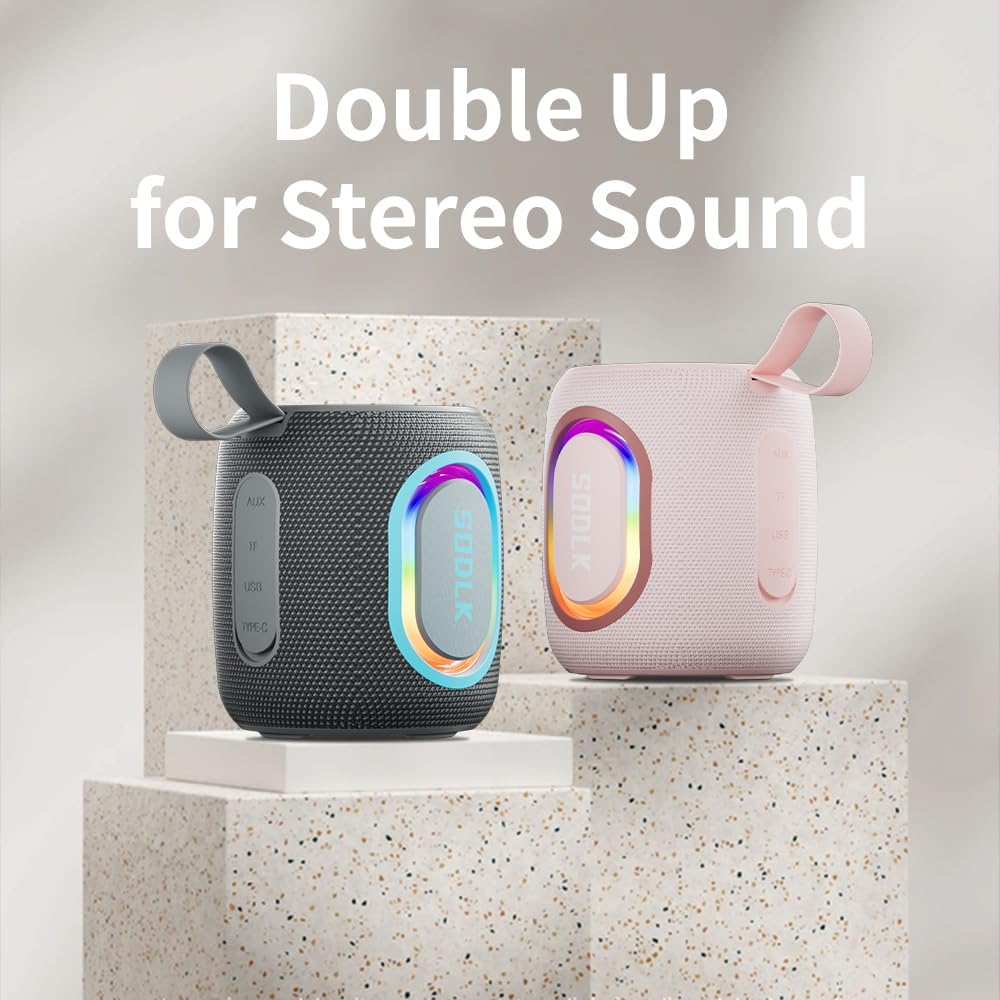
Figure 4: Two SODLK T13 speakers ready for stereo dual pairing, enhancing the audio experience.
4.4 Auxiliary and USB/TF Card Modes
- Entrada auxiliar: Inserte el cable AUX de 3.5 mm en el puerto AUX del altavoz y conecte el otro extremo a la fuente de audio. El altavoz cambiará automáticamente al modo AUX.
- Entrada de tarjeta USB/TF: Inserte una unidad flash USB o una tarjeta TF (microSD) con audio files into the respective port. The speaker will automatically detect the media and begin playback. Use the playback controls (Play/Pause, Volume Up/Down) to manage your music.
5. Mantenimiento
5.1 Limpieza
Para limpiar el altavoz, utilice un paño suave y húmedo.amp cloth. Do not use harsh chemicals, cleaning solvents, or strong detergents, as they may damage the surface or internal components. Ensure all ports are dry before charging or connecting other devices.
5.2 Almacenamiento
Guarde el altavoz en un lugar fresco y seco, alejado de la luz solar directa y de temperaturas extremas. Si lo va a guardar durante un periodo prolongado, cargue la batería periódicamente (por ejemplo, cada 3 meses) para mantenerla en buen estado.
6. Solución de problemas
| Problema | Posible causa | Solución |
|---|---|---|
| El altavoz no se enciende. | La batería está agotada. | Cargue el altavoz completamente. |
| No se puede emparejar a través de Bluetooth. | El altavoz no está en modo de emparejamiento o ya está conectado a otro dispositivo. | Ensure speaker is in pairing mode (flashing blue LED). Disconnect from other devices. Restart speaker and device. |
| No hay sonido desde el altavoz. | El volumen es demasiado bajo; modo de entrada incorrecto; el dispositivo no reproduce. | Increase speaker and device volume. Check if correct input mode (Bluetooth, AUX, USB/TF) is selected. Ensure audio is playing on the connected device. |
| El emparejamiento de TWS falla. | Los altavoces están demasiado separados; uno de ellos ya está emparejado con un dispositivo. | Asegúrese de que los altavoces estén cerca uno del otro. Desconecte ambos altavoces de cualquier dispositivo Bluetooth antes de iniciar el emparejamiento TWS. |
7. Especificaciones
| Nombre del modelo | T13 |
| Tecnología de conectividad | Bluetooth, Auxiliar, USB |
| Tecnología de comunicación inalámbrica | Bluetooth |
| Potencia máxima de salida del altavoz | 15 vatios |
| Nivel de resistencia al agua | IP67 resistente al agua |
| Fuente de poder | Funciona con pilas (1 batería de iones de litio incluida) |
| Método de control | Tocar |
| Dimensiones del producto | 4.4" de profundidad x 3.8" de ancho x 3.8" de alto |
| Peso del artículo | 1.34 libras |
8. Garantía y soporte
8.1 Garantía limitada
The SODLK T13 Portable Bluetooth Speaker comes with a limited warranty. Please refer to the warranty card included in your product packaging for specific terms and conditions. This warranty typically covers manufacturing defects and material flaws under normal use.
8.2 Atención al cliente
For any questions, technical support, or warranty claims, please contact SODLK customer service. Contact information can typically be found on the product packaging or the official SODLK websitio.