
1. Introducción
This manual provides essential information for the proper use and maintenance of your Casio Youth WS-B1000-1AVDF Bluetooth Digital Watch. Please read this manual thoroughly before using the watch to ensure optimal performance and longevity.
2. Producto terminadoview
The Casio Youth WS-B1000-1AVDF is a digital watch designed for an active lifestyle, featuring Bluetooth connectivity, a 1/100-second stopwatch with 200-lap memory, and a step tracker. Its slim, compact design and perforated urethane band offer comfort and breathability. The watch is water-resistant up to 100 meters.
2.1. Componentes y controles
Familiarize yourself with the watch's main components and buttons:
- Mostrar: Digital display showing time, date, step count, and other information.
- Botón de ajuste: Se utiliza para ingresar y salir de los modos de configuración y confirmar selecciones.
- Botón de modo: Cycles through different watch modes (Timekeeping, Stopwatch, Timer, Alarm, etc.).
- Botón de luz: Ilumina la pantalla.
- Botón de búsqueda: Used for searching or navigating through settings.
- Botón de inicio: Used to start/stop stopwatch, or initiate certain functions.
- Botón de vuelta/reinicio: Used for lap recording in stopwatch mode or resetting values.
2.2. Dimensiones del producto
The watch dimensions are approximately 21.5 x 1.2 x 4.1 cm, with a case diameter of 41.3 mm. It weighs 36 grams.

Figura 2.1: Frente view of the Casio WS-B1000-1AVDF watch, displaying the digital time, date, and various function buttons such as ADJUST, MODE, LIGHT, SEARCH, START, and LAP/RESET. The display also shows "STEP TRACKER" and "ILLUMINATOR".

Figura 2.2: Lado izquierdo view of the Casio WS-B1000-1AVDF watch, highlighting the 'ADJUST' and 'MODE' buttons.

Figura 2.3: Lado derecho view of the Casio WS-B1000-1AVDF watch, highlighting the 'LIGHT', 'SEARCH', and 'START' buttons.

Figura 2.4: Posterior view of the Casio WS-B1000-1AVDF watch, showing the stainless steel case back with water resistance and model information.

Figure 2.5: The Casio WS-B1000-1AVDF watch displayed on a wrist, illustrating its size and fit.

Figure 2.6: The Casio WS-B1000-1AVDF watch with its resin band fully extended, showing the buckle and strap holes.

Figure 2.7: Size comparison of the Casio WS-B1000-1AVDF watch against a standard credit card, indicating approximate dimensions of 46.2 mm in height.
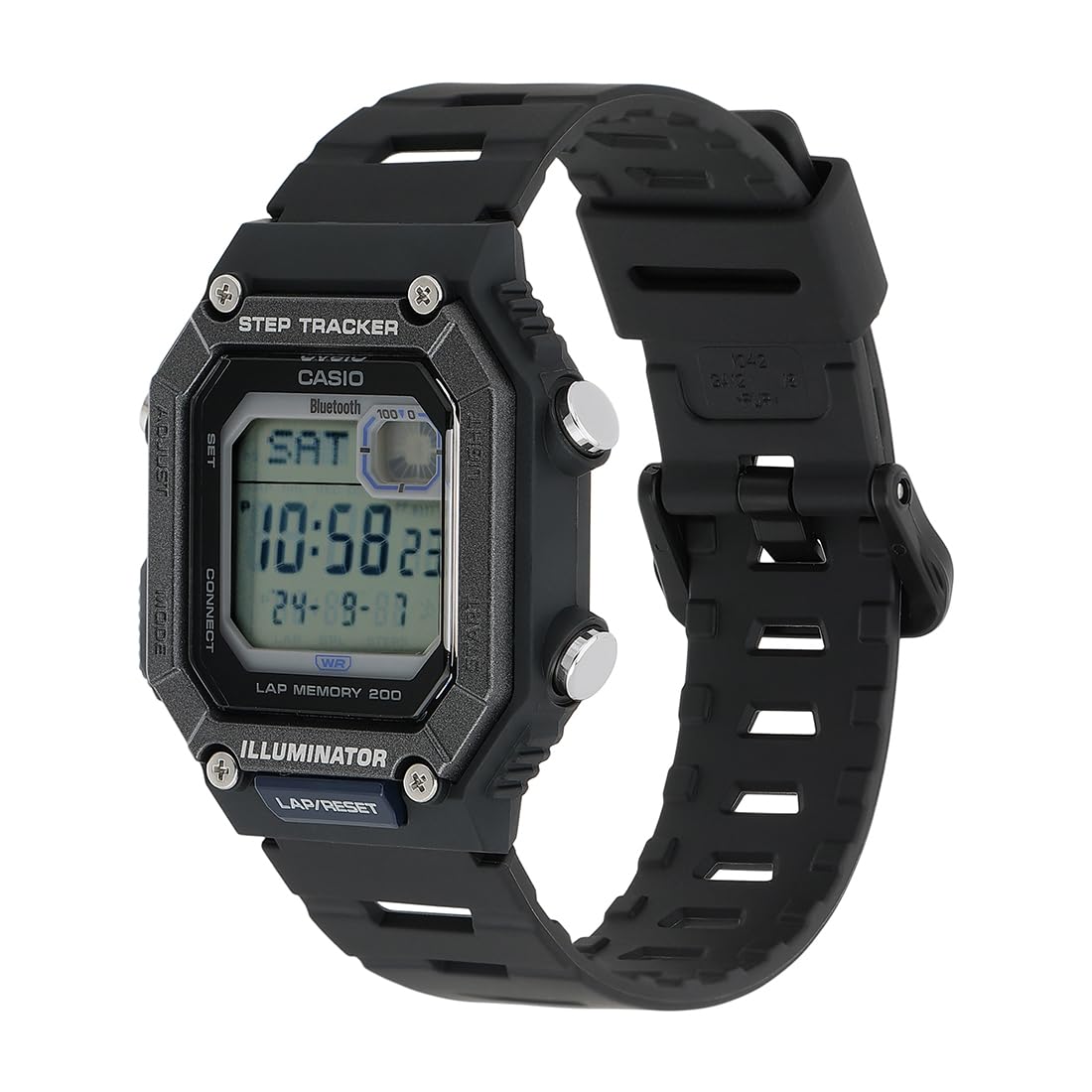
Figura 2.8: Angulado view of the Casio WS-B1000-1AVDF watch, showcasing the digital display with current time and date, along with the 'STEP TRACKER' and 'ILLUMINATOR' labels.

Figura 2.9: Otro ángulo view of the Casio WS-B1000-1AVDF watch, providing a clear perspective of the watch face and its robust design.
3. Configuración
3.1. Ajuste de hora inicial
Your watch comes with a pre-installed battery. To set the initial time:
- Mantenga pulsado el Ajustar button until the city code starts flashing.
- Utilice el Buscar y Comenzar Botones para seleccionar el código de su ciudad de residencia.
- Presione el Modo button to cycle through settings: Daylight Saving Time (DST), 12/24-hour format, Seconds, Hour, Minute, Year, Month, Day.
- Utilice el Buscar y Comenzar botones para ajustar cada valor.
- Presione el Ajustar para salir del modo de configuración.
3.2. Emparejamiento de teléfonos inteligentes (Bluetooth)
The WS-B1000-1AVDF can be paired with your smartphone for automatic time correction and easy configuration of various functions via the Casio app.
- Download the official Casio app (e.g., "CASIO WATCHES" or "G-SHOCK Connected") from your smartphone's app store.
- Habilite Bluetooth en su teléfono inteligente.
- On the watch, enter the pairing mode (refer to the app or watch's on-screen instructions for specific steps, usually involves holding a button).
- Open the Casio app on your smartphone and follow the on-screen instructions to pair your watch.
- Once paired, the watch will automatically correct its time and allow you to configure alarms, world time, and other settings from the app.
4. Instrucciones de funcionamiento
4.1. Modo de cronometraje
This is the default mode, displaying the current time and date.
- Presione el Luz Botón para iluminar la pantalla.
- Presione el Modo Botón para pasar a otros modos.
4.2. Modo de cronómetro
The watch features a 1/100-second stopwatch with a 200-lap memory.
- Desde el modo de indicación de la hora, presione el botón Modo button until "STW" or "STOPWATCH" appears.
- Presione el Comenzar Botón para comenzar a cronometrar.
- Presione el Comenzar Presione nuevamente el botón para pausar la sincronización.
- Presione el Lap/Reset Botón para poner a cero el cronómetro.
- To record laps, press the Lap/Reset button while the stopwatch is running.
4.3. Step Tracker
The built-in accelerometer senses body movements and automatically counts steps. The watch displays the number of steps taken and a graphic showing progress towards your goals.
- The step count is typically displayed on the main timekeeping screen or a dedicated step tracker mode.
- Step counts and stopwatch times can be transferred to the paired smartphone app for detailed logging and analysis.
4.4. Modo de alarma
Configure alarmas diarias para recordarle eventos importantes.
- Desde el modo de indicación de la hora, presione el botón Modo botón hasta que aparezca "ALM" o "ALARM".
- Utilice el Ajustar button to select an alarm number (if multiple are available).
- Mantenga pulsado Ajustar para ingresar al modo de configuración de alarma.
- Usar Buscar y Comenzar para configurar la hora de la alarma.
- Prensa Ajustar para confirmar y salir.
4.5. Modo de hora mundial
View La hora actual en varias ciudades importantes alrededor del mundo.
- Desde el modo de indicación de la hora, presione el botón Modo botón hasta que aparezca "WT" o "WORLD TIME".
- Utilice el Buscar y Comenzar buttons to scroll through different city codes.
5. Mantenimiento
5.1. Limpieza del reloj
Para mantener la apariencia y funcionalidad de su reloj:
- Wipe the watch with a soft, dry cloth.
- Para la suciedad difícil, utilice un paño suave.ampened with water and a mild neutral detergent. Wipe dry immediately.
- Avoid using volatile agents like thinner, benzine, alcohol, or chemical sprays, as they may damage the resin components.
5.2. Resistencia al agua
Your watch is water-resistant up to 100 meters. This means it is suitable for everyday use, swimming, and snorkeling. However, it is not suitable for diving.
- No opere los botones mientras el reloj esté mojado o sumergido en agua.
- Después de la exposición al agua salada, enjuague bien el reloj con agua dulce y séquelo.
5.3. Reemplazo de la batería
The watch uses 1 product-specific battery. When the display becomes dim or functions become erratic, it may be time to replace the battery. Battery replacement should be performed by a qualified technician or an authorized Casio service center to ensure water resistance is maintained.
6. Solución de problemas
| Problema | Posible causa | Solución |
|---|---|---|
| La pantalla del reloj está en blanco o tenue. | Batería baja. | Reemplace la batería en un centro de servicio autorizado. |
| La hora es incorrecta | Time not set correctly or not synced with phone. | Manually set the time (Section 3.1) or re-pair with smartphone (Section 3.2). |
| No se puede conectar al teléfono inteligente a través de Bluetooth. | Bluetooth is off on phone/watch, app issue, or watch is out of range. | Ensure Bluetooth is enabled on both devices. Restart the app and watch. Move closer to the phone. Refer to app's troubleshooting guide. |
| El recuento de pasos es inexacto. | Watch not worn correctly, or movement not detected. | Ensure the watch is worn snugly on your wrist. Calibrate step tracker via the app if available. |
7. Especificaciones
- Número de modelo: WS-B1000-1AVDF
- Material de la caja: Resina
- Material de la banda: Resina
- Color de la esfera: Negro
- Color de la correa: Negro
- Resistencia al agua: 100 metros
- Tipo de movimiento: Cuarzo
- Dimensiones del producto: 21.5 x 1.2 x 4.1 cm
- Diámetro de la caja: 41.3 milímetros
- Peso del artículo: 36 gramos
- Batería: 1 batería específica del producto (incluida)
- Conectividad: Bluetooth
- Características: Step Tracker, 1/100-second Stopwatch (200-lap memory), Alarm, World Time, Illuminator
- País natal: Tailandia
- Fabricante: Imported By - Casio India Co Pvt Ltd
8. Garantía y soporte
Your Casio WS-B1000-1AVDF watch comes with a limited warranty. For specific warranty terms and conditions, please refer to the warranty card included with your purchase or visit the official Casio websitio.
For technical support, service, or inquiries, please contact Casio customer service or an authorized service center. Contact information can typically be found on the Casio official websitio o en la documentación proporcionada con su reloj.
Contacto del fabricante: Casio India Co Pvt Ltd, A-41, 1.er piso, MCIE, Mathura Road, Nueva Delhi-110044