
Introducción
The Soundcore Liberty 4 Pro are advanced noise-cancelling wireless earbuds designed for an immersive audio experience. They feature 7 sensors for precise noise cancellation, real-time adaptive noise reduction, studio-level Hi-Fi audio, and clear call quality with 6 microphones. This manual provides detailed instructions for optimal use and care of your earbuds.
¿Qué hay en la caja?
Upon unboxing your Soundcore Liberty 4 Pro, verify that all components are present:
- Auriculares Soundcore Liberty 4 Pro
- Estuche de carga
- Almohadillas para los oídos XXS/XS/S/M/L/XL (talla M preinstalada)
- Cable de carga USB-C

Image: All items included in the Soundcore Liberty 4 Pro package.
Configuración
1. Carga de los auriculares y el estuche
Before first use, fully charge the earbuds and charging case. Connect the provided USB-C cable to the charging port on the case and a power source. The display on the case will indicate charging status. A 5-minute charge provides approximately 4 hours of playtime.
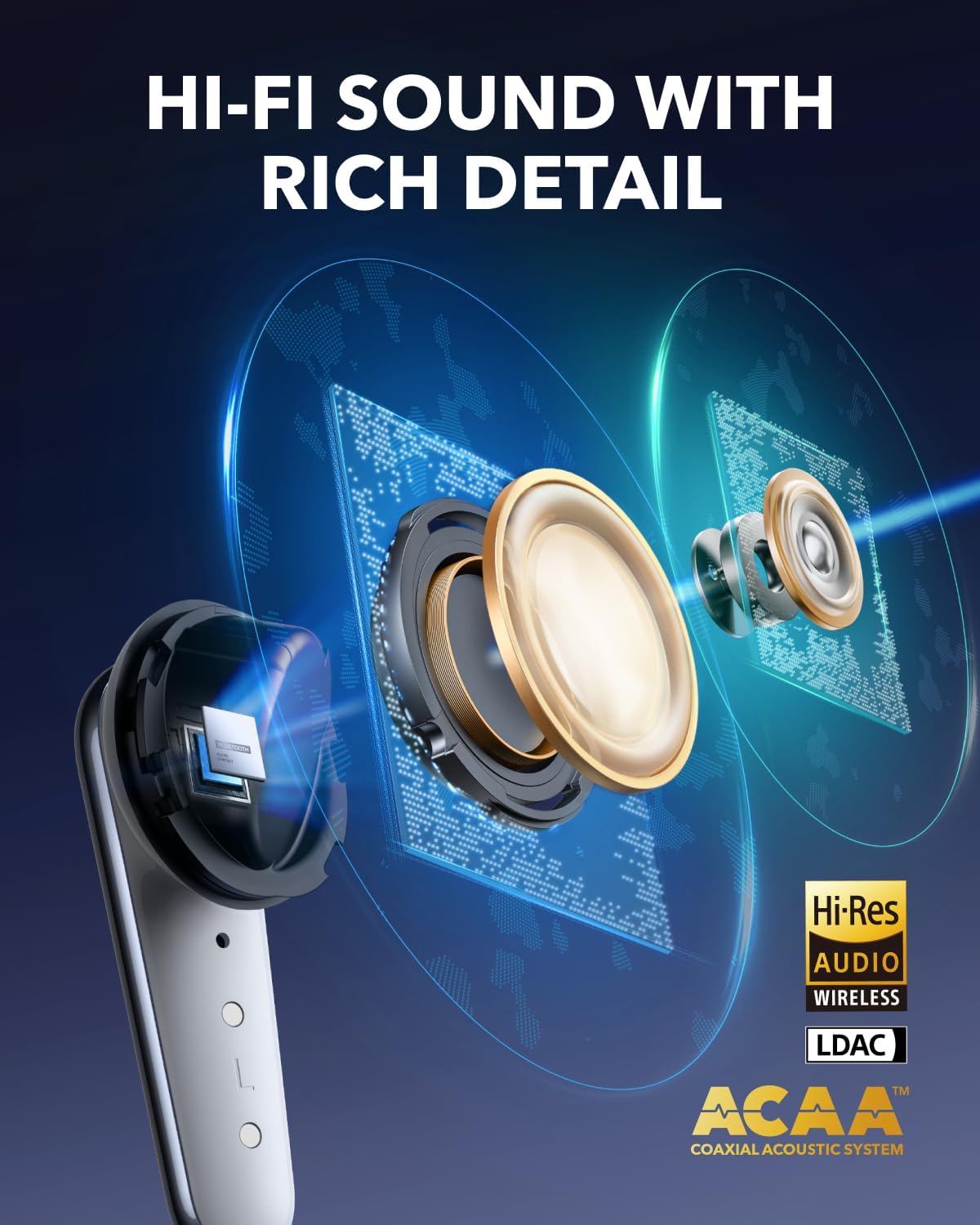
Image: The charging case with earbuds, showing battery indicators and fast charging.
2. Selección y ajuste de las almohadillas auditivas
For optimal sound quality and noise cancellation, select the ear tips that provide the best seal and comfort for your ears. The Liberty 4 Pro includes XXS, XS, S, M, L, and XL sizes. Experiment with different sizes to find the most secure and comfortable fit.

Image: A selection of ear tips in different sizes to ensure a proper fit.
3. Cómo usar los auriculares
Insert the earbuds into your ear canals and gently twist them until they feel secure and comfortable. A proper fit is crucial for effective noise cancellation and audio performance.
Video: Demonstrates the correct way to wear the Soundcore Liberty 4 Pro earbuds for a secure fit.
4. Emparejamiento con un dispositivo
Open the charging case. The earbuds will automatically enter pairing mode. On your device (smartphone, tablet, laptop), go to Bluetooth settings and select "Soundcore Liberty 4 Pro" from the list of available devices. Alternatively, you can manually initiate pairing by pinching the touch bar on both earbud stems for 3 seconds.
Video: Instructions on how to connect the Soundcore Liberty 4 Pro to two devices simultaneously.
Instrucciones de funcionamiento
Noise Cancellation (ANC) and Transparency Modes
The Liberty 4 Pro features advanced Adaptive Noise Cancellation (ANC) and Transparency modes. The earbuds utilize 7 sensors (6 sound sensors and 1 barometric pressure sensor) to adapt to your environment, providing up to 3x stronger noise reduction. The system recalibrates every 0.3 seconds for optimal performance.

Image: Illustration of the 7 sensors within the earbuds that enable powerful noise reduction.
You can adjust ANC levels directly from the charging case using the touch bar or through the Soundcore app. To switch between ANC and Transparency modes, pinch either earbud stem for 2 seconds.

Image: The charging case showing the touch bar interface for ANC level adjustment.
Controles táctiles
The earbuds feature intuitive touch controls on their stems. These controls allow you to manage playback, calls, and noise modes without needing to access your connected device.
- Reproducción de música: Squeeze once to play/pause audio.
- Pista siguiente: Squeeze the right stem twice.
- Pista anterior: Squeeze the left stem twice.
- Ajuste de volumen: Slide up or down on the earbud stem.
- Responder/Finalizar llamada: Squeeze once.
- Rechazar llamada: Squeeze and hold for 2 seconds.
- Switch ANC/Transparency: Pinch and hold either earbud stem for 2 seconds.

Image: Visual guide to the touch and squeeze controls on the earbud stems.
Video: Demonstrates how to manage stem controls on the Liberty 4 Pro earbuds.
Calidad de sonido y características
The Liberty 4 Pro delivers studio-level Hi-Fi audio through its ACAA acoustic architecture, 10.5mm bass driver, and titanium-coated tweeter. The Soundcore app allows for personalized sound profiles using the HearID test and offers 360° Spatial Audio with dynamic head tracking for an immersive listening experience.

Imagen: Corte view of the earbud highlighting its advanced audio drivers.
Conexión multidispositivo
The earbuds support multipoint connection, allowing them to be connected to two devices simultaneously. This enables seamless switching between audio sources, such as from a laptop to a phone for an incoming call.
Calidad de llamada
Equipped with 6 microphones and a noise reduction algorithm, the Liberty 4 Pro ensures clear calls even in noisy environments. A dedicated wind noise reduction algorithm further enhances communication clarity outdoors.
Mantenimiento
To ensure the longevity and optimal performance of your Soundcore Liberty 4 Pro earbuds, follow these maintenance guidelines:
- Limpieza: Regularly clean the earbuds, especially the ear tips and charging contacts, with a soft, dry, lint-free cloth. Remove ear tips and clean them with mild soap and water if necessary, ensuring they are completely dry before reattaching.
- Almacenamiento: Guarde siempre los auriculares en su estuche de carga cuando no los utilice para protegerlos del polvo, la suciedad y los daños.
- Resistencia al agua: The earbuds are IPX5 splash-proof, meaning they can withstand light splashes of water and sweat. They are not designed for submersion in water. Ensure the charging port is dry before charging.
- Evite temperaturas extremas: Do not expose the earbuds or charging case to extreme temperatures (hot or cold) as this can affect battery life and overall performance.
Solución de problemas
If you encounter issues with your Soundcore Liberty 4 Pro earbuds, refer to the following common solutions:
| Problema | Solución |
|---|---|
| Los auriculares no se emparejan |
|
| Sin sonido de un auricular |
|
| Mala cancelación de ruido |
|
| Problemas de carga |
|
Presupuesto
| Característica | Detalle |
|---|---|
| Marca | núcleo de sonido |
| Nombre del modelo | Libertad 4 Pro |
| Colocación de orejas | En el oído |
| Tecnología de conectividad | Inalámbrico (Bluetooth 5.3) |
| Control de ruido | Cancelación de ruido adaptativa |
| Tipo de controlador de audio | Controlador dinámico |
| Tamaño del controlador de audio | 10.5 milímetros |
| Respuesta de frecuencia | 20 KHz (up to 20,000 Hz) |
| Sensibilidad | 126 dB |
| Impedancia | 8 ohm |
| Duración media de la batería (auriculares) | Hasta 10 horas (una sola carga) |
| Battery Average Life (with Case) | Hasta 40 horas |
| Tiempo de carga de la batería | 3 horas (para el caso) |
| Nivel de resistencia al agua | IPX5 (a prueba de salpicaduras) |
| Tipo de control | Control táctil |
| Peso del artículo | 62 gramos |
| Peso del estuche de transporte | 51 gramos |
| Código Postal | 194644297206, 194644297640 |
Garantía y soporte
Soundcore products are backed by a warranty to ensure customer satisfaction. The Soundcore Liberty 4 Pro comes with an 18-month warranty.
- Periodo de garantía: 18 meses a partir de la fecha de compra.
- Cobertura: This warranty covers manufacturing defects and quality-related issues. It does not cover damage caused by misuse, accidents, or unauthorized modifications.
- Atención al cliente: For technical assistance, warranty claims, or general inquiries, please contact AnkerDirect customer service. You can typically find contact information on the official Soundcore websitio o a través de su plataforma de compra.
- Planes de protección: Additional protection plans may be available for purchase, offering extended coverage beyond the standard warranty. Please refer to your retailer for details on available plans.
For the most up-to-date support information, please visit the official Soundcore websitio o consulte la documentación incluida con su producto.