
Introducción
The Raycon Open Headphones are engineered to provide an immersive audio experience while maintaining real-time awareness of your surroundings. Their lightweight, over-ear design ensures comfort for extended wear, making them suitable for various activities from work to exercise. This manual will guide you through the essential steps to set up, operate, and maintain your headphones.
Características principales:
- Real-Time Awareness: Non-intrusive design keeps ear canals free, allowing environmental sounds to be heard.
- Surround Sound Quality: Delivers rich, detailed audio with advanced surround sound technology.
- 12 horas de duración de la batería: Provides extended listening time on a single charge.
- Micrófonos duales: Ensures clear call quality with maximum audio pickup.
- 5.3 Bluetooth Technology: Offers a strong and stable wireless connection to your devices.
¿Qué hay en la caja?
Upon opening your Raycon Open Headphones package, please ensure all the following components are present:
- Raycon Open Headphones (Black)
- Manual de usuario (este documento)
- Charging Cable (Proprietary)
Configuración
1. Carga de los auriculares
Before initial use, fully charge your Raycon Open Headphones. Connect the provided charging cable to the charging port on the headphones and plug the other end into a compatible USB power source. The LED indicator will show charging status and turn off when fully charged.
2. Encendido / apagado
- Encendido: Mantenga presionado el botón de encendido hasta que el indicador LED se encienda y escuche un aviso audible.
- Apagado: Mantenga presionado el botón de encendido hasta que el indicador LED se apague y escuche un aviso audible.
3. Emparejamiento Bluetooth
- Asegúrese de que los auriculares estén apagados.
- Mantenga presionado el botón de encendido durante aproximadamente 5 a 7 segundos hasta que el indicador LED parpadee rápidamente, lo que indica el modo de emparejamiento.
- En su dispositivo (teléfono inteligente, tableta, computadora), habilite Bluetooth y busque los dispositivos disponibles.
- Select "Raycon Open Headphones" from the list of found devices.
- Once connected, the LED indicator will stop flashing and remain solid, and you will hear a confirmation tone.
4. Uso de los auriculares
The Raycon Open Headphones are designed for a comfortable and secure fit. Place the ear hooks over your ears, ensuring the speakers are positioned just outside your ear canals. Adjust the band around the back of your neck for optimal comfort and stability.
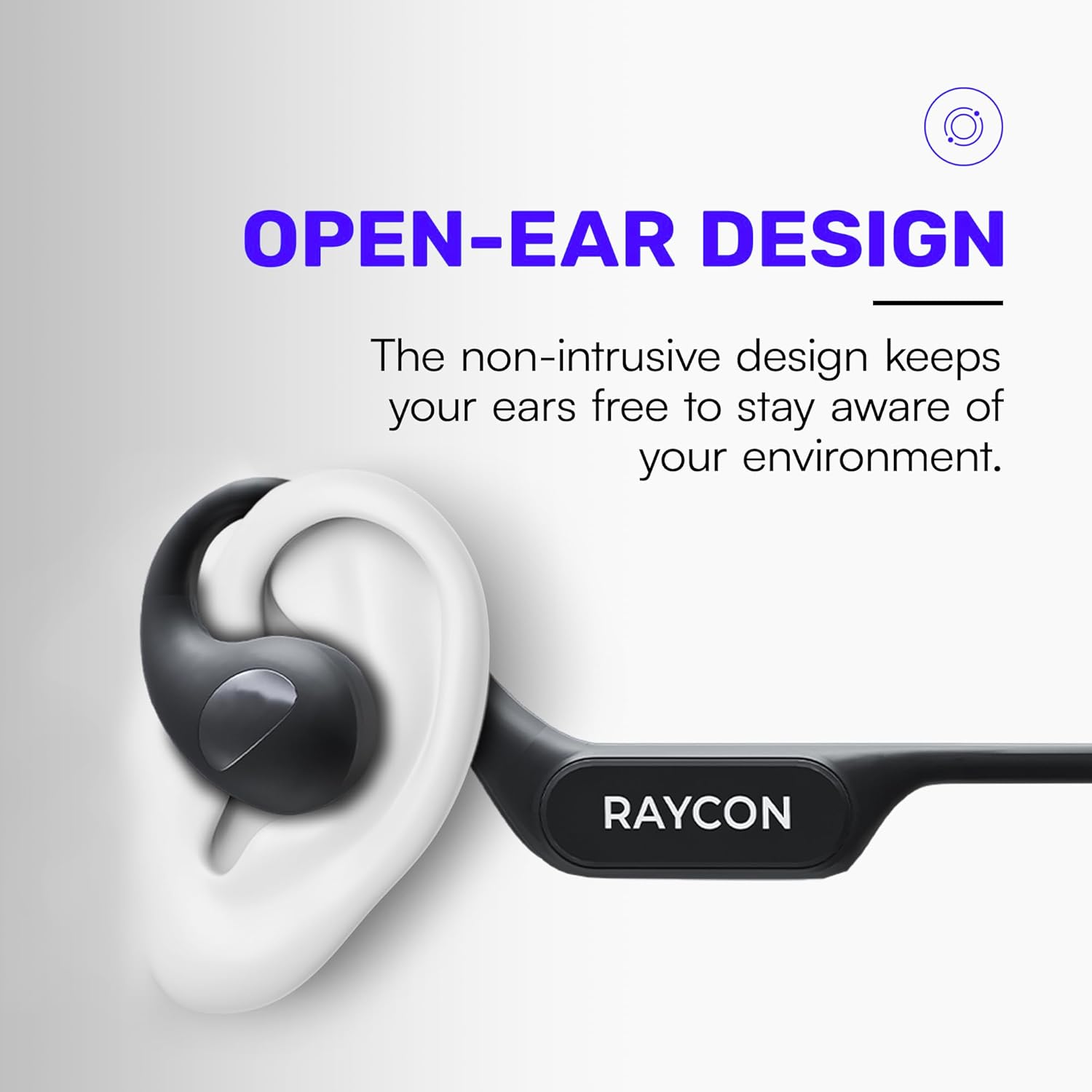
Image: Proper placement of the Raycon Open Headphones, highlighting the open-ear design for comfort and awareness.
Instrucciones de funcionamiento
Controles sobreview

Image: The control buttons are located on the left side of the headphone band.
- Botón de encendido: Mantenga presionado para encender/apagar.
- Subir volumen (+): Presione brevemente para aumentar el volumen.
- Bajar volumen (-): Presione brevemente para disminuir el volumen.
- Reproducir/Pausa: Double-tap the main control button to play or pause audio.
- Pista siguiente: Triple-tap the main control button to skip to the next track.
- Pista anterior: (Functionality may vary, refer to device settings or specific app controls).
- Responder/Finalizar llamada: Double-tap the main control button during an incoming call.
- Rechazar llamada: Mantenga presionado el botón de control principal durante una llamada entrante.
- Activar asistente de voz: Quadruple-tap the main control button to activate your device's voice assistant (e.g., Siri, Google Assistant).
Conexión multipunto
The Raycon Open Headphones support multi-point connection, allowing you to connect to two devices simultaneously. This feature enables seamless switching between audio sources without re-pairing.

Image: The headphones can connect to multiple devices simultaneously for versatile use.
To use multi-point connection:
- Pair the headphones with your first device as described in the "Bluetooth Pairing" section.
- Desactiva el Bluetooth en el primer dispositivo. Los auriculares volverán al modo de emparejamiento.
- Empareje los auriculares con su segundo dispositivo.
- Vuelve a activar el Bluetooth en el primer dispositivo. Los auriculares deberían conectarse automáticamente a ambos dispositivos.
- El audio se reproducirá desde el dispositivo que esté transmitiendo el sonido activamente.
Mantenimiento
Limpieza
Regularly clean your headphones to ensure optimal performance and hygiene. Use a soft, dry, lint-free cloth to wipe down the surfaces. For stubborn dirt, slightly dampEnjuague el paño con agua. Evite usar productos químicos agresivos, disolventes de limpieza o detergentes fuertes.
Almacenamiento
Cuando no los use, guarde los auriculares en un lugar fresco y seco, alejados de la luz solar directa y de temperaturas extremas. Evite colocar objetos pesados sobre ellos para evitar daños.
Cuidado de la batería
To prolong battery life, avoid fully discharging the headphones frequently. Charge them regularly, even if not in constant use. If storing for an extended period, charge the battery to approximately 50% before storage.

Image: The headphones offer up to 12 hours of battery life for extended use.
Solución de problemas
If you encounter any issues with your Raycon Open Headphones, please refer to the following common solutions:
- Sin sonido: Ensure the headphones are powered on, paired correctly, and the volume is turned up on both the headphones and the connected device. Check if the audio source is playing.
- Problemas de emparejamiento: Turn off Bluetooth on all previously paired devices. Power off the headphones, then re-enter pairing mode and try connecting again. Ensure the headphones are within the Bluetooth range of your device.
- Problemas de carga: Verify that the charging cable is securely connected to both the headphones and the power source. Try a different USB port or power adapter. Ensure the charging cable is not damaged.
- Mala calidad de sonido: Ensure the headphones are fully charged. Check for any obstructions between the headphones and your device. Move closer to your device to reduce interference.
- El micrófono no funciona: Ensure the headphones are properly connected. Check the microphone settings on your connected device to ensure the Raycon headphones are selected as the input device.
If the issue persists after trying these steps, please contact Raycon customer support for further assistance.
Presupuesto
| Característica | Detalle |
|---|---|
| Nombre del modelo | RBO841-24E-BLA |
| Tecnología de conectividad | Inalámbrico |
| Tecnología de comunicación inalámbrica | Bluetooth 5.3 |
| Duración de la batería | 12 horas |
| Forma del auricular | Sobre la oreja |
| Colocación de orejas | Oído abierto |
| Factor de forma | Sobre la oreja |
| Control de ruido | Aislamiento de sonido |
| Peso del artículo | 5.6 onzas |
| Fabricante | Raycon |
| Código Postal | 811162032347 |
Garantía y soporte
Your Raycon Open Headphones are covered by a return policy allowing for a refund or replacement within 30 days of purchase. For detailed warranty information or technical support, please contact Raycon customer service directly.