
Introducción
This manual provides detailed instructions for the safe and efficient operation of your Longer Ray5 20000mW Laser Engraver with Air Assist Kit. Please read this manual thoroughly before using the device to ensure proper setup, operation, and maintenance. Retain this manual for future reference.
Información de seguridad
ADVERTENCIA: Laser engravers are powerful tools that can cause serious injury if not used correctly. Always follow these safety guidelines:
- Utilice siempre gafas de seguridad láser adecuadas cuando opere la máquina.
- Nunca mire directamente al rayo láser ni a su reflejo.
- Asegúrese de que el área de trabajo esté bien ventilada para disipar los humos y vapores.
- Mantenga los materiales inflamables lejos del alcance del láser.
- No deje la máquina desatendida durante el funcionamiento.
- Asegúrese de que la máquina esté colocada sobre una superficie estable y nivelada.
- Mantenga a los niños y a las mascotas alejados del área de operación.
- Desconecte la alimentación antes de realizar cualquier mantenimiento o ajuste.
- Familiarícese con los procedimientos de apagado de emergencia.
Contenido del paquete
Verifique que todos los componentes estén presentes en el paquete:
- Longer Ray5 20000mW Laser Engraver Unit
- Bomba de asistencia de aire
- Boquilla y tubería de asistencia de aire
- Adaptador de corriente
- Cable USB
- Gafas de seguridad
- Manual de usuario (este documento)
- Material Samples (may vary)

Image: Air assist kit components including the pump, nozzle, and tubing.
Configuración
- Desembalaje: Retire con cuidado todos los componentes del embalaje.
- Asamblea: Follow the included quick start guide for assembling the main laser engraver frame and attaching the laser module.
- Air Assist Installation:
- Connect the air assist pump to the designated port on the laser module using the provided tubing.
- Ensure the air assist nozzle is securely attached to direct airflow to the engraving/cutting point.
- Conexión de energía: Conecte el adaptador de corriente al grabador y luego a una toma de corriente adecuada.
- Conexión de computadora: Connect the engraver to your computer via USB, or prepare for Wi-Fi/TF card connection.

Image: The Longer Ray5 laser engraver with the air assist pump connected and ready for operation.
Instrucciones de funcionamiento
1. Software y conectividad
The Longer Ray5 supports various software and connection methods:
- Software compatible LaserGRBL and LightBurn.
- Sistemas operativos: Supports Windows 7+, MacOS, and Linux.
- Métodos de conexión Wi-Fi, USB, App, and TF card.
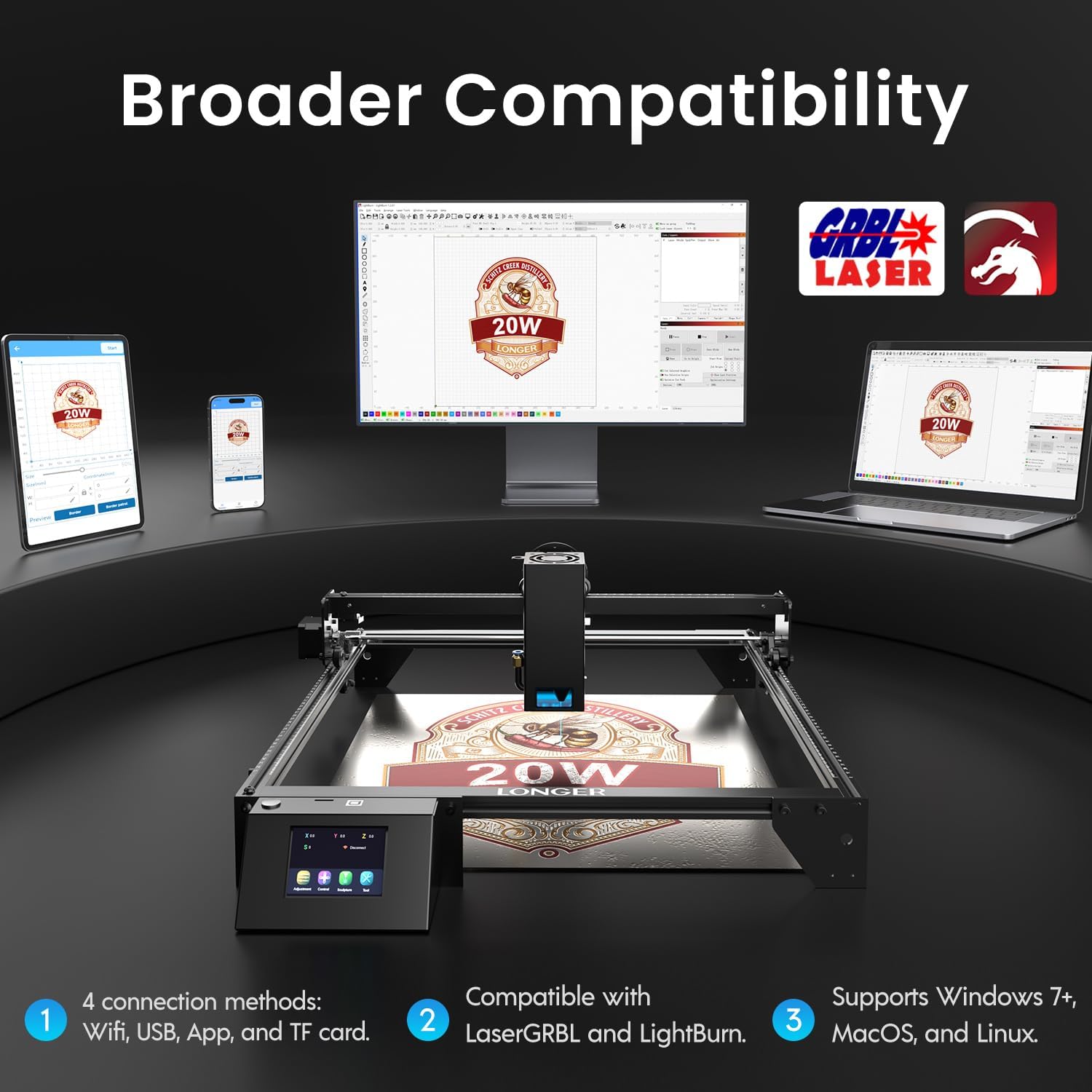
Image: Display showing the Longer Ray5's compatibility with LaserGRBL and LightBurn software, and various connection options including Wi-Fi, USB, App, and TF card across Windows, MacOS, and Linux operating systems.
2. Capacidades de grabado y corte
The 20W diode laser offers high-efficiency performance for various materials.
- Corte: Capable of cutting up to 25mm of wood and 35mm of acrylic. It can also cut 0.05mm metal.
- Grabado: Engrave hundreds of colors on metallic steel and a wide range of other materials.
- Materiales: Acrylic, metal, wood, stainless steel, and more.
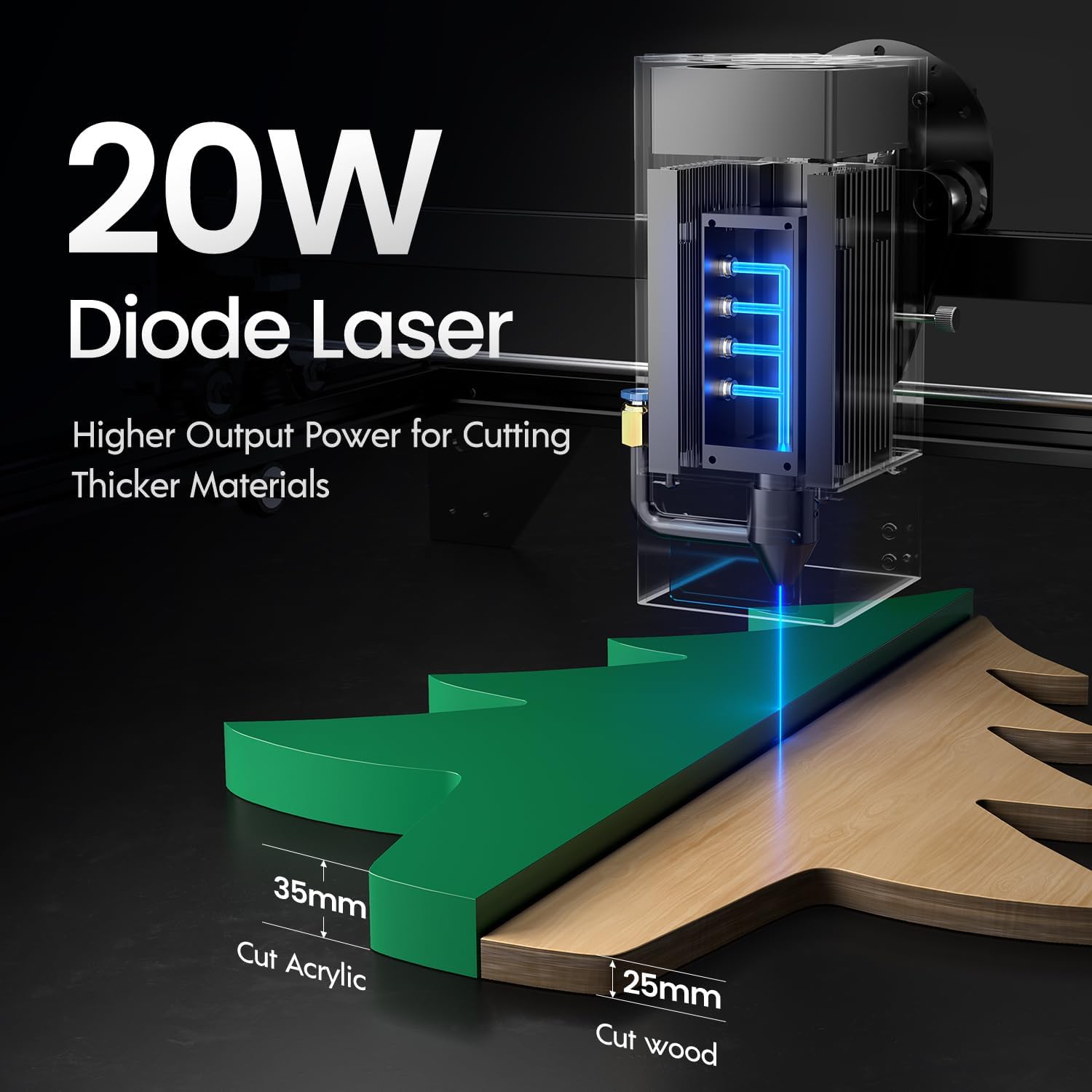
Image: Illustration demonstrating the 20W diode laser's capability to cut 25mm wood and 35mm acrylic.

Imagen: Examples of engraving capabilities, showcasing over 380 colors on metallic surfaces and other DIY artworks.

Image: A collection of various items demonstrating the versatile material selection for engraving and cutting, including wood, metal, and acrylic.
3. Función de asistencia de aire
The integrated air assist kit significantly improves cutting and engraving quality.
- Enhanced Cutting: The adjustable airflow (10-30L/min) suppresses smoke and dust, preventing laser energy attenuation and ensuring cleaner, smoother edges.
- Reduced Yellowing: Air assist helps prevent charring and yellowing on materials during laser processing, especially for wood and acrylic.

Image: A visual comparison showing the benefits of air assist, resulting in cleaner cuts and reduced processing time (e.g., 12 minutes with air assist vs. 20 minutes without).
4. Operación continua
The Longer Ray5 is designed for powerful continuous working capacity, supporting 24/7 continuous engraving. A single computer can control multiple machines.

Image: Depiction of multiple Longer Ray5 machines working simultaneously, illustrating continuous operation and the ability for one computer to control several units.
Mantenimiento
El mantenimiento regular garantiza un rendimiento óptimo y prolonga la vida útil de su grabador láser.
- Limpiar la lente láser: Limpie periódicamente la lente láser con un paño suave que no suelte pelusa y una solución de limpieza de lentes para mantener la calidad del haz.
- Limpiar escombros: Remove any accumulated dust or debris from the work area and machine components.
- Comprobar correas y rieles: Inspect drive belts for tension and wear. Keep linear rails clean and lubricated as per manufacturer recommendations.
- Air Assist Filter: If your air assist pump has a filter, clean or replace it regularly to ensure efficient airflow.
- Actualizaciones de firmware: Verifique el fabricante webSitio para obtener actualizaciones de firmware disponibles para mejorar el rendimiento o agregar funciones.
Solución de problemas
Esta sección aborda problemas comunes que podrías encontrar.
| Problema | Posible causa | Solución |
|---|---|---|
| El láser no dispara | Power not connected, software error, laser module fault. | Check power connections. Verify software settings. Contact support if laser module is suspected faulty. |
| Mala calidad de grabado/corte | Incorrect focus, dirty lens, wrong power/speed settings, material issues, no air assist. | Adjust laser focus. Clean the laser lens. Optimize power/speed settings for the material. Ensure air assist is active. |
| La máquina no se conecta a la computadora | USB cable issue, driver not installed, Wi-Fi configuration error. | Try a different USB port/cable. Install necessary drivers. Reconfigure Wi-Fi connection. |
| Humo/vapores excesivos | Insufficient ventilation, air assist not active or weak. | Ensure proper ventilation. Check air assist pump and tubing for blockages. Increase air assist flow. |
Presupuesto
| Característica | Detalle |
|---|---|
| Número de modelo | Rayo 5 |
| Potencia de salida del láser | 20000 mW (20 W) |
| Tipo de láser | Diodo láser |
| Profundidad de corte (madera) | Hasta 25 mm |
| Cutting Depth (Acrylic) | Hasta 35 mm |
| Metal Cutting Capability | 0.05 mm |
| Air Assist Flow | 10-30 L/min (ajustable) |
| Pantalla táctil | 3.5 pulgadas |
| Conectividad | Wi-Fi, USB, App, TF Card |
| Software compatible | LáserGRBL, LightBurn |
| Sistema operativo compatible | Windows 7+, MacOS, Linux |
| Fabricante | Más extenso |
| Fecha de primera disponibilidad | 1 de agosto de 2024 |
Garantía y soporte
For warranty information and technical support, please refer to the official Longer webSitio web o contacte directamente con el servicio de atención al cliente. Conserve su recibo de compra como comprobante para reclamaciones de garantía.
Recursos en línea: Visita el Tienda más larga en Amazon Para obtener información adicional sobre el producto y soporte.