
Introducción
Thank you for choosing the DOSS SoundBox H100 Bluetooth Speaker. This manual provides essential information for setting up, operating, and maintaining your speaker to ensure optimal performance and longevity. Please read this manual thoroughly before use.
¿Qué hay en la caja?
- 1x DOSS SoundBox H100 Bluetooth Speaker
- 1x Power Cable (Wall charger not included)
- 1x Correa
- 1x Manual de usuario
Producto terminadoview
The DOSS SoundBox H100 features a unique handbag-styled design with a rose gold and copper-tone pink control panel. It is equipped with intuitive controls and versatile connectivity options.

Figura 1: Frente view of the DOSS SoundBox H100 speaker with its detachable strap.
Panel de control
The top panel features physical knobs for Bass, Volume, and Treble adjustment, along with buttons for power, playback control, mode selection, and prompt tone activation/deactivation.

Figura 2: detallada view of the control panel with physical knobs and buttons.
Puertos y conectividad
The side of the speaker houses various ports for charging, USB drive playback, MicroSD card input, and AUX-in connectivity.
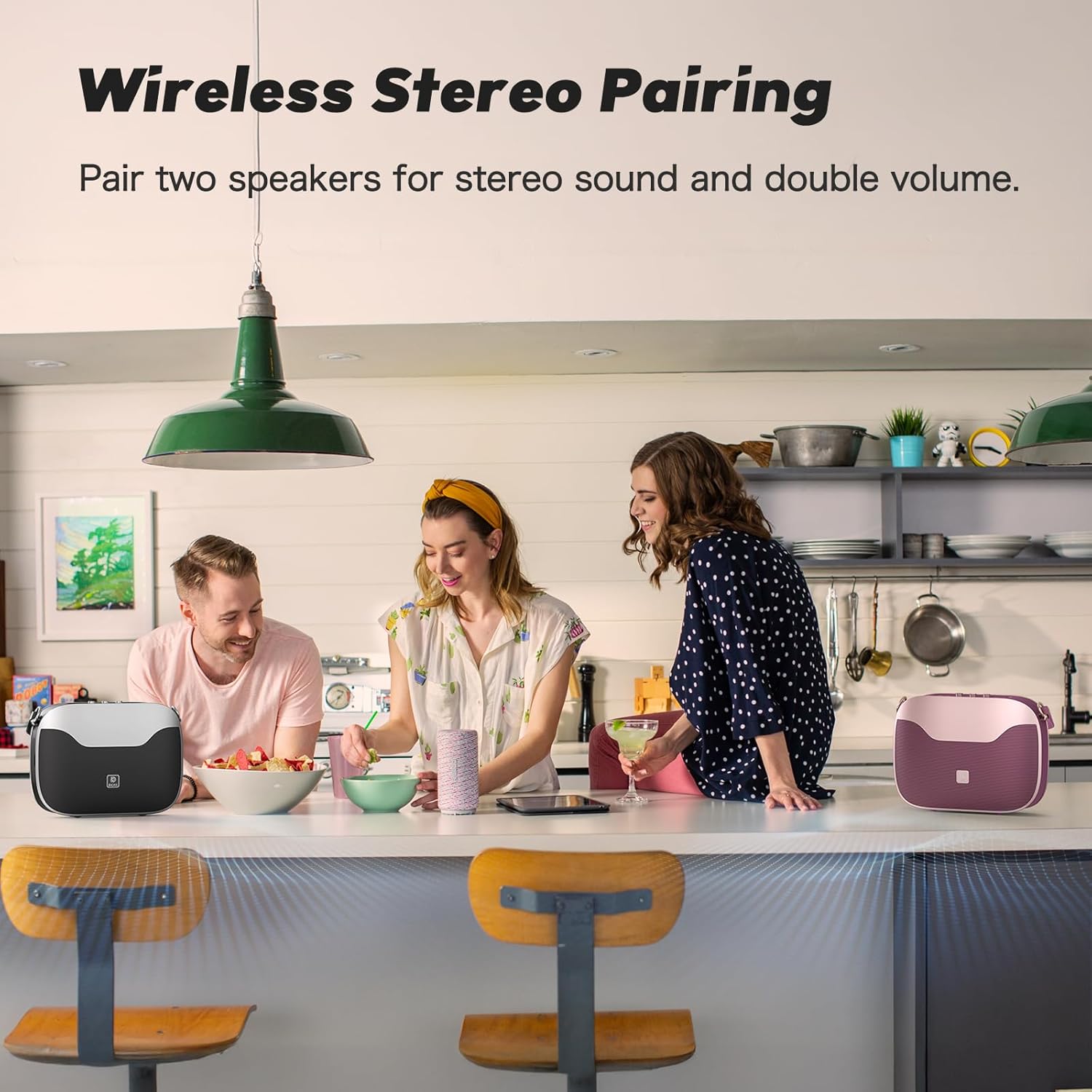
Figure 3: Side panel showing the USB-C charging port, USB-A port, MicroSD card slot, and AUX-in port.
Configuración
Encendido/apagado
- Para encender: Mantenga presionado el botón de encendido (⏻) on the control panel until you hear an audible prompt.
- Para apagar: Mantenga presionado el botón de encendido (⏻) nuevamente hasta que el altavoz se apague.
Emparejamiento Bluetooth
- Asegúrese de que el altavoz esté encendido y en modo de emparejamiento Bluetooth (indicado por un LED azul intermitente).
- En su dispositivo móvil, navegue a la configuración de Bluetooth.
- Select "SoundBox H100" from the list of available devices.
- Una vez conectado, el indicador LED se volverá azul fijo y escuchará un tono de confirmación.
Verdadero emparejamiento estéreo inalámbrico (TWS)
For an immersive stereo experience, you can pair two DOSS SoundBox H100 speakers together.
- Ensure both SoundBox H100 speakers are powered on and disconnected from any Bluetooth devices.
- On one speaker (this will be your primary speaker), press and hold the 'M' (Mode) button until the indicator flashes blue rapidly.
- On the second speaker (secondary speaker), press and hold the 'M' (Mode) button until its indicator flashes blue slowly.
- The speakers will automatically connect. The primary speaker's indicator will turn solid blue, and the secondary speaker's indicator will flash blue slowly.
- Connect your mobile device to the primary speaker via Bluetooth as described above. Both speakers will now play audio in stereo.
Video 1: DOSS SoundBox H100 Bluetooth Speaker - Full Operation Guide. This video demonstrates the full operational guide including pairing and controls.
Operación
Reproducción de audio
The SoundBox H100 supports multiple audio sources:
- Bluetooth 5.3: Connect wirelessly to your smartphone, tablet, or laptop for seamless audio streaming.
- Entrada auxiliar: Use a 3.5mm audio cable to connect to devices without Bluetooth.
- Unidad USB: Inserte una unidad flash USB en el puerto USB-A para reproducir audio files directamente.
- Tarjeta MicroSD: Insert a MicroSD card into the dedicated slot to play audio files.
Ajustar el sonido
Customize your audio experience using the physical knobs on the control panel:
- Perilla de graves: Rotate to increase or decrease the bass levels.
- Perilla de agudos: Rotate to increase or decrease the treble levels.
- Perilla de volumen: Gire para ajustar el volumen general.
Funcionalidad del banco de energía
The DOSS SoundBox H100 features a built-in power bank. Connect your mobile device to the USB-A port using a compatible charging cable to charge it on the go.
Video 2: DOSS SoundBox H100 Bluetooth Speaker. This video provides a brief overview of the speaker's features, including its power bank function.
Mantenimiento
- Mantenga el altavoz alejado del agua, la humedad y las temperaturas extremas.
- Limpie el altavoz con un paño suave y seco. No utilice limpiadores abrasivos ni disolventes.
- Evite dejar caer o someter el altavoz a impactos fuertes.
- Guarde el altavoz en un lugar fresco y seco cuando no lo utilice durante períodos prolongados.
Solución de problemas
| Problema | Solución |
|---|---|
| El altavoz no se enciende. | Asegúrese de que la batería esté cargada. Conecte el altavoz a una fuente de alimentación mediante el cable incluido. |
| No se puede emparejar a través de Bluetooth. | Make sure the speaker is in pairing mode (flashing blue LED). Ensure your device's Bluetooth is enabled and within range. Try restarting both devices. |
| No hay sonido o volumen bajo. | Check the volume levels on both the speaker and your connected device. Ensure the correct input mode (Bluetooth, AUX, USB, MicroSD) is selected. |
| El emparejamiento de TWS falla. | Ensure both speakers are disconnected from other Bluetooth devices before initiating TWS pairing. Follow the TWS pairing steps carefully. |
Presupuesto
| Característica | Detalle |
|---|---|
| Marca | DORMIR |
| Número de modelo | Caja de sonido H100 |
| Potencia máxima de salida del altavoz | 50 vatios |
| Tecnología de conectividad | Bluetooth 5.3 |
| Modo de salida de audio | Estéreo |
| Duración media de la batería | 24 horas (al 50 % del volumen) |
| Tiempo de carga de la batería | 8 horas |
| Capacidad de la batería | 4500 miliamp Horas |
| Alcance de Bluetooth | 82 pies |
| Dimensiones del artículo (Pr. x An. x Al.) | 11.1" de profundidad x 3.5" de ancho x 8.5" de alto |
| Peso del artículo | 2.5 kilogramos |
| Características adicionales | Adjustable Bass and Treble, Built-In Powerbank, Portable, Stereo Pairing, Dual DSP Technology |
| Nivel de resistencia al agua | No resistente al agua |
Garantía y soporte
The DOSS SoundBox H100 comes with a One Year Limited Manufacturer's Warranty, covering any quality-related concerns from the date of purchase.
For any issues or support needs, please feel free to contact DOSS customer service:
- Teléfono: 1-833-275-3677
- Correo electrónico: soporte@dossav.com
We are committed to providing you with 24-hour prompt assistance and support.